Repository navigation
MOSS
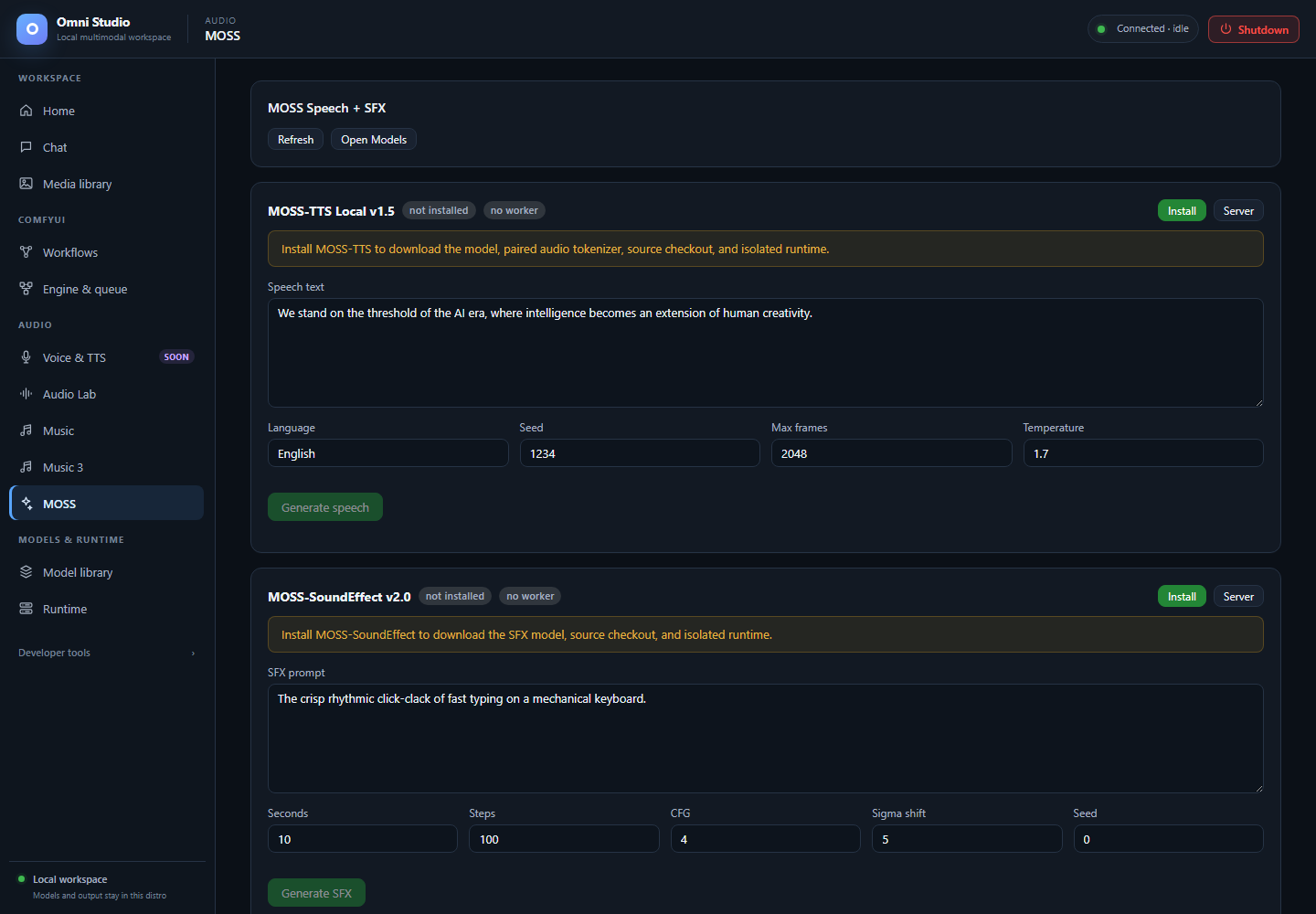
Separate speech and sound-effect controls with no installed workers. The manual documents the speech decoder limitation. Captured September 25, 2026.
MOSS is two local engines on one page:
- MOSS-TTS Local v1.5 — text to speech
- MOSS-SoundEffect v2.0 — text to sound effects
They are separate model families, separate workers, separate VRAM. Voice & TTS (Soon) links here, but fresh MOSS-TTS generation is currently blocked on the tested build. MOSS-SoundEffect remains a qualified sound-effects path.
Open Audio → MOSS.
Refresh reloads install and worker state. Open Models jumps to Model library. Each engine also has a Server button to Runtime.
- Install the engine (downloads model, tokenizer/source, isolated runtime).
- Start worker on an explicit GPU with enough free VRAM. MOSS is large; on the tested machine it did not fit a 12 GB auxiliary card and loaded on a 24 GB card. Generic autospawn is not capacity-aware — pick the device on Runtime if the one-click start lands on the wrong GPU.
- Generate. The GUI posts for a WAV blob and plays it in an
<audio>element. Successful API responses also persist under Omni output (kind=omni) withX-Omni-Output-*headers. - Unload/kill the worker when you need the GPU for Comfy or Music.
Do not run MOSS-TTS and ACE XL at the same time unless both APIs and host RAM prove they fit. Schedule them sequentially by default.
Status row: installed badge, worker ready/starting/none, Install or Start worker.
Banners:
- not installed — install to download the model, paired audio tokenizer, source checkout, and isolated runtime
- installed but no worker — start a worker before generating
Fields:
- Speech text
- Language (default English)
- Seed
- Max frames (1–7500, default 2048)
- Temperature (0.1–3.0, default 1.7)
Generate speech stays disabled until the worker is ready. The player appears under the button.
API equivalent: POST /api/tts/moss_tts with response_format: wav. WAV is
the dependable path and is required if the gateway restimes speed.
speed on the API ranges 0.25–4.0. Other format names exist (mp3, ogg,
flac, opus); WAV is what this tab uses.
The output URL can be fed to ACE-Step Vocal→BGM, A2A, or Cover as
init_audio_url.
Earlier 48 kHz speech runs succeeded on a 3090, but a fresh load followed by
inference failed in the upstream decoder with CUDA driver error: unknown error and exhausted WSL dxgresource descriptors. Omni retires the worker
after a worker-side 5xx so poisoned CUDA state is not reused. Do not blindly
retry or treat a ready worker as proof of working speech. Use a previously
persisted WAV or a recorded source until a fresh run and cleanup are qualified.
Voice-cloning breadth has not been characterized.
This tab is not MiniCPM TTS and not Qwen Talker.
Same install/start pattern for moss_sfx.
Fields:
- SFX prompt — describe one event ("crisp rhythmic click-clack of fast typing on a mechanical keyboard"), not a song
- Seconds 0.1–30 (default 10)
- Steps 1–200 (default 100)
- CFG 0–20 (default 4)
- Sigma shift 0–20 (default 5)
- Seed
Generate SFX posts /api/moss/sfx and plays the 48 kHz WAV.
VRAM estimate is about 10–12 GB; still prefer the larger GPU when the smaller card is busy. Subjective event quality requires listening in Media library. Hold the semantic event constant if you A/B against Audio Lab effects; the engines do not share a latent space or seed meaning.
ACE-Step Text2Samples is not a third dependable SFX path (unreleased adapter).
- Confirm the file in Media library → Omni (TTS / STT).
- Pin keepers.
- Kill the exact
moss_tts/moss_sfxworker on Runtime. - Recheck device VRAM before starting Comfy.
- Voice & TTS — why the speech hub is still Soon
- Audio Lab — alternative effects
- Music — Vocal→BGM handoff
- Runtime