Repository navigation
Importing lyrics
Import ordinary lyrics text from your own files into the album’s iBroadcast tracks. Saving requires Premium; local audio files stay unchanged.
-
On an album, choose ⋯ → Import lyrics…. Album tracks appear on the left; select or drop LRC/TXT files on the right. A unique track-number/full-title match links automatically. Version text is retained and optional disc prefixes distinguish multi-disc positions. Ambiguous matches stay manual: choose a track and a file, then Link selected track and file. Unlink excludes a track; Remove removes a local file from this import.
-
Select a file to preview ordinary lyrics text. LRC timing and common metadata markers are removed; this does not add synchronised lyrics playback. Supports up to 100 tracks/files, 5 MB together, 500 KB per file and 50,000 characters per text, with UTF-8 and BOM-marked UTF-16 decoding.
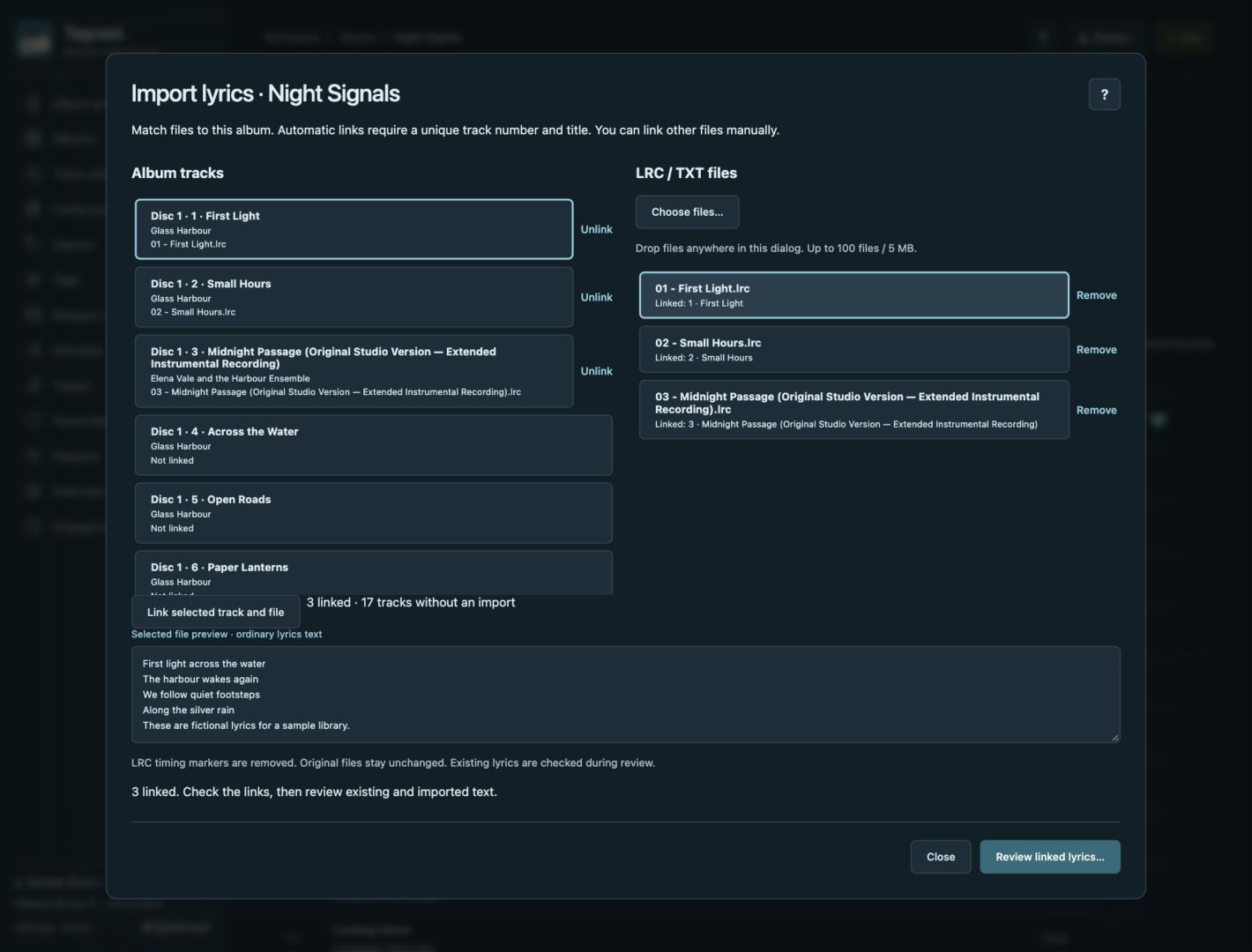
0.80.0 sample album: three files are linked and the selected file is previewed. Matching alone saves nothing. Select a screenshot to open the full-size image.
-
Review linked lyrics… reads fresh native lyrics only for linked tracks. Check Before / After. Existing lyrics are kept by default; replacing them requires Replace existing lyrics for this track on that track. Unlinked tracks stay unchanged.
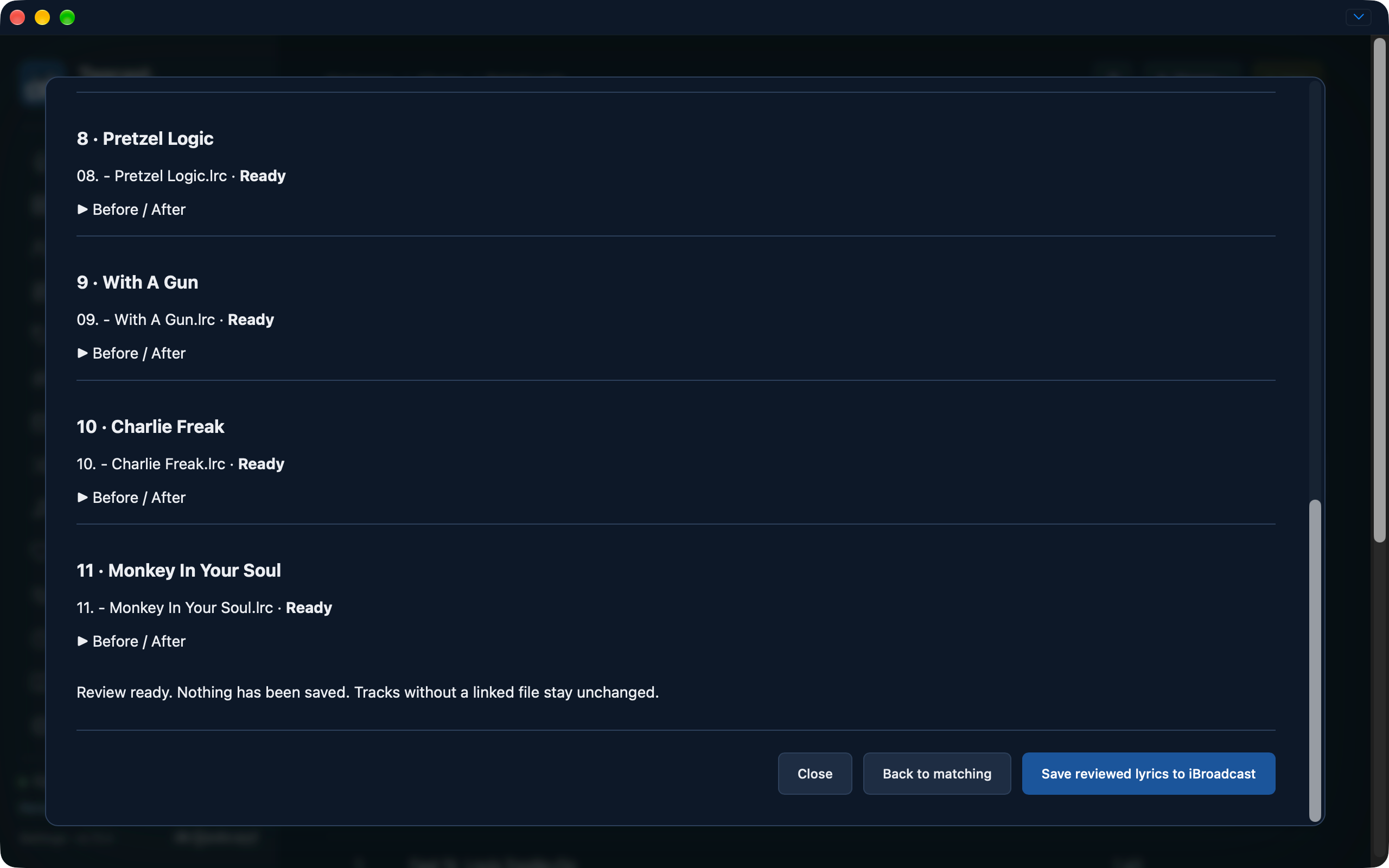
Earlier test interface, captured 22 October with a 0.75.0 badge; this feature shipped in 0.80.0. The review is ready and nothing has been saved. This is a different album from the matching example above.
-
Save reviewed lyrics to iBroadcast requires Premium. Saves run one track at a time, preserve other native userdata and confirm each write before continuing. Stop after current request, conflicts, request errors or unconfirmed results leave later tracks unsent. Uncertain saves are never automatically retried.
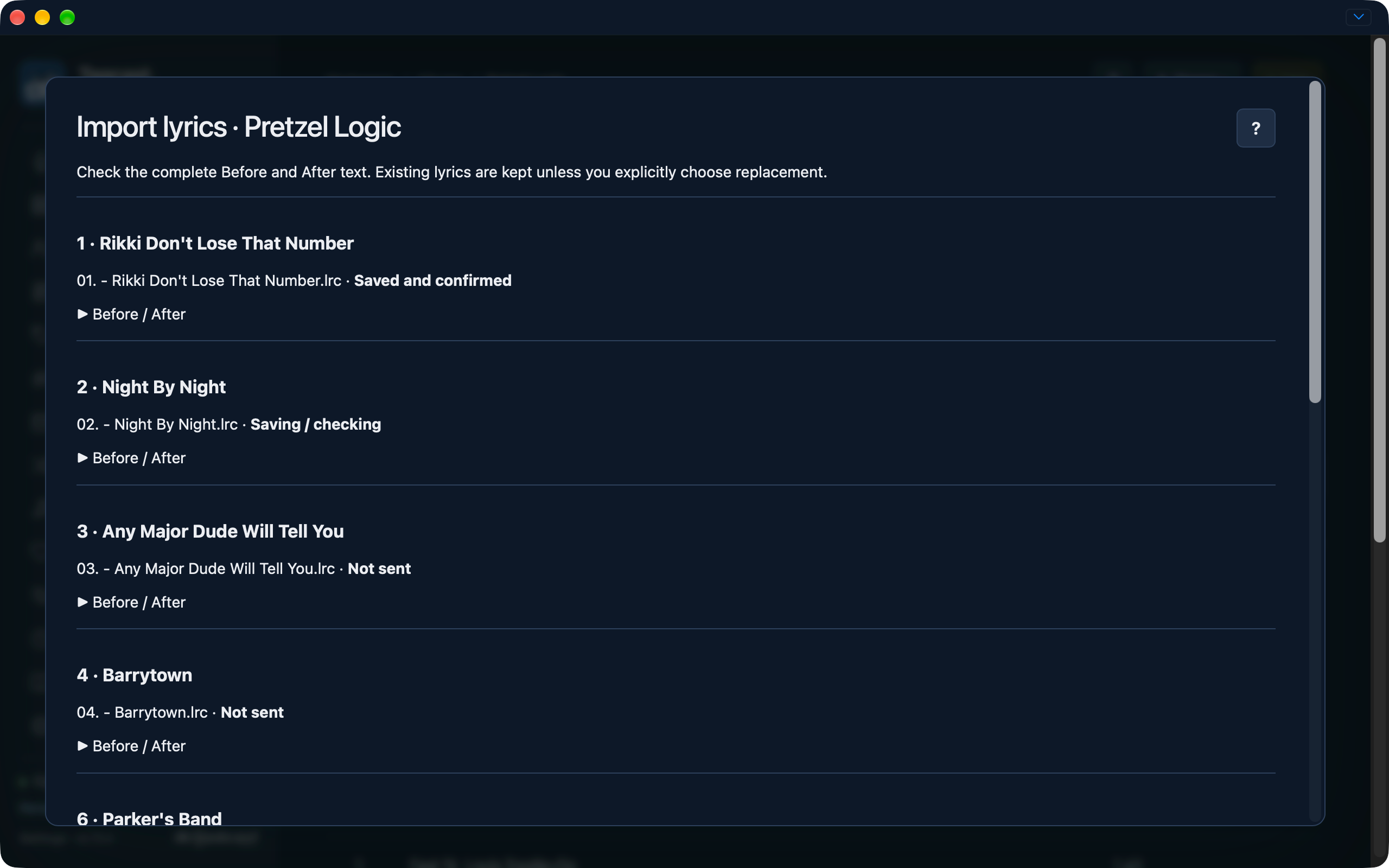
Earlier test interface, 22 October: one track is confirmed while the next is being checked. This is progress, not confirmation that the entire import finished.
-
Check the confirmed/kept/unchanged/blocked/not-sent/unconfirmed result for each track. Follow save recovery before preparing another save.
Files and links remain in browser memory. Closing an unsaved import asks before discarding it; account/library or navigation changes invalidate the draft. This workflow does not contact LRCLIB, read audio or change local music files. Full import guide.
See the four illustrated import steps and individual track lyrics.