Repository navigation
Merge albums
Documentation home · Album pages · Saving and recovery
Included since Tagcast 1.0.0. These screenshots show the local test build validated on 27 October 2026, which may still display an earlier version badge.
Use this action when one album has been split into several native iBroadcast album entries. It moves their existing tracks into one of the selected albums. It does not create an album, merge artist identities, delete duplicate tracks or alter local music files. Identical titles or covers alone do not establish that entries belong together: check the tracks first.
- Choose 2–20 complete single-disc album entries, with at most 500 active tracks in total.
- Every entry must have the same disc number. Multi-disc sets cannot be merged here; this includes a selection containing only part of a displayed set.
- Turn off Combine Multi-Disc Album Sets in iBroadcast and reload Tagcast before merging. See the multi-disc setting.
- Decide which existing album should remain. Its title, album artists, release year, disc number and album rating are retained. Source album ratings and local album favourites are not transferred; the destination keeps its own rating and favourite.
- There is no automatic Undo for a merge. Finish uploads or other library edits first, and check the complete review before confirming.
Open Albums, search for the album and tick the fragments. Select all on this page selects only the current filtered page; it is not a collection-wide selection. Deselect on this page removes that page's selection, and the × in the selection bar clears the full selection.
Selections on other pages or outside the current search/filter remain selected. Check any notice about hidden selections and the full album list in the merge dialog. Choose Merge albums….
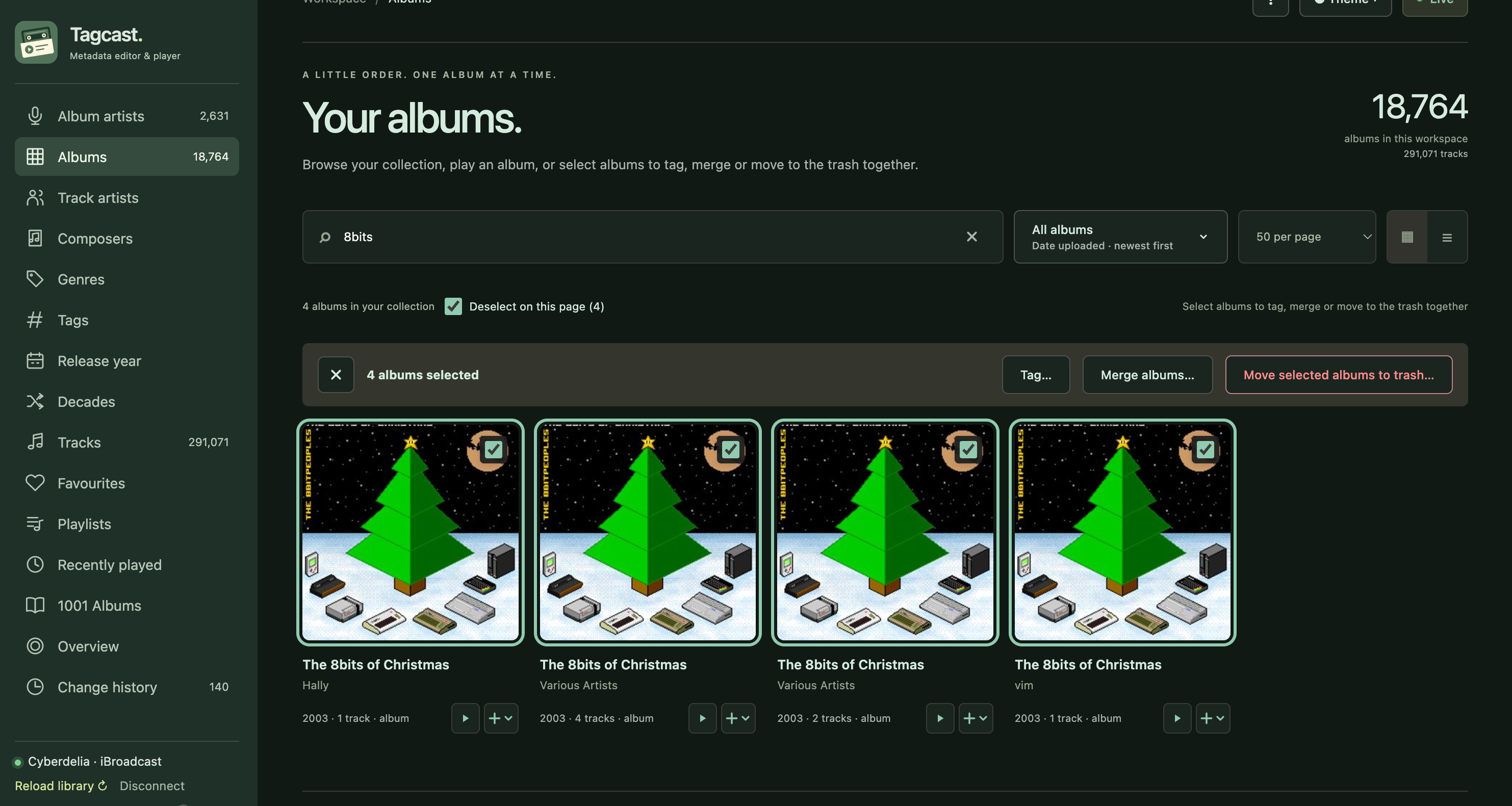
Real-library test: searching for 8bits shows four fragments. All four are selected; nothing has been merged yet.
In Destination album, explicitly choose one of the selected entries, then choose Review merge →. Choosing a destination does not save anything.
In this example, the destination already has Various Artists as its album artist. Merging does not automatically choose Various Artists or copy album artists into track-artist fields. Every track retains its own performer and credits.
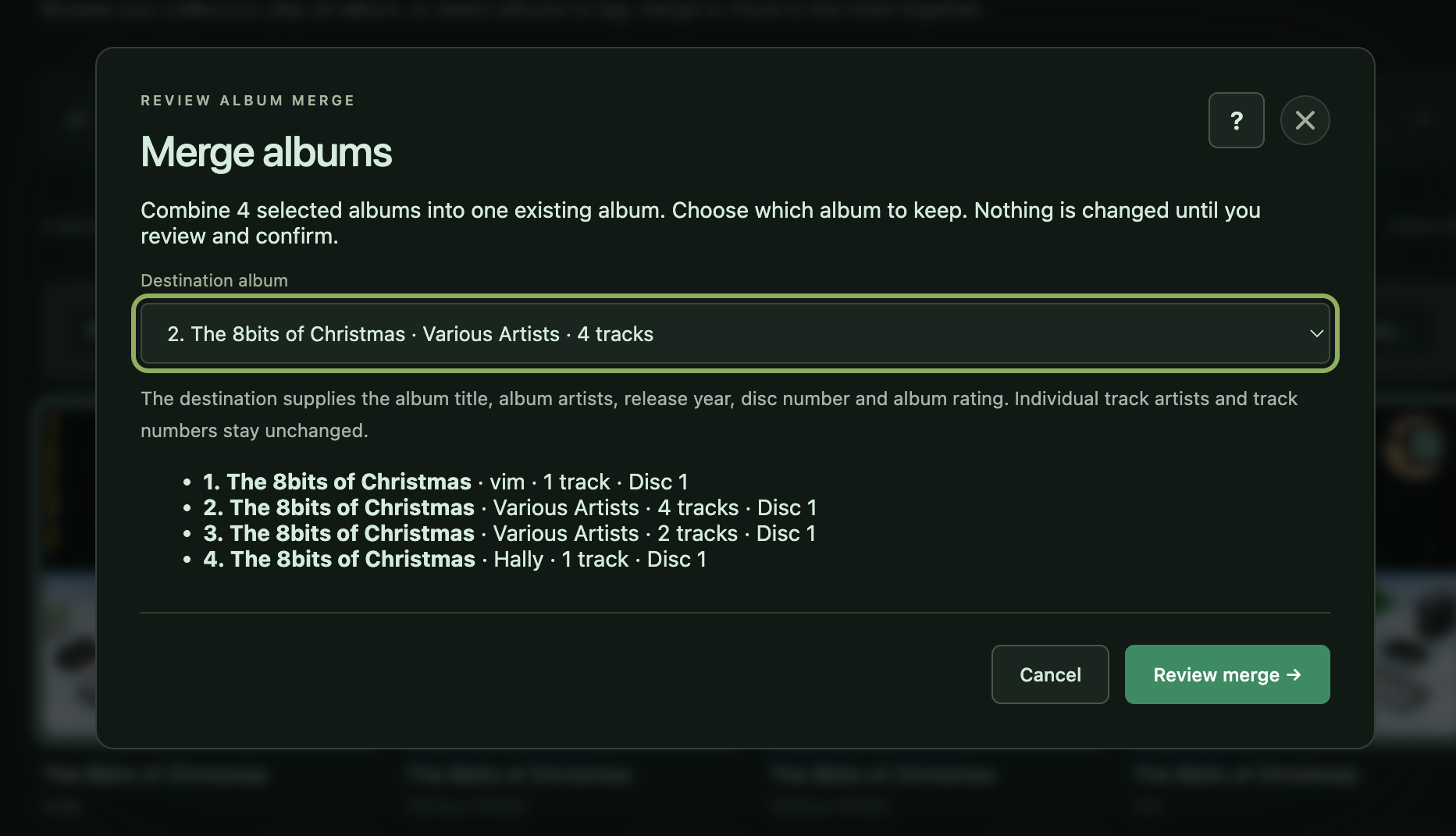
Keep the existing Various Artists entry containing four tracks. The other three fragments will contribute four more tracks.
Check the destination summary and the complete Tracks after merging list. Each track shows its original album and artist so you can spot an unrelated selection.
Track IDs, titles, performers, credits, individual track years, genres, artwork and numbers are preserved. No track is renumbered or deduplicated. If numbers overlap, Tagcast shows the overlaps and requires Keep these overlapping track numbers before confirmation. Unnumbered tracks stay unnumbered.
If covers differ, each track keeps its artwork; the displayed album cover follows the first numbered track with artwork. Matching covers do not prove identical audio.
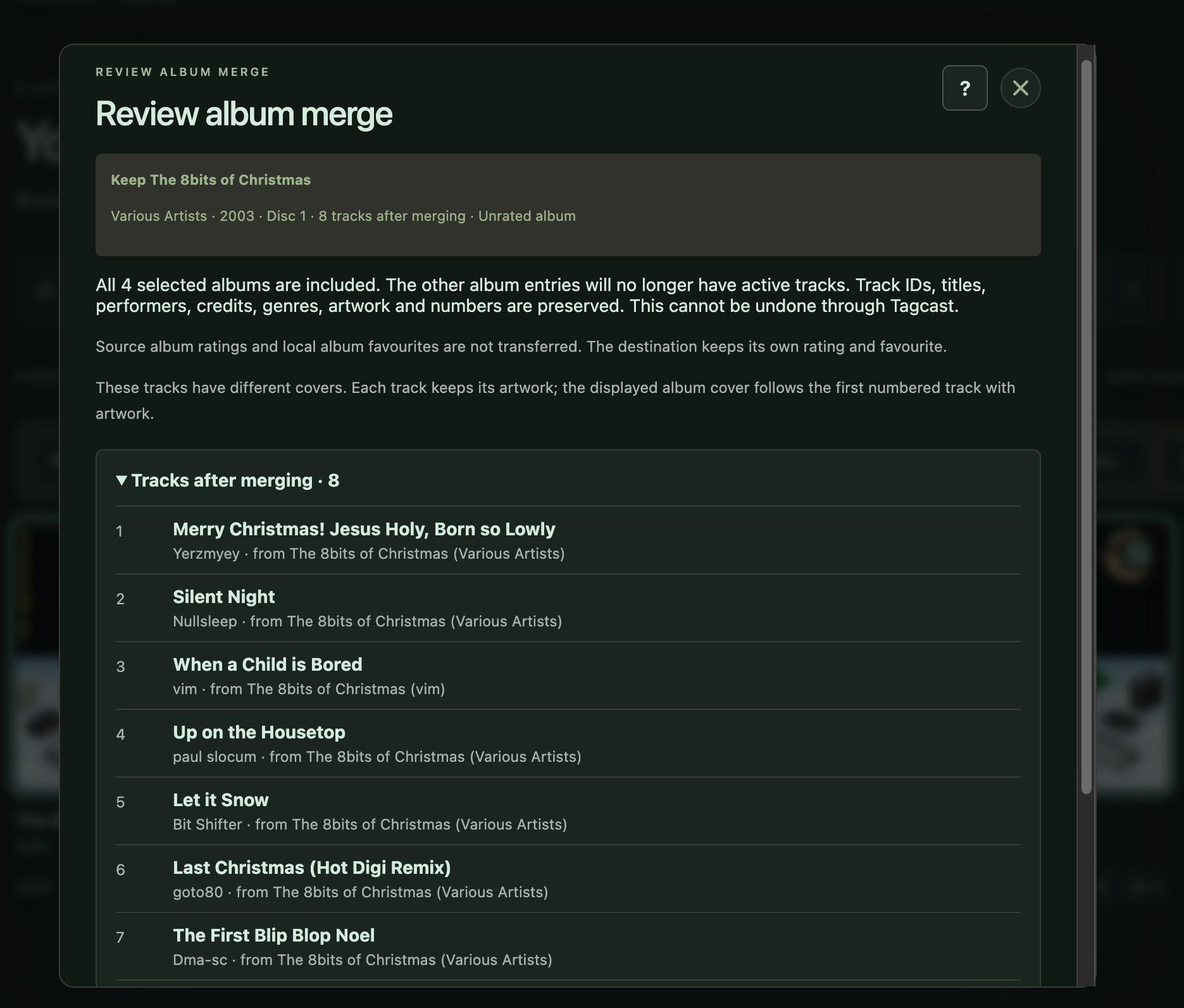
Review: all four fragments contribute to one eight-track album. Read the warnings and scroll through the complete list before confirming.
Use ← Change destination to go back. When the review is correct, choose Merge 4 albums in iBroadcast; the number reflects your own selection. Cancelling before confirmation makes no changes and retains the selection.
Tagcast checks that the reviewed albums and tracks have not changed, sends the merge once, and downloads the library again to check the result. Closing the dialog after confirmation does not cancel an already accepted request.
Wait for All tracks confirmed in the destination album, then choose Open merged album → or Done. Fully confirmed albums are deselected automatically. The source entries no longer contain active tracks; the destination contains the reviewed tracks under their existing numbers.
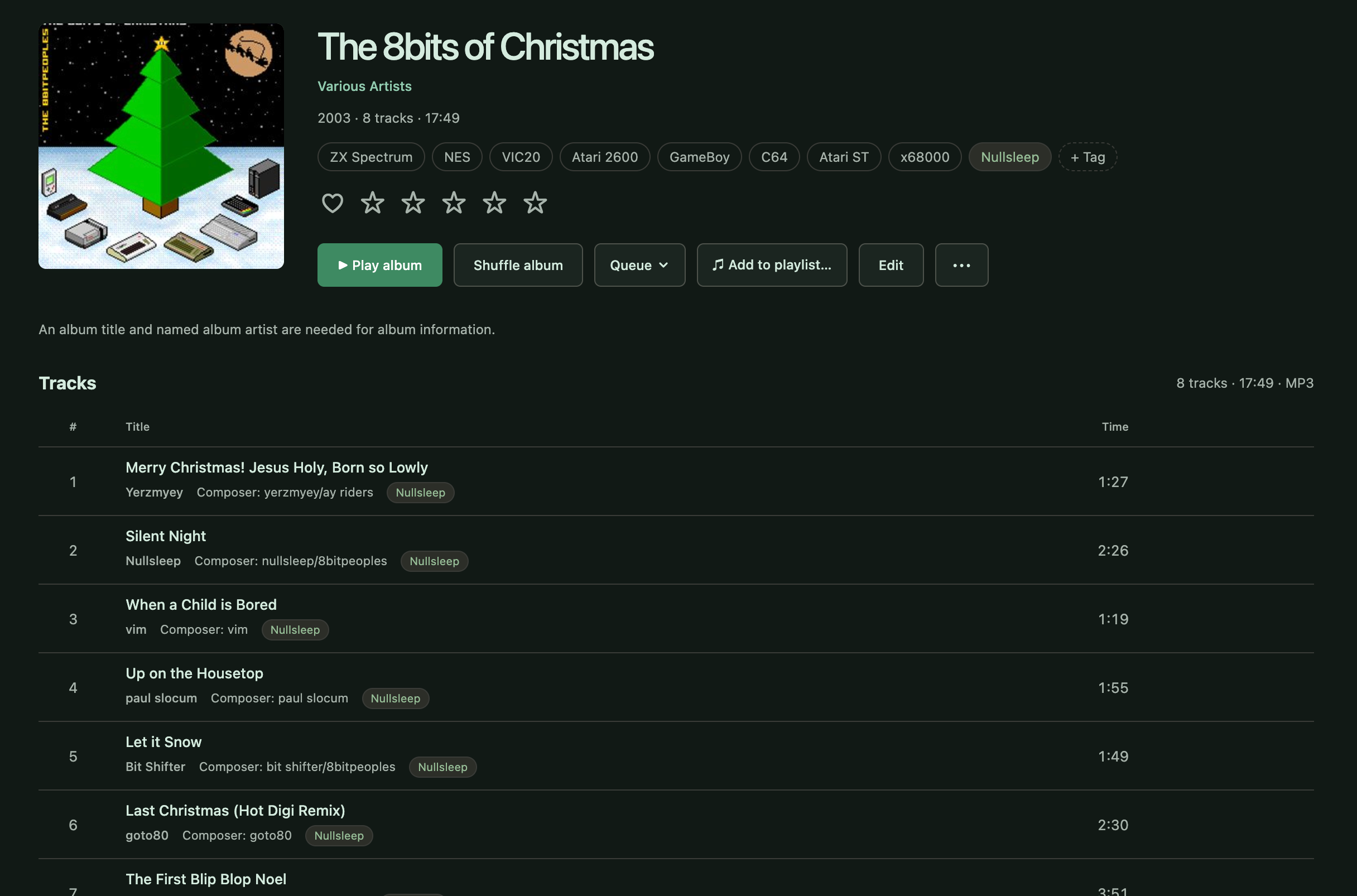
Confirmed result in this test: one album, eight tracks, with individual performers, composer credits and tags still visible.
The contributor reported that this real-library test worked. It validates this eight-track case; it does not establish that every album or platform has been tested.
If a result is blocked, unconfirmed or interrupted, reload the library and inspect iBroadcast before starting another review. Tagcast does not automatically retry the merge or offer metadata Undo. See save recovery.
The four-image screenshot inventory records original filenames and checksums.
For a different task, see Various Artists editing, artist credits, album tags or trash and duplicates.