Repository navigation
Metadata cleanup
Use Cleanup for explicitly reviewed label changes across the library. It remains separate from normal one-album metadata editing.
Before album-artist cleanup: turn off Combine Multi-Disc Album Sets in iBroadcast and reload Tagcast. Why this matters. This restriction concerns album-artist writes; it is not a blanket ban on genre/track cleanup.
A preview makes no changes. Review the selected albums and approve processing explicitly. Jobs are not transactional and have no automatic batch Undo. Export the report and read recovery guidance before resuming an interrupted job.
Open Overview → Metadata health → Clean up metadata…, or use the shortcut in the Combined genres album filter. Prepare a library-wide preview for combined genres, album artists, track artists or composers. The separate Review genre labels category lets you choose one exact stored label and enter its replacements, one per line, without guessing slash or comma separators. Remove this label from matching tracks explicitly removes only that label, preserving other genres or clearing the genre when it was the only one. Exclude albums, then approve and start. Changes are saved to iBroadcast in checked batches, with progress, stop/resume and a downloadable before/after report.
Semicolon cleanup splits only ;; slashes, commas and ampersands are kept. Each
batch contains at most 200 tracks from 20 displayed albums and is read back
before the next batch. Conflicts, request errors or unconfirmed writes stop the
job. Resume is explicit and rechecks current values. Preparing a preview does not
save anything. See the cleanup instructions for the
complete steps, exact genre replacement and recovery.
The new Album and track years category compares the loaded library, showing different, mixed and missing years. Choose one album and explicitly apply its album year to tracks, a known track year to the album, or a known track year to both. The existing review and save checks remain required. The comparison stays open and refreshes after confirmed read-back; other cleanup drafts stay separate.
See the illustrated album and track years guide and availability note. This category is included in 1.1.0; older 1.0.0 downloads do not include it.
Open Overview → Metadata health → Clean up metadata…, choose Album artists, then Prepare preview. This reads the complete active native library; it does not write to iBroadcast or use a CSV export. Only semicolons split names: commas, slashes and ampersands stay intact.
For Caetano Veloso;Gal Costa, the preview shows Primary: Caetano Veloso and
Additional: Gal Costa. Review every proposed disc. Existing separate album
artist IDs, roles and credit phrases are preserved; an already separate credit
takes precedence over a duplicate generated from the primary name. Combined
additional performer credits can also be split, preserving their roles and phrases.
Track artists, track credits and other metadata stay unchanged.
Exclude albums to keep their entire displayed sets, check the approval box, then choose Start selected albums. Writes use each original disc's native album ID, followed by read-back. Processing stops on conflicts, request errors or unconfirmed results. Stop/resume and JSON report export remain available; progress counts disc records, while the selection shows affected tracks. No normal metadata History or automatic batch Undo is added.
Earlier-interface example (0.70.0 development build, 18 October 2026): an approved album-artist cleanup run. Confirmed discs have been read back; Sent / checking discs are still awaiting confirmation.
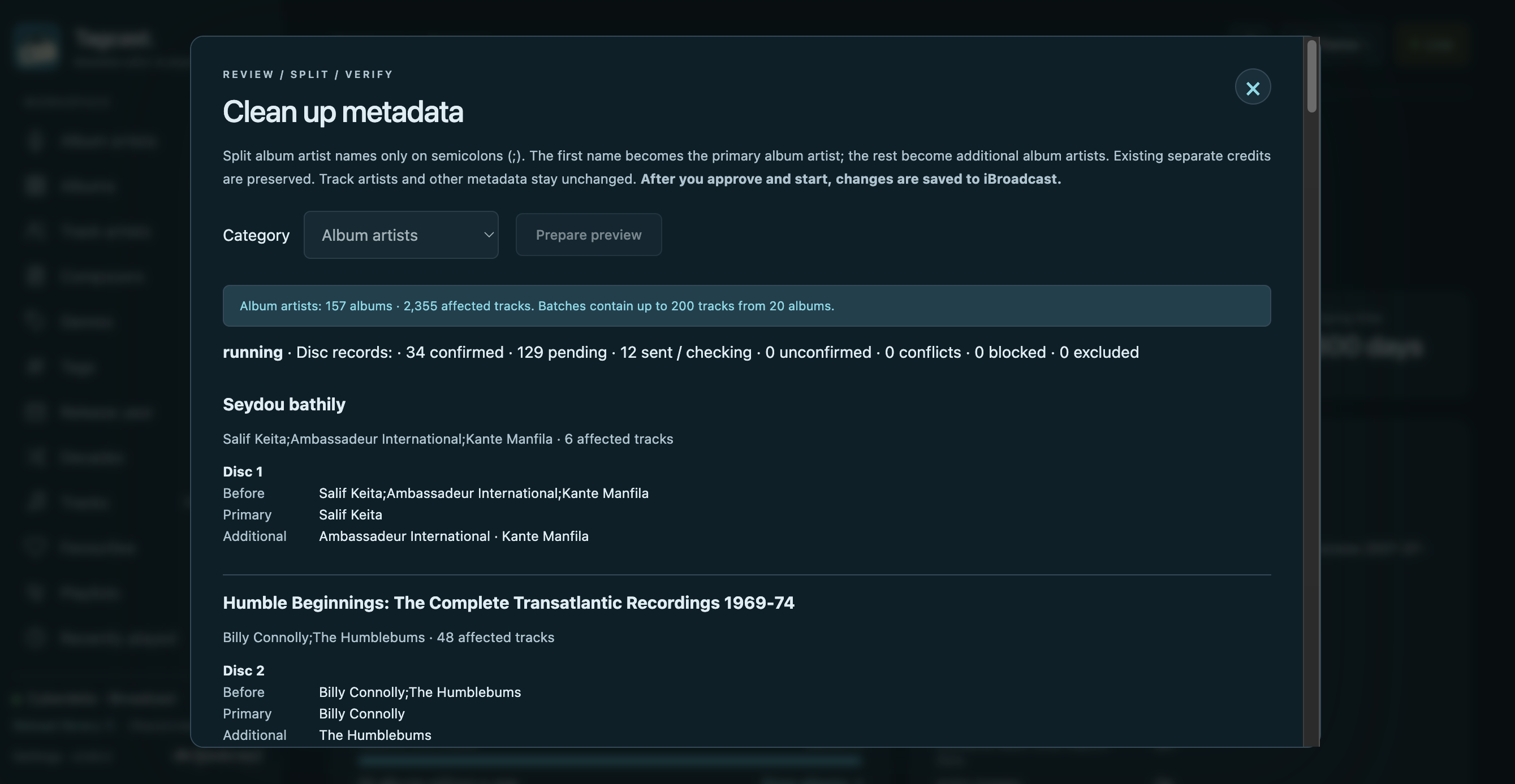
The iBroadcast Show Additional Artists and Composers display option may remain off. It does not remove saved credits or gate Tagcast's native reads. New names split from the primary field use the Artist role, which iBroadcast treats as another main artist even with additional roles hidden. Other roles, such as Composer, may be hidden in iBroadcast while remaining available in Tagcast.
For album-artist cleanup, Combine Multi-Disc Album Sets must be disabled in iBroadcast. Tagcast checks this setting, complete active disc membership, album identity and artist names/IDs before writing. Batches affect at most 200 tracks / 20 displayed albums; a native disc over 200 tracks must be edited individually. Invalid names, duplicate primary credits or more than 100 additional credits are blocked visibly. Nothing starts automatically when opening Cleanup or preparing a preview.
See the detailed cleanup instructions.