Repository navigation
Screen Power
The player's own screen can be switched off and on, and a backlight's brightness set, while Glass or glass-evo draws on it: from the Manager's Screen tab, from an IR remote, from a script, or from Home Assistant. With glass-evo holding the screen there is no Touch Display plugin to do it, and this is what takes its place.
Off is a real switch wherever the panel has one, and the display says which it used:
| Means | Where | What happens |
|---|---|---|
backlight |
A panel with a backlight the kernel lists, such as the official Raspberry Pi touch displays | The backlight is put out through its own file. The panel is dark and draws no backlight power. |
dpms |
A screen the display draws on itself (KMS/DRM), or an X server | The connector's power state is set off through the card the display draws on, or X's screen saver is forced off. An HDMI screen goes to standby. |
dark |
Anything else | Nothing here can switch this panel. The display shows black and stops drawing, and the Manager says so: the panel is dark, not off. |
The backlight comes first where there is one, the power state second, black last. While the panel is off the display draws nothing, so the player does less work; a touch on the panel, the Manager, or the endpoint brings it back, and the next frame is drawn whole.
Off holds through playback. Music starting does not wake a panel that was switched off by hand; only the Manager, the endpoint or a touch does. A look of glass-evo that goes black after its idle minutes switches the panel off the same way, and its own waking, music or a touch, switches it back on; a panel switched off by hand stays off until a hand or the endpoint says otherwise.
The state survives a restart of the display: the plugin holds what was asked and tells a display that starts anew. A reboot of the player starts with the panel on.
The player's own screen alone is switched. A remote display, the Face tab and Anymote are never touched.
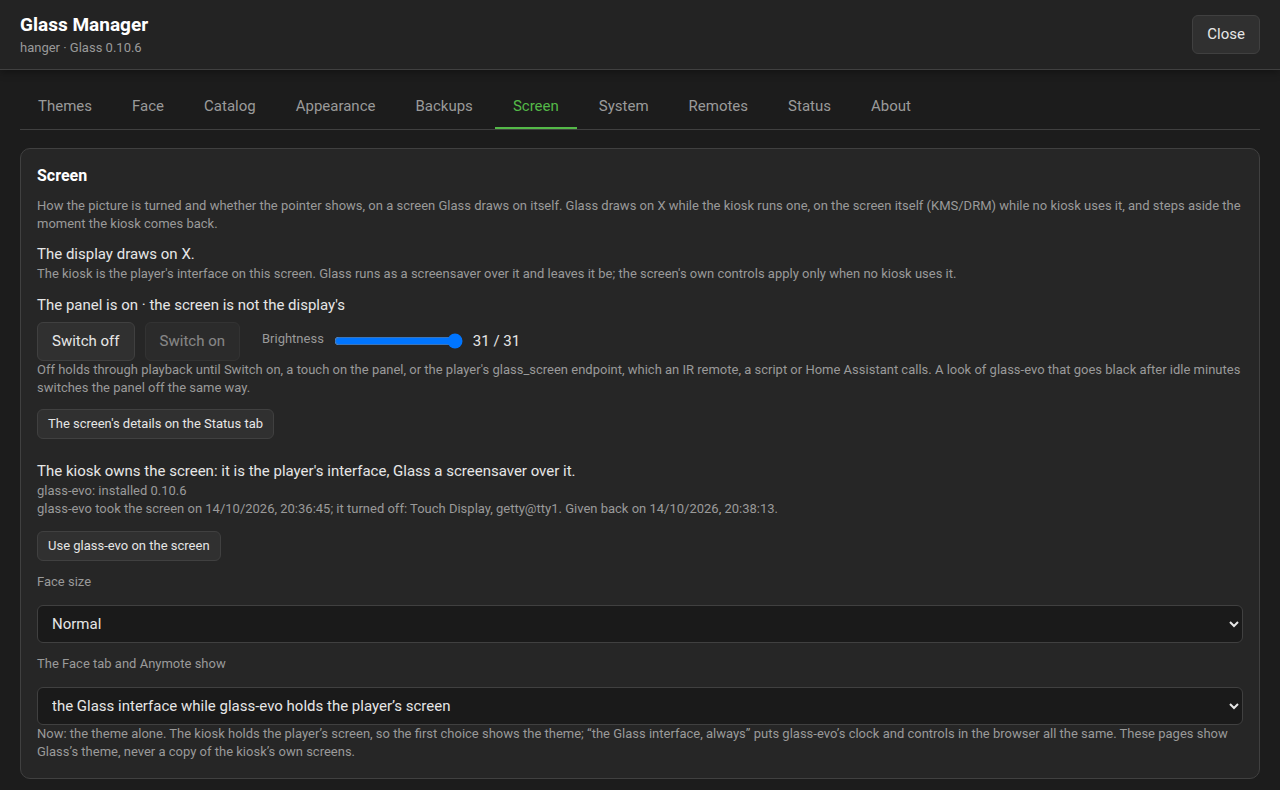
The Screen tab shows the panel's state and the means, with Switch off and Switch on, and a brightness slider where the panel has a backlight. The row is there while a display is on the screen; with the kiosk on the screen the panel is the kiosk's to switch, and the tab says so.
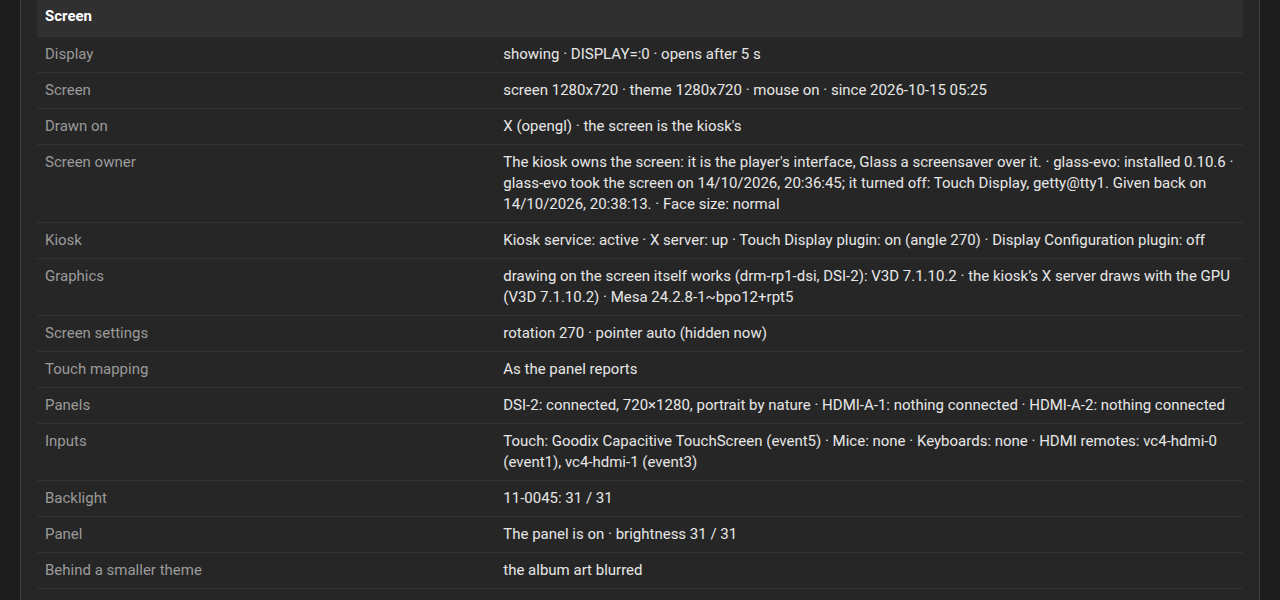
The Status tab's screen rows say the same in one line, on or off and by what means, with a backlight's brightness. Find a problem on that tab, asked about the screen or about meters that never appear, names a panel that was switched off and where to switch it on, and a panel that was asked off where nothing could switch it.
The plugin registers Volumio's REST endpoint glass_screen. The state:
curl 'http://player.local:3000/api/v1/pluginEndpoint?endpoint=glass_screen'answers, inside Volumio's { "success": true, "data": ... }:
{ "power": "on", "by": "backlight", "brightness": 200, "maxBrightness": 255, "backlight": true, "ours": true, "display": true, "reported": true }power is on or off; by the means above, empty until the display has switched it once; brightness and maxBrightness the backlight's, null without one; ours whether the screen is the display's own; display whether a display is on the screen now; reported whether the display has answered yet.
To switch:
curl -s -X POST -H 'Content-Type: application/json' \
  -d '{"endpoint":"glass_screen","data":{"power":"toggle"}}' \
  http://player.local:3000/api/v1/pluginEndpoint
power is on, off or toggle. A brightness, up to maxBrightness:
curl -s -X POST -H 'Content-Type: application/json' \
  -d '{"endpoint":"glass_screen","data":{"brightness":120}}' \
  http://player.local:3000/api/v1/pluginEndpoint
The Manager's own route, GET and POST /api/screen/power on port 5582, takes the same body and answers the same state; it is on Manager-API.
With lirc and irexec on the player, one button toggles the panel. In ~/.lircrc (or /etc/lirc/irexec.lircrc):
begin
    prog = irexec
    button = KEY_POWER
    config = curl -s -X POST -H 'Content-Type: application/json' -d '{"endpoint":"glass_screen","data":{"power":"toggle"}}' http://localhost:3000/api/v1/pluginEndpoint
end
A script that also switches USB ports, with uhubctl or anything else, calls the endpoint for the panel and does the rest itself, as it did with xset before.
rest_command:
  glass_screen_off:
    url: http://player.local:3000/api/v1/pluginEndpoint
    method: post
    content_type: application/json
    payload: '{"endpoint":"glass_screen","data":{"power":"off"}}'
  glass_screen_on:
    url: http://player.local:3000/api/v1/pluginEndpoint
    method: post
    content_type: application/json
    payload: '{"endpoint":"glass_screen","data":{"power":"on"}}'
A rest sensor on http://player.local:3000/api/v1/pluginEndpoint?endpoint=glass_screen with value_template: "{{ value_json.data.power }}" reads the state.
Switching off and on has been run on a Raspberry Pi 5 with the official Touch Display 2, where the backlight is the means, and on x86 with an X server, where X's screen saver is. An HDMI screen on a Raspberry Pi, where the connector's power state through the card is the means, and the first Touch Display have not been run here: reports from players that have them are welcome, on the forum or as an issue.
The backlight's files are the kernel's. The Volumio image makes them writable for the player's user; on an image that leaves them to root alone the backlight cannot be switched or set, the display falls back to the next means, and the Manager shows which it used. The rule to add by hand is one line in /etc/udev/rules.d/97-backlight.rules:
SUBSYSTEM=="backlight", RUN+="/bin/chmod 0666 /sys/class/backlight/%k/brightness /sys/class/backlight/%k/bl_power"