Repository navigation
First run
Scenarios · Русский · Contents
From an empty folder to a studio that sees its video model, the writer and the tools. At the end, every «Models and settings» section has a green dot next to the models you will shoot with.
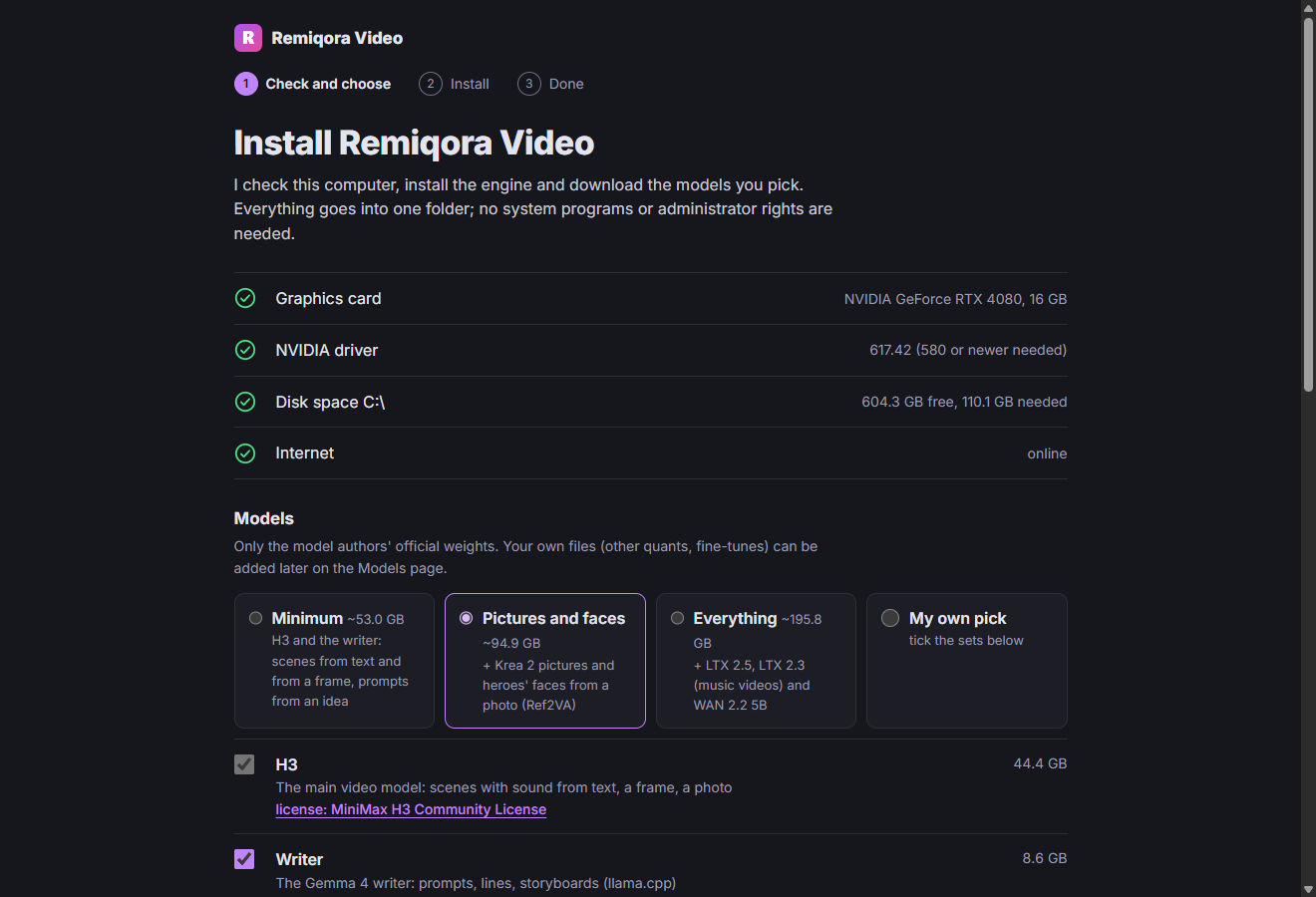 The installer: the computer check and the choice of model sets
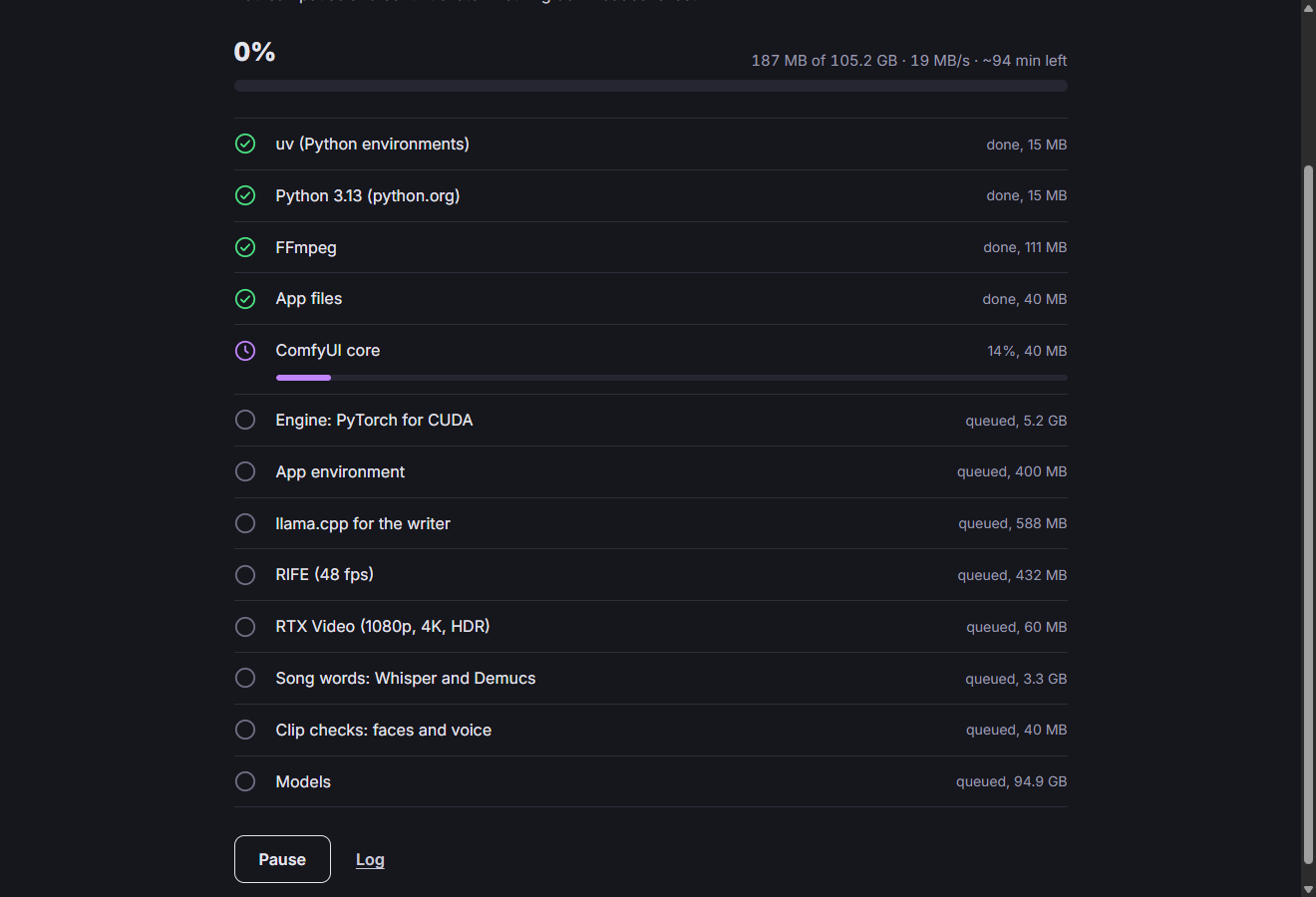 The installer: downloading the engine and the sets, with pause and resume
Most of the time goes into downloads: the engine environment is about 5 GB, model weights are tens of GB. You need an NVIDIA graphics card, git, uv and Node.js.
Run install.bat in the program folder. It checks for git and uv (if missing, it suggests winget install Git.Git and winget install astral-sh.uv), installs Python 3.13 from python.org, downloads the ComfyUI core into engine\ComfyUI and the environment into engine\.venv: torch for CUDA 13, Demucs, and Whisper for song lyrics.
At the end it checks that torch sees the graphics card and prints «Done. Start Remiqora Video with dev.bat». You no longer need Comfy Desktop after that.
Run dev.bat. The first time, it installs the page packages (Node.js needed), then builds the page, opens the «Remiqora Video» window with the server, and a browser at http://127.0.0.1:8810.
Closing the «Remiqora Video» window stops the studio. The video model starts by itself on the first shoot; its log is data\h3worker.log.
The «Models» button in the header. Sections on the left: «Video H3», «Ref2VA», «LTX 2.5», «LTX 2.3», «WAN 2.2 5B», «Krea 2 — pictures», «Writer», «LoRA», «Tools». The dot next to a section shows whether everything is in place; next to it, how much disk space it takes.
A model's section lists its weights by role: H3 has «Main model», «Text encoder», «Video VAE», «Audio VAE»; LTX 2.5 also has «Latent upscale ×2»; LTX 2.3 has the main model, the encoder, «Distilled-LoRA» and the upscaler; WAN has the main model, the encoder, the VAE and «LoRA FastWan» for FastWan. «Ref2VA» is only needed for «Keep the face from the photo», «Krea 2» for «Draw from description» and the «Picture» node. Click «Download» next to every file without a dot.
Files download in the background one at a time; «Stop» and «Resume» continue from the same point, and at the end the size is checked against Hugging Face. A file you put into the folder by hand shows up by itself.
The «Hugging Face token» field in the «Video H3» section is only needed for gated models. Enter the token and click «Save»: it is stored in data\hf_token; «Remove» erases it.
The «Writer» section: GGUF models from LM Studio downloads and from folders listed on the page; mark the default model. No model of your own? Paste a file link into «Download GGUF from Hugging Face». For a hero photo you need a model labeled «sees photos».
The script is written by llama-server. It is looked up in this order: the path from the settings, tools\llama, the engine of an installed LM Studio. If none is found, the section shows «No llama-server».
You don't need to run LM Studio itself: the studio only takes llama-server from it.
ComfyUI core, «Python for H3», llama-server, ffmpeg, ffprobe, RIFE and RTX Video each have a dot: «found» or «not found». Wrong path? Use «Choose…» (a Windows dialog) or «As in .env». RIFE is only needed for 48 frames per second, RTX Video for 1080p, 4K and HDR10.
The bar under the header shows what the graphics card is doing: a purple dot means the video model is shooting, green means the writer is working, gray means it is free. A click opens the task, the queue and «Stop»; when free, «Unload model». On the right: «RAM» and «VRAM».
The first scene after startup or after the writer takes longer: the model loads for up to half a minute.
💡 Windows may refuse to run an unsigned llama-server: «Smart App Control» is on. Don't turn the protection off; install LM Studio instead: the studio will find its signed llama-server by itself.
💡 You don't need every model at once. Download one; a model without files shows «no weights» in the «Model» list.
Next: A video from an idea · Models and settings · Settings in .env