Repository navigation
Timeline and chains
Storyboard · Русский · Contents
Each strip is a scene, its width follows the scene's length. Scenes of one chain — a new scene and the continuations after it — sit flush, like one continuous shot; there's a gap between chains. Under the strip — a line about the scene under the pointer (or the selected one): time, its chain and the text. In a long video, where scenes are very narrow, numbers and pictures hide: the strip becomes a map — a new scene brighter, continuations dimmer, the selected one white.
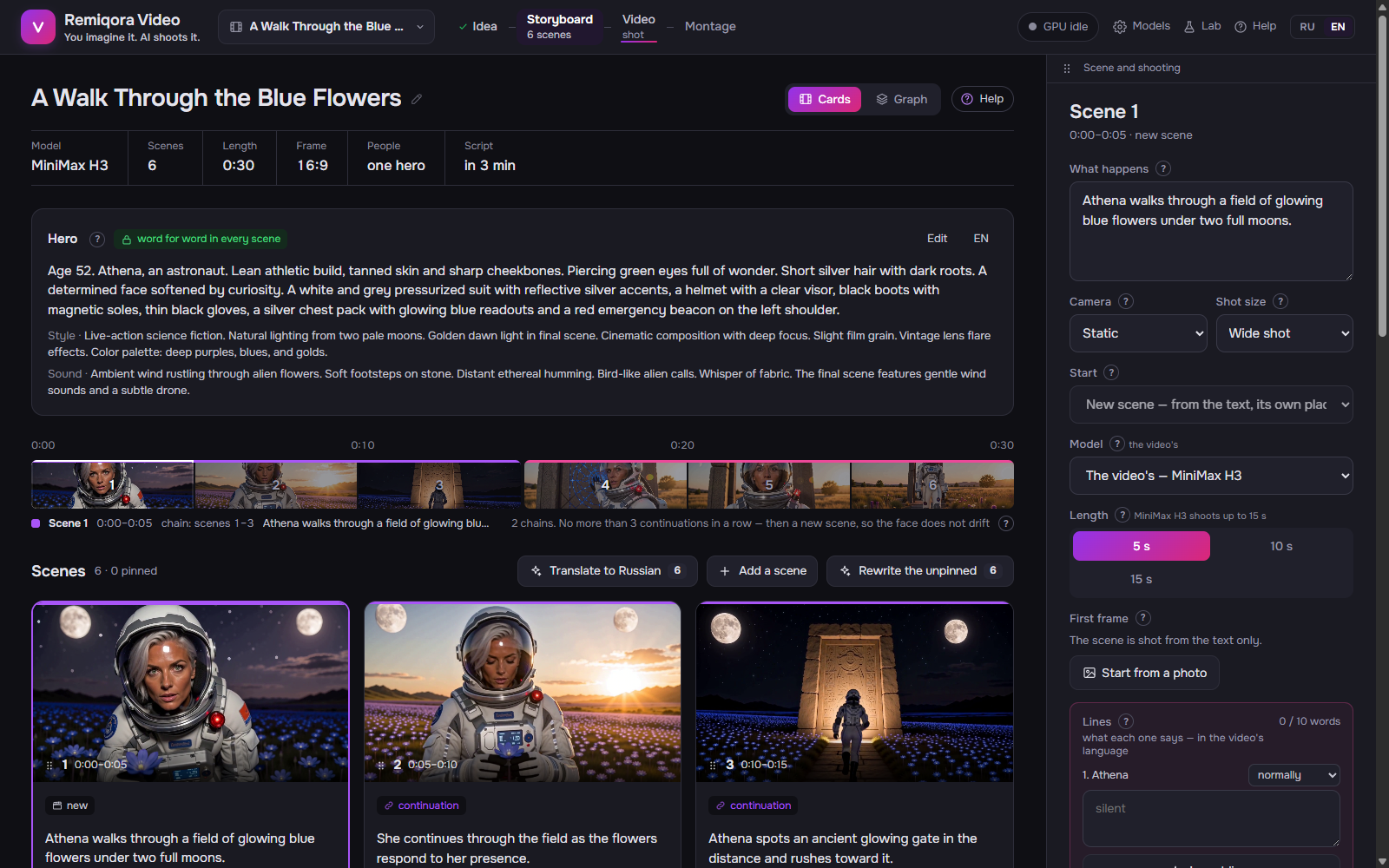 The storyboard: the hero's card, the timeline of chains and the scene cards
Shot from text, in its own place; opens a chain. Between chains — an ordinary editing cut.
Shot from the last frame of the previous scene: the same place, the same moment, as if the camera never stopped.
✗ Worse: In a continuation: «She walks into a different room.» — the model will make an abrupt jump in the middle of the scene.
✓ Better: A new place is a new scene; in a continuation the action goes on in the same place.
With people — no more than three continuations in a row, then a new scene: otherwise the face slowly drifts. With 10 s scenes (LTX) — no more than one: the chain is likewise about 20 s. Without people, the whole video is one chain.
The scene has a remark (the «The «check» mark» section).
Purple and pink simply alternate so neighboring chains stand apart; the chain's number doesn't matter.