Repository navigation
Models and settings
The «Models» page in the header. Sections on the left: «H3 video», «Ref2VA», «LTX 2.5», «LTX 2.3», «WAN 2.2 5B» (with the FastWan LoRA), «Krea 2 — pictures», «Writer», «LoRA», «Tools»; a dot shows whether everything is in place, next to it how much disk space it takes. At the top, all models on disk in one bar. Everything is saved at once, no restart needed.
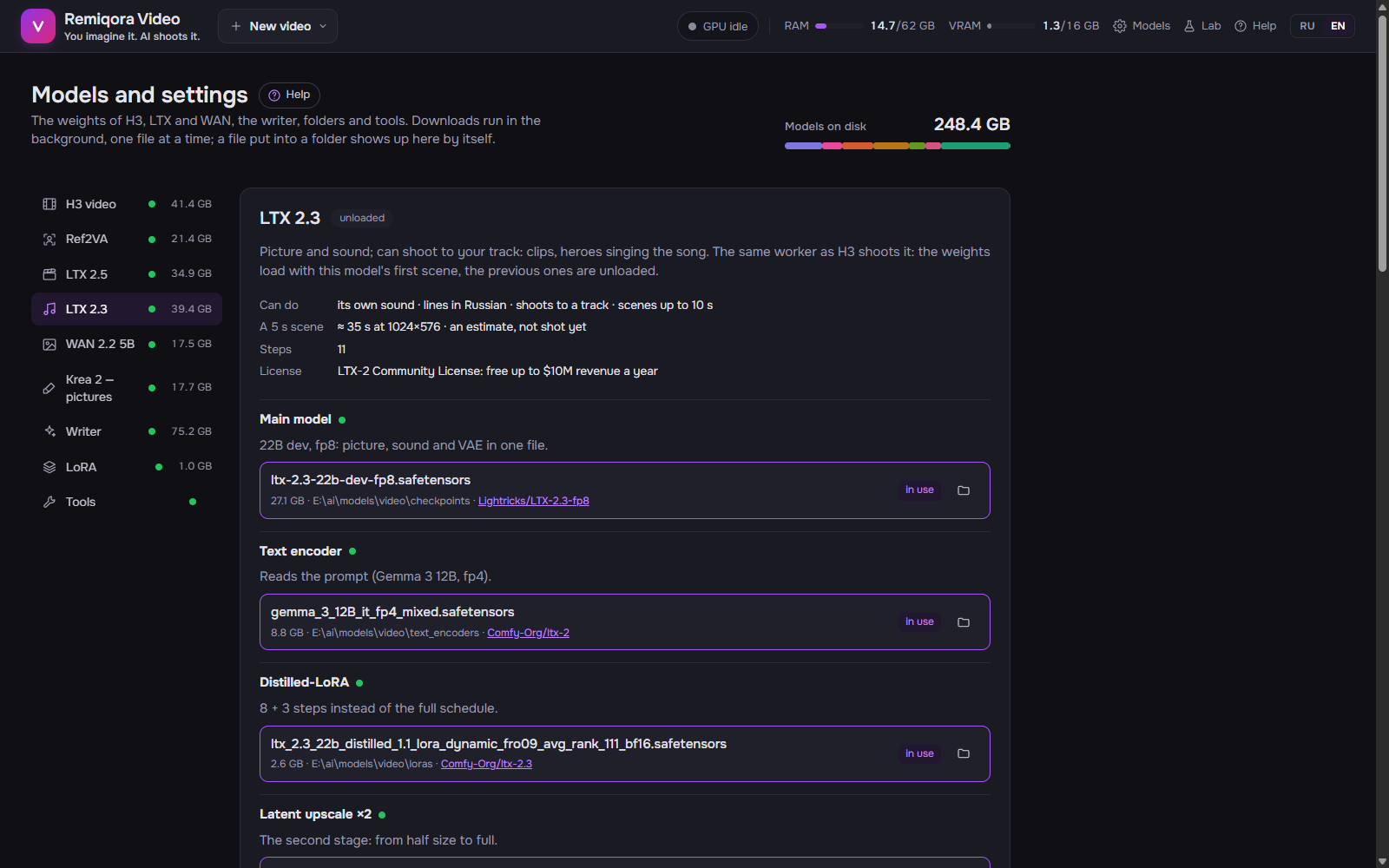 The Models page: the weights by role, downloads and folders
For a video model: what it can do (sound, lines, faces from a photo, to a track), «5 s scene», how long a draft takes on this machine (measured; until something is shot, an estimate), steps, license. Next to it, «in memory» or «unloaded».
A button next to the name while the model is in memory: frees VRAM; the next shoot loads the model again. The same as «Unload model» in the status bar.
The main model, text encoder, video and audio VAE, LTX’s latent upscaler, the FastWan LoRA, Ref2VA. Each file shows where it is or where it will be downloaded, and from where, as a Hugging Face link. «Use» switches the model, «Remove» sends the file to the Windows Recycle Bin.
Files download in the background one at a time. «Stop» keeps what’s downloaded, «Resume» continues from the same place; at the end the size is checked against Hugging Face. A file put into the folder by hand shows up on the page by itself.
The default model, context, GGUF folders and download by Hugging Face link.
Draws the «Picture» node in the graph, on the same worker as video (the official ComfyUI build: Krea 2 Turbo int8, Qwen3-VL 4B fp8 encoder, Qwen-Image VAE; all from Comfy-Org/Krea-2, in the worker’s weight folders). Before a picture the video model is unloaded; Krea stays in memory, and the next pictures take about 3.5 s. Krea has its own LoRA folders: each file is checked by its header — LoRA and LoKr fit, LoHa and DoRA are marked «may not apply», full weights are blocked; trigger words and previews (name.png, name.civitai.info) are shown alongside. LoRA are chosen in the «Picture» node, strength from −30 to 30; if some of a LoRA’s keys didn’t fit the model, you see it after the picture.
Each model has its own: «LoRA» holds H3’s folders; the LTX 2.5, LTX 2.3 and WAN 2.2 5B sections have their own (one model’s LoRA don’t fit another), Krea has its own. A .safetensors put into a folder shows up in the list by itself.
In the «H3 video» section: needed only for gated models, kept in data\hf_token. «Save», «Remove».
Paths to the ComfyUI core, its Python, llama-server, ffmpeg and ffprobe, RIFE and RTX Video; each shows whether it was found. «As in .env» restores the value from .env or the default; a new core or Python is picked up from the next shoot.
«Choose…» opens a Windows dialog; «As in .env» restores the value from the settings file.