Repository navigation
Graph
Storyboard · Русский · Contents
«Graph» in the «Cards / Graph» switch next to the title opens the same storyboard on a canvas: what each scene is shot from and where it goes next. The storyboard’s links are edited right on the diagram: drag a scene’s «frame» to the «start» of a later one, and that one becomes a continuation from this frame (a cutaway and a return); a click on a link selects the scene it leads into; the scene panel has «Start», «Takes» and «Scene LoRA». Everything is saved to the storyboard at once. Text, people and camera live in the cards; a separate graph with branches and a «Montage» is «Copy — project graph» at the top of the side panel, under the title (when nothing is selected).
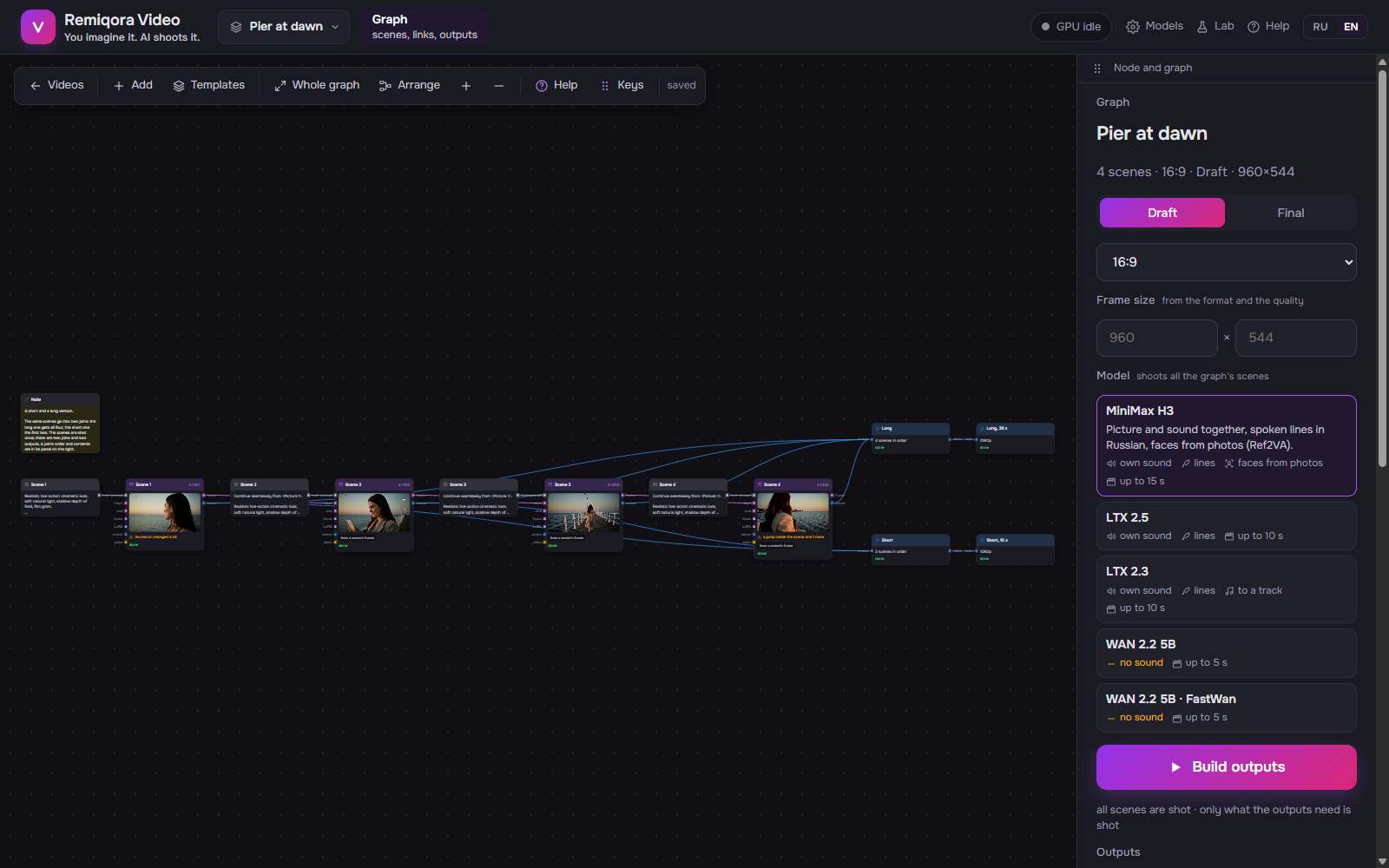 The graph: heroes, pictures, scenes and the output on one canvas
On the left: the heroes (or the world, in a video without people), the style and the LoRA. In the middle: the scenes, one chain per row; a long chain wraps every 6 scenes. On the right: the join, the music and the output. The header’s color is who does the work: purple, the model shoots; green, the Writer; blue, the join and RTX; gray, your files.
A scene’s last frame goes into the continuation’s «start» (in the chain’s color). The hero’s look goes into the «who» of the scene that opens a chain or changes the cast. A photo for Ref2VA goes into «faces», as a yellow dashed line. A scene’s own photo goes into its «start». Every shot scene goes into the join. The style and the LoRA act on all scenes, so they have no links.
The same words as on the «Video» screen: «from cache», «93 s», «step 5/8», «waiting for frame». Two more words exist only here: «will reshoot», the scene changed after it was shot, and «in cache», a frame with this key is already shot, though there is no finished video.
Highlights its links and dims the rest. On the right: the scene’s video, where it starts from, who is in the frame, the seed, the frame key and «Prompt for the model». «Open in storyboard» takes you to this scene in the cards.
The wheel zooms, dragging pans, as in ComfyUI. «Whole graph» shows the entire video. A long video opens on its first rows. «Go to scene» on the right takes you to a scene by its number.
Makes a new project graph from the storyboard: each scene becomes a «Prompt» node with its prompt word for word and a «Scene» node with its seed. The keys are the same, so shot scenes come from the storyboard’s cache; nothing is copied or reshot. The storyboard itself stays as it was.