Repository navigation
Gamepads
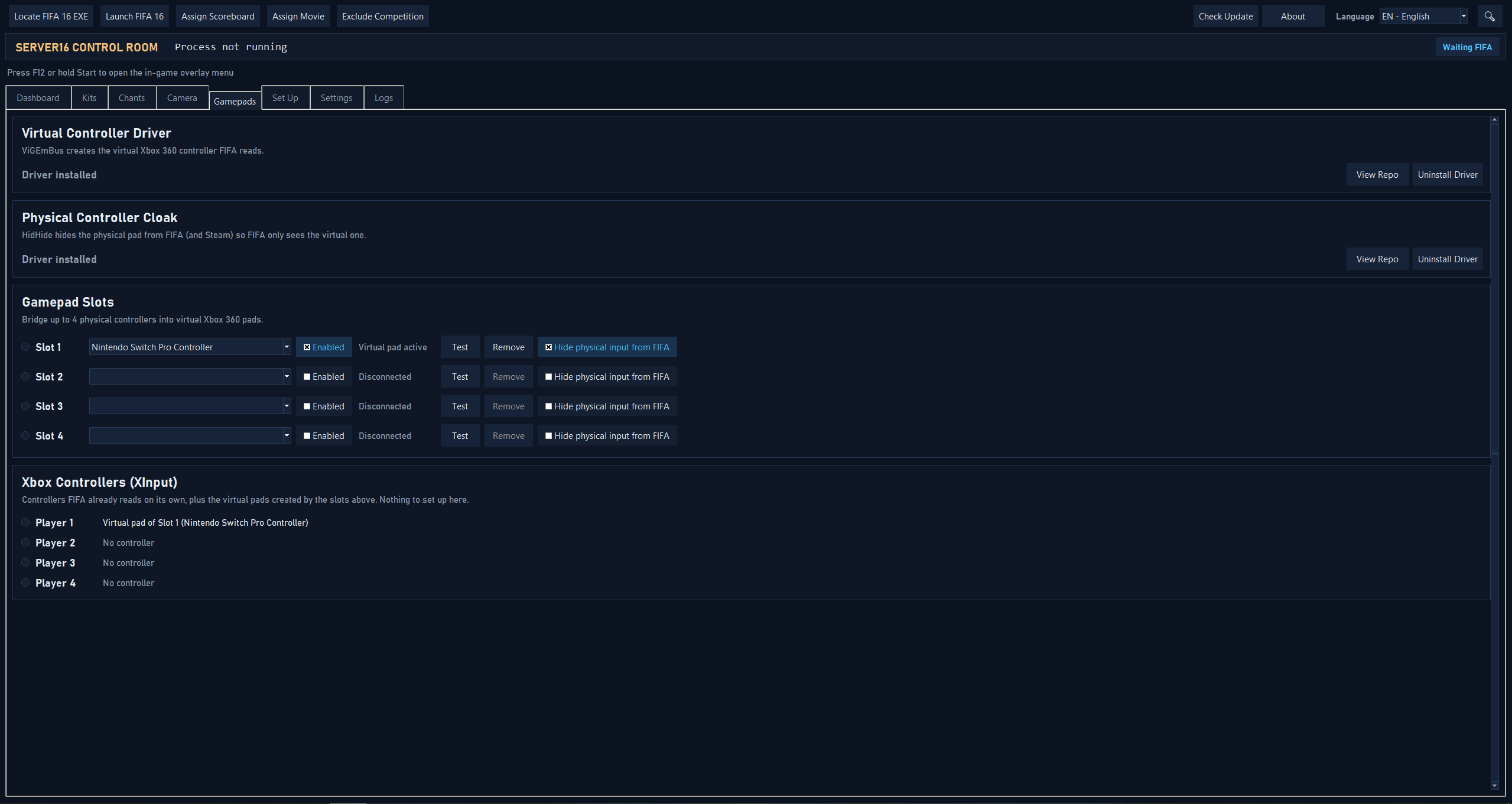
The Gamepads tab lets you use controllers FIFA 16 doesn't handle well (generic DirectInput pads) by presenting each one to the game as a virtual Xbox 360 pad.
-
Install the drivers. Click Install Driver for ViGEmBus (required — creates the virtual pads). The button asks for administrator permission (UAC); each driver row also has a link to its official repository if you'd like to verify it first. A bundled installer is used automatically; to ship a newer one, drop it in
bin\ViGEmBus\next to the exe. - Pick a controller per slot (up to 4), tick Enabled, and the app starts bridging it. Slot status updates live (Connected / Active). Remove clears a slot and lifts any hide rule it set.
- Test opens a live panel with the raw physical buttons/axes on one side and the translated Xbox output on the other — handy to check mappings or to diagnose a pad that seems to press buttons by itself.
-
Optional — Hide from FIFA (HidHide). FIFA can also read the raw physical pad directly at the same time as the virtual one, which shows up as garbled or "phantom" input. Installing HidHide and ticking Hide from FIFA on a slot cloaks that physical controller from
fifa16.exeonly. This driver's installer isn't bundled byvgamepad: download it from nefarius/HidHide releases and place it inbin\HidHide\before building, or install it yourself.
The bridge runs with the app itself (not gated on FIFA running) and its config lives in runtime/settings.json (gamepad_bridge), not settings.ini. Requires the vgamepad and pygame Python packages; without them the tab just shows a "missing dependency" notice. ViGEmBus and HidHide are credited in the About dialog.