Repository navigation
Kit Sets
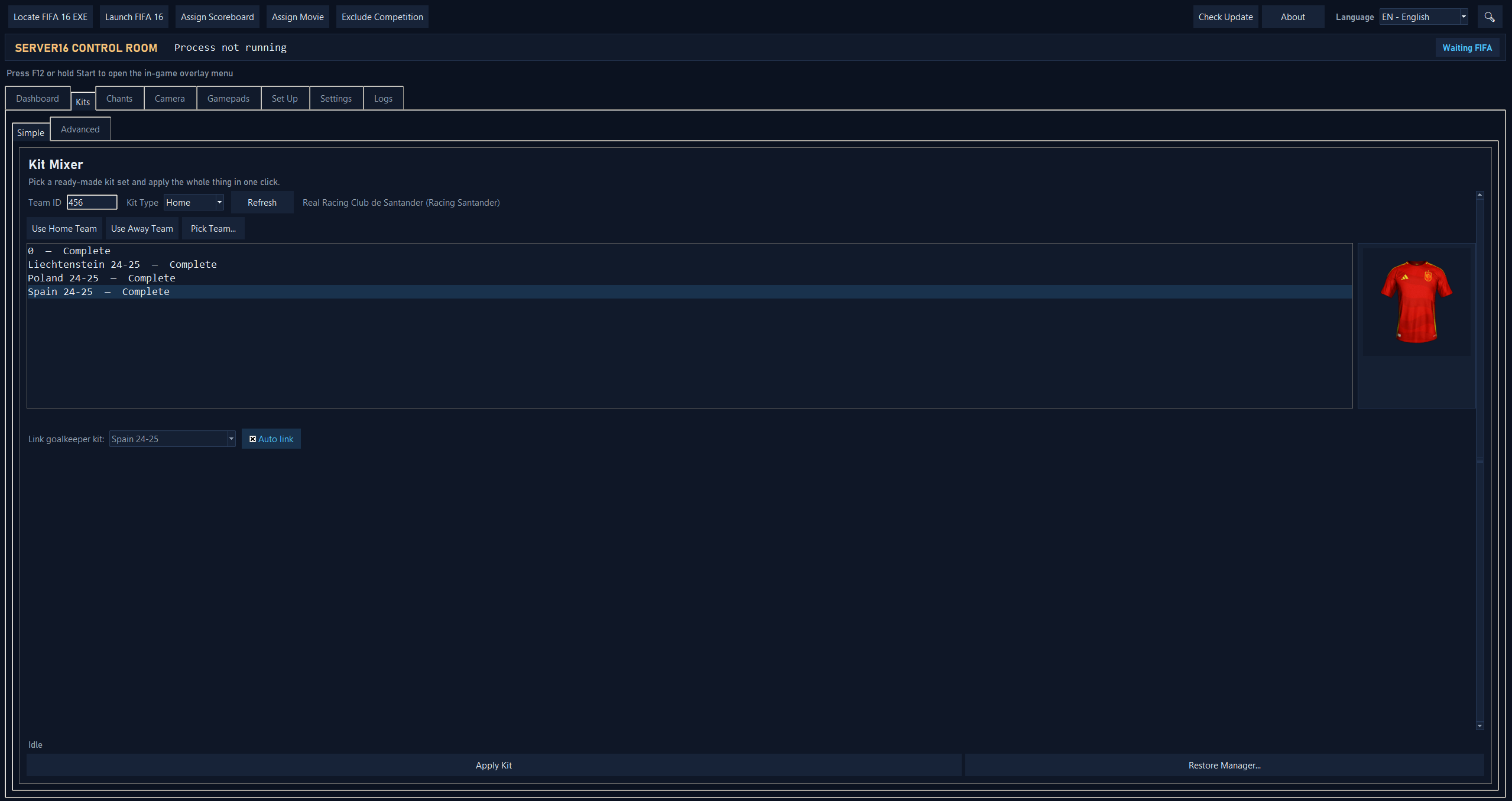
The Kit Mixer Simple tab lets you apply a ready-made kit set — jersey, numbers, and UI thumbnail together — in one action, instead of mixing each piece by hand in Advanced. Kit sets live under a packs subfolder of the same per-team kit source used above:
FSW/Kits/<name>/packs/<pack_name>/
  sceneassets/kit/kit_<team_id>_<kittype>_<tourn_id>.rx3
  sceneassets/kitnumbers/specifickitnumbers_<team_id>_<jerseyOrShorts>_<tourn_id>_<kittype>.rx3
  ui/imgAssets/kits/j<kittype>_<team_id>_0.dds
Example:
FSW/Kits/Germany/packs/Germany Kits Pack 2024-2025/
├───fifarna
│   └───lua
│       └───assignments
│           └───teams
│                   team_1337.lua
│
├───sceneassets
│   ├───jerseyfonts
│   │       specificfont_1337_0_0_0.ttf
│   │
│   ├───kit
│   │       kit_1337_0_0.rx3
│   │       kit_1337_12_0.rx3
│   │       kit_1337_1_0.rx3
│   │       kit_1337_2_0.rx3
│   │       kit_1337_3_0.rx3
│   │
│   └───kitnumbers
│           specifickitnumbers_1337_0_0_1.rx3
│           specifickitnumbers_1337_0_0_2.rx3
│           specifickitnumbers_1337_0_0_5.rx3
│
└───ui
    └───imgAssets
        └───kits
                j0_1337_0.dds
                j12_1337_0.dds
                j1_1337_0.dds
                j2_1337_0.dds
                j3_1337_0.dds
Each immediate subfolder of packs/ is offered as one selectable kit set. An "Auto link" checkbox (checked by default) automatically pairs a keeper kit set that shares the exact same pack folder name as the selected outfield kit set — most users never need to touch anything else. Uncheck it to pick a keeper kit manually from the dropdown instead (or "-- none --" for no keeper kit at all); this choice is remembered per kit set (settings.ini [kitgkauto]/[kitgk]).
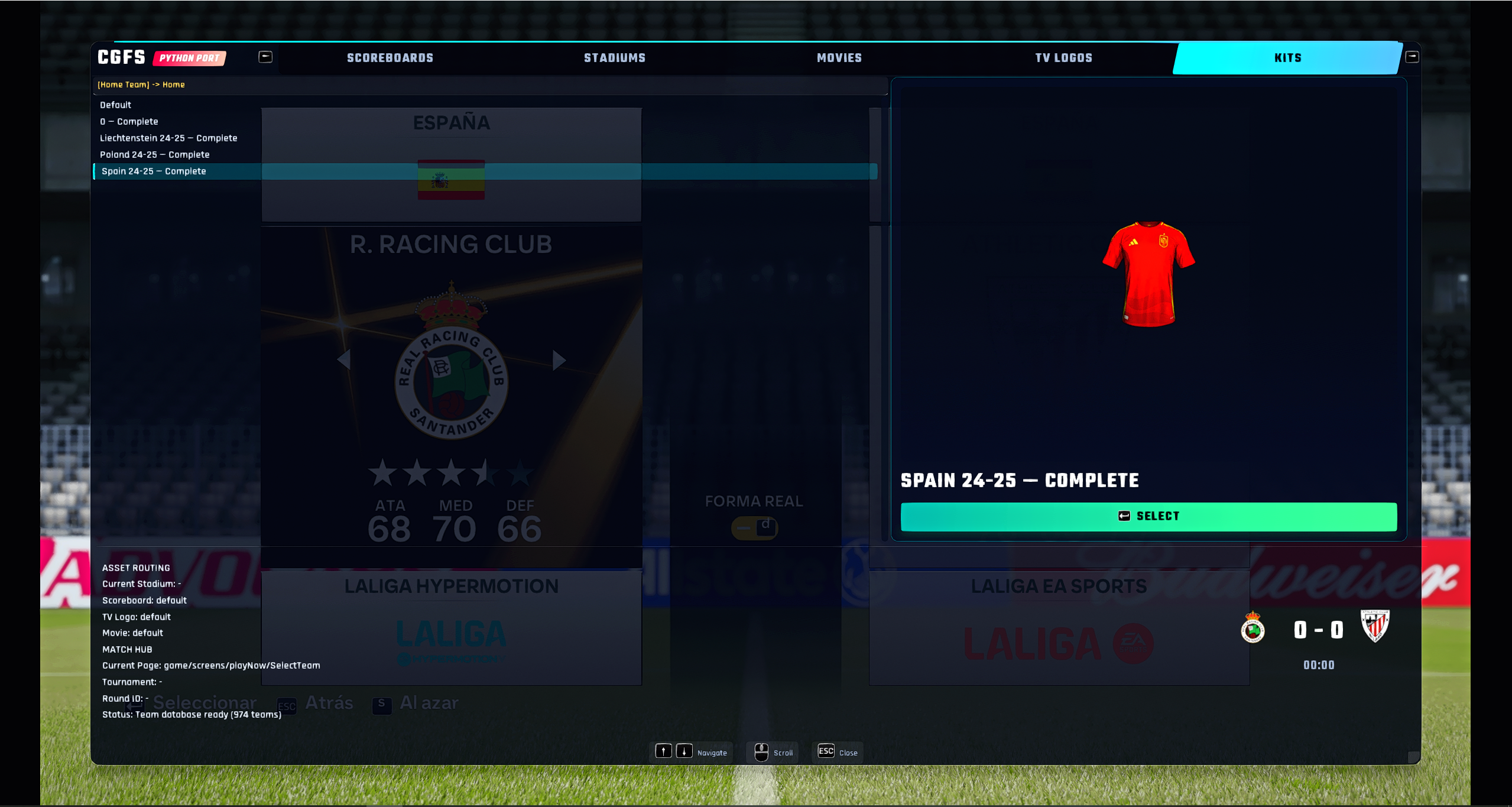
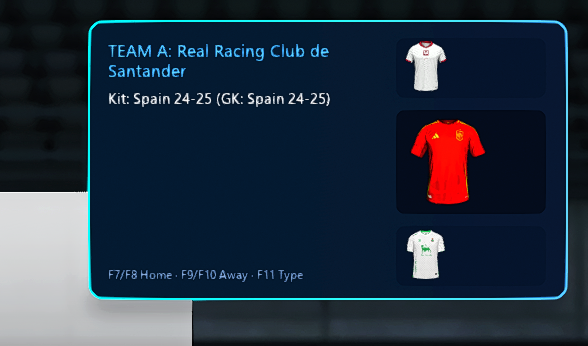
In-game, the overlay's Kits tab walks scope → kit type → kit set the same way the Stadiums tab does, and these hotkeys cycle kit sets without opening the menu at all, shown as a stacked prev/current/next carousel:
- F7 / F8 — home team previous / next kit set
- F9 / F10 — away team previous / next kit set
- F11 — cycle kit type (home / away / keeper / third)
⚠ Known limitation — kit numbers / name color on a vanilla install: the per-team kit number override and the jersey name color patch only take effect in-game through assignKitDetails(...)/GetRMNumberSet(...), which live in player.lua. That file is only installed if you are using "Rev Mod" (included in FIP, for example), wheras on a plain vanilla install kit-number and name-color changes are silently ignored in-game, even though Kit Mixer itself reports them as applied.