Repository navigation
MediaEN
Hand videos (anime, dynamic comics, movies, streams, etc.) or audio-only files (ASMR, voice dramas, audiobooks, etc.) directly to AGENT. It handles everything from speech recognition and on-screen text detection to translation and final deliverables.
| Media Type | Recognized Content | Default Deliverables |
|---|---|---|
| Video / Dynamic Comics | Spoken dialogue + on-screen text (speech bubbles, narration, signs, SFX, hardsubs) | Translated .ass + Bilingual .ass
|
| Audio-only (including cover art) | Spoken dialogue (visual steps are skipped) | Translated .ass + Bilingual .ass + Burned-in bilingual 1920×1080 spectrum .mp4
|
💡 Any input without a video stream is automatically treated as audio-only—even if it has embedded cover art—without relying on the file extension.
- Dynamic Comics / Video Bilingual Subtitles: Placed right beside speech bubbles and original text while automatically avoiding faces and original lettering.
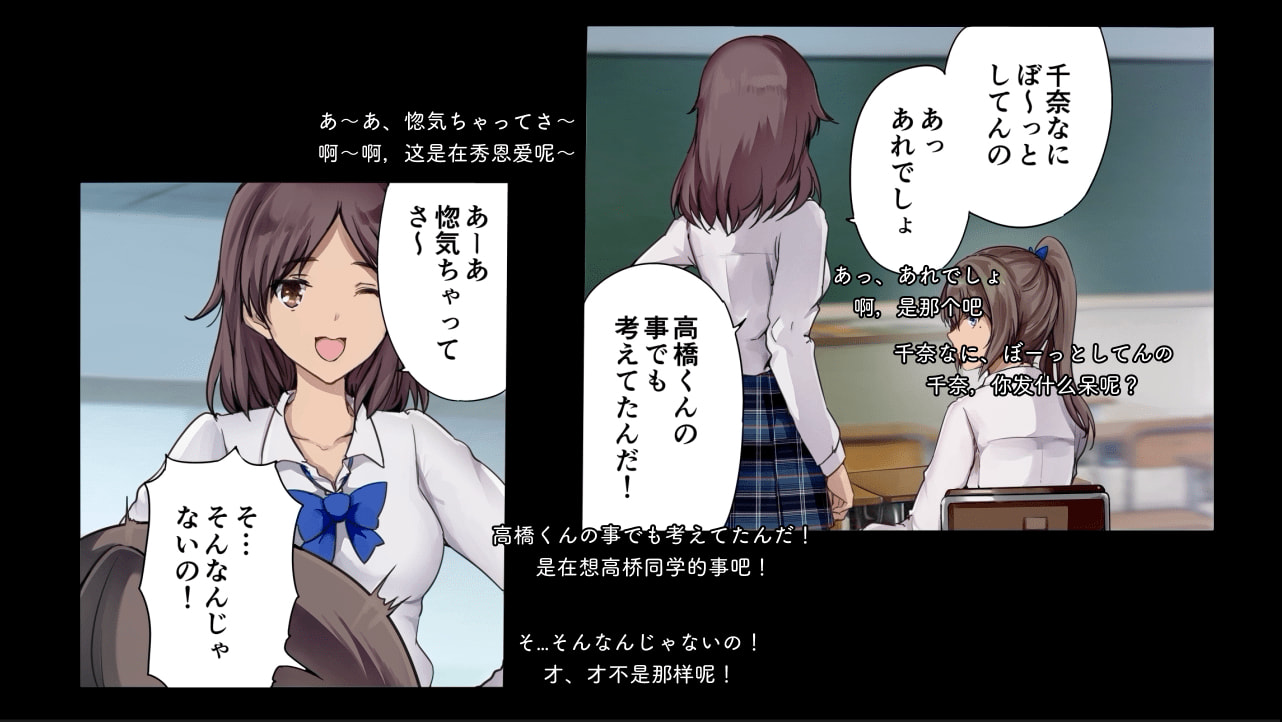
- Audio Spectrum Bilingual Video: Branded light canvas with live audio spectrum bars and burned-in bilingual subtitles.

- Complete [Model Management] setup at least once (
Main modelconfigured) - Choose either way to begin:
-
Drag in directly (Recommended): On the
AGENTpage with no project open, drag your audio or video files (or folder) straight into the input box, confirmSource language/Target languageand.lgsave location, and press Enter -
Empty project first: Click
Create projectinAGENTwithout selecting files, then drag your files into the input box and tell it what to do (e.g.,Recognize and translate)
-
Drag in directly (Recommended): On the
💡 Local speech recognition supports ZH / EN / JA / KO dialogue and
ALLauto-detection
- On the first media run,
AGENTasks to install local dependencies and download roughly550 MBof recognition and detection models (resumable if interrupted, and reused automatically across future projects) - GPU acceleration is enabled by default; if the GPU is unavailable, the task falls back to CPU automatically
- Timing note: Roughly 1 hour of media takes a few minutes on GPU, and significantly longer on CPU or 4K video
-
Embedded text subtitles: If the video already contains text subtitle streams,
AGENTasks whether to extract them directly instead of running ASR (extraction is usually cleaner) -
Multiple audio tracks:
AGENTlists the tracks and asks which track you want to process
When local ASR runs into singing, shouting, overlapping voices, or noisy dialogue, AGENT lists the exact time ranges and request count and always asks for your confirmation before calling a paid media model. Declined ranges can stay as-is or be delivered as unresolved notes.
- Local recognition and translation work without a dedicated media model; to enable paid re-checks on difficult segments, open
Submodels→Media modelin theAGENTcomposer and assigngeminiordoubao-seed-lite - Most standard models cannot process raw audio/video segments directly; if you do not need paid re-checks, leave
Media modelonFollow main model
Once you are satisfied with the translation, click Instructions → Export translations (or follow AGENT's export prompt).
-
Translated output folder: Exports translated
.ass -
Bilingual output folder: Exports bilingual
.ass, plus the burned-in bilingual.mp4for audio-only assets
-
Double subtitles when playing audio
.mp4: Audio-only.mp4outputs already have bilingual subtitles burned into the video. If a.assfile with the same name sits in the same folder, disable auto-loading external subtitles in your player to prevent overlapping text -
Auto-loading video subtitles: Video
.assfiles share the original video's basename; put them next to the video so most players load them automatically -
Moved or renamed source files: Re-inspecting, video model re-checks, and rendering audio
.mp4require access to the original file; if it moved,AGENTprompts for the new path and relinks it without re-translating -
Spot fixes: If you catch an error while watching/listening, give
AGENTthe timestamp and tell it what to change, then export again