Repository navigation
Console
github-actions[bot] edited this page Oct 4, 2026
·
3 revisions
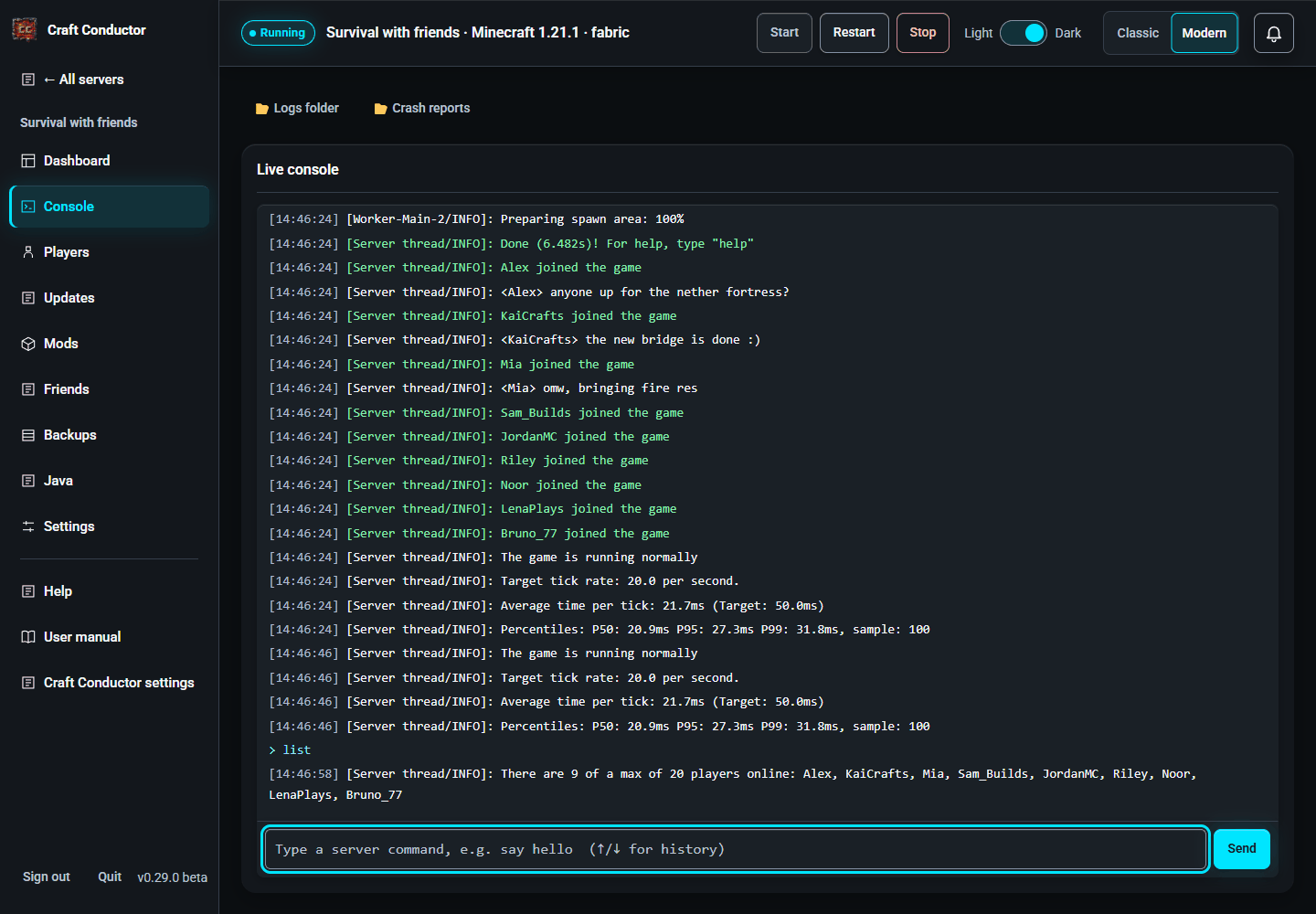
Minecraft's live output. Type a server command (without the /, e.g. say hello) and press Send; the up/down arrows recall earlier commands. One command at a time: a command with a line break or other control characters is refused (a line break would sneak in a second command). Logs folder and Crash reports open those folders (on the server's own computer).
This page is the user manual that comes with Craft Conductor (Help → User manual in the app). It's made from manual.md: change it there, not here.
User manual
- Start here
- What it can and can't do
- Getting started
- Creating a server
- Messages
- Your servers
- Dashboard
- Console
- Players
- Mods
- Updates
- Backups
- Java
- Settings
- Playing with friends
- Joining a friend's server
- Remote access and phones
- People and what they may do
- Craft Conductor settings
- Troubleshooting
- Getting help
Power users
- Power users: start here
- Configuration (craft-conductor.toml)
- Building servers from the command line
- Running it forever
- Linux servers without a screen
- Managing players from the command line
- Java in detail
- How an upgrade works
- Updating Craft Conductor
- Mods that block third-party downloads
- Security
- Other ways to install
- For maintainers
- Where Craft Conductor keeps things
- Command line