Repository navigation
Settings
The server's version and upgrade choices, memory (with Aikar's flags above 16 GB), port, name and Minecraft's settings.
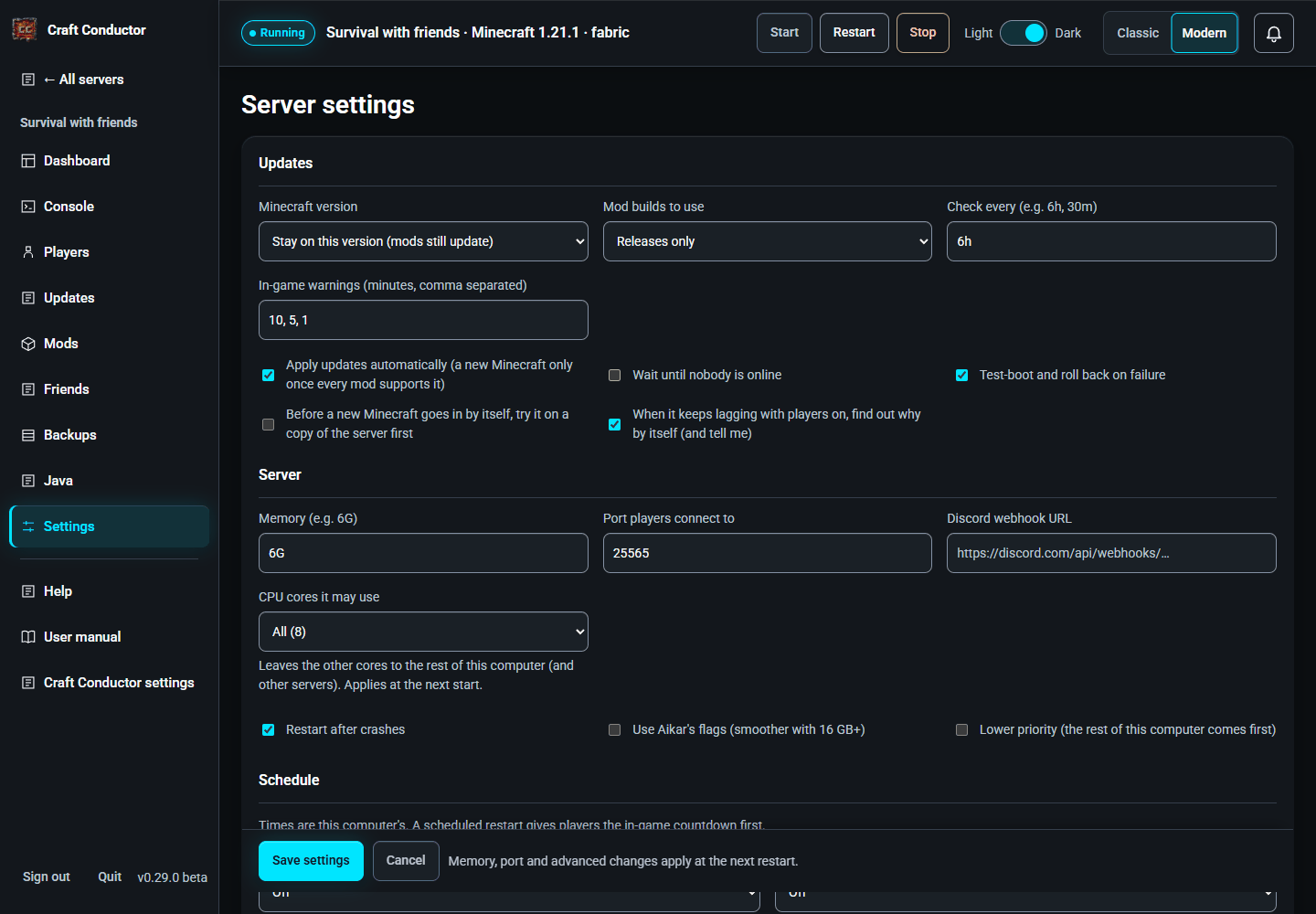
Nothing changes until you press Save settings. It stays at the bottom of the screen with Cancel (which puts back what's saved) while you scroll through the settings, and says when you have changes that aren't saved. Going to another page with changes not saved (the menu, another server, the browser's Back button) asks first: Save settings, Cancel changes or Stay here. Help and the user manual open over the page without asking.
Minecraft version: Newest version your mods support (recommended: it moves up once every mod works on the next one), Only the newest version (waits until every mod supports the very newest), or Stay on this version (mods still update). Mod builds to use: releases only, or betas and alphas too (less stable).
Limits (for several servers on one computer), from the next start:
- CPU cores it may use: All (the default), or a number: the server then only uses that many of the computer's cores, leaving the others for other servers and everything else. Not on Macs (macOS doesn't allow it).
- Lower priority: the computer serves this server after everything else when it's busy. Good for a server friends use now and then, next to your main one.
Schedule: restart the server and make backups at set times: Every day at…, Every week on…, Every few hours (backups), or Custom (cron) for anything else (five parts: minute, hour, day of the month, month, day of the week; for example 30 5 * * 1-5 is 5:30 on weekdays). Times are this computer's; the next run is shown. A scheduled restart gives players the in-game countdown first, and Skip a scheduled restart while players are online leaves them be. A backup and a restart at the same time both happen, the backup first; one that comes while Craft Conductor is busy (an update, a long backup) happens as soon as that's done. The same settings are [schedule] in craft-conductor.toml.
Backup copies: see Backups.
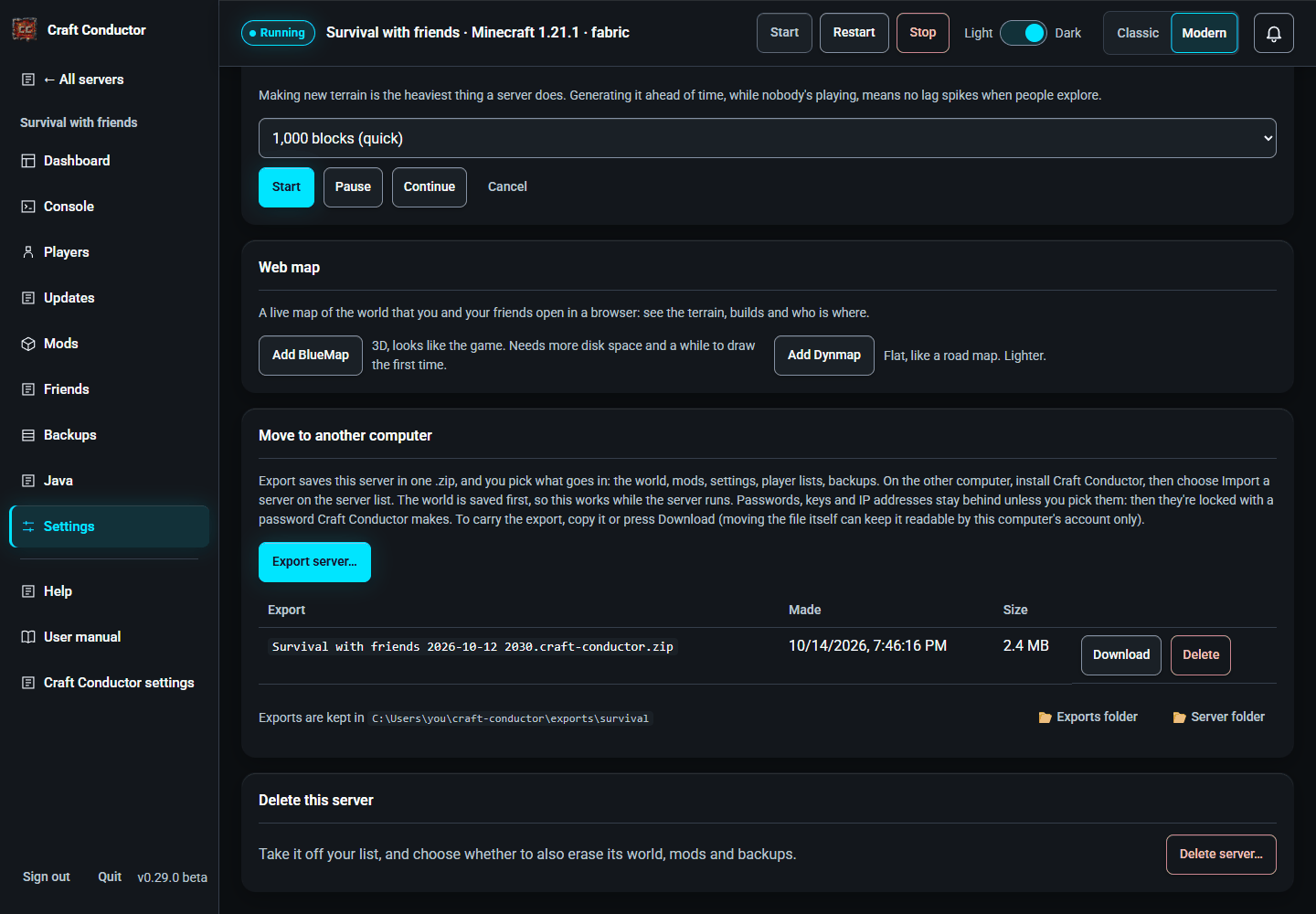
Web map: a live map of the world that you and your friends open in a browser. Add BlueMap (3D, looks like the game; it needs more disk space and a while to draw the first time) or Add Dynmap (flat, like a road map; lighter). Only the maps that have a build for your server's Minecraft version and server type are offered (Craft Conductor asks Modrinth, and remembers the answer for a while); when neither has one yet, the card says "BlueMap and Dynmap don't support Minecraft X yet", and it offers them again once they do. A map you added that has no build for a newer Minecraft counts in Show why on the Updates page, like any other mod. Craft Conductor adds it from Modrinth and offers to install it now (the server restarts after the countdown). The first time the server starts with it, the map sets itself up. BlueMap draws with Minecraft's own textures, which it downloads from Mojang, so it waits for OK, download them. Then Open the map (BlueMap uses port 8100, Dynmap 8123; Change port picks another, from the next restart). The Dashboard shows See where everyone is on the map while it runs. The address on your network is shown too; for friends outside your home, forward the map's port on your router like the game's. Anyone with the address can see the map. Remove it on the Mods page to stop it.
World tools (while the server runs; they use its own commands):
- Game rules: keep inventory, the day and weather cycle, mob griefing, fire spread, phantoms, how many players must sleep, and more, each with what it does. Another game rule sets any rule by name, for power users.
- World border: keep the world to a size (blocks wide) around a centre, so it stays manageable and players can find each other.
- Pre-generate terrain: making new terrain is the heaviest thing a server does; generating it ahead of time avoids lag spikes when people explore. It uses the free Chunky mod: Add Chunky installs it, then pick a radius and Start (with Pause, Continue and Cancel) and watch the progress.
Move to another computer: Export server… asks what goes in the .zip: the world, mods and plugins (with your own mods for players), their settings, player lists, web map files, and backups. Craft Conductor's settings for the server, Minecraft and its loader always go; logs never do. Passwords, keys and players' IP addresses (the Discord webhook URL, the CurseForge key, the friends' invite secret, the control panel password, the RCON password, IP bans) stay behind unless you tick them: then they're locked in the export with a password Craft Conductor makes and shows once, so write it down. On the other computer, install Craft Conductor, then Servers → Import a server...: it asks for that password, or imports without them. Afterwards Craft Conductor lists what stayed behind and where to enter it again (a new RCON password is made by itself). To carry the export, copy it (or press Download): don't move the file. On this computer an export is readable by your account only; a copy takes the permissions of where it goes, but a moved file keeps them, and another computer's account then can't open it (copying it in File Explorer and pressing Continue fixes that).
← Java · Playing with friends →
This page is the user manual that comes with Craft Conductor (Help → User manual in the app). It's made from manual.md: change it there, not here.