Repository navigation
Updates
Show why checks builds for the selected Minecraft version and server type. Green means a release build is available, yellow means only early builds, red means none, and gray means compatibility could not be checked. A failed lookup never means ready. Local JAR files appear as unknown: identify them on Mods, or disable them before changing Minecraft versions. Updates to managed mods on the current Minecraft version remain available. Explicitly choosing a Minecraft version still respects the setting to wait for every mod.
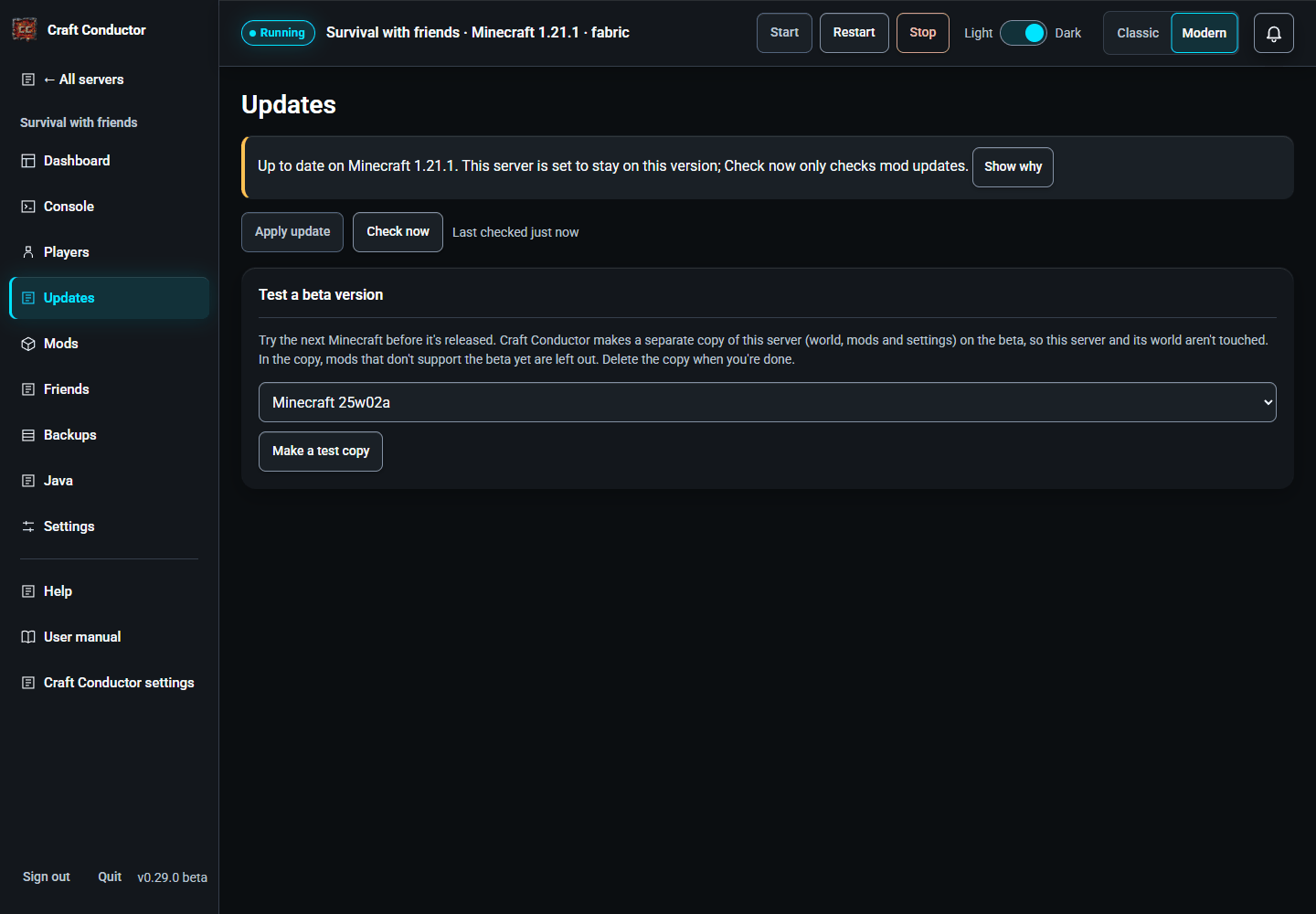

If you chose a specific Minecraft version during setup, Settings → Minecraft version defaults to Stay on this version (mods still update). Check now then checks only updates for the current Minecraft version. In Show why, use Check Minecraft … to prepare an update to the selected version, including its required dependencies. Return to Updates to review and apply it. This check does not install anything or change your update setting. To follow future compatible Minecraft releases, change Minecraft version in Settings.
Craft Conductor checks for updates by itself and applies them when it's safe:
- Mod updates for your Minecraft version are applied at the next restart.
- A new Minecraft version is only used once every mod supports it. Until then, Show why lists every mod in green (ready), yellow (ready, but only with an alpha/beta build) or red (no build yet), and the loader.
- Before an update goes in, Craft Conductor checks that its mods start together (see Mods → Change version, and will they start?). If they wouldn't, nothing changes and the server keeps running; fix the mod it names in Manage Mods and update again.
- Before every update Craft Conductor makes a backup; if the new version doesn't start, it rolls back by itself. Players get an in-game countdown first.
- If that backup can't be made (the disk is full, say), the update isn't done: the server keeps the version it has and is started again, and you're told why.
- If Craft Conductor is stopped in the middle of an update (the computer turns off or crashes), the next start puts the backup back before the server runs, so it never runs half-updated, and you're told. That update isn't tried again by itself: update from this page to try it again.
- Once a month, Craft Conductor reminds you which mods are holding the server back, so you can decide to drop them.
- Rehearse it on a copy first (when an update is ready) tries the update before it touches your server. Craft Conductor copies the server and its world (saving is paused for a moment while it copies), installs the update on the copy and runs it for the time you pick under Watch it for, on a private port nobody can join. The report says whether it started and how long that took, how well it kept up (TPS: 20 is perfect), how often it fell behind, and which mods wrote warnings or errors in the log (open a mod to see its lines). Then Update for real does the real update (with its backup, as always). If the copy didn't start or stopped by itself, the report names the mod it blames; the button becomes Update anyway, but it's better to update or remove that mod first. Apply update ✓ means this exact update has worked on a copy.
- A rehearsal needs free disk space for a copy of the server, and makes the computer work harder while it runs. While the real server runs, the copy gets less memory if the computer is short of it (the report says so, and the copy may seem slower than the real update will be). The copy is deleted afterwards.
- Settings → Before a new Minecraft goes in by itself, try it on a copy of the server first: automatic updates to a new Minecraft version are rehearsed first. If the rehearsal fails, the update is held back and you're told (on Discord too, if it's set up); rehearse again or update from the Updates page when you've looked. Mod updates for the same Minecraft aren't rehearsed.
- Test a beta version tries a snapshot or pre-release on a copy of the server.
Modpack: a server made from a modpack (from this version of Craft Conductor on) remembers which pack and version it came from. Look for a new version of the pack lists the pack's newer versions; pick one and See what changes says which mods it adds, takes off or moves to new files, whether Minecraft or the loader's build changes (the server's loader stays at the pack's build), and what it leaves as you chose: a pack mod you removed stays removed, one you held at another build (Change version) stays there, and mods you added yourself are left alone. The friends' download follows the pack's mods for players the same way. Update the pack then updates the server like any update (a backup first, the countdown, a test start): the pack's new config files and scripts go in too, except the ones you changed since the pack put them there (they're kept, and the message says which). If the new version can't be installed or doesn't start, everything is put back as it was, craft-conductor.toml included.
This page is the user manual that comes with Craft Conductor (Help → User manual in the app). It's made from manual.md: change it there, not here.