Repository navigation
Your servers
Servers lists every server with its state, version, players and port: Start, Open, Delete, and Folder (on the server's own computer). Import a server... adds one exported from another computer: it lists the exports in the exports folder (copy the export from the other computer there), each with Import, so nothing has to be uploaded; Another file… picks one from anywhere else. If a server with the same name is already here, the imported one is named "Name (2)" (then (3), and so on) so the two cards can't be mixed up; rename it in Settings if you like. When an import is refused (for example, not enough free disk space), the reason stays in a red notice above the list until you press Dismiss.
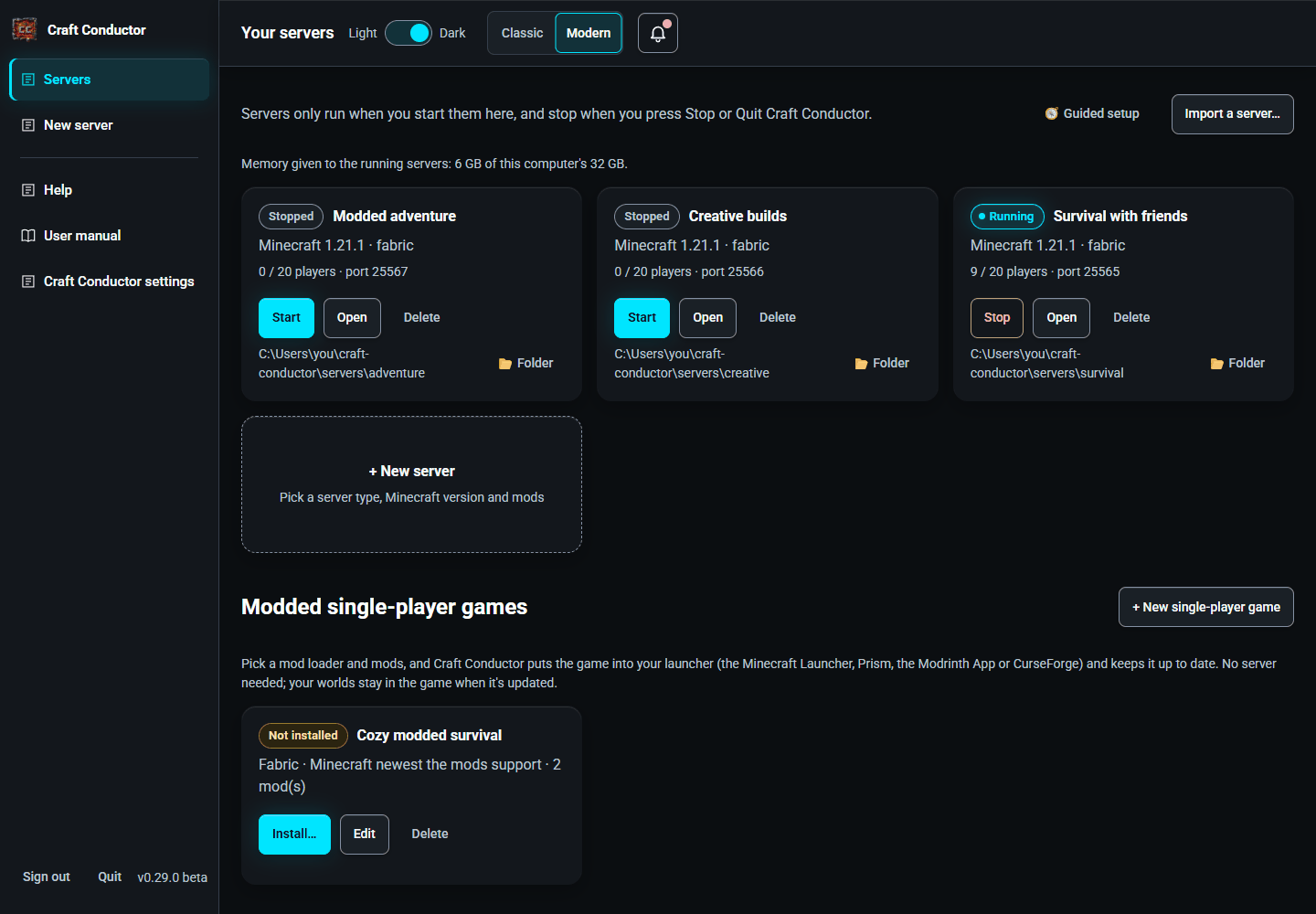

Under the list: how much memory the running servers are given, out of this computer's. Starting a server that would take more than the computer can spare (keeping 1.5 GB for everything else) asks first, with Start anyway: servers that together are given more memory than the computer has slow right down or crash.
Below the servers, Modded single-player games sets up modded Minecraft for playing on your own, and keeps it up to date. Craft Conductor isn't a launcher: the game goes into the one you use (the Minecraft Launcher, Prism Launcher, the Modrinth App or CurseForge).
- + New single-player game: a name, the mod loader (Fabric, NeoForge, Forge or Quilt), the memory for the game, and the Minecraft version: a fixed one, or The newest one all the mods support. Search Modrinth and Add mods (only mods that run on players' computers are listed, more as you scroll down); mods they need are added by themselves. Make the game.
- Manage Mods (in Edit) checks that the mods start together, the same check as for servers (see Mods → Change version, and will they start?): a mod that wouldn't start is red, with a version that works when there is one and Change version. Install… and Check for updates say so too, and the game isn't put in your launcher until it's fixed.
- Install… shows what goes in, then Put it in my launcher opens the same page friends use to join a server (in a new tab, on this computer): pick your launchers, and add shaders or resource packs if you like.
- Check for updates lists what an update changes (Minecraft, the loader, each mod), and Update it in my launcher brings it in. With the newest one all the mods support, the game moves to a new Minecraft once every mod is ready for it; until then it stays where it is and the mods still get their updates. Your worlds are kept: only the mods change.
- Edit changes the name, mods, memory or Minecraft version (the mod loader stays once it's installed); Delete makes Craft Conductor forget the game. The game and its worlds stay in your launcher.
This page is the user manual that comes with Craft Conductor (Help → User manual in the app). It's made from manual.md: change it there, not here.