Repository navigation
Mods
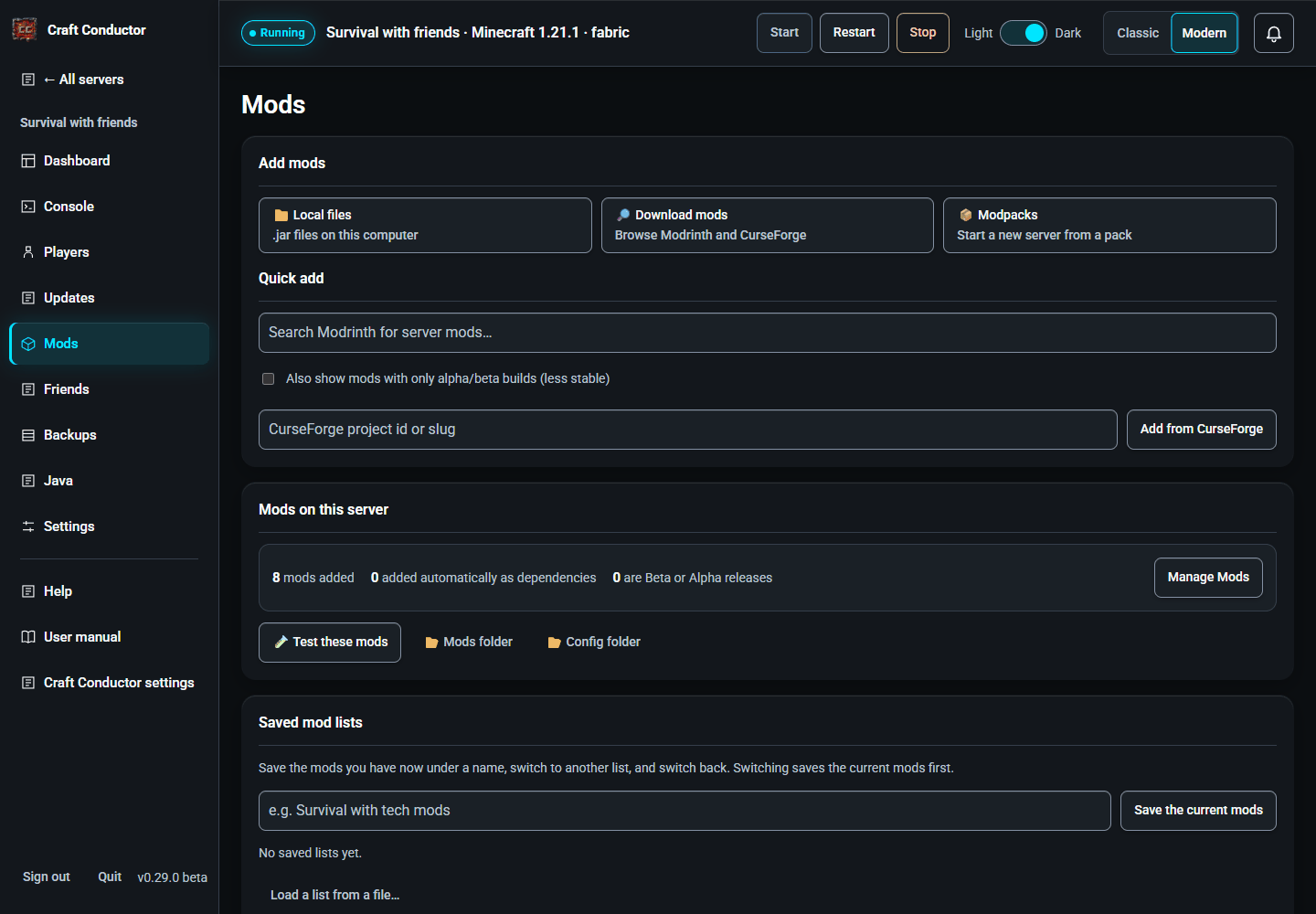
Installed mods with their versions: Download mods (the mod browser), Local files, mark a mod required or optional, Remove it (with the mods it needed, if nothing else needs them), and Mod config files to edit a mod's settings in the page (with colours for TOML, JSON, YAML and more; files reached through a link, such as a config folder shared between servers, are left out, so the editor never changes a file outside the server). Test these mods checks a set of mods in a throwaway server, so your world is never touched; if they don't start together, Find the culprits adds them back a group at a time until it knows which ones clash. Changes apply at the next restart.

Change version, and will they start? Every mod in Manage Mods (and in Manage Friends Mods, the setup page's lists, a modpack's mods and single-player games) has Change version. It opens the mod's builds, newest first, under three buttons: Show release builds (always on), Show beta builds and Show alpha builds. A build that isn't made for the server's Minecraft version is marked "⚠ made for Minecraft …": you can still pick it, and the check below says whether it would start. Use this version holds the mod at that build: its row says held at …, and updates leave it there until you pick Newest (updates by itself) again. A held build that isn't made for a newer Minecraft keeps the server on its Minecraft version until you pick another. The server's own mods change with the next update; players' mods change at once.
After every change, Craft Conductor looks inside the mod files, the way Fabric, Forge and NeoForge do before Minecraft starts, and checks that each mod has the other mods, and the versions of them, it says it needs, on the server and on players' computers. When one wouldn't start, Manage Mods glows and opens on that mod: its row is red, says what's wrong, and offers a version that works when Craft Conductor finds one ("Use Iris 1.10.9"), besides Change version and Remove. An update whose mods wouldn't start together isn't installed: the server keeps the mods it has and keeps running, and the update says which mod needs what.
Mods only players run. Some mods only run on players' computers (shaders, minimaps, menus) and can stop a server. Craft Conductor leaves them off the server when it can tell: Modrinth says so, a CurseForge mod is the same as one Modrinth says so about (found by its file, or its name), or a mod's own file says it needs another mod on players' computers only (Iris Search needs Iris there, and Iris needs Sodium). Such a mod is listed in Manage Mods as not installed, with the reason; one that a server mod needs goes in your friends' download instead, so players still get it. When one Craft Conductor couldn't tell about stops the server, the Dashboard says it only runs on players' computers and offers Move … to players' mods: it comes off the server (even when a server mod lists it as required) and stays in your friends' download. Move to players' mods and Put back on the server in Manage Mods do the same by hand.
Known conflicts: when other people found that mods on this page don't work together (on the same loader and Minecraft version), a warning says which, and how many people reported it. It comes from Craft Conductor's shared list of mod conflicts (see Craft Conductor settings → Connections → Mod conflicts). If your server starts fine, you can ignore it.
Paper and Purpur servers (plugins): the page is called Plugins. Download plugins searches Modrinth and Hangar (PaperMC's own plugin site; pick it as the source): tick plugins and press Add selected, and Craft Conductor keeps them updated with Minecraft like mods, checking each file (Hangar's SHA-256). A plugin Hangar only links to elsewhere is listed to download yourself. Plugins you added yourself (jars dropped into the plugins folder, or uploaded with Local files) can be switched off (kept as .jar.disabled), switched back on, or removed. Plugin settings are under Mod config files (the plugins/<plugin>/ folders), with purpur.yml, bukkit.yml and spigot.yml from the server folder (Purpur's own settings are in purpur.yml).
Saved mod lists: Save the current mods under a name, and Switch to it later: the mods you had are saved first as "Before …", so you can always switch back. Craft Conductor offers to install the switched list right away (the server restarts after the countdown). ⬇ downloads a list as a file, and Load a list from a file… adds one, say from another server. The friends' extra mods are part of each list.
This page is the user manual that comes with Craft Conductor (Help → User manual in the app). It's made from manual.md: change it there, not here.