Repository navigation
Dashboard
Start, Restart and Stop are at the top of every server page. The Dashboard shows four resource cards: CPU, RAM, Disk (space used and free on the server's filesystem), and Players. On a phone these form a 2×2 grid. The boxed Live console sits alongside Connected Players (see below) and Runtime Parameters on a wide screen, with those details below it on a phone. Performance, updates and activity remain underneath. Stopping warns players and saves the world first. Stop (at the top of the page and on a server's card on the Servers page alike) asks "Stop the server?" only when players are connected, and stops at once on an empty server.

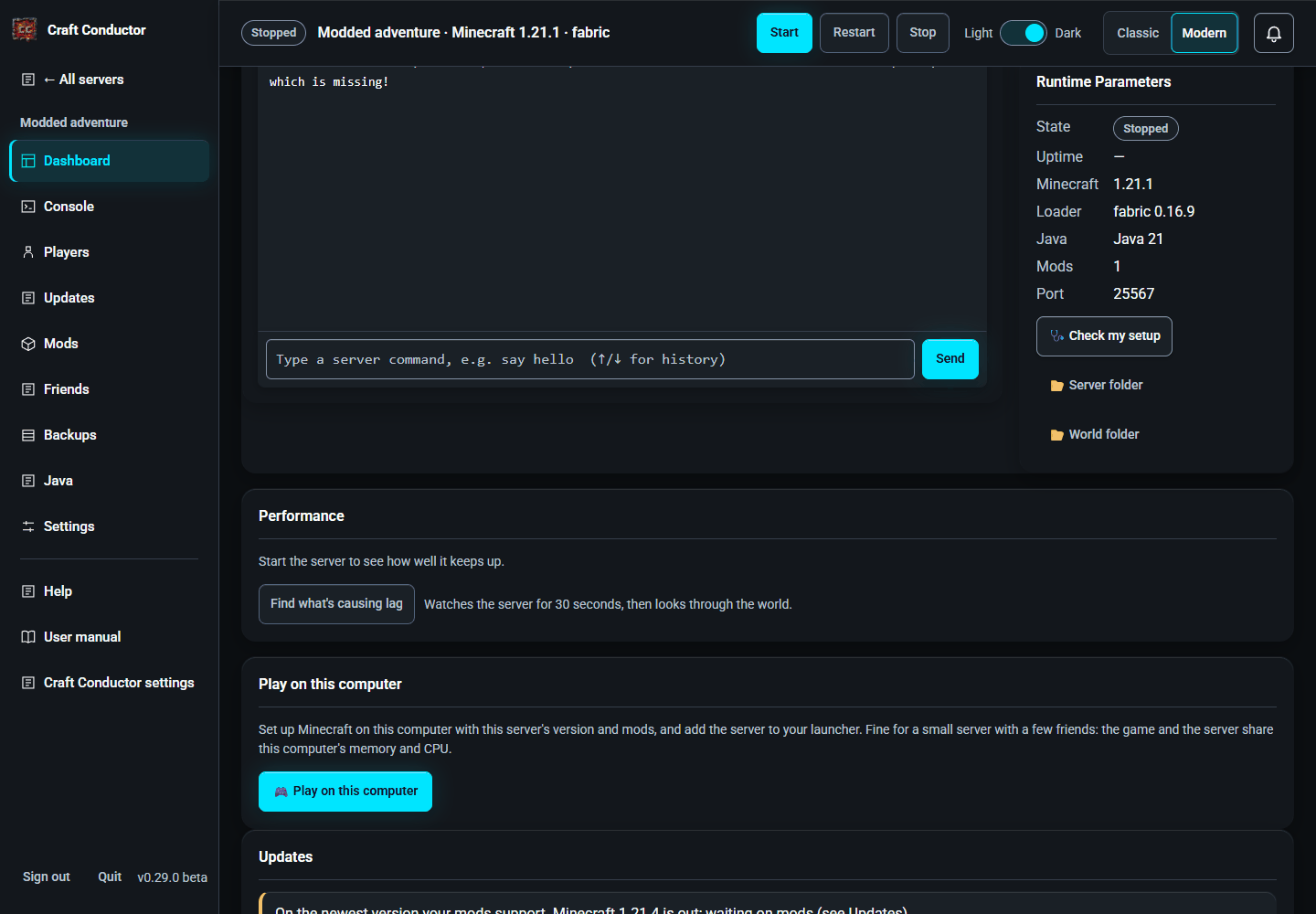
When something goes wrong (the server crashed, or didn't start), the Dashboard says what happened in plain words, shows what Minecraft said, and offers the fixes Craft Conductor can do: Remove or Switch off the mod to blame, Add a mod that another one needs, Give it more memory when it ran out, Let Craft Conductor pick the Java version, Use a free port, Accept the EULA, or Open Backups when the world looks damaged. After a fix, Start the server; Dismiss hides the message.
The Connected Players card on the Dashboard is a compact way to look after who is on, without leaving the page. The header says how many are on and how many the server allows (14 / 30). Each player has a row: a dot (they're online), their head, their name, a role badge, their ping, and a Kick button. With many players the list scrolls inside the card, so the Dashboard doesn't grow.

- Press a row to open the other actions: Message (a private message to that player; it types a console command, so only for those who may type console commands), Make op / Remove op, Ban and More… (the Players page). Press the row again, or press Escape, to close them. Kick asks first, like the other risky buttons, and has Don't ask me again.
-
Role badges show only what Craft Conductor can tell for sure. OP is an operator from the server's
ops.json; when the level isn't the usual 4 it says so (OP 2), and hovering over it says what that level can do. Nothing else is guessed: there's no MOD or group badge, because groups from a permissions plugin such as LuckPerms live in the plugin's own database, which can't be read reliably (or cheaply) from outside while the server runs. There's no "you" badge either, because Craft Conductor doesn't know which Minecraft account is yours. - Ping is shown, in milliseconds with a word (good under 100, fair under 200, poor above) and a different mark for each, only when the server can tell it. None of the server types Craft Conductor runs shares each player's ping with the console by itself, so today it shows — with the reason in its tooltip (and under Why no ping? below the list, for touch screens). Craft Conductor doesn't add a mod or plugin to your server only to measure it.
-
Whitelist (under the list) opens a small panel: whether the whitelist is on, a switch to turn it on or off, the names on it with Remove, and a box to Add a name (1 to 16 letters, numbers or
_, the same check as on the Players page). Everything else is on the Players page → links there. -
Broadcast sends a message to everyone online with the server's
saycommand, up to 256 characters, in one line: line breaks and control characters are refused, like in the Console. It appears in the console above. - Live: the list follows joins and leaves within a few seconds, and roles and ping are read every few seconds with one light request for the whole list, not one per player. Rows are updated in place, so the open actions, the keyboard focus, the scroll position and the heads stay put. A screen reader hears who joined or left once, politely ("Mia joined."), not on every refresh.
- People you invited: a Moderator has Kick, Whitelist, Broadcast and Ban (Make op only if you gave them Make players operators (OP)), a Viewer sees the list without any buttons. The server refuses them for a viewer, not just the page (see People and what they may do).
While the server runs, Performance on the Dashboard shows how well it keeps up: TPS (ticks per second; 20 is smooth, under about 17 players feel lag) and, where the server reports it, ms per tick (under 50 keeps up), with a small graph of the last hour. Craft Conductor asks the server now and then while the Dashboard is open (Minecraft 1.20.3 and newer, Paper, Purpur, Forge and NeoForge can tell). When it's behind, What slows a server down lists the usual causes. With the spark mod installed, Profile 30 s with spark makes a detailed report of what the server spends its time on, and a link to it appears there.
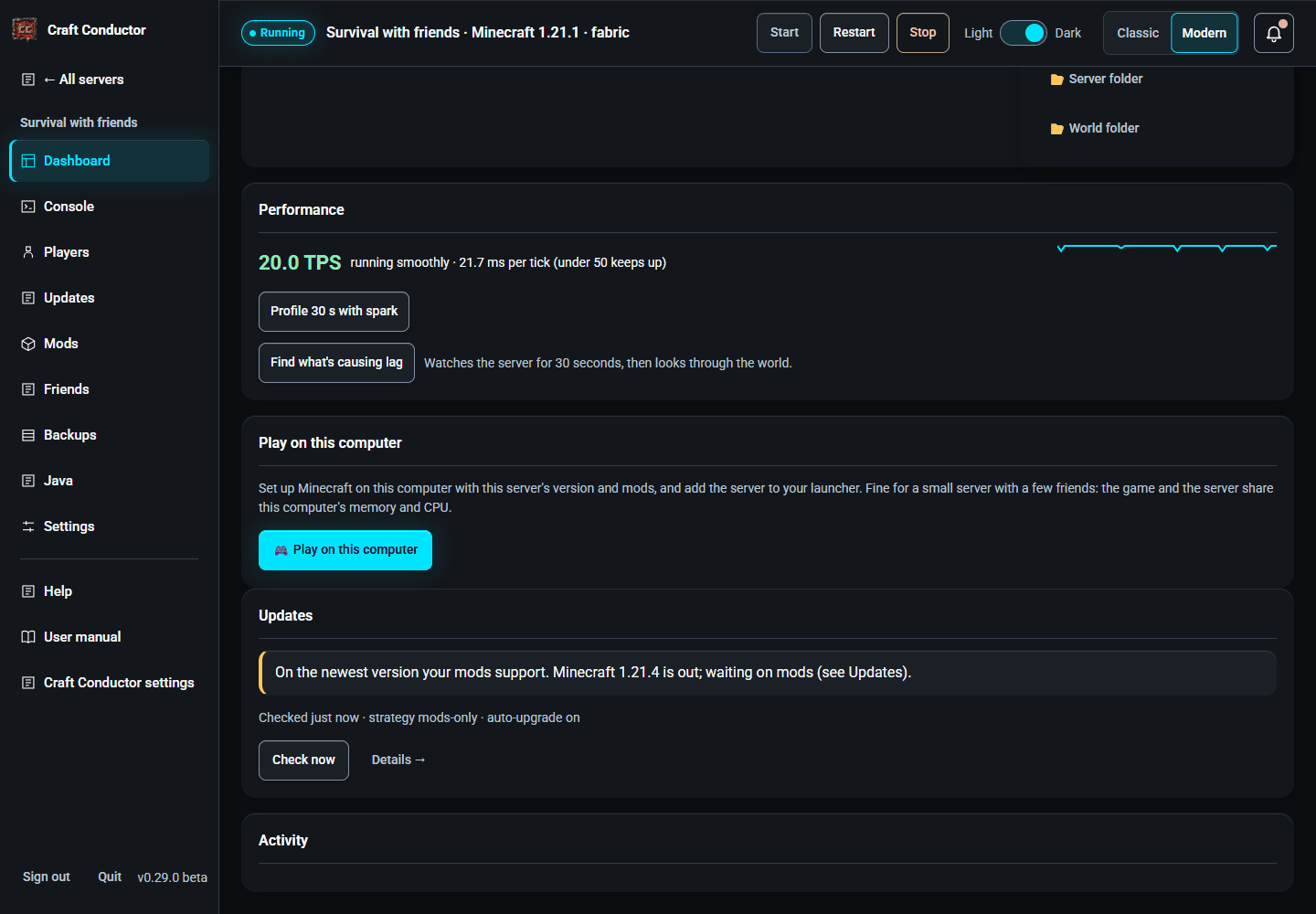
Find what's causing lag (while the server runs) watches the server for 30 seconds with Minecraft's own profiler, then looks through the saved world. The report says, in plain words, where each tick's time goes (mobs and other entities, machines like hoppers and furnaces, loading and making land, ...), which kinds cost most (cows, hoppers, a mod's machine; mods are named), and the busiest places by their coordinates ("around x 1208, z -392 in the Overworld: 410 in all (380 cow, ...)"), each with what to do about it. Craft Conductor also does this by itself when the server keeps falling behind while people play (at most once an hour), and tells you (on Discord too, if set up); switch that off under Settings → Updates.
🩺 Check my setup (in the Server box on the Dashboard) checks what most often stops a server or keeps friends out, and says what to do about each: the server is installed and the EULA accepted, Java is there, the server's memory fits this computer, there's disk space, the port is free (or another program has it), accounts (online-mode), whether the server's mods work together (each mod file says which other mods, and which versions, it needs: the same check Fabric, Forge and NeoForge do before they start, so it finds a missing mod or a wrong version before the server refuses to start), the friends' download port and public address, the router's port forwarding, Windows Firewall, and whether Craft Conductor has an update.

- Fix buttons: where Craft Conductor can put something right itself, the check has a button: Read and accept the EULA, Download Java now, Use N GB (memory that fits this computer), Delete old backups (keeps the newest 3) when the disk is nearly full, Use a free port when another program has the server's, Turn it on for account checks, Use my public IP for friends' downloads, Ask my router (UPnP) to forward the port, and Let them through Windows Firewall. Changes to memory, the port and accounts apply at the server's next start. The checks run again afterwards.
-
Windows Firewall: it reads the firewall's rules (no administrator rights needed) and says whether the server's port and the friends' download port get through on the network you're on. Windows calls many home networks "public", and its own "allow Java?" prompt only ticks private networks, so friends on your Wi-Fi can be blocked even after Allow; answering Cancel there blocks Java altogether. Let them through Windows Firewall asks for permission once (Windows' administrator prompt, on this computer only), then adds rules named "Craft Conductor: …" for those ports on private and public networks, and removes Windows' block rules for Craft Conductor's own Java. When a port gets through only because of the rule Windows made for the Java program (it allows any port), the line says so, instead of reading like a rule for that port. When you Delete a server in a browser on this computer, a question offers to remove the rule Craft Conductor made for its port (Remove or Keep; Windows asks for permission once); the rule stays when another server here uses the same port. Switching off a server's friend download (or stopping its links) offers the same for the friends' download rule once nothing shares it. Check my setup lists rules for ports nothing here uses any more (Old Windows Firewall rules) with a Remove old rules button that shows them first (if another copy of Craft Conductor on this computer uses those ports, press Keep). To remove every rule Craft Conductor made, for example before deleting it (it has no uninstaller), press Remove all Craft Conductor's firewall rules… in Craft Conductor settings → About & updates, or run
craft-conductor firewall remove(craft-conductor firewall listonly lists them). You can see or delete the rules under Windows Security → Firewall → Advanced settings → Inbound Rules. - Test from the internet (with the server running) asks ifconfig.co, an outside service, to connect to your public address on the server's port: the surest way to know friends outside your home can join. It runs only when you press it.
- Report for a bug report downloads a zip with the checks, versions, the server's settings and the ends of the logs, with passwords, keys, webhooks, invite secrets and players' IP addresses taken out. Look through it, then attach it to a bug report.
Play on this computer (on the Dashboard, in a browser on the server's own computer) sets up this computer's Minecraft for the server, the same way friends' Craft Conductor does: the right version, mod loader and mods, added to the launchers you pick, joining at localhost. Press it again after the server updates.
Before it starts, Craft Conductor says what running both on one computer means, with this computer's numbers:
- Resource heavy: the game and the server both take a lot of memory (RAM) and CPU. Craft Conductor adds up the server's memory, Minecraft's and about 3 GB for everything else; if that's more than the computer has, it says so, and both would lag or crash. Give the server less memory (Settings), choose less for Minecraft, or play on another computer.
- Lag spikes: when players join or the server loads new terrain while you're in an intense moment, the game can drop frames and the server can lag (TPS).
- Heavy modpacks: a heavy modpack (100+ mods) or a large public server (15+ players) strains a personal computer heavily and isn't recommended; Craft Conductor says how many mods the server has and how many players it allows, and flags 100+ mods.
The general warning has Don't ask me again; a memory shortage or a heavy server is always pointed out.
← Your servers · Console →
This page is the user manual that comes with Craft Conductor (Help → User manual in the app). It's made from manual.md: change it there, not here.