Repository navigation
Reference Photos
📖 The TaskMate docs have moved to tempus2016.github.io/taskmate. This wiki is no longer updated; read this page on the new site.
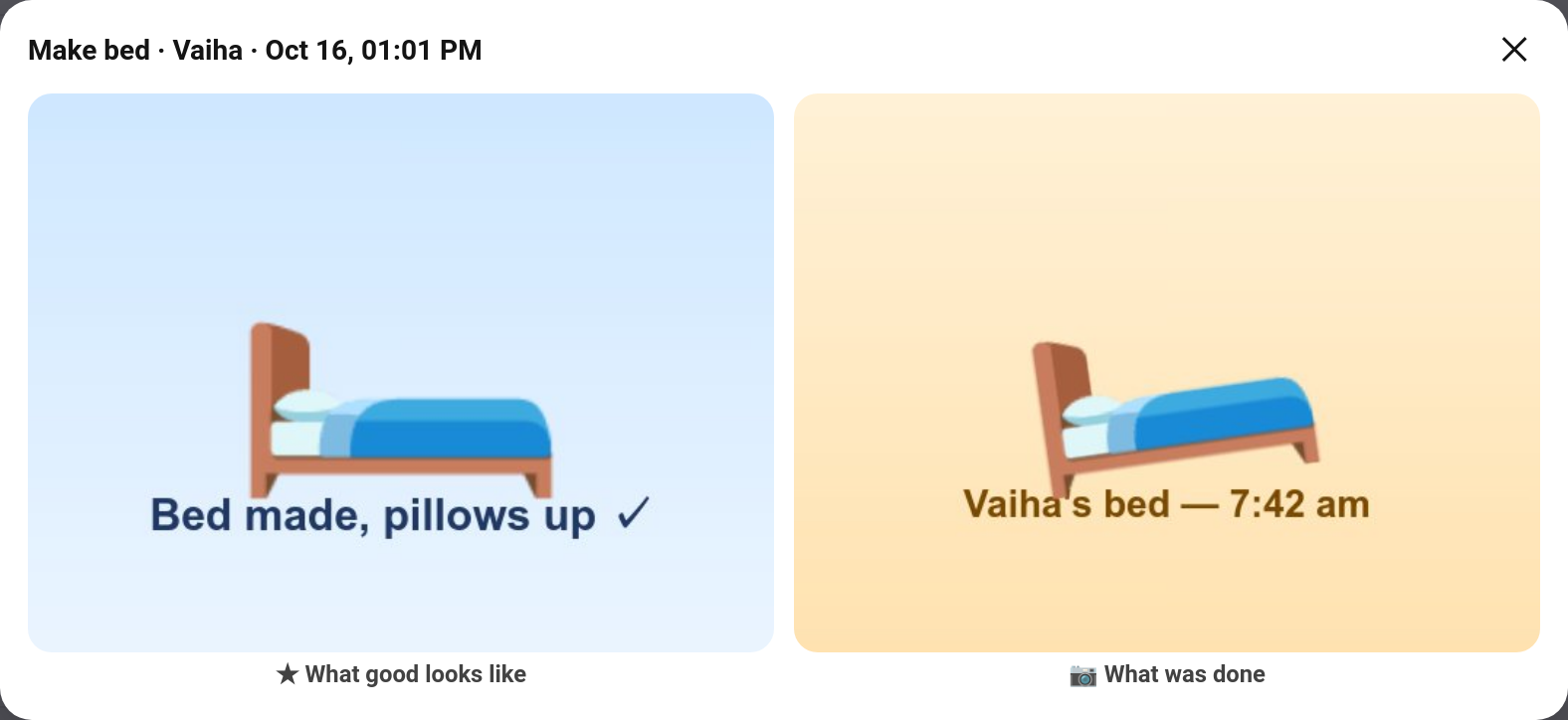
Is the bed made, or just "made"? Give a chore a reference photo: a picture of the job done properly. When the child sends their evidence photo, you see the two side by side as you approve, so judging it takes a glance. It also helps children: "done" means looking like the picture.
New in v7.0.0
TaskMate panel → Chores → edit a chore → Reference photo → Upload
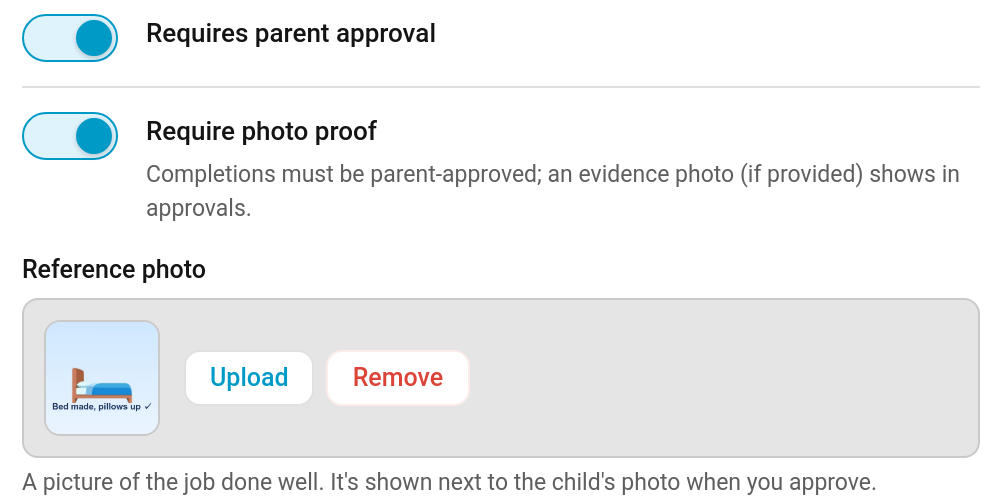
Upload a picture of the job done well (a tidy bedroom, a properly loaded dishwasher). Remove takes it off again. It's stored with TaskMate's other chore pictures and cleaned up when it's replaced, removed or the chore is deleted.
It works best on chores with photo proof switched on, but it's shown on any chore that needs approval: with no evidence photo, you compare it with the real thing.
The reference photo is set in the panel only; the add_chore and update_chore services don't take it.
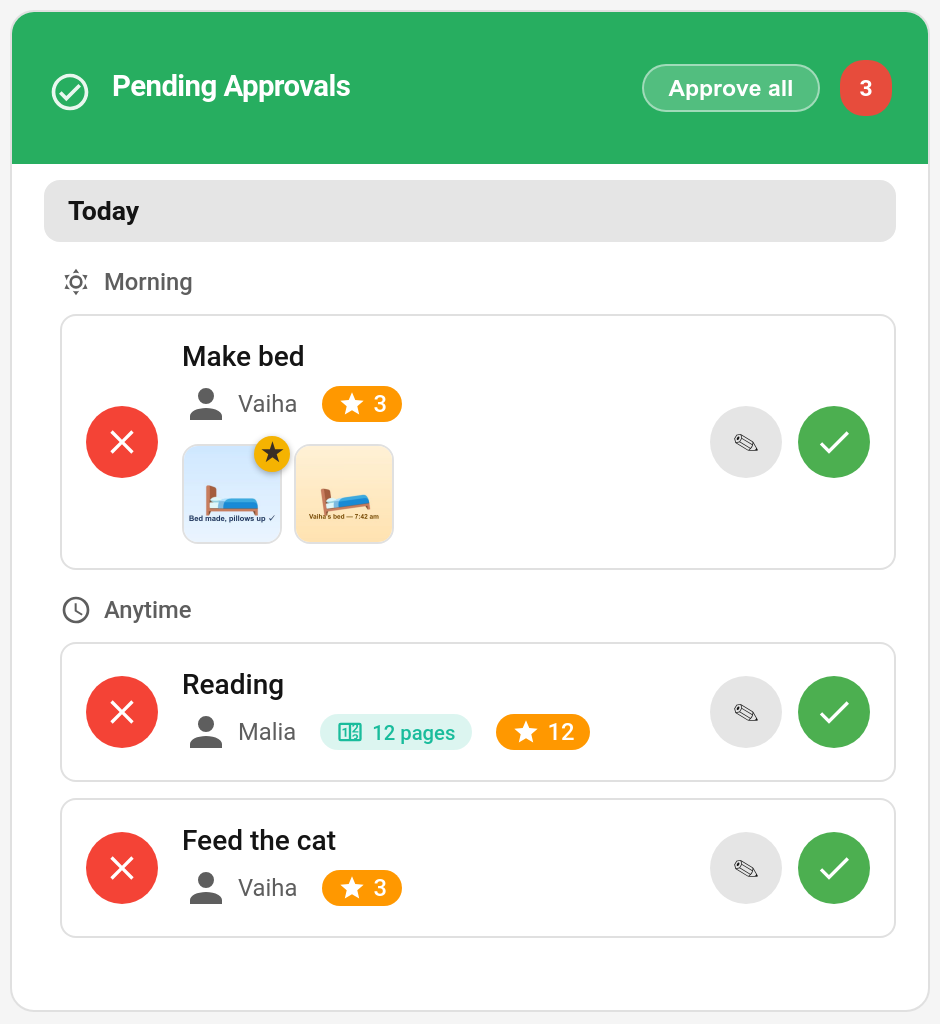
A completion of a chore with a reference photo shows two thumbnails: the reference, marked with a gold ★, and the child's photo.
Tap either thumbnail to open them side by side, labelled ★ What good looks like and 📷 What was done, as in the picture at the top of this page.
The review sheet (the ✎ button, where you can change the points before approving) shows the pair too, above the award box:
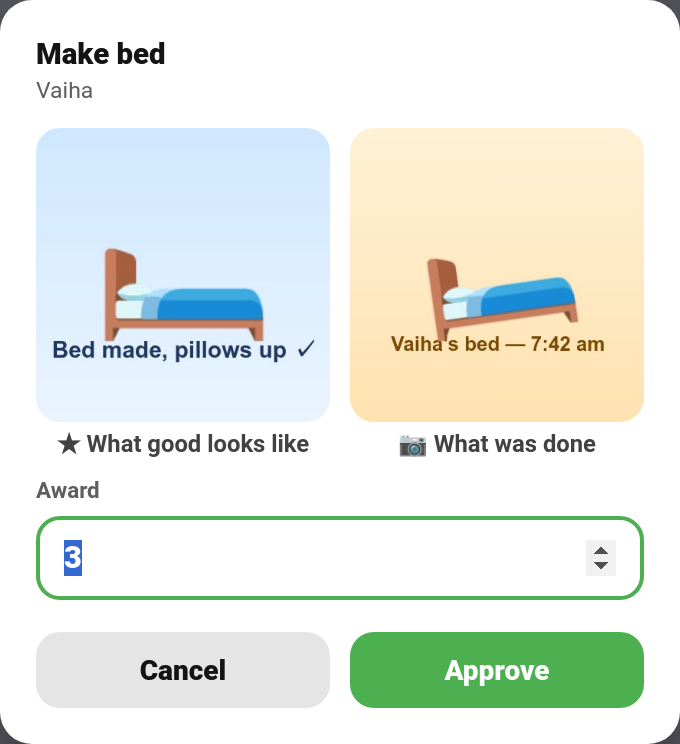
If the child sent no photo, tapping the reference opens it on its own with the note "No photo was sent — compare it with the real thing."
This works in every card design.
The parent dashboard card shows the reference photo, marked with a ★, next to the evidence photo on each pending completion. Tap it to view it full size.
Reference photos are chore pictures, not photos of your children, and are served the same way as chore pictures. They are left out of the diagnostics download.
- Photo Proof — evidence photos from children
- Approvals Card — reviewing completions
- Quality Ratings — rating how well a job was done
- Chores — every chore field