Repository navigation
Blueprints with parameters
A blueprint that asks, when placed, which good, how much and which role a station should have – two ways.
In the blueprint (tab Parameters) make goods, amounts or the role a parameter; Factorio asks for the values when placing. To make this work with UTL, every station has an invisible combinator “UTL settings”: it holds the requests, the role (signal “UTL: Role”: 1 provider, 2 active provider, 3 requester, 4 provider + requester, 5 depot, 6 fuel station, 7 cleanup, 8 storage, 9 active provider + requester) and every value that differs from the default. After building, UTL takes over what you chose.
Important
Factorio matches number parameters by value: every equal number becomes the same parameter. Enter different numbers in the station window first (mind the role, too).
Button UTL parameter planner in the shortcut bar (UTL logo with a parameter sign):
- Drag over the station(s) – the tool leaves your hand.
- Tick what should be asked when placing → Create blueprint. It is in your hand and in the clipboard (Ctrl + V).
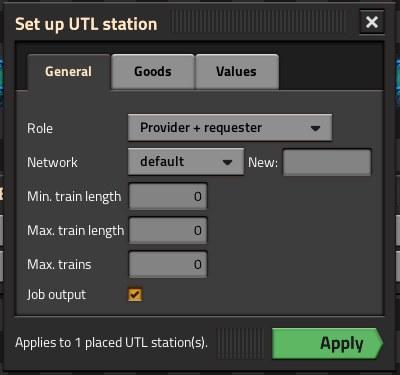
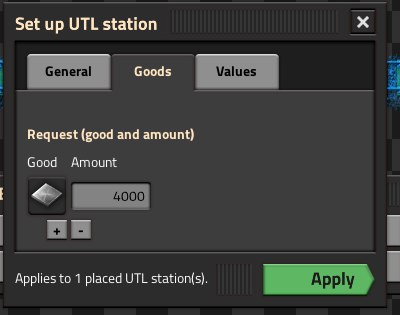
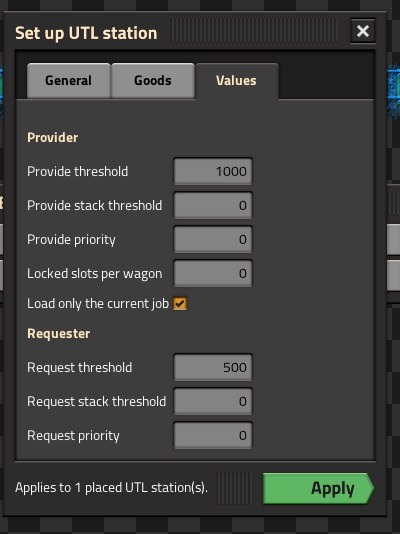
- Place it: the blueprint leaves your hand and a small window opens with the tabs General, Goods, Values. It only shows what belongs to the chosen role; changing the role rebuilds it.
- Apply – it applies to all stations placed with this blueprint.
Can be asked: role, network (existing or new), requests (several goods, + / −, amount pre-filled with one stack), train lengths, max. trains, job/depot output, thresholds, priorities, locked slots, “Load only the current job”, fuel station “Request fuel”, cleanup (all/single goods, offer contents again), storage (limits, leftover cargo).
The questions travel with the blueprint, also in the library. A normal blueprint of a station built this way does not ask – use the planner again.