Repository navigation
Editor
Arkline Editor brings the game viewport, a local world and authoring tools into one window. The goal is a clear loop: inspect something, edit a draft, preview it, save it and deliberately apply supported changes.
Start with Projects and play. Use a separate project for experiments; its world and pilot are kept together.
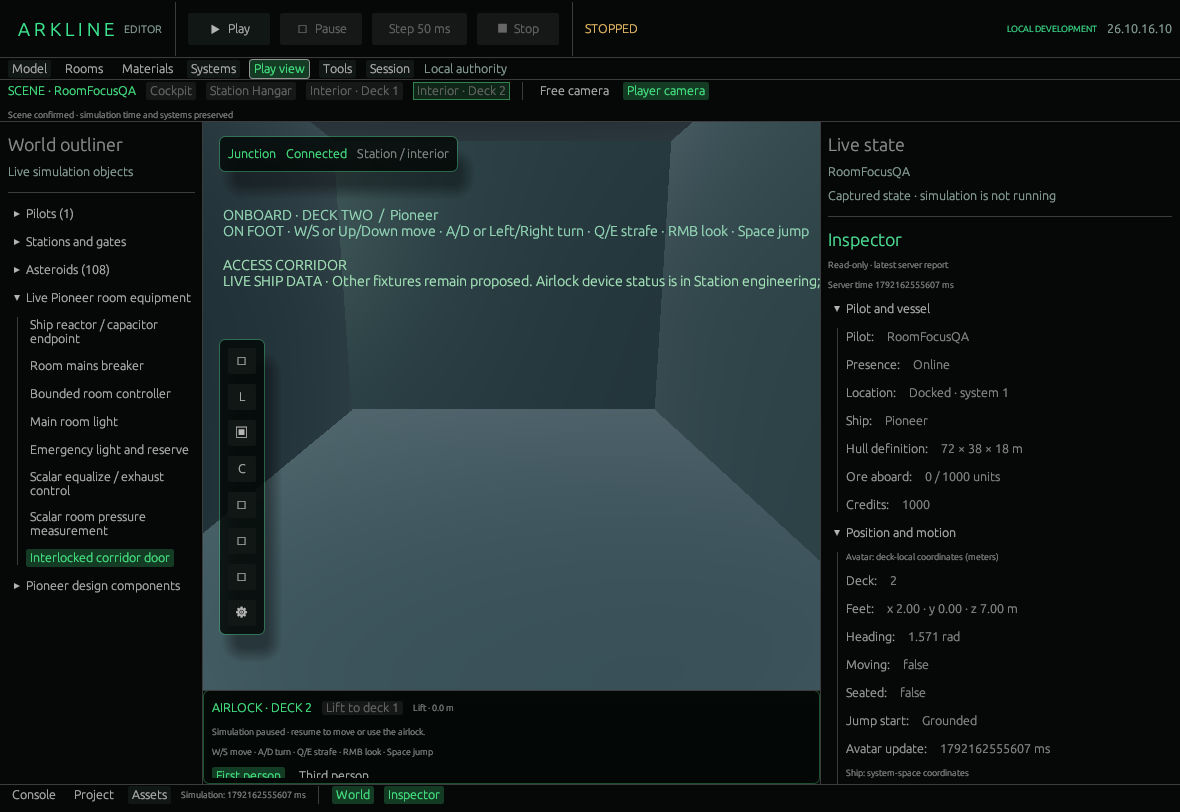
Deck two in Play view, with the simulation stopped.
| Open | What it is for |
|---|---|
| Play view | Operate the game, choose a scene, inspect the World and live state. |
| Rooms | Edit a room-layout draft and explicitly apply a valid revision. |
| Model → GLB preview | Inspect and save a verified project asset. |
| Model → Engineering candidate | Build local component-box estimates. |
| Materials → Fleet finish | Edit the shared ship palette. |
| Materials → Hull surface | Edit a spatial pattern on the Pioneer. |
| Systems → Cockpit panels | Arrange and operate supported panel controls. |
| Systems → Equipment / Exterior | Inspect live devices and author the bounded exterior circuit. |
| Systems → Service paths | Propose routes between candidate components. |
| Systems → Event flow | Author, apply and step supported event operations. |
| Session | Host or join a shared development world. |
| Tools → Community | Read GitHub work and the official wiki. |
| Tools → Render debug / Physics lab | Inspect rendering or run isolated experiments. |
The bottom Console and Project buttons open or collapse their drawer. Assets opens GLB preview. World and Inspector control side-panel visibility in Play view. Tool changes do not promise to pause the world: use Pause when you need fixed simulation time.
Project storage, Play/Pause/Stop, Step 50 ms, F5, scene controls and camera behavior are explained in Projects and play.
This guide describes PR47 at 2a678863, with PR59's numeric-field fix and PR60's navigation changes. These are separate, unmerged drafts, ahead of the public release.
The screenshots were captured on 17 October 2026 from local build 26.10.16.10, using that combined source with the world stopped. They show the existing Rooms inspector; the newer Rooms workspace is a separate change under review. The capture record records the source versions and image hashes.
The in-editor Community wiki reader displays text. Choose Open on GitHub to see the images.
The next steps are a more usable edit/save/reopen workflow (#45), fitted authoring and durable part identities (#50), connected equipment and graph tools (#43, #49), and verified engineering conservation (#32). Candidate boxes, material previews and static imported meshes do not already provide those systems.
See the community roadmap for wider plans and the versioned editor guide for technical details.