Repository navigation
Editor Shared Sessions
Use Session to work in one authoritative world from separate editor windows. This is development transport, separate from GitHub contributor sign-in and official game accounts.
| Control | Effect |
|---|---|
| Pilot | Chooses the pilot for the requested session. Returning pilots still need their saved resume credential. |
| Local → Use local world | Leaves the shared session and reopens this project's preserved local world. |
| Host → Loopback bind address → Host shared world | Opens this project's world as a shared authority, initially paused. Default address: 127.0.0.1:7779. |
| Join → Loopback address / Editor secret → Join shared world | Connects to the host without replacing this editor's local world. |
| Host Reveal / Hide / Copy | Exposes or copies the current editor admission secret. |
| Join Show / Hide | Changes secret-field visibility. |
The host controls simulation time. A joined editor's suspend/resume controls affect its own input, not the host clock. Closing a host ends the shared session. Rehosting makes a new admission secret; peers must join again.
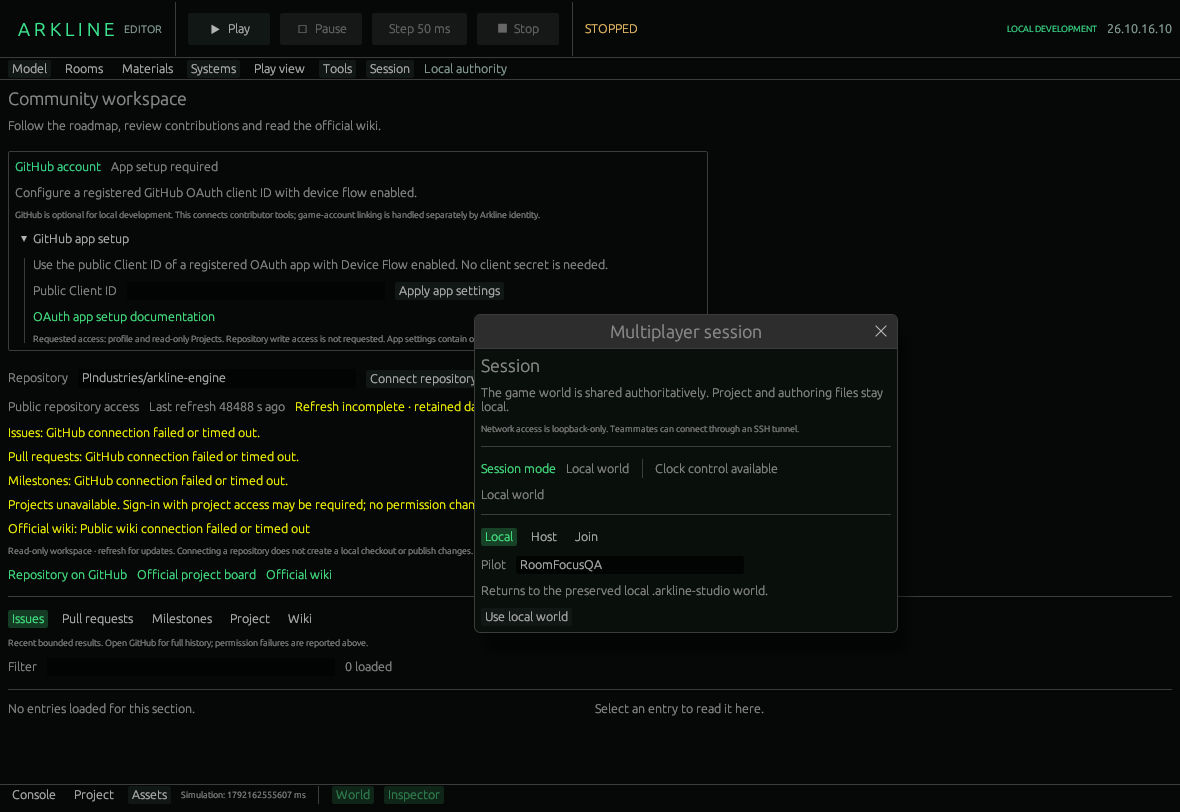
Local session controls return to the preserved project world.
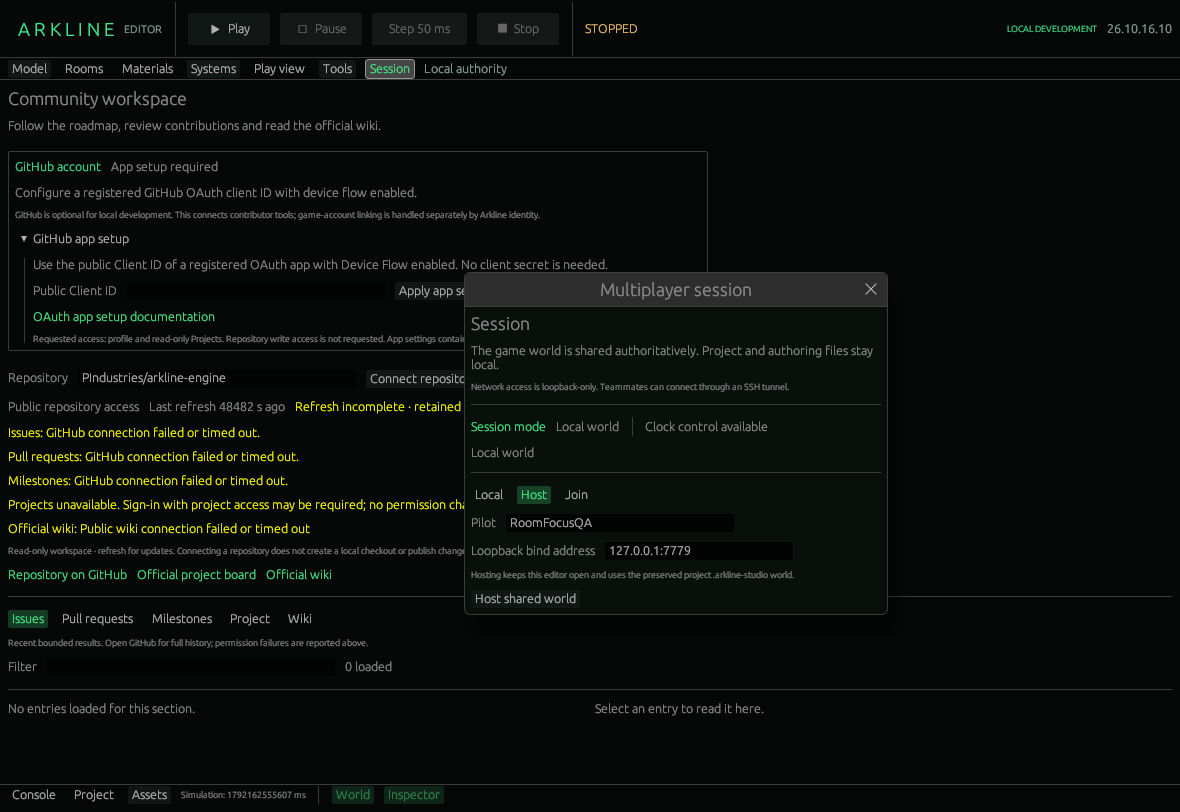
Host a shared world through the loopback address.
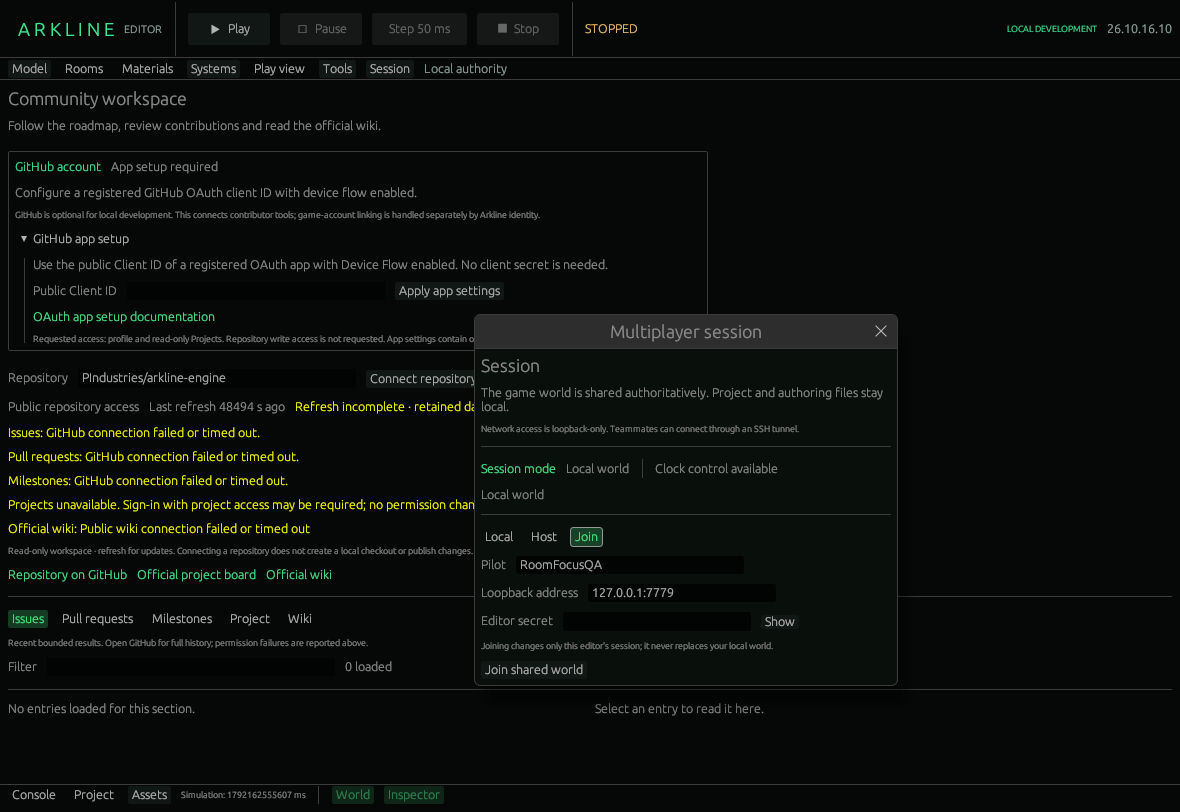
Join a shared world through a loopback address; the editor secret is masked.
- Open two editor processes using separate project folders and distinct pilots.
- In the first, choose Session → Host and Host shared world.
- Supply its loopback address and editor secret to the second editor's Join form.
- Let the host Play, Pause or Step 50 ms. Both editors receive authoritative snapshots.
- Before editing rooms, load the current live layout. Save a draft locally, then deliberately Save + apply live. Another editor's intervening revision produces a conflict to reconcile.
- Choose Local → Use local world to return to the preserved local project.
Keep admission secrets out of screenshots and source control. For another machine, use an authenticated SSH tunnel configured outside the editor; the panel accepts loopback addresses only.
World state, event-graph revisions and accepted room-layout revisions come from the authority. Project files are not synchronized. A saved room draft belongs to that editor's project; applying it submits a revision-checked authority change. Engineering, service paths, material previews and other authoring files remain local.
Viewer access exists in the transport, but this panel offers Local, Host and Join editor choices. It does not offer a viewer-join control.
The local JSON transport does not supply TLS itself; an SSH tunnel protects cross-machine traffic. Automatic reconnect and command replay are not implemented. A network error is not confirmation that a pending edit succeeded: reload authoritative state before deciding what to do next.
Multi-editor disconnect, rejoin and host-restart acceptance remains tracked in #51. Wider authoring recovery belongs to #45.
Arkline Editor · Development version · Detailed session guide