Repository navigation
Editor Equipment and Exterior
Use Systems → Equipment to inspect Pioneer's connected room devices, or Systems → Exterior to edit its exterior fixtures. These development controls belong to the version described in this guide.
Select your local pilot in the World outliner, then expand Live Pioneer room equipment and choose a device. The list appears when that pilot has room telemetry. Each selection shows its stable ID, catalogued mount or logical endpoint, conditional load, incoming/outgoing connections and last server-confirmed state.
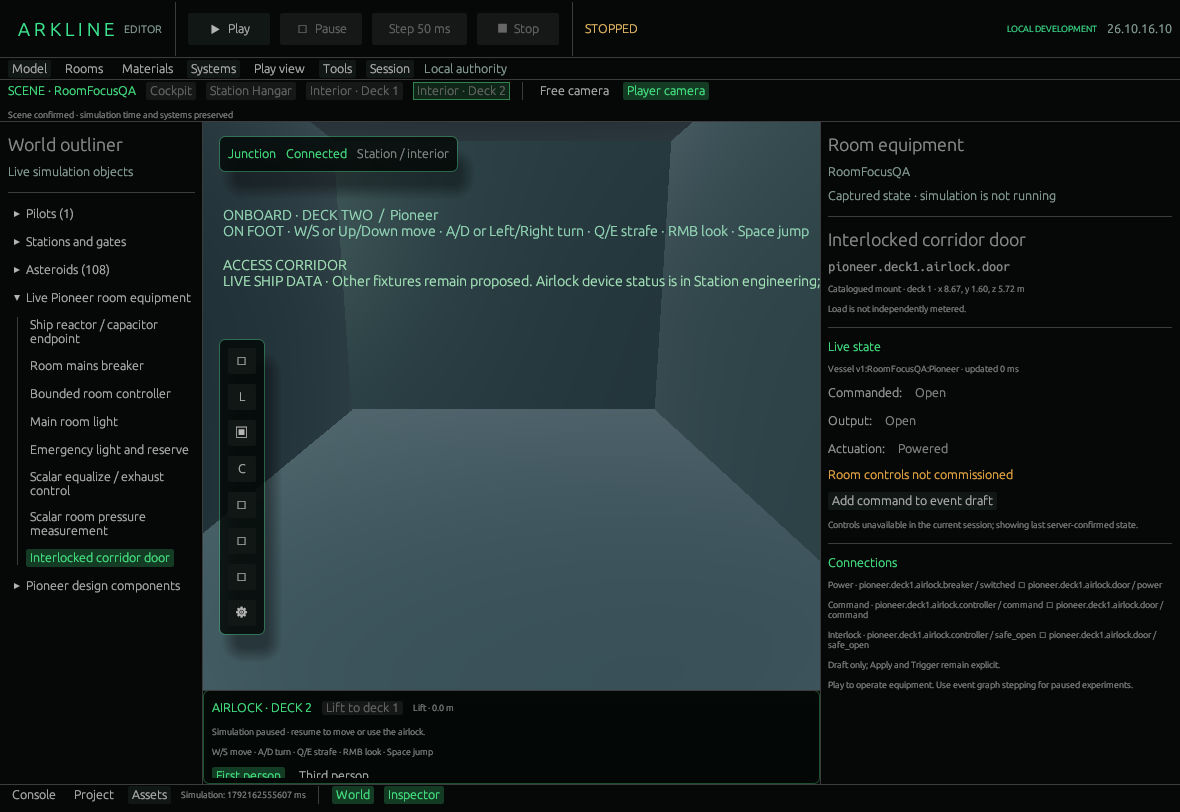
Corridor-door inspector showing its last confirmed state while stopped.
| Device | What the panel provides |
|---|---|
| Breaker | Commission room power; open or close the breaker. |
| Main light | Separate commanded On/Off and actual output; switch the command. |
| Vent | Hold, Equalize or Exhaust; reported running/stopped output. |
| Door | Commanded and actual position, interlock message, powered/manual open or close. |
| Emergency light | Actual output and remaining reserve; automatic, without a direct switch. |
| Supply, controller, pressure sensor | Read-only information, including pressure and controller interlock. |
Play enables live equipment operations for your pilot; server ownership and location checks still apply. These buttons send commands immediately. There is no equipment Save or Apply button: accepted state belongs to the world's persistent controller. While paused, supported breaker, light and door commands can instead use Add command to event draft. That only creates a node in Event flow.
Commands are requests, not guaranteed outputs. Opening the breaker removes normal light and vent power while the automatic reserve can keep emergency lighting on. A door may remain closed despite an Open command: opening requires pressure within 5 kPa of the corridor. Manual actuation bypasses motor power only. Neither manual operation nor a graph bypasses the pressure guard or occupied-door closing guard.
- Use a disposable local world with a docked Pioneer. Choose Play view → Interior · Deck 1 and select your local pilot; the scene controls provide this sandbox placement.
- Select the breaker, press Play, and request a closed breaker. The first authorized command commissions an uncommissioned controller.
- Select the light and compare Command with Output. Open the breaker and inspect both the main and emergency lights.
- Restore the breaker and check confirmed outputs. Do not interpret an unacknowledged request as success.
The room controls and equipment catalog explain the fixed controller, ratings and physical-panel access. This is one bounded room controller, not an editable electrical network or whole-vessel atmosphere model.
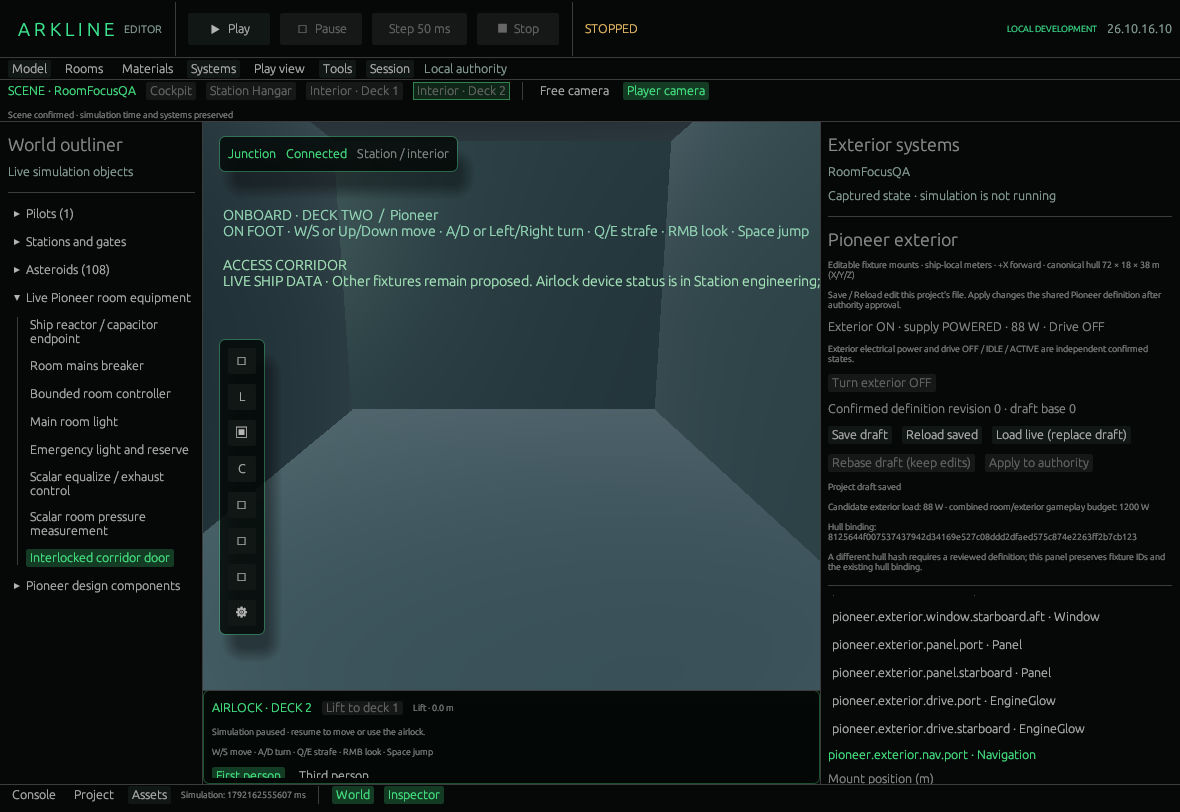
Exterior systems, draft controls and fixture list.
Choose an existing fixture to edit its XYZ mount in ship-local metres, RGB color, emission, electrical load, local-light range/intensity and strobe period/on/phase. IDs, kinds and the hull binding remain fixed. Emission makes the fixture visible; local-light settings affect nearby hull lighting.
Save draft writes Assets/Pioneer.exterior.json; Reload saved reads it. Neither changes the world. Load live (replace draft) copies the confirmed definition; Rebase draft (keep edits) retains your candidate against the current revision. Apply to authority requests a shared Pioneer definition change. Stale revisions require reconciliation. Turn exterior ON/OFF is a separate command for your supported vessel.
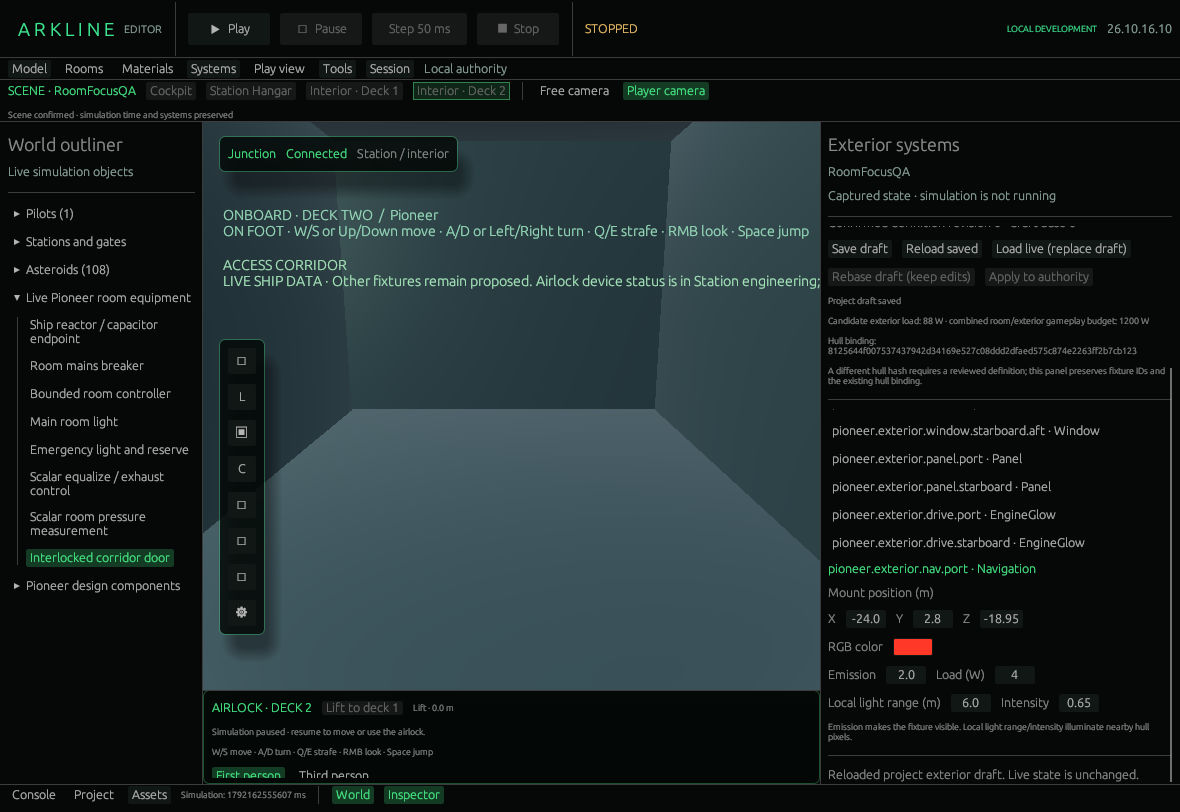
Port navigation light position, colour and lighting settings.
- Load the live definition in a disposable world and select a strobe.
- Change its timing, then Save draft. Confirm that saving alone leaves live output unchanged.
- Apply to authority, wait for confirmation, then compare Play, Pause and Step 50 ms.
- Restore the original values and explicitly save/apply them as needed.
The default has 13 fixtures and an 88 W gameplay circuit. Its switch does not shut down the vessel; drive OFF/IDLE/ACTIVE is independent telemetry. Shared material batches can combine fixture emission, and local-light budgets limit visible illumination. An unreadable project file locks Save until reload or explicit reset. Reset permits replacement; it does not save automatically.
Follow connected systems and client parity #43, energy accounting #32 and editor workflows #45. Broader networks, source-part emitters and physical resource conservation are not supplied by these panels.
Arkline Editor · Development version · Source guides: room controls, exterior. Navigation follows PR60's shell.