Repository navigation
Editor Debug and Physics
Tools → Render debug inspects the real client view. Tools → Physics lab opens separate, bounded experiments. Their controls have different purposes and clocks.
The panel shows the current camera, scene and viewed pilot. Available view buttons follow the client context: flight views while flying, Hangar while aboard a docked ship, and first/third person while walking. Switching a supported camera does not board a ship, move the pilot or issue an authority command.
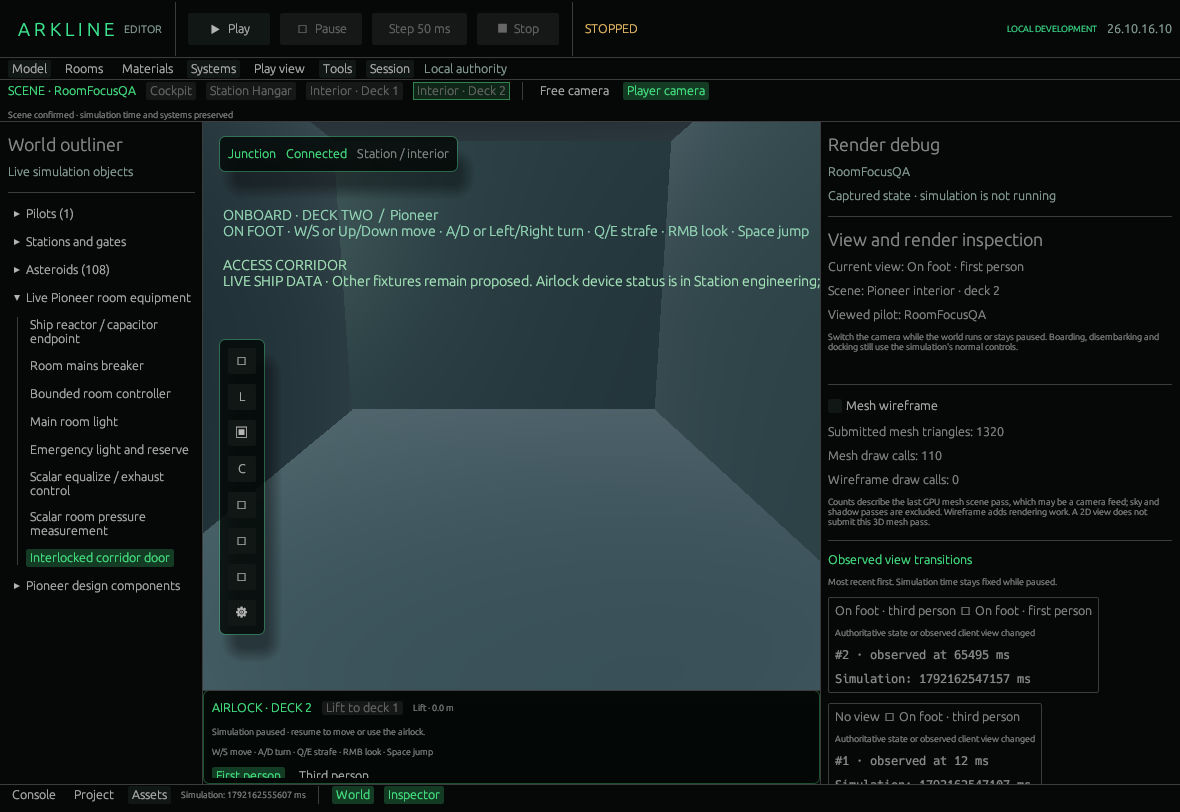
Render debug shows mesh counts and recent view transitions.
Mesh wireframe overlays cached mesh triangles. Submitted mesh triangles, Mesh draw calls and Wireframe draw calls describe the last GPU mesh-scene pass, which can be a camera feed. Sky and shadow passes are excluded. These are not total-frame timings, and wireframe adds work.
Observed view transitions lists recent client-observed mode changes, their reason, host observation time and available simulation time. Host time and world time are different; these entries are not GPU completion measurements.
To inspect a fixed scene:
- Explicitly Pause the local world.
- Open Tools → Render debug and select an available view.
- Toggle Mesh wireframe and compare the reported mesh counts.
- Check the transition entry and confirm the paused world clock stays fixed.
The lab has its own Play/Pause, Step 20 ms, Reset experiment and Time speed controls. These do not step the saved gameplay world. The main editor toolbar remains the world controls.
Two parameter groups share the experiment:
-
1D thrust and uniform gravity: mass, upward thrust and downward gravity. Acceleration is
F / m − g, using constant mass. - Seeded kinematic point cloud: linear scale rate and point count. Points scale from a fixed seed; they do not exert forces on one another.
Editing a parameter changes a draft. Apply parameters and reset starts a new lab run with bounded draft values. Reset experiment starts again with the currently applied values. Metrics show elapsed time, acceleration, velocity, height, point count and extent.
To try a parameter:
- Pause the lab and note its elapsed time.
- Press Step 20 ms once.
- Change a draft parameter; the current run retains its applied values.
- Press Apply parameters and reset, then step again.
There is no lab Save or world Apply operation. Lab state is separate from engineering documents and the saved world.
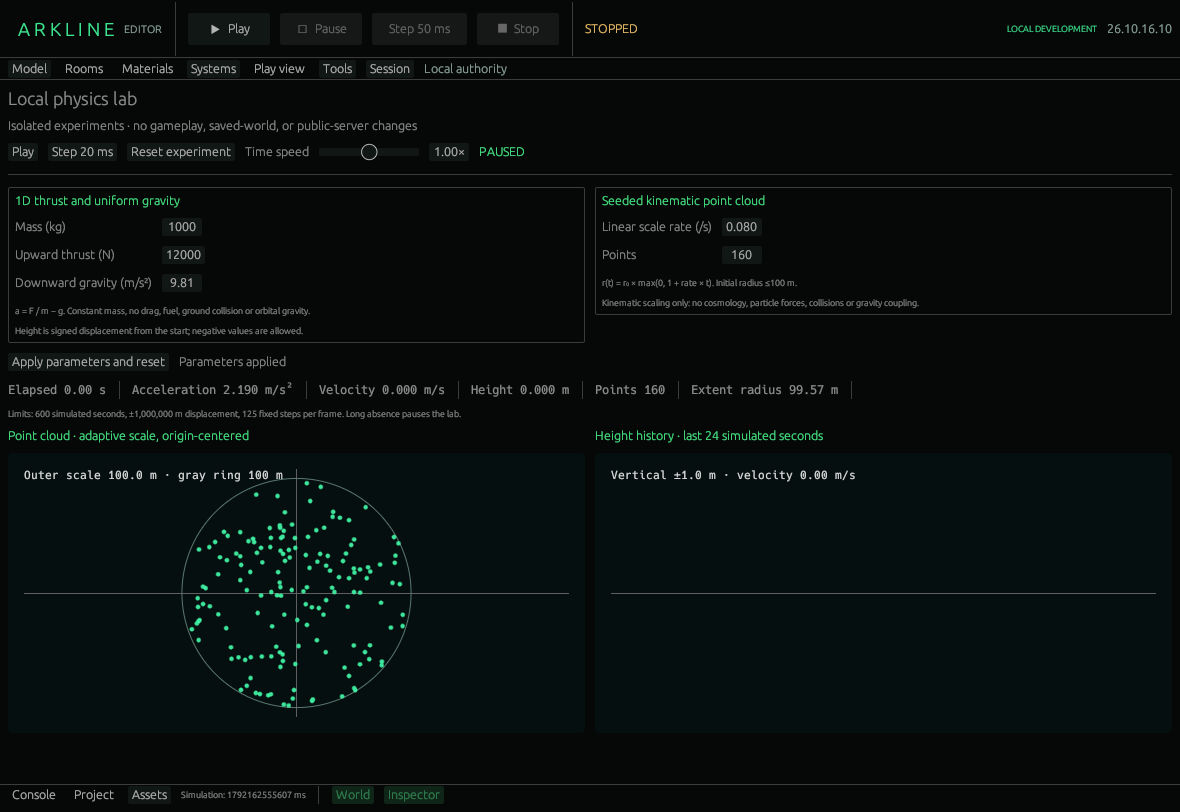
Paused physics experiment with thrust, gravity and a seeded point cloud.
The thrust example has no changing fuel mass, drag, ground collision or orbital gravity. The point cloud is kinematic scaling, not cosmology or interacting particles. The lab stops at its safety bounds and pauses after a long absence.
Collision/interest overlays, richer render timing and representative frame-pacing measurements remain work in #36 and #41. Authoritative engineering remains distinct in #32.