Repository navigation
Editor Rooms
Rooms edits the Pioneer interior blueprint. Saving a project draft alone does not move walls or change walking collision in the development world.
These are the controls in this development version, with PR59's numeric-field focus fix and PR60's Rooms navigation.
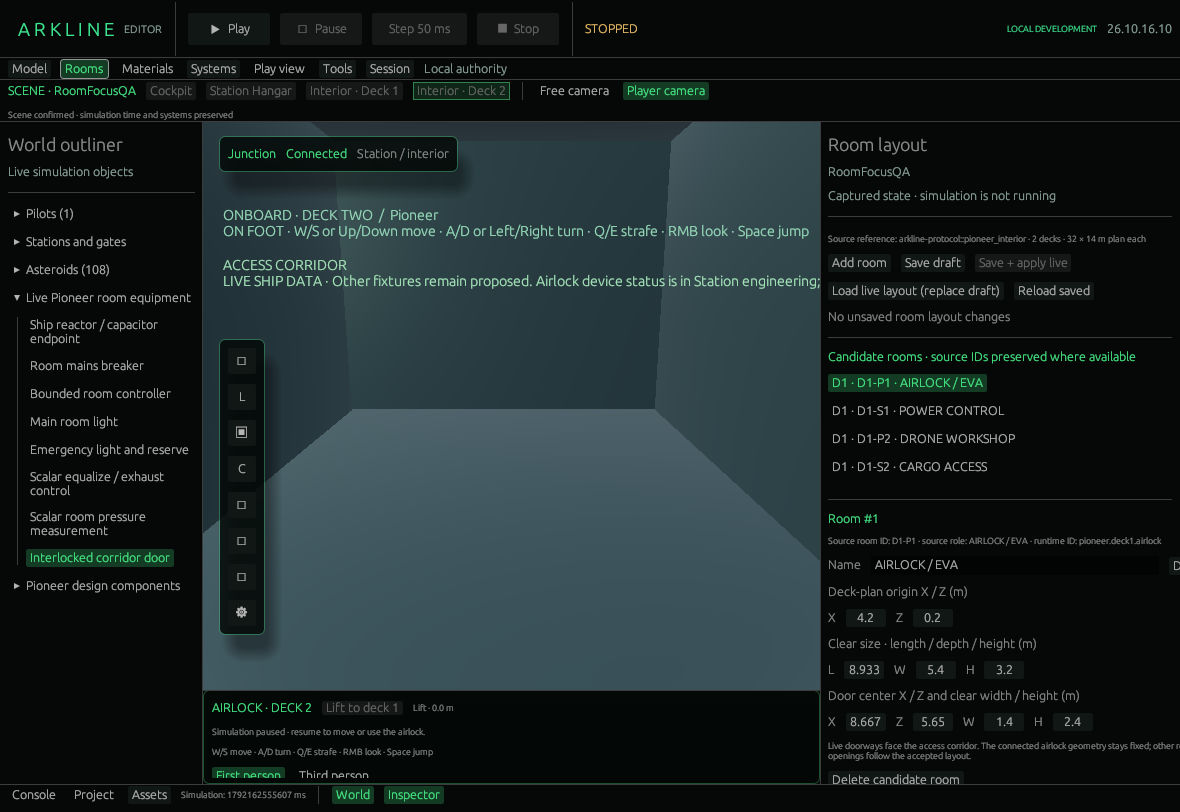
Rooms inspector with draft controls and the room list.
Click Rooms in the top navigation. The Room layout inspector lists rooms by deck, source ID and name. Selection opens the fields without applying changes or moving the camera. The game viewport remains available.
| Control or field | What it changes |
|---|---|
| Add room | Adds a candidate with a new stable ID. |
| Name, Deck 1/2 | Draft label and deck assignment. Source role and runtime references are shown separately. |
| Deck-plan origin X/Z | Room position in deck-local metres: X forward, Z starboard. |
| Clear size L/W/H | Interior length, depth and height in metres. |
| Door center X/Z, W/H | Door position and clear opening. Live openings face the access corridor. |
| Delete candidate room | Removes the selected entry from the draft, subject to validation before saving or applying. |
The Deck plan draws draft boxes and door openings for the selected deck. The selected room has a Side view. Neither certifies hull fit. Numeric fields retain focus as validation messages change. There is no room Undo/Redo.
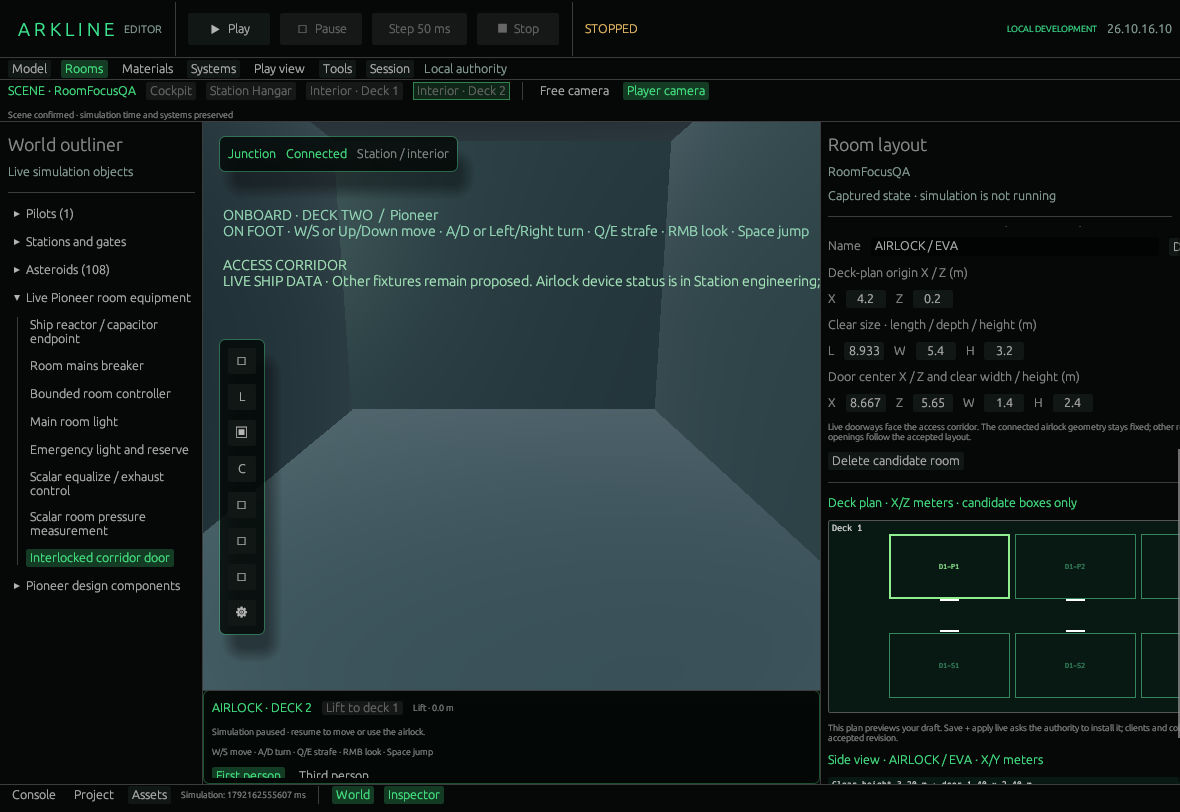
Airlock dimensions and the draft deck plan.
-
Save draft writes
Assets/Pioneer.rooms.jsonin this project. - Save + apply live saves that draft first, then asks the authority to accept it against the displayed live revision. Wait for the acknowledgement: a saved file is not proof of live acceptance.
- Load live layout (replace draft) copies the confirmed world layout into the draft. Preserve wanted local edits first; it does not save the project file.
- Reload saved restores the saved project draft. A failed load locks saving. Reset to runtime source; allow replacement explicitly permits replacing the unreadable file.
A successful apply advances the revision and updates walls, openings and collision for all connected clients. It affects the shared Pioneer blueprint, not one hull. The host and editor participants may apply; viewers cannot. Stale revisions and layouts that invalidate an avatar are rejected without relocating it. Load live state and reconcile before retrying.
- Open a disposable project; choose Rooms.
- Load the live layout, select a room and note its original measurements.
- Change its name or a dimension. Read validation and diagrams.
- Save draft. Confirm the file is saved while the live revision remains unchanged.
- If you want the change in that test world, use Save + apply live and wait for acceptance. Inspect the result in the viewport; reload the live layout before making another revision.
There are at most 24 rooms across two 32 × 14 m deck plans. Draft bounds, overlap and door checks are distinct from stricter live clearance checks. The access core, corridor and connected deck-one airlock geometry stay fixed. Equipment and utilities retain their existing contracts; this panel does not generate their simulation.
The room-workspace redesign and wider authoring work are tracked in #45. Hull fit, headroom and walking acceptance continue in #23.
Room layout contract at 2a678863 · Arkline Editor · Development version