Repository navigation
Editor Event Flow
Systems → Event flow opens a graph drawer below the live viewport. It lets you connect a small set of supported operations, inspect their execution and pause before a node. See the development version for the source and shell used by this guide.
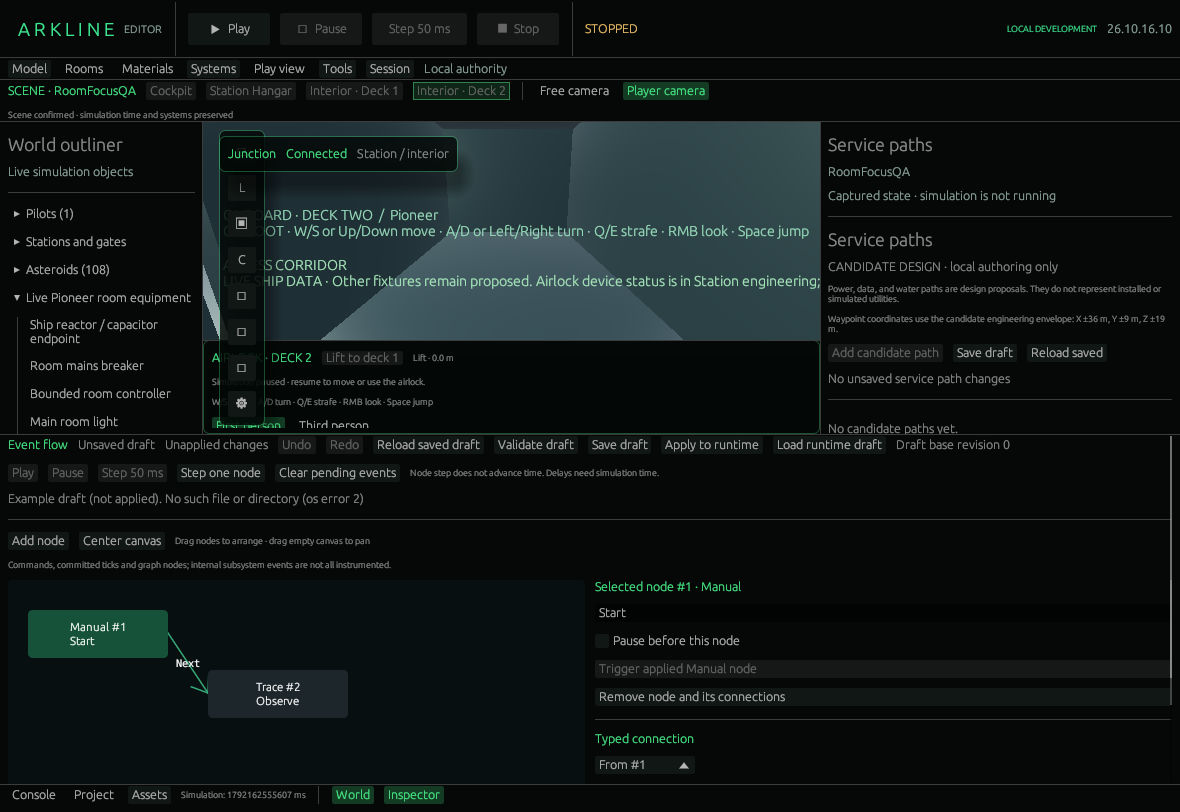
Event Flow draft connecting a Manual node to Trace.
Use Add node, drag nodes to arrange them, or drag empty canvas to pan. Center canvas resets the pan. Select a node to edit its label, supported parameters and Pause before this node breakpoint. Remove node and its connections removes both the node and attached edges. Undo/Redo covers up to 64 draft edits.
| Node | Effect when executed |
|---|---|
| Manual | An explicitly triggered starting point. |
| Tick | Starts after a committed simulation tick. |
| Delay | Schedules continuation after 0–60,000 simulation milliseconds. |
| If docked | Chooses its True or False output from the pilot's state. |
| Room light / Room breaker / Room door | Requests the selected On, Closed or Open state through normal room checks. |
| Stop ship | Sends the supported stop command. |
| Trace | Records your message in the execution trace. |
Under Typed connection, choose From, To and an output. Use Next for ordinary nodes and True/False for If docked. Connect / replace this output replaces that port's existing edge; Remove this output connection removes it. Validate draft checks references, port types, bounds and cycles. Trigger nodes cannot receive connections. Room door nodes use powered actuation. Vent commands, arbitrary scripts and general-purpose data pins are not available.
Save draft / Reload saved draft use Events/Pioneer.events.json. Saving does not install or execute a graph. Apply to runtime requires a paused, connected development world, a matching graph revision and an empty pending queue. Wait for the runtime acknowledgement; rejection preserves its previous graph. In a shared session the graph executes as the host’s actor, and the host controls the clock. Load runtime draft copies that graph into your editor without saving the file.
Select an installed Manual node and use Trigger applied Manual node to queue it. Draft selection alone does nothing. Step one node executes at most one ready queued node while paused and leaves the clock unchanged. Step 50 ms advances a complete world tick; it can make a Delay ready, but paused graph execution still needs node steps. Play/Pause controls the real simulation. An applied before-node breakpoint pauses before the operation; Play crosses that current breakpoint once. Clear pending events is a separate paused action.
- In a disposable local project, pause the world. Add a Manual and a Trace node, then connect Manual → Trace with Next.
- Give Trace a recognizable message. Validate and Save draft.
- Clear pending events if necessary, then Apply to runtime and wait for acknowledgement.
- Select Manual, trigger the applied node and press Step one node twice. Inspect Pending queue and causal trace and compare the unchanged simulation time.
- To try a breakpoint, enable Pause before this node on Trace and apply the edited graph again before triggering it.
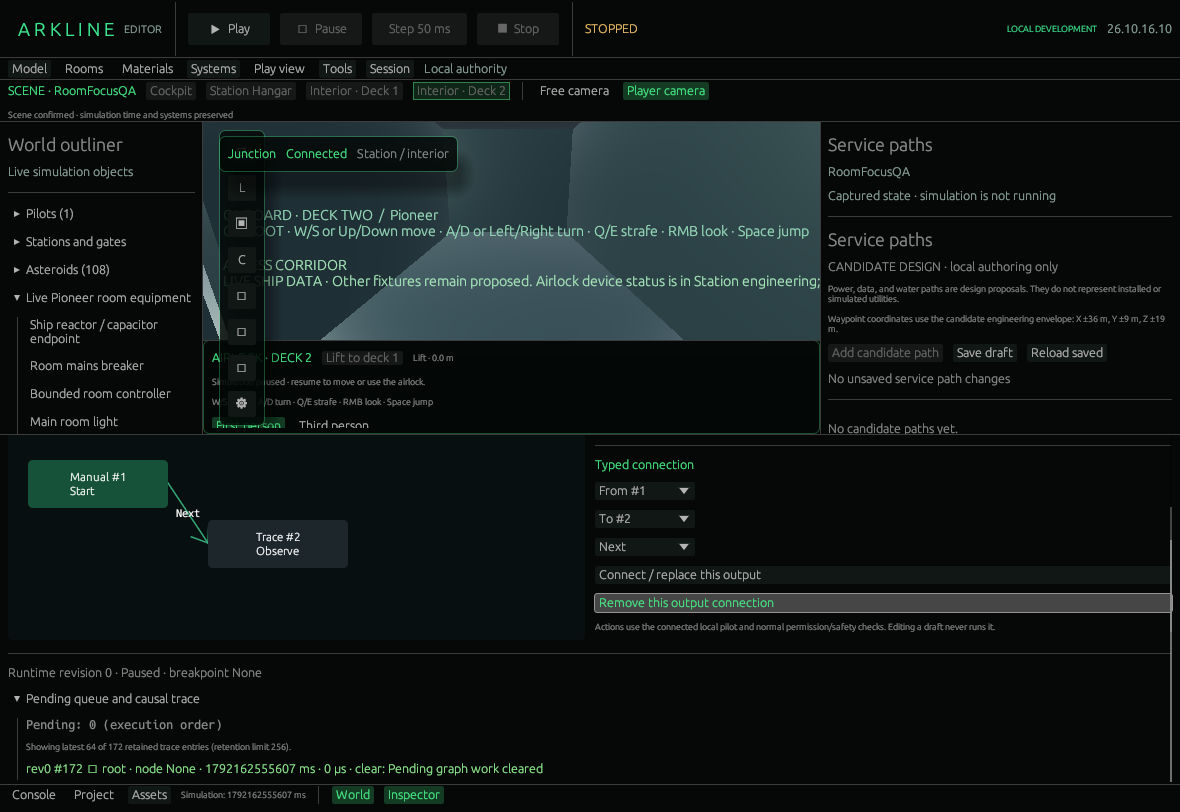
Event connections, pending queue and causal trace.
Graphs allow 128 nodes, 256 edges and 256 pending events; cycles are rejected. Trace retains 256 entries and shows the latest 64. Its host duration measures execution work, not simulated signal or GPU latency. Queue/scheduler faults pause for inspection; ordinary authority errors remain real errors. Room actions cannot bypass ownership, location, power, pressure or occupied-door guards.
Stop disconnects and clears pending execution. Restart preserves normal world state and clock, but graph runtime, pending queue and trace are session diagnostics. Reapply your saved graph after reopening; there is no saved continuation, time travel or complete subsystem trace.
Follow event graphs #49 for richer hooks, bindings and debugging, and connected systems #43 for the bounded equipment behind room commands. New primitive operations require engine implementation.
Arkline Editor · Development version · Pinned Event flow guide · Panel source. Navigation follows PR60's shell.