Repository navigation
Music uploads
Available in Tagcast 1.2.0, uploads add selected local music to your own iBroadcast library. This feature starts off. It does not watch folders, synchronize deletions or change your local files.
- Open Settings → Data & exports → Music uploads.
- Enable Enable music uploads and choose Save changes.
- If shown, choose Approve upload permission… and sign in on iBroadcast to approve the additional upload permission. Existing preferences are retained.
- Open Uploads in the sidebar, or choose Open Uploads → in Settings.
Once permission is approved, its approval button is hidden. Enabling the setting, signing in or opening Uploads never sends music.
In the desktop app, use Choose files… or Choose folder…. For manual entry, expand File and folder paths. Browser users enter complete paths on the computer running Tagcast, one per line. A folder includes its non-hidden subfolders; hidden files and symbolic links are skipped.
Choose Prepare & review. Tagcast reads the selection and checks supported formats and iBroadcast's list of uploaded file hashes. Audio is not sent yet. The review supports up to 100 chosen paths, 1,000 discovered files and 1.5 GB per file.
Review new files, identical copies already uploaded, duplicates within the selection and unreadable or unsupported files. MD5 matching finds byte-identical files only. Different tags, artwork or encoding make a different file even if the recording sounds the same. Tagcast does not infer audio identity.
Only Start uploads sends files marked Ready to upload, one at a time. Results are grouped by source folder. The reviewed selection is locked until Change selection; reviews expire after 15 minutes or a library change.
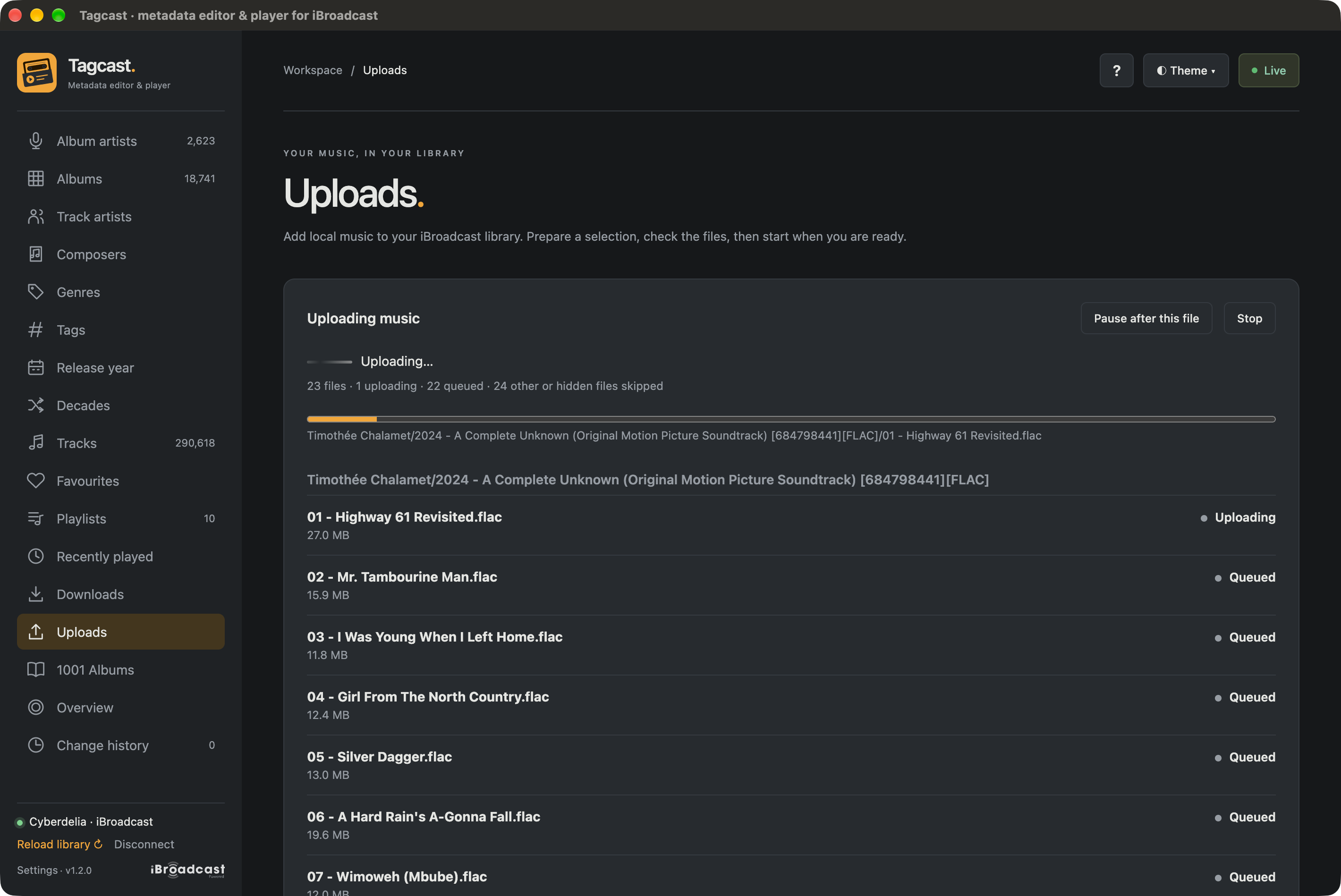
Tagcast 1.2.0 with the Amber · Original custom theme. The current file uploads while the remaining tracks wait in the queue; Pause and Stop stay beside the progress information.
- Pause after this file pauses between files; Resume continues the current job.
- Stop interrupts preparation or an active transfer where possible. A file already sent may still arrive in iBroadcast.
- Uploaded means the server acknowledged the upload or its hash was confirmed. A delayed uploaded-file list entry is explained under Details and does not undo a clear upload acknowledgement.
- Needs checking means the outcome is genuinely uncertain. Check iBroadcast before preparing those files again. Uncertain uploads are never retried automatically.
After a fully successful upload, the old path selection clears. Results stay visible until New upload. Failed, uncertain or incomplete jobs retain their selection for inspection; choosing a new selection does not send anything automatically.
iBroadcast processes the uploaded files and reads their embedded metadata. Use Reload library after processing to see the new albums in Tagcast. There is no automatic whole-library reload during an upload, so playback stays independent.
Edits made earlier in Tagcast are not embedded in the original local files. Upload the files only when their existing embedded tags are the ones you want iBroadcast to read. Tagcast does not retag, move, delete or adopt those originals.
Only an explicit start sends selected audio and relative folder/filename labels to iBroadcast. Absolute local paths and the hash index stay in Tagcast's private settings directory. Credentials stay in the server. See the Privacy policy.
Selections, reviews and results are held in memory and are not restored after the app closes. The local hash index persists to speed up later preparation. Navigating away does not stop an active upload. Disabling uploads, disconnecting, changing account or quitting stops it; a request already accepted may still complete. DNS lookup, connection and TLS setup cannot always be interrupted immediately. On Windows, Stop also cannot always interrupt a read already waiting for the server. It may stay pending until a reply, connection closure or the existing read timeout (up to 600 seconds per read operation). Later files are not sent.
Do not assume that an absent hash proves failure: iBroadcast may take time to list a new file. No uncertain write is automatically sent again. Inspect iBroadcast before starting another explicit review. For technical details and tested limits, see the implementation notes.