Saving state
remember forgets the moment its composable leaves the tree. That is usually
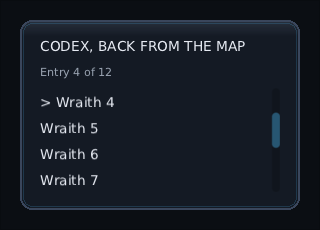
right, and in a game it is often wrong: the player opens the map, closes it, and
the codex is back on the first tab, the inventory is scrolled to the top, and the
name they were half way through typing is gone.
rememberSaveable and a SaveableStateHolder keep it.
var screen by remember { mutableStateOf("codex") }

SaveableStateHolder(screen) { key ->
    when (key) {
        "codex" -> Codex()
        "map" -> Map()
    }
}

@Composable
fun Codex() {
    var tab by rememberSaveable { mutableStateOf(0) }
    var name by rememberSaveable { mutableStateOf("") }
    Row { repeat(3) { Button("TAB $it", onClick = { tab = it }) } }
    TextField(name, onValueChange = { name = it })
    ScrollArea { Entries() }   // remembers how far it was scrolled on its own
}
Think of the holder as a coat check. When a screen leaves, everything it saved is handed in under that screen's key. When the same key is shown again, it gets the same things back.
- Anything in
rememberSaveable { }under the holder, however deep. -
Scroll positions, with no code at all:
rememberScrollState()andrememberLazyListState()are saveable, and so are the defaultsScrollAreaandLazyColumnuse when you do not pass a state. -
Which sections are open, with no code either: a
CollapsingHeadergiveninitiallyExpandedrather thanexpandedkeeps its answer the same way. -
A table's sort, dragged column widths and scroll:
rememberTableState(), and the defaultTableuses, is saveable too. -
Which tree rows are open:
rememberTreeState(), the default aTreeViewuses, is saveable too. - The saved value is the object itself, kept in memory. A
MutableStatecomes back as the sameMutableState. Nothing needs to be serialisable.
Nothing is written to disk, and nothing survives the game closing. A save file is still your job.
The one-liner shows one screen out of many and keeps the rest:
SaveableStateHolder(current) { key -> Screen(key) }The long form is for when you need the holder itself, to forget a screen:
val screens = rememberSaveableStateHolder()
screens.SaveableStateProvider(current) { Screen(current) }

// the chest was emptied: next time it opens, it starts fresh
screens.removeState("chest")
removeState on the screen that is showing forgets it when it next leaves.
A holder can sit inside a screen of another holder — a journal with its own pages, inside a pause menu. The inner pages are kept with the outer screen.
rememberSaveable is keyed by where the call sits in the code, which is right
nearly always. Two cases need more:
// The same field drawn from two different layouts: give it a name.
var name by rememberSaveable(key = "hero-name") { mutableStateOf("") }

// A value that belongs to something else: start again when that changes.
var picks by rememberSaveable(slot) { mutableStateOf(0) }
That holds while the screen is away too: if slot changed in the meantime, the
screen comes back with a fresh value rather than the old slot's.
Rows built in a loop each get their own value back, in order, even without a
key() around them.
-
Outside a holder there is nowhere to put the value, and
rememberSaveableis exactlyremember. Anif (open) Screen()with no holder still forgets. -
One key, one place. The same key showing twice at once is an error, because
each copy would save over the other. That includes a
LazyColumnwhosekeygives two items the same value.
A row scrolled out of a LazyColumn or LazyRow leaves the tree, but its
rememberSaveable state is kept, under the row's key (or its index when there
is no key), and it is back when the row scrolls back into view. With a key,
the state follows the item when the list is sorted. This needs no holder above
the list.