Repository navigation
Date Stamp
English · 中文
Date Stamp uses one hotkey to add a date while renaming a file or editing text. The default is Ctrl+D; change it in Preferences → Date Stamp.
Press the hotkey in a rename field in File Explorer, Total Commander, the desktop or an Open / Save dialog. It inserts - date before the extension. If the file name already contains a date, it updates it to today.
For example, Report.docx becomes Report - 23.09.2026.docx. It only works in the rename field; pressing Ctrl+D in a file list still performs the application's original action (Delete in File Explorer, for example).
The hotkey appends - date to the end of the current line, for example Checked becomes Checked - 23.09.2026. This is useful in text fields such as Total Commander's file comments.
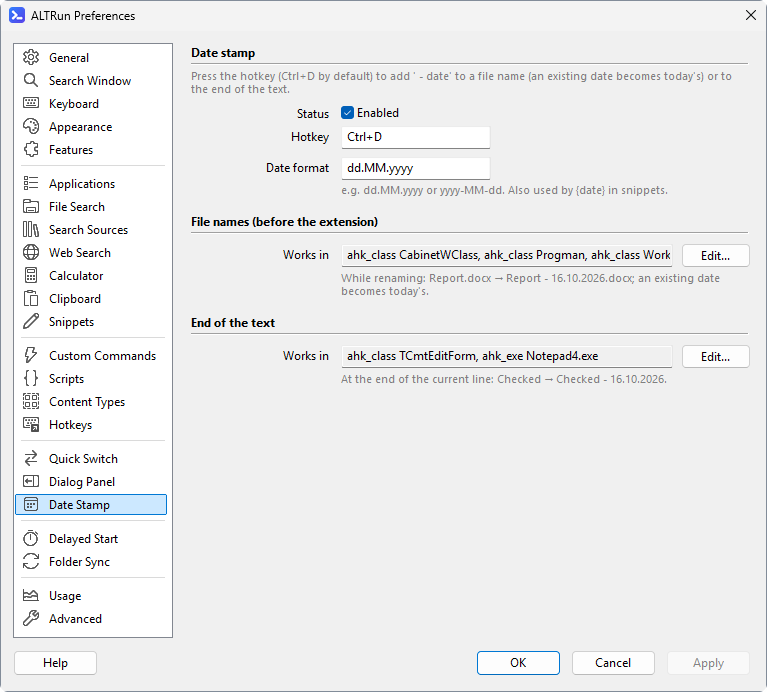
Preferences → Date Stamp has one Hotkey for both actions; which one runs depends on the window, set in the Works in list of each action: click Edit... and enter one window condition per line; for example, ahk_class CabinetWClass is File Explorer and ahk_class TTOTAL_CMD is Total Commander.
Settings are stored under Extensions.AutoDate:
| Setting | Default | Purpose |
|---|---|---|
Enabled |
1 |
Whether Date Stamp is enabled |
Hotkey |
Ctrl+D |
The hotkey, for both renaming and appending (RenameHotkey before settings version 6) |
RenameWindows |
Default window rules | Windows where renaming is enabled (a list of window conditions) |
AppendWindows |
Default window rules | Windows where appending a date is enabled (a list of window conditions) |
DateFormat |
dd.MM.yyyy |
Date format, also used by the snippet {date} placeholder |
See AutoHotkey FormatTime for date format syntax.