Repository navigation
Window Switching
English · 中文
Type a window title or program name and Enter switches to that open window (restoring it if it is minimized), like PowerToys Run's Window Walker or Raycast's Switch Windows.
-
w keyword: search windows only, for examplew excel,w quote -
w(wand a space): list every window, in front-to-back order (most recently used first) - Typing without
w: windows whose title matches well show up too, after apps and custom commands, at most 3 - Press
→on a window: close it
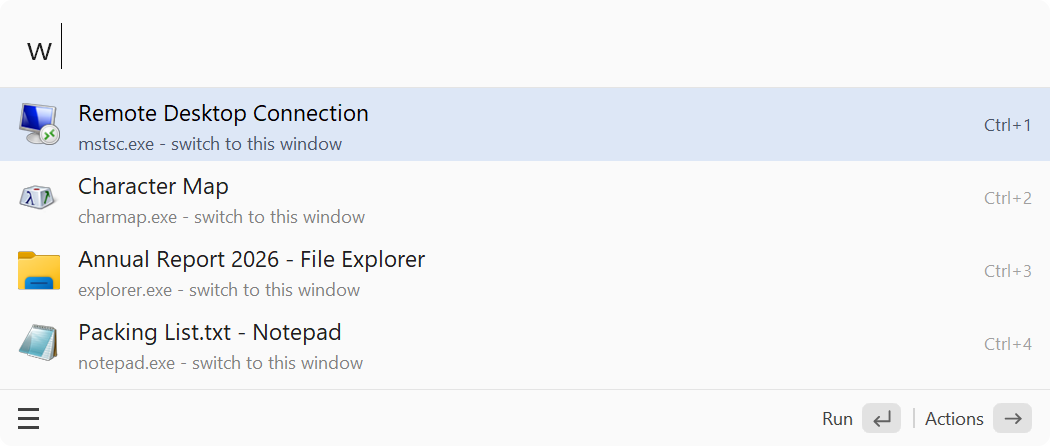
Only windows you can see on the taskbar are listed: no hidden windows, tool windows, windows on other virtual desktops or ALTRun's own windows. Windows are never added to the recent items.
Preferences → Features: "Window switching" turns the whole feature on or off; under "Feature options", "Show in normal search" and "Keyword" map to:
| Setting | Default | Description |
|---|---|---|
Features.Windows.Enabled |
1 |
Turn window switching on or off |
Features.Windows.Keyword |
w |
Keyword that searches windows only |
Features.Windows.InDefaultResults |
1 |
Also show windows whose title matches well when typing without the keyword |