Tweaks Apps PowerTools Maintenance
These four tweak categories turn WinForge into a hands-on operator's console: keep your installed apps current with winget and the Microsoft Store, fire off one-shot Power Tools (SFC, DISM, power actions, reports), run a deep Maintenance battery of ~100 service / disk / integrity / driver / diagnostics operations, and set up a no-UAC elevated launcher so the suite can run as administrator without a prompt. Every entry here is a real TweakDefinition backed by an actual winget, sc, DISM, powercfg, pnputil, schtasks or PowerShell command — nothing is cosmetic.
呢四個分類令 WinForge 變成一個真正用得嘅操作主控台:用 winget 同 Microsoft Store 更新 app、一撳就執行 進階工具(SFC、DISM、電源動作、報告)、跑成 ~100 個維護操作(服務/磁碟/完整性/驅動/診斷),仲可以整一個 免 UAC 提權啟動器。每一項都對應真實嘅系統指令,全部都會真正改動部機。
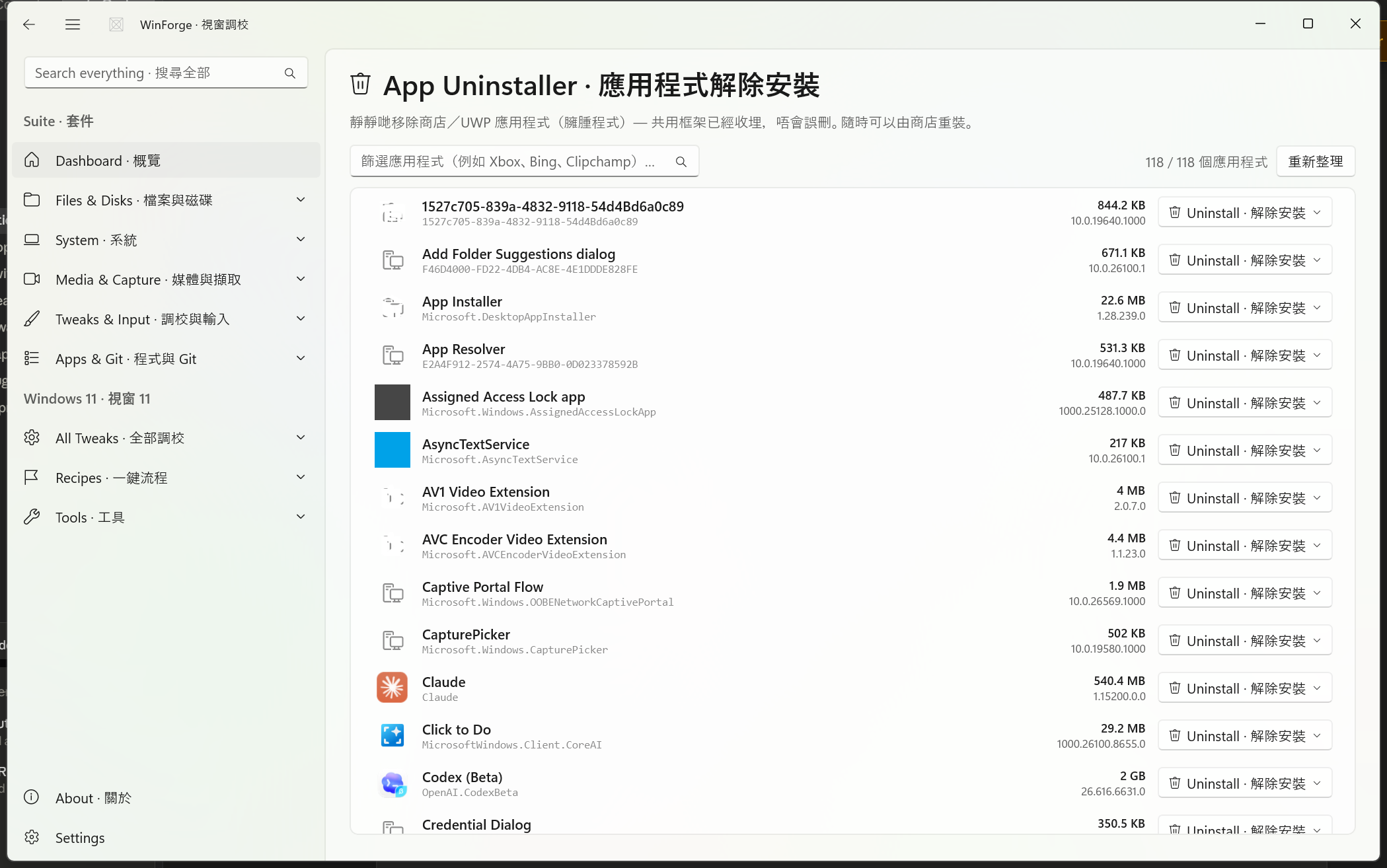
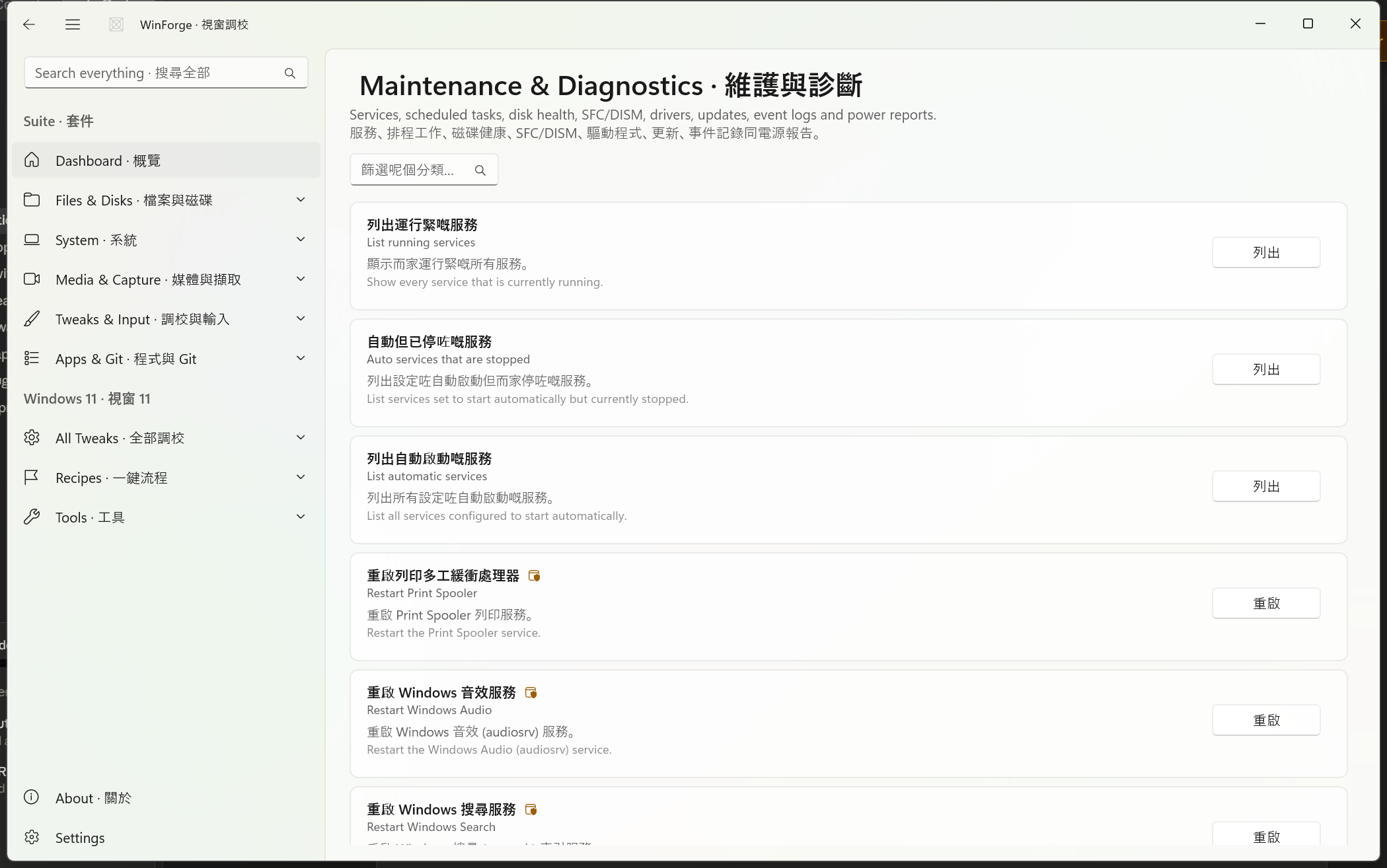
These categories live inside the broader Windows-Tweaks-Overview system: each row is a TweakCard carrying bilingual title, description, and an action button (e.g. List · 列出, Restore · 還原, Restart · 重啟). Operations marked requiresAdmin re-launch elevated; operations marked destructive show a confirmation; some carry a RestartScope (Explorer or full reboot) so WinForge knows what to refresh afterwards.
Safety · 安全 Many operations on this page run as administrator and some are destructive — they delete caches, clear event logs, flush print queues, schedule a
chkdsk /frepair, or reset Windows Update services. Read the description on each card before you press the button. Where a card creates a restore point or analyzes before acting, prefer that first. Reports (battery, energy, sleep-study) are read-only and safe.
Source · 來源: Catalog/AppsTweaks.cs
This category is mostly one-shot actions — it assumes winget is present and focuses on keeping software current, opening the right Settings pages, and a few shell-refresh / triage helpers. The catalog comment puts it plainly: "Apps & Startup — mostly one-shot actions. Assumes winget is present."
-
Update everything via
winget upgrade --all(with all agreements auto-accepted) or just list what is upgradable first. - Jump straight to the relevant Settings pages — Startup apps · 開機應用程式, Installed apps · 已安裝應用程式, Default apps · 預設應用程式 — and the Microsoft Store downloads page.
- Shell & service triage: restart File Explorer or the Print Spooler, kill Not Responding apps, and inspect what is eating memory or auto-starting.
| ID | English · 粵語 | Action | Command run | Flags |
|---|---|---|---|---|
apps.winget-upgrade-list |
List available app updates · 列出可更新嘅應用程式 | List · 列出 | winget upgrade |
— |
apps.winget-upgrade-all |
Update all apps · 更新所有應用程式 | Update all · 全部更新 | winget upgrade --all --accept-source-agreements --accept-package-agreements |
admin |
apps.winget-list |
List installed apps · 列出已安裝應用程式 | List · 列出 | winget list |
— |
apps.store-updates |
Update Microsoft Store apps · 更新 Microsoft Store 應用程式 | Open Store · 開商店 | start ms-windows-store://downloadsandupdates |
— |
apps.startup-settings |
Open Startup apps settings · 開啟開機應用程式設定 | Open · 開啟 | start ms-settings:startupapps |
— |
apps.installed-settings |
Open Installed apps settings · 開啟已安裝應用程式設定 | Open · 開啟 | start ms-settings:appsfeatures |
— |
apps.default-apps-settings |
Open Default apps settings · 開啟預設應用程式設定 | Open · 開啟 | start ms-settings:defaultapps |
— |
apps.restart-explorer |
Restart File Explorer · 重新啟動檔案總管 | Restart · 重啟 | taskkill /f /im explorer.exe & start explorer.exe |
restart=Explorer |
apps.restart-spooler |
Restart Print Spooler · 重新啟動列印多工緩衝處理器 | Restart · 重啟 | net stop spooler & net start spooler |
admin |
apps.top-memory |
Top processes by memory · 記憶體用量最高嘅程序 | Show · 顯示 | `Get-Process | Sort WorkingSet -Desc |
apps.kill-not-responding |
Kill 'Not Responding' apps · 結束無回應嘅應用程式 | Kill · 結束 | taskkill /F /FI "STATUS eq NOT RESPONDING" |
destructive |
apps.list-autostart |
List auto-start programs · 列出自動啟動程式 | List · 列出 | Get-CimInstance Win32_StartupCommand … |
— |
apps.analyze-component-store |
Analyze component store · 分析元件存放區 | Analyze · 分析 | Dism.exe /Online /Cleanup-Image /AnalyzeComponentStore |
admin |
Notes · 備註
- Update all · 全部更新 is the headline action — it accepts both source and package agreements so the upgrade runs unattended.
-
Restart File Explorer carries
RestartScope.Explorer, so WinForge treats it as a shell refresh rather than a reboot. -
Kill 'Not Responding' apps is destructive — it force-closes (
/F) every hung window, so unsaved work in those apps is lost. - Analyze component store is a safe, read-only DISM analysis; the matching cleanup lives in the Maintenance category below.
Source · 來源: Catalog/PowerToolsTweaks.cs
"Power Tools: advanced utilities and quick power actions."
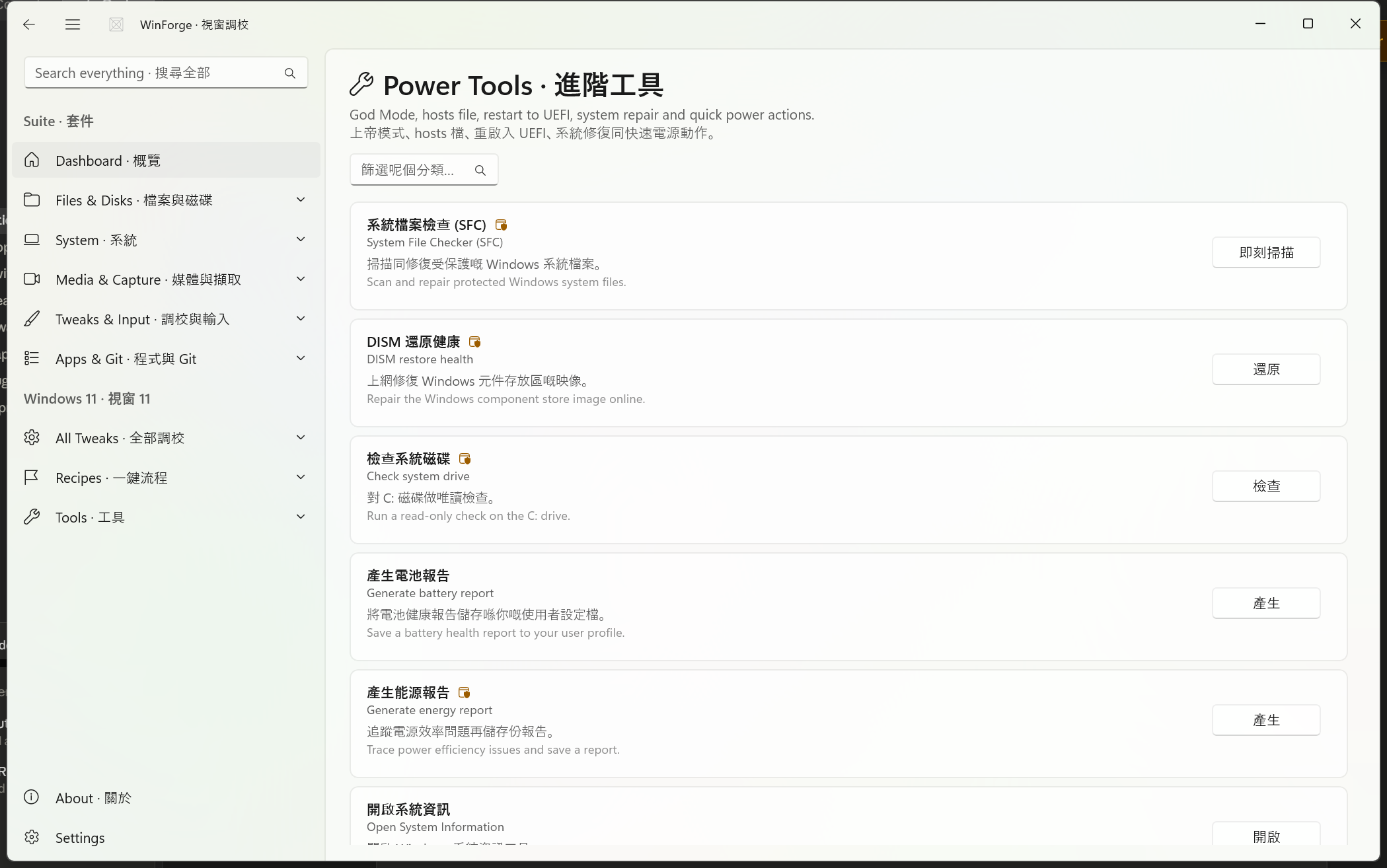
Power Tools is the fix-and-control tray: the classic repair trio (SFC, DISM RestoreHealth, chkdsk), health/diagnostics reports via powercfg, a couple of MMC/info launchers, the Windows activation status, and a row of quick power actions (lock, sleep, sign out, restart, shut down).
-
Integrity repair · 完整性修復:
sfc /scannow,DISM /RestoreHealth, read-onlychkdsk C:. - Reports · 報告: battery report (HTML to your user profile) and an energy efficiency trace.
-
System info · 系統資訊: System Information (
msinfo32), Reliability Monitor (perfmon /rel), Windows activation expiry (slmgr.vbs /xpr). - Quick power actions · 快速電源動作: lock, sleep, sign out, restart, shut down — the last three are destructive (they end your session).
| ID | English · 粵語 | Action | Command run | Flags |
|---|---|---|---|---|
powertools.sfc-scannow |
System File Checker (SFC) · 系統檔案檢查 | Scan now · 即刻掃描 | sfc /scannow |
admin |
powertools.dism-restorehealth |
DISM restore health · DISM 還原健康 | Restore · 還原 | DISM /Online /Cleanup-Image /RestoreHealth |
admin |
powertools.chkdsk-c |
Check system drive · 檢查系統磁碟 | Check · 檢查 | chkdsk C: |
admin |
powertools.battery-report |
Generate battery report · 產生電池報告 | Generate · 產生 | powercfg /batteryreport /output "$env:USERPROFILE\battery-report.html" |
— |
powertools.energy-report |
Generate energy report · 產生能源報告 | Generate · 產生 | powercfg /energy /output "%USERPROFILE%\energy-report.html" |
admin |
powertools.msinfo32 |
Open System Information · 開啟系統資訊 | Open · 開啟 | msinfo32.exe |
— |
powertools.reliability-monitor |
Open Reliability Monitor · 開啟可靠性監視器 | Open · 開啟 | perfmon /rel |
— |
powertools.activation-status |
Show Windows activation status · 顯示 Windows 啟用狀態 | Show · 顯示 | cscript //nologo …\slmgr.vbs /xpr |
— |
powertools.lock-workstation |
Lock the workstation · 鎖定電腦 | Lock · 鎖定 | rundll32.exe user32.dll,LockWorkStation |
— |
powertools.sleep-now |
Sleep now · 即刻睡眠 | Sleep · 睡眠 | rundll32.exe powrprof.dll,SetSuspendState 0,1,0 |
— |
powertools.sign-out |
Sign out · 登出 | Sign out · 登出 | shutdown /l |
destructive |
powertools.restart-now |
Restart now · 即刻重新啟動 | Restart · 重新啟動 | shutdown /r /t 3 |
destructive |
powertools.shutdown-now |
Shut down now · 即刻關機 | Shut down · 關機 | shutdown /s /t 3 |
destructive |
powertools.edit-hosts |
Edit the hosts file · 編輯 hosts 檔案 | (info) | → in-app Hosts Editor module | info |
Notes · 備註
- Edit the hosts file · 編輯 hosts 檔案 is now an info card, not an action — it points you at the dedicated in-app Hosts Editor · hosts 編輯器 module, so no Notepad and no manual elevation. "Now built in — use the in-app Hosts Editor module (no Notepad needed)."
- Battery and energy reports are written as HTML to your profile /
%USERPROFILE%so you can open them in a browser. - The three session-ending actions (Sign out / Restart / Shut down) use a short
/t 3delay and are flagged destructive so WinForge confirms before closing your session.
Source · 來源: Catalog/MaintenanceTweaks.cs
This is the largest category on the page — roughly 100 operations across five sub-groups, generated and adversarially reviewed via an ultracode workflow (per the catalog comment). It is your service manager, disk doctor, integrity guard, driver inspector, and diagnostics suite, all data-driven.
Restart common services (Spooler, Audio, Search, BITS, DNS Client, Windows Time), tame telemetry (DiagTrack), reset Windows Update, and open the consoles.
| ID | English · 粵語 | Command run | Flags |
|---|---|---|---|
maint.list-running-services |
List running services · 列出運行緊嘅服務 | Get-Service | Where Status -eq 'Running' … |
— |
maint.list-auto-stopped |
Auto services that are stopped · 自動但已停咗嘅服務 | Get-CimInstance Win32_Service | Where StartMode='Auto' & State≠'Running' |
— |
maint.list-auto-services |
List automatic services · 列出自動啟動嘅服務 | Get-CimInstance Win32_Service | Where StartMode='Auto' |
— |
maint.restart-spooler |
Restart Print Spooler · 重啟列印多工緩衝處理器 | Restart-Service -Name Spooler -Force |
admin |
maint.restart-audio |
Restart Windows Audio · 重啟 Windows 音效服務 | Restart-Service -Name audiosrv -Force |
admin |
maint.restart-search |
Restart Windows Search · 重啟 Windows 搜尋服務 | Restart-Service -Name wsearch -Force |
admin |
maint.restart-explorer |
Restart Explorer · 重啟檔案總管 | Stop-Process -Name explorer -Force; … Start-Process explorer |
restart=Explorer |
maint.restart-bits |
Restart BITS · 重啟 BITS 背景傳輸服務 | Restart-Service -Name BITS -Force |
admin |
maint.set-diagtrack-demand |
Set DiagTrack to Manual · 將 DiagTrack 設為手動啟動 | sc config DiagTrack start= demand |
admin |
maint.stop-diagtrack |
Stop DiagTrack · 停止 DiagTrack 服務 | sc stop DiagTrack |
admin |
maint.start-diagtrack |
Start DiagTrack · 啟動 DiagTrack 服務 | sc start DiagTrack |
admin |
maint.query-spooler |
Query a service · 查詢服務狀態 | sc query Spooler |
— |
maint.list-scheduled-tasks |
List scheduled tasks · 列出排程工作 | schtasks /query /fo LIST /v |
— |
maint.run-task |
Run a scheduled task · 執行排程工作 | schtasks /run /tn "\Microsoft\Windows\Defrag\ScheduledDefrag" |
admin |
maint.list-autostart |
List startup programs · 列出開機自動啟動程式 | Get-CimInstance Win32_StartupCommand … |
— |
maint.reset-update-services |
Reset Windows Update services · 重置 Windows Update 服務 | net stop wuauserv && bits && cryptsvc … && net start … |
admin · destructive |
maint.open-services-msc |
Open Services · 開啟服務管理員 | mmc.exe services.msc |
— |
maint.open-task-scheduler |
Open Task Scheduler · 開啟工作排程器 | mmc.exe taskschd.msc |
— |
maint.open-startup-apps |
Open Startup apps settings · 開啟開機應用程式設定 | ms-settings:startupapps |
— |
maint.restart-dnscache |
Restart DNS Client · 重啟 DNS 用戶端服務 | Restart-Service -Name dnscache -Force |
admin |
maint.restart-w32time |
Restart Windows Time + resync · 重啟 Windows 時間並同步 | Restart-Service -Name w32time -Force; w32tm /resync |
admin |
maint.flush-spooler-queue |
Flush + restart spooler queue · 清空並重啟列印佇列 | Stop-Service Spooler; del PRINTERS\*; Start-Service Spooler |
admin · destructive |
DiagTrack tip · 提示: the three DiagTrack rows let you set the Connected User Experiences and Telemetry service to demand (manual) start, or stop / start it on the spot — a less aggressive privacy lever than fully disabling it.
Check, repair, optimize, trim and inspect storage. Read-only operations (chkdsk read-only, dirty-bit query, free space, SMART-style counters, partition/volume listings) are safe; the schedule-repair, spot-fix and component-store cleanup rows change the system.
| ID | English · 粵語 | Command run | Flags |
|---|---|---|---|
maint.disk-chkdsk-readonly |
Check disk (read-only) · 檢查磁碟(唯讀) | chkdsk C: |
— |
maint.disk-chkdsk-fix |
Schedule full check & repair · 排程完整檢查同修復 | echo Y| chkdsk C: /f |
admin · destructive · reboot |
maint.disk-optimize |
Optimize / defrag C: · 最佳化/重組 C: | Optimize-Volume -DriveLetter C -Verbose |
admin |
maint.disk-physical-health |
Physical disk health · 實體磁碟健康 | Get-PhysicalDisk | Select FriendlyName,MediaType,HealthStatus… |
— |
maint.disk-reliability |
Storage reliability counters · 儲存可靠性計數器 | Get-PhysicalDisk | Get-StorageReliabilityCounter |
— |
maint.disk-repair-scan |
Scan volume for errors · 掃描磁碟區錯誤 | Repair-Volume -DriveLetter C -Scan |
admin |
maint.disk-repair-spotfix |
Spot-fix volume errors · 即時修復磁碟區錯誤 | Repair-Volume -DriveLetter C -SpotFix |
admin · destructive |
maint.disk-dirty-query |
Query dirty bit · 查詢污染位元 | fsutil dirty query C: |
— |
maint.disk-free |
Volume free space · 磁碟區可用空間 | fsutil volume diskfree C: |
— |
maint.disk-shadows |
List shadow copies · 列出陰影複本 | vssadmin list shadows |
admin |
maint.disk-shadowstorage |
Shadow storage usage · 陰影儲存用量 | vssadmin list shadowstorage |
admin |
maint.disk-get-disk |
List disks · 列出磁碟 | Get-Disk | Select Number,FriendlyName,SizeGB,PartitionStyle,HealthStatus |
— |
maint.disk-get-partition |
List partitions · 列出分割區 | Get-Partition | Select DiskNumber,PartitionNumber,DriveLetter… |
— |
maint.disk-get-volume |
List volumes · 列出磁碟區 | Get-Volume | Select DriveLetter,FileSystem,HealthStatus,FreeGB,SizeGB |
— |
maint.disk-largest-folders |
Largest folders in Users · Users 最大嘅資料夾 | Get-ChildItem 'C:\Users' … Measure-Object Length -Sum |
— |
maint.disk-component-cleanup |
Clean up component store · 清理元件儲存區 | Dism.exe /Online /Cleanup-Image /StartComponentCleanup |
admin · destructive |
maint.disk-analyze-store |
Analyze component store · 分析元件儲存區 | Dism.exe /Online /Cleanup-Image /AnalyzeComponentStore |
admin |
maint.disk-mgmt |
Open Disk Management · 開磁碟管理 | diskmgmt.msc |
— |
maint.disk-dfrgui |
Open Optimize Drives · 開最佳化磁碟機 | dfrgui.exe |
— |
maint.disk-retrim |
ReTrim SSD · 重新 TRIM SSD | Optimize-Volume -DriveLetter C -ReTrim -Verbose |
admin |
maint.disk-8dot3-query |
Query 8.3 name creation · 查詢 8.3 短檔名建立 | fsutil 8dot3name query C: |
— |
maint.disk-fsinfo |
Filesystem info · 檔案系統資訊 | fsutil fsinfo ntfsinfo C: |
— |
Disk safety · 磁碟安全: Schedule full check & repair queues
chkdsk /ffor the next reboot (it carriesRestartScope.Reboot); Spot-fix and Component-store cleanup are destructive in that they alter / discard data. Optimize defrags HDDs and ReTrims SSDs appropriately.
System File Checker, the full DISM health trio, restore points / System Protection, the Windows Update lifecycle via UsoClient, event-log inspection / clearing / export, and pending-reboot detection.
| ID | English · 粵語 | Command run | Flags |
|---|---|---|---|
maint.sfc-scannow |
Run System File Checker · 執行系統檔案檢查 | sfc /scannow |
admin |
maint.sfc-verifyonly |
Verify system files only · 淨係驗證系統檔案 | sfc /verifyonly |
admin |
maint.dism-checkhealth |
DISM check health · DISM 快速檢查健康 | DISM /Online /Cleanup-Image /CheckHealth |
admin |
maint.dism-scanhealth |
DISM scan health · DISM 深入掃描健康 | DISM /Online /Cleanup-Image /ScanHealth |
admin |
maint.dism-restorehealth |
DISM restore health · DISM 修復健康 | DISM /Online /Cleanup-Image /RestoreHealth |
admin |
maint.create-restore-point |
Create restore point · 建立還原點 | Checkpoint-Computer -Description 'WinForge' -RestorePointType 'MODIFY_SETTINGS' |
admin |
maint.list-restore-points |
List restore points · 列出還原點 | Get-ComputerRestorePoint … |
— |
maint.enable-system-protection |
Enable System Protection · 開啟系統保護 | Enable-ComputerRestore -Drive 'C:\' |
admin |
maint.wu-startscan |
Scan for Windows Updates · 掃描 Windows 更新 | UsoClient StartScan |
— |
maint.wu-startdownload |
Download Windows Updates · 下載 Windows 更新 | UsoClient StartDownload |
— |
maint.wu-startinstall |
Install Windows Updates · 安裝 Windows 更新 | UsoClient StartInstall |
— |
maint.list-hotfixes |
List installed updates · 列出已安裝更新 | Get-HotFix | Sort InstalledOn -Desc | Select -First 30 |
— |
maint.pending-reboot |
Check pending reboot · 檢查待重啟 | Tests …\Component Based Servicing\RebootPending & WU RebootRequired keys |
— |
maint.clear-update-cache |
Clear Windows Update cache · 清除更新快取 | net stop wuauserv && rd /s /q "…\SoftwareDistribution\Download" && net start wuauserv |
admin · destructive |
maint.recent-critical-events |
Recent critical & error events · 近期嚴重同錯誤事件 | Get-WinEvent -FilterHashtable @{LogName='System';Level=1,2} -MaxEvents 30 |
— |
maint.clear-system-log |
Clear System event log · 清除系統事件記錄 | wevtutil cl System |
admin · destructive |
maint.clear-application-log |
Clear Application event log · 清除應用程式記錄 | wevtutil cl Application |
admin · destructive |
maint.export-system-log |
Export System event log · 匯出系統事件記錄 | wevtutil epl System "%USERPROFILE%\Desktop\System-log.evtx" |
admin |
maint.open-event-viewer |
Event Viewer · 事件檢視器 | → in-app Event Viewer module | info |
maint.reliability-monitor |
Open Reliability Monitor · 開可靠性監視器 | perfmon.exe /rel |
— |
maint.open-windows-update-settings |
Open Windows Update settings · 開 Windows Update 設定 | ms-settings:windowsupdate |
— |
maint.open-msinfo |
Open System Information · 開系統資訊 | msinfo32.exe |
— |
Integrity tip · 提示: before any destructive maintenance, run Create restore point · 建立還原點 (or enable System Protection if it is off). Event Viewer · 事件檢視器 is an info card that routes you to the in-app Event Viewer module (System / Application / Security / Setup logs) instead of
eventvwr.msc.
Enumerate and inspect drivers and hardware via pnputil, driverquery, Get-PnpDevice, and friends; restart network adapters; export a driver list; open Device Manager and Sound settings.
| ID | English · 粵語 | Command run | Flags |
|---|---|---|---|
maint.drivers.list-thirdparty |
List third-party drivers · 列出第三方驅動程式 | pnputil /enum-drivers |
admin |
maint.drivers.driverquery |
Detailed driver query · 詳細驅動程式清單 | driverquery /v /fo table |
— |
maint.drivers.problem-devices |
Devices with errors · 有錯誤嘅裝置 | Get-PnpDevice -Status Error … |
— |
maint.drivers.display-adapters |
List display adapters · 列出顯示卡 | Get-PnpDevice -Class Display … |
— |
maint.drivers.disk-drives |
List disk drives · 列出磁碟機 | Get-PnpDevice -Class DiskDrive … |
— |
maint.drivers.scan-hardware |
Scan for hardware changes · 掃描硬件變更 | pnputil /scan-devices |
admin |
maint.drivers.device-manager |
Open Device Manager · 開啟裝置管理員 | mmc.exe devmgmt.msc |
— |
maint.drivers.net-adapters |
List network adapters · 列出網絡卡 | Get-NetAdapter | Format-Table Name,…,Status,LinkSpeed,MacAddress |
— |
maint.drivers.restart-net-adapters |
Restart active network adapters · 重啟使用緊嘅網絡卡 | Get-NetAdapter | Where Status='Up' | Restart-NetAdapter |
admin |
maint.drivers.usb-devices |
List USB devices · 列出 USB 裝置 | Get-PnpDevice -Class USB … |
— |
maint.drivers.export-list |
Export driver list to file · 匯出驅動清單去檔案 | pnputil /enum-drivers | Out-File …\Desktop\DriverList.txt |
admin |
maint.drivers.signed-drivers |
Signed drivers (top 30) · 已簽署驅動(頭 30 個) | Get-CimInstance Win32_PnPSignedDriver | Select -First 30 |
— |
maint.drivers.audio-devices |
List audio devices · 列出音效裝置 | Get-PnpDevice -Class Media … |
— |
maint.drivers.problem-count |
Count devices with problems · 數有問題嘅裝置 | (Get-PnpDevice -Status Error | Measure).Count |
— |
maint.drivers.gpu-info |
GPU information · 顯示卡資料 | Get-CimInstance Win32_VideoController | Format-List … |
— |
maint.drivers.monitor-info |
Monitor information · 顯示器資料 | Get-CimInstance Win32_DesktopMonitor … |
— |
maint.drivers.sound-settings |
Open Sound settings · 開啟音效設定 | ms-settings:sound |
— |
maint.drivers.printers |
List printers · 列出打印機 | Get-Printer | Format-Table Name,DriverName,PortName,PrinterStatus |
— |
Driver tip · 提示: Restart active network adapters briefly drops connectivity — "This briefly drops connectivity." — so avoid it mid-download. Export driver list writes
DriverList.txtto your Desktop.
Power / thermal reports, connectivity tests, live monitors, and quick health snapshots.
| ID | English · 粵語 | Command run | Flags |
|---|---|---|---|
maint.energy-report |
Energy efficiency report · 電源效率報告 | powercfg /energy /output "…\Desktop\energy-report.html" |
admin |
maint.battery-report |
Battery report · 電池報告 | powercfg /batteryreport /output "…\Desktop\battery-report.html" |
— |
maint.sleep-study |
Sleep study report · 睡眠研究報告 | powercfg /sleepstudy /output "…\Desktop\sleepstudy.html" |
admin |
maint.system-power-report |
System power report · 系統電源報告 | powercfg /systempowerreport /output "…\Desktop\systempower.html" |
admin |
maint.power-requests |
Active power requests · 目前嘅電源請求 | powercfg /requests |
admin |
maint.last-wake |
Last wake source · 上次喚醒嘅來源 | powercfg /lastwake |
— |
maint.wake-armed-devices |
Devices armed to wake · 可以喚醒系統嘅裝置 | powercfg /devicequery wake_armed |
— |
maint.systeminfo |
System information · 系統資訊 | systeminfo |
— |
maint.msinfo32 |
Open System Information · 開系統資訊工具 | msinfo32.exe |
— |
maint.dxdiag |
Open DirectX Diagnostics · 開 DirectX 診斷工具 | dxdiag.exe |
— |
maint.computer-info |
Computer info summary · 電腦資訊摘要 | Get-ComputerInfo -Property WindowsProductName,…,CsTotalPhysicalMemory |
— |
maint.perfmon |
Open Performance Monitor · 開效能監視器 | perfmon.exe |
— |
maint.resmon |
Open Resource Monitor · 開資源監視器 | resmon.exe |
— |
maint.test-net |
Test internet connectivity · 測試上網連線 | Test-NetConnection -ComputerName 1.1.1.1 -InformationLevel Detailed |
— |
maint.display-dns |
Show DNS cache · 顯示 DNS 快取 | ipconfig /displaydns |
— |
maint.top-memory |
Top processes by memory · 記憶體用得最多嘅程序 | Get-Process | Sort WS -Desc | Select -First 15 |
— |
maint.uptime |
Uptime and last boot · 開機時間同上次啟動 |
Win32_OperatingSystem.LastBootUpTime → uptime |
— |
maint.thermal-zone |
Thermal zone temperature · 熱區溫度 |
MSAcpi_ThermalZoneTemperature → °C |
— |
Diagnostics tip · 提示: the four
powercfgreports (energy / battery / sleep-study / system-power) all save HTML to your Desktop. Thermal zone temperature reads ACPI sensors and converts to Celsius — availability depends on your firmware exposingMSAcpi_ThermalZoneTemperature.
Source · 來源: Catalog/LauncherTweaks.cs
Standard Windows means every elevated launch nags you with UAC. WinForge's launcher category sets up a one-time Task Scheduler task running at RunLevel = Highest, plus a "WinForge (Admin)" shortcut on the Desktop and in the Start menu that triggers that task. After the one-time admin setup, launching elevated never prompts again.
標準 Windows 每次提權都會彈 UAC。呢個分類會註冊一個 最高權限 嘅工作排程器工作(
WinForgeSuiteElevated),再喺桌面同開始功能表整一個 「WinForge (Admin)」 捷徑去觸發佢。設定一次之後,撳個捷徑就以管理員身分啟動,唔再彈 UAC。
The Create action runs a PowerShell script that:
- Registers a scheduled task named
WinForgeSuiteElevatedviaRegister-ScheduledTask, with:-
New-ScheduledTaskAction -Execute $exe—$exeis the currentWinForge.exepath (Environment.ProcessPath). -
New-ScheduledTaskPrincipal … -LogonType Interactive -RunLevel Highest— the key that grants elevation. -
New-ScheduledTaskSettingsSet -AllowStartIfOnBatteries -DontStopIfGoingOnBatteries -ExecutionTimeLimit ([TimeSpan]::Zero)— no time limit, runs on battery.
-
- Creates a
WinForge (Admin).lnkshortcut in both the Desktop and Start menu Programs folders, whose target isschtasks.exe /run /tn WinForgeSuiteElevatedand whose icon is taken from the WinForge exe.
Because the task carries the elevation and the shortcut merely triggers it via schtasks /run, Windows raises no UAC prompt at launch time. The elevation is "pre-authorized" by the one-time admin registration.
| ID | English · 粵語 | Action | What it does | Flags |
|---|---|---|---|---|
launcher.create |
Create no-UAC elevated launcher · 建立免 UAC 提權啟動器 | Set up · 設定 | Registers WinForgeSuiteElevated (RunLevel Highest) + Desktop & Start-menu WinForge (Admin) shortcuts |
admin |
launcher.run-now |
Run WinForge elevated now · 立即以管理員運行 | Run · 運行 |
schtasks.exe /run /tn WinForgeSuiteElevated — starts a fresh elevated instance, no UAC (requires setup first) |
— |
launcher.remove |
Remove the elevated launcher · 移除提權啟動器 | Remove · 移除 |
Unregister-ScheduledTask + deletes both shortcuts |
admin · destructive |
launcher.open-scheduler |
Open Task Scheduler · 開啟工作排程器 | Open · 開啟 |
mmc.exe taskschd.msc to inspect the task |
— |
launcher.status |
Elevation status · 提權狀態 | (info) | Shows Elevated · 已提權 or Standard user · 標準使用者 via AdminHelper.IsElevated
|
info |
Safety · 安全 A no-UAC elevated launcher is a real convenience but also a security trade-off: anything that can trigger the shortcut runs WinForge with full admin rights without a prompt. Create it only on a machine you trust, keep the WinForge (Admin) shortcut to yourself, and use Remove the elevated launcher · 移除提權啟動器 to fully tear it down (it unregisters the task and deletes both shortcuts) when you no longer need it. The Elevation status · 提權狀態 card tells you at a glance whether the running instance is already elevated.
-
Windows-Tweaks-Overview — how the catalog,
TweakDefinition,TweakCardand admin/restart handling fit together. - Tweaks-Cleanup-Security-System — disk cleanup, Defender / privacy, and core system tweaks that complement Maintenance.
- Tweaks-Debloat-Winaero-Advanced — removing bundled apps and deeper power-user registry tweaks.
Part of Home · WinForge wiki.