Repository navigation
Split Join Parts
Join parts… joins whole files into one MKV, in the order of the list: a film on two discs becomes a single file. The chapters of each part follow those of the previous parts, shifted to their new position.
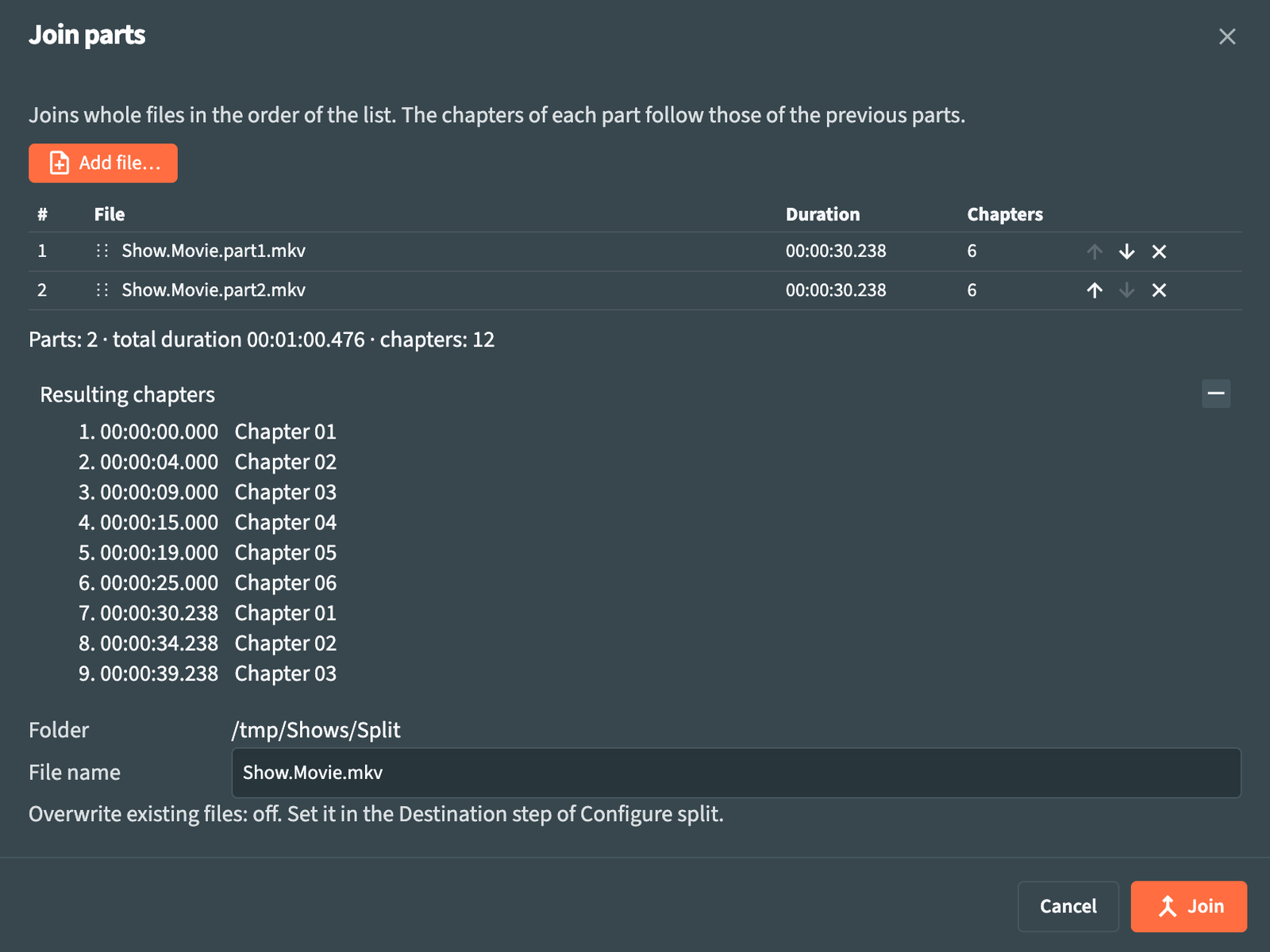
In Split mode, use Join parts… in the menu or Join in the toolbar. The files selected in the Split list are already in the window, in list order. The window works on its own: from the Split configuration it uses only Destination folder and Overwrite existing files.
| Control | What it does |
|---|---|
| Add file… | Adds files from the file picker, which opens in the folder of the last part. The parts can be MKV, MP4, AVI or M2TS, also mixed: cd1.avi and cd2.mkv join fine when their tracks match. |
| Move up / Move down | Changes the position of a part. You can also drag a row. |
| Remove | Takes a part out of the list. |
Each row shows the file, its Duration and its number of Chapters. RemuxForge reads every part as it is added (Reading parts…) and checks it against the first part: the same number and type of tracks, the same codecs, and for each track the same resolution, channels and sampling rate, plus the same bits per sample for lossless audio. Parts that differ are listed in red with the reason.
With Xvid/DivX (MPEG-4 ASP) video, RemuxForge repeats the video header of each part on every keyframe, so the joined file decodes across the joins. When the parts were encoded with a different quantization, or a part's header cannot be read, the window shows a warning before Join: the joined file is correct, but some players may show wrong frames right after a join.
When the parts match, the window shows Parts: N · total duration … · chapters: N, and Resulting chapters, which folds open with +, lists the chapters of the joined file with their times.
| Field | What it does |
|---|---|
| Folder | Where the joined file is written: the Destination folder of the Split wizard, or the folder of the first part when that field is empty. |
| File name | Name of the joined file, with the .mkv extension. RemuxForge proposes the name of the first part without its part suffix: Film.part1.mkv, Film - CD1.mkv and Film.disc1.mkv all give Film.mkv. |
Below the name, the window shows whether Overwrite existing files is on. The setting comes from the Destination step of the Split wizard: with it on, an existing file with the same name is replaced; with it off, choose another name. The output never replaces one of the parts.
Join creates the file. A notification confirms it when done.