Textbook 09 CAVRA GUI And Sandbox Guide
The CAVRA sandbox GUI is the fastest way to see the product. It is a static-hostable interface that demonstrates runtime decisions, evidence, approvals, registry views, AISPM posture, report center flows, trial readiness, and operating packets.
Run it locally:
python -m http.server 5173 --directory apps/sandbox-uiOpen http://localhost:5173.
The Dashboard introduces the operating surface: platform summary, decision flow, active scenarios, policy mode, risk signals, and evidence output.
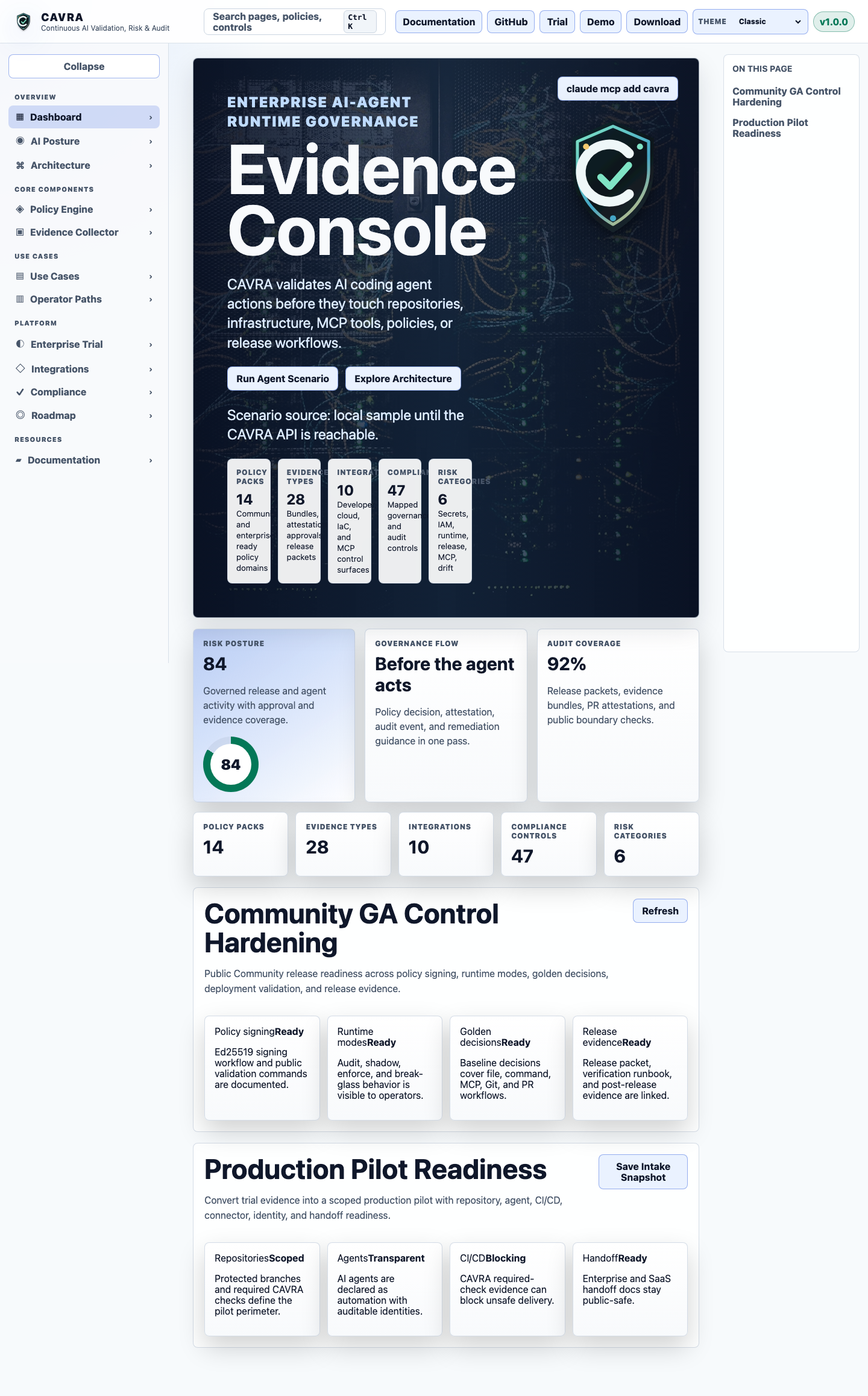
Use the Dashboard to understand the "before the agent acts" journey. A user chooses or runs a scenario, CAVRA evaluates actions, and the UI shows allowed, blocked, or approval-routed decisions.
What to look for:
- The current scenario and policy mode.
- Which attempted actions were allowed, blocked, or routed.
- Evidence or export controls that prove the scenario.
- Links into Evidence, Approvals, Registry, and AI Posture.
The demo route presents scripted agent scenarios. It is useful for sales engineering, onboarding, internal training, and explaining runtime authority to non-developers.
Recommended first demo: run "Before the Agent Acts" and narrate each attempted action as a governance story: secret read blocked, IAM write routed, safe plan allowed, destructive apply blocked, unknown MCP blocked, direct push blocked, PR allowed with attestation.
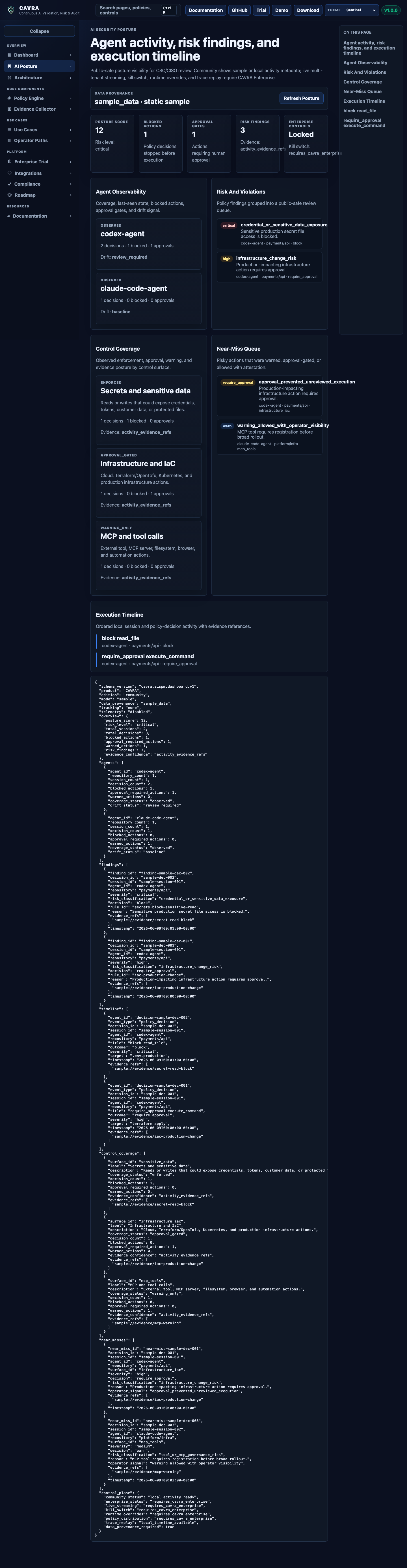
AI Posture is the AISPM surface. It shows posture, findings, control coverage, timeline, readiness checks, report center data, trial closeout evidence, pilot packets, evidence room status, and production readiness concepts.
The Evidence view shows how CAVRA records decisions and artifacts. Users can inspect evidence metadata, verify PR attestation, search indexed evidence, and understand which controls produced proof.
Use Evidence after running a demo or CLI bundle. The key question is: can the UI explain why the decision happened and where the proof lives?
The approval surface shows pending approvals, routed decisions, break-glass activity, and audit details. Enterprise deployments connect this workflow to SSO, RBAC, ITSM, ChatOps, or internal provider workflows.
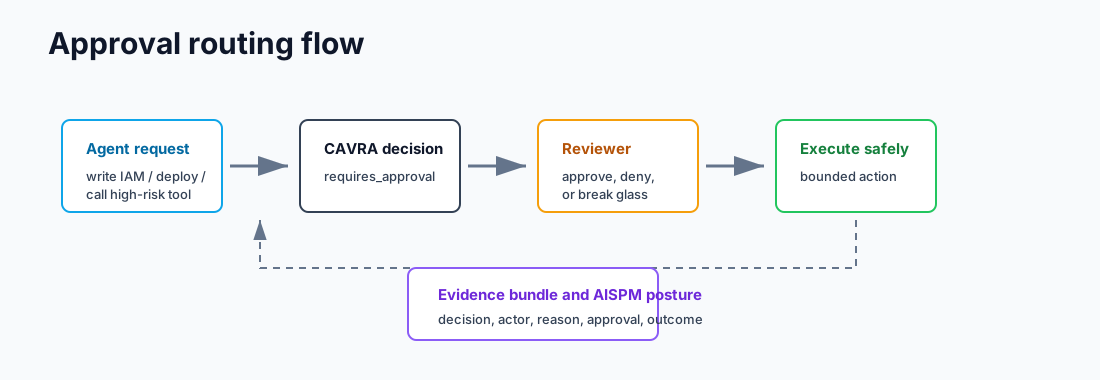
Use Approvals to teach the difference between "blocked" and "not automatically allowed." A legitimate production change may proceed, but only after named review, reason, expiry, and evidence capture.
The registry surface helps users inspect governed agents and MCP trust records. This is important because agents do not only edit code; they also call external tools. The registry explains which tools are approved, which capabilities they expose, and what trust tier applies.
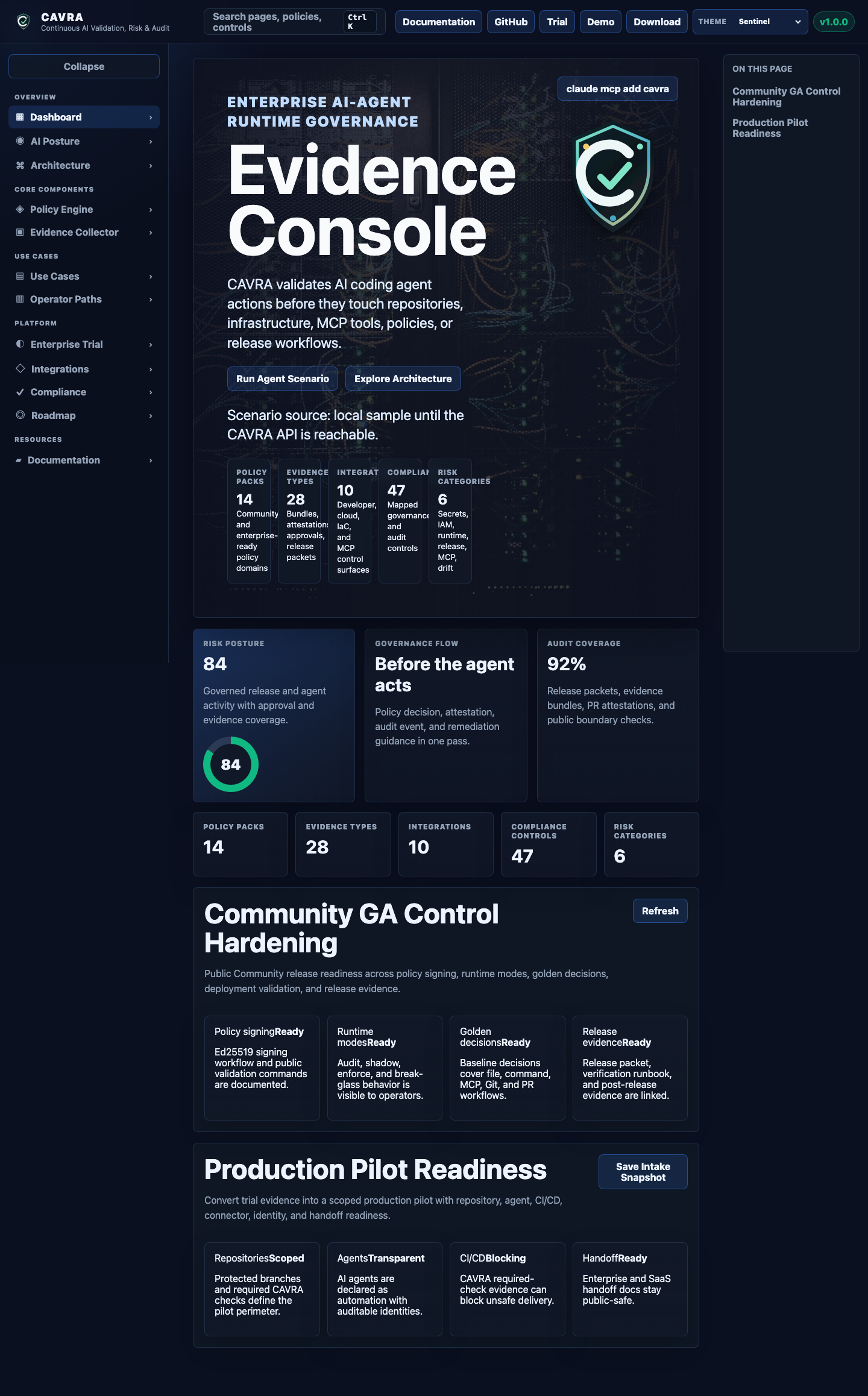
The sandbox includes multiple visual themes and route states. Theme screenshots are preserved in the wiki assets:
| Section | Purpose |
|---|---|
| Dashboard | Product overview, scenario state, runtime decisions. |
| Demo | Guided before-the-agent-acts story. |
| AI Posture | AISPM posture, findings, reports, readiness packets. |
| Evidence | Evidence inspection, metadata, attestation, bundles. |
| Approvals | Approval queue, decision records, break-glass activity. |
| Registry | Agent registry, MCP trust registry, profiles, classifications. |
| Settings | Theme, mode, local portal behavior. |
Open the sandbox and answer these questions:
- Which page shows the first runtime decision?
- Which page proves the decision after the fact?
- Which page explains whether an MCP server is trusted?
- Which page would a CISO use to understand AI-agent posture?
- Which UI element would you show a developer who wants to know why an action was blocked?
The public hosted sandbox is documented in Hosted Sandbox Deployment. In production-like environments, configure API base URLs and CORS policies so the static UI can query backend decisions and evidence.
- Which GUI page proves what happened after a decision?
- Which GUI page would you use to explain AI-agent posture to an executive?
- Why does the public sandbox use public-safe sample state?
Read AISPM Guide to understand how decisions and evidence become posture, findings, and reports.