Repository navigation
Appearance themes and language
Personalise · Hrvatski
Themes, your own colours, fonts, interface size, spacing, colour-vision aids and the language.
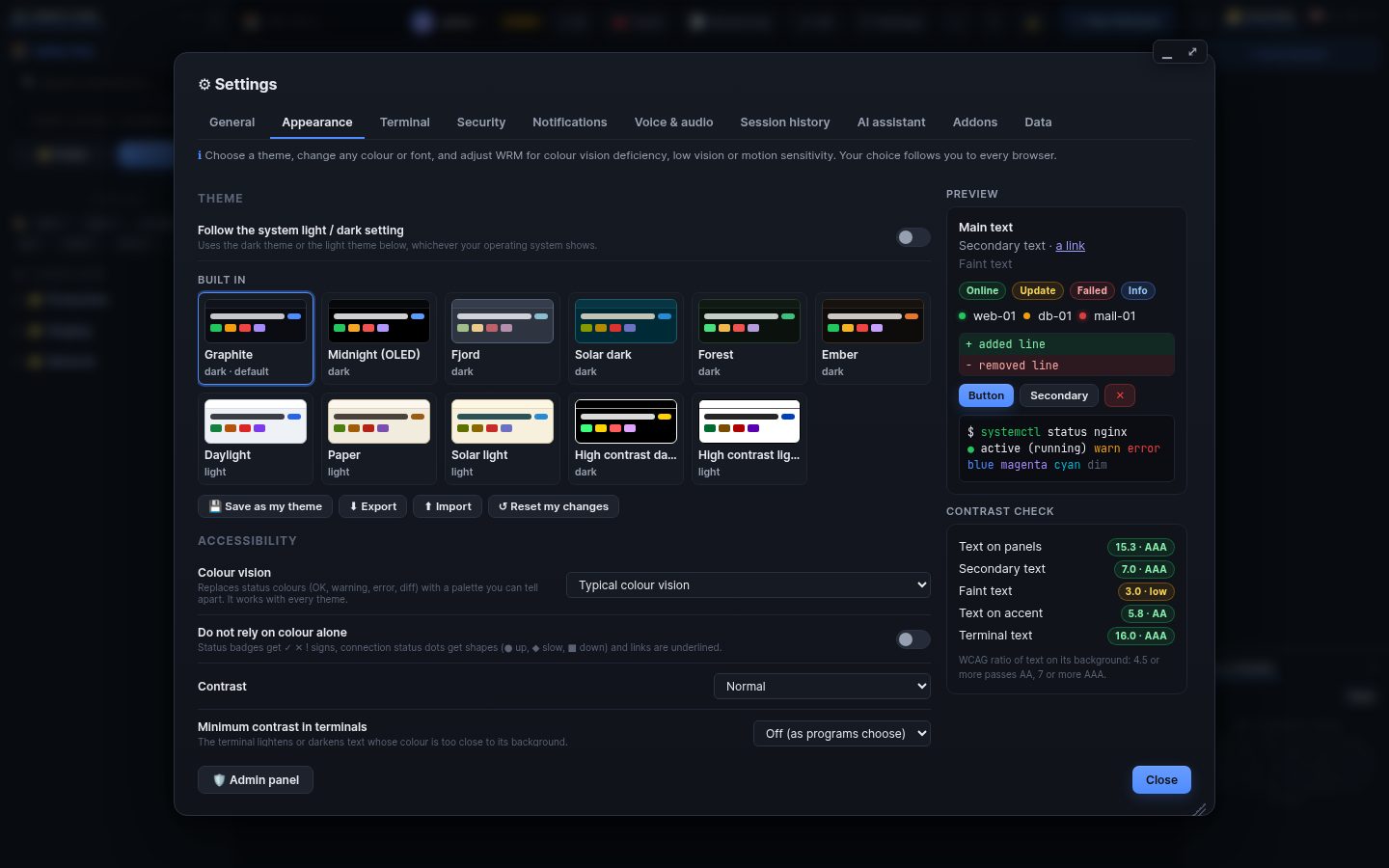
Settings → Appearance changes how WRM looks for you; it follows you to every browser.
- Themes: Graphite (default), Midnight, Fjord, Solar dark, Forest, Ember, Daylight, Paper, Solar light and two high-contrast themes. Follow the system switches between a dark and a light one.
- Your own colours: every colour has a picker; Save as my theme, Export and Import themes as JSON.
- Fonts and size: interface font, terminal font, interface size 70–160 %, spacing (compact, normal, roomy), corners, heavier text.
- Colour vision: status colours and patterns for red-green and blue-yellow colour blindness.
- Addons can bring more themes.
Language: Settings → General → Language (English / Hrvatski).
The browser's zoom (Ctrl + / Ctrl −) also works; WRM adapts its layout to the space it has.
Search terms: theme, dark, light, colour, color, font, size, zoom, scale, spacing, contrast, accessibility, colour blind, language, croatian, english, hrvatski
The same article is in WRM: ? in the top bar (or F1) opens Help, where you can search it and ask the help AI.
← Previous: Addons · Home · Next: Screen lock →