Repository navigation
Audit log recordings SIEM and lockdown
Administration · Hrvatski · Administrators only
Who did what and when, session recordings, file edits, export to a SIEM, security alerts and the emergency lockdown.
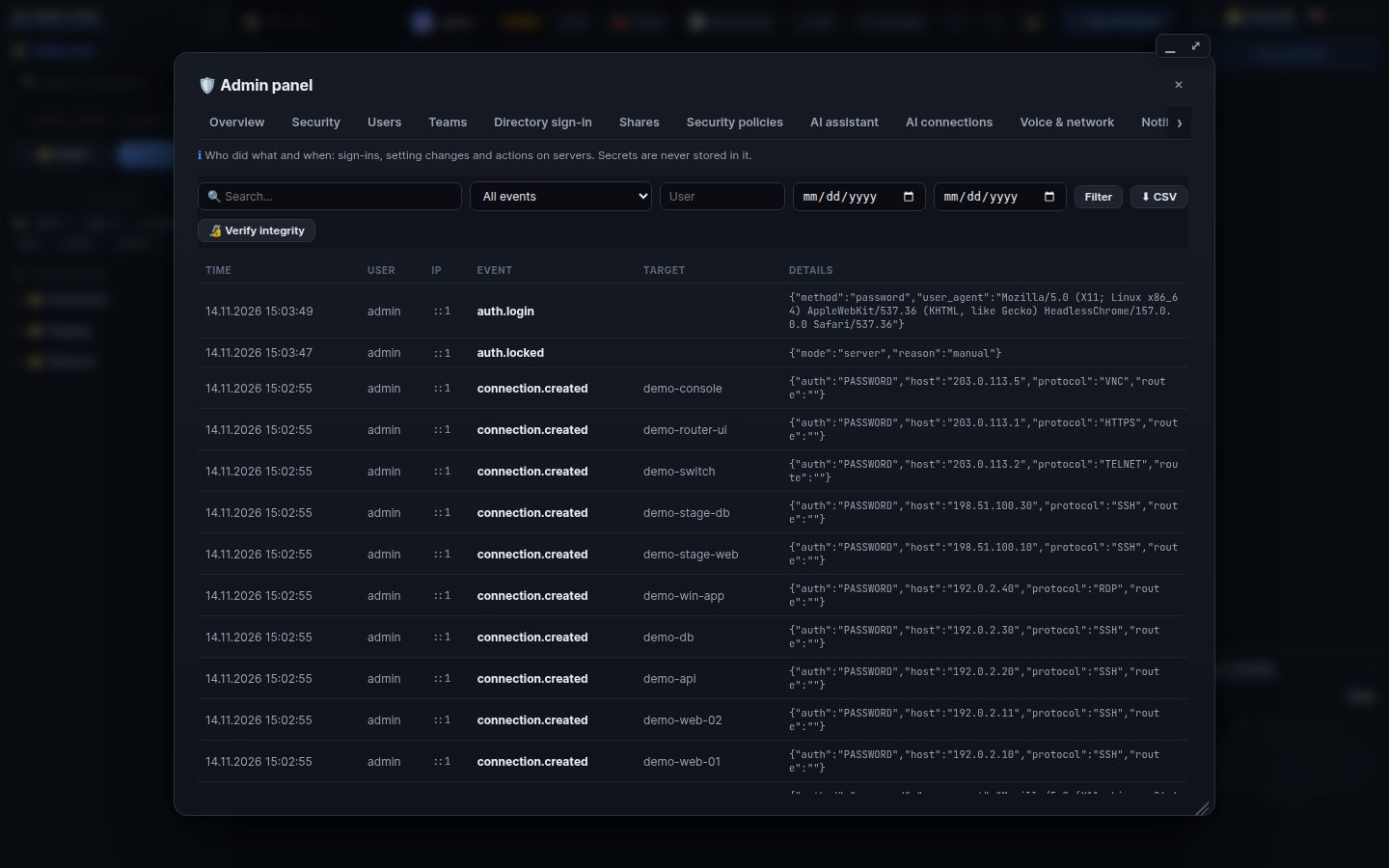
Admin → Audit log: sign-ins, account and policy changes, connections, shares, terminal sessions, file transfers and edits, AI actions, help AI questions. Filter by text, event, user and date; CSV export; Verify integrity checks the hash chain (entries cannot be changed or removed before the retention time).
Admin → Sessions & recordings: every terminal and desktop session, with replay. Users see their own in Settings → Session history. Admin → File edits shows every changed file with its diff.
Admin → Security → SIEM export: syslog, HTTP (Splunk HEC, Elastic and others) with Test. Security alerts notify administrators about failed sign-in waves, new administrators, lockdown and similar.
- Stop user: signs a person out everywhere, ends their terminals, tunnels and AI sessions and disables the account.
-
Lockdown: only break-glass administrators can sign in, AI stops and shares pause (
wrm -lockdown onworks from the server too). - AI kill switch: Admin → AI assistant.
Search terms: audit, log, history, who, recording, replay, session, file edit, transfer, siem, syslog, splunk, elastic, alert, lockdown, stop user, kill switch, integrity, hash chain, csv
The same article is in WRM: ? in the top bar (or F1) opens Help, where you can search it and ask the help AI.
← Previous: Directory sign-in (Entra ID, AD, LDAP, SCIM) · Home · Next: Updates, backups and installation →