Repository navigation
Import and export
Basics · Hrvatski
Bring connections in from mRemoteNG, PuTTY, OpenSSH, CSV/Excel, NetBox or another WRM.
-
mRemoteNG: choose
confCons.xml(%APPDATA%\mRemoteNG\confCons.xml, or File → Export in mRemoteNG). Containers become folders, SSH/RDP/VNC/Telnet/HTTP connections keep their options, and passwords are decrypted and stored encrypted in WRM. If the file has a master password, WRM asks for it. Check the preview, then import. -
PuTTY: export the registry key
HKCU\Software\SimonTatham\PuTTY\Sessionsto a.regfile and import it; proxies come along. -
OpenSSH: import
~/.ssh/config;Hostentries become connections,ProxyJumpbecomes a jump host.
If something is not imported as you expect, the preview names each skipped entry and why. Ask the help AI with the message; it can explain the cause.
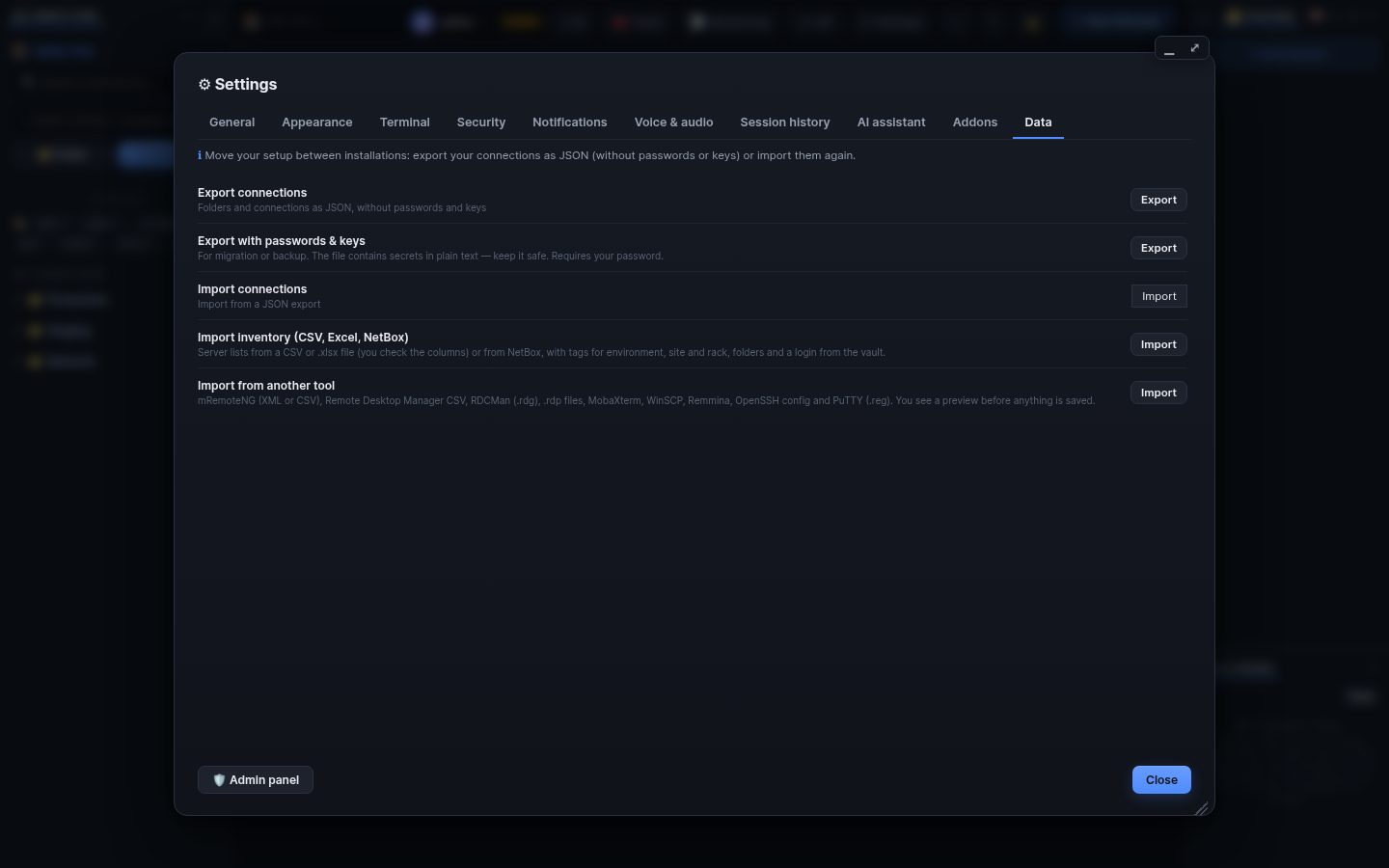
Settings → Data → Inventory (or the sidebar ⋯ menu):
- CSV / Excel (.xlsx): the first row holds column names; WRM guesses which column is the name, host, port, user, folder and tags. Check the mapping in the preview.
- NetBox: the API address and a read-only token. Sites, racks, roles and tenants become tags; importing again updates what was imported before.
- Export connections writes your connections, folders, jump hosts and tunnels as a file without secrets. Export with passwords & keys includes them; it asks for your password and the policy must allow it.
- Import of a WRM export restores it on another WRM or after a reinstall.
- Administrators back up the whole WRM: the database file and its encryption key (see Updates and backups).
Search terms: import, export, mremoteng, confcons, putty, ssh config, csv, excel, xlsx, netbox, backup, migrate, move
The same article is in WRM: ? in the top bar (or F1) opens Help, where you can search it and ask the help AI.
← Previous: Connections and folders · Home · Next: SSH terminal, snippets and broadcast →