Repository navigation
Set up AI the short way
AI · Hrvatski
One page that turns AI on, adds an AI service (Claude, ChatGPT, Gemini, local models…) and connects AI apps.
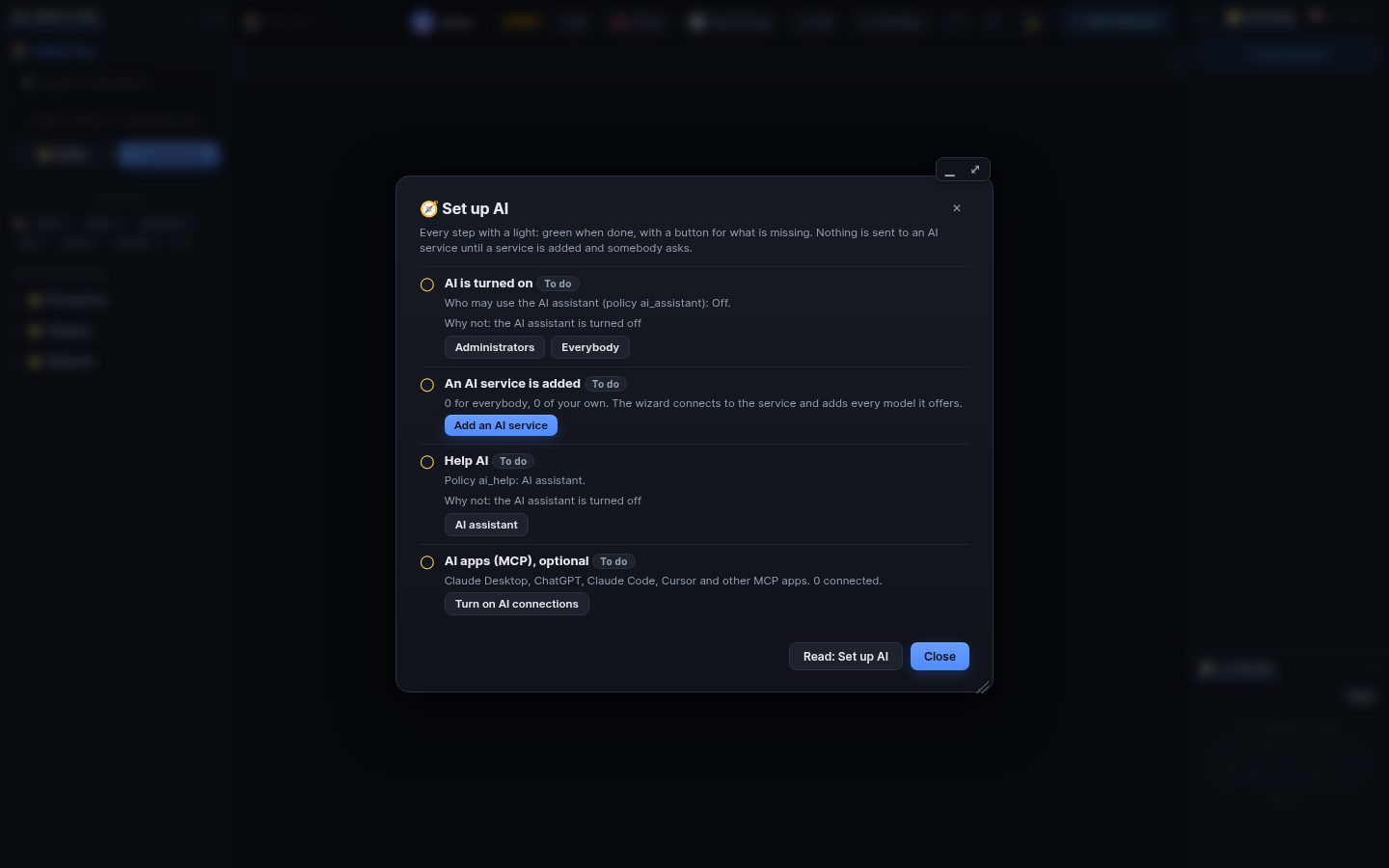
✦ AI → 🧭 Set up AI (also in Settings → AI assistant and in Help) is one page with every step and a light for each: green when done, with a button for what is missing.
Choose who may use it: Administrators or Everybody. Nothing is sent to an AI service until a service is added and somebody asks.
Add an AI service opens a short wizard: pick the service, paste its key, choose the model, Test. When the test passes, WRM connects to the service and adds every model it offers automatically (for Ollama every installed model). ⟳ Models in the list of services does it again when the service gets new models.
- Claude (Anthropic), ChatGPT (OpenAI), Gemini, Mistral, xAI, DeepSeek, Groq, OpenRouter, Together, Fireworks, Cerebras, Cohere, Perplexity: paste an API key from the service's console.
- OpenCode Zen: free models without a key, a good way to try it.
- Ollama (local models, nothing leaves your network): the wizard finds Ollama, and an administrator can install it, start it and download a model with one click each.
- Azure OpenAI, AWS Bedrock and Google Vertex AI are in the full form (Admin → AI assistant → Providers).
Administrators add services for everybody; users add their own key under My API keys when the policy
ai_personal_keysallows it. Admin → AI → Allowed models limits which models users may choose.
To work with WRM from Claude Desktop, claude.ai, ChatGPT, Claude Code, Codex, Gemini CLI, Cursor, OpenCode or another MCP app:
- An administrator turns on AI connections (MCP) on the same page.
- Connect an AI app opens the wizard in Settings → AI connections: pick the app, choose servers and mode, and copy the one line or download the file it shows. All AI apps at once downloads one setup script.
- ✦ AI next to a terminal, in the file editor, the log viewer, Chains and Help.
- The AI never runs anything by itself: it says what it wants to run, and changes wait for your approval.
Search terms: ai, models, model list, setup, set up, turn on, enable, provider, api key, claude, anthropic, openai, chatgpt, gemini, ollama, local model, openrouter, mistral, groq, deepseek, opencode, free, mcp, connect, wizard
The same article is in WRM: ? in the top bar (or F1) opens Help, where you can search it and ask the help AI.
← Previous: Network tools · Home · Next: AI assistant on servers →