Repository navigation
Getting started
Basics · Hrvatski
What WRM PRO is, how the screen is laid out and the first five minutes.
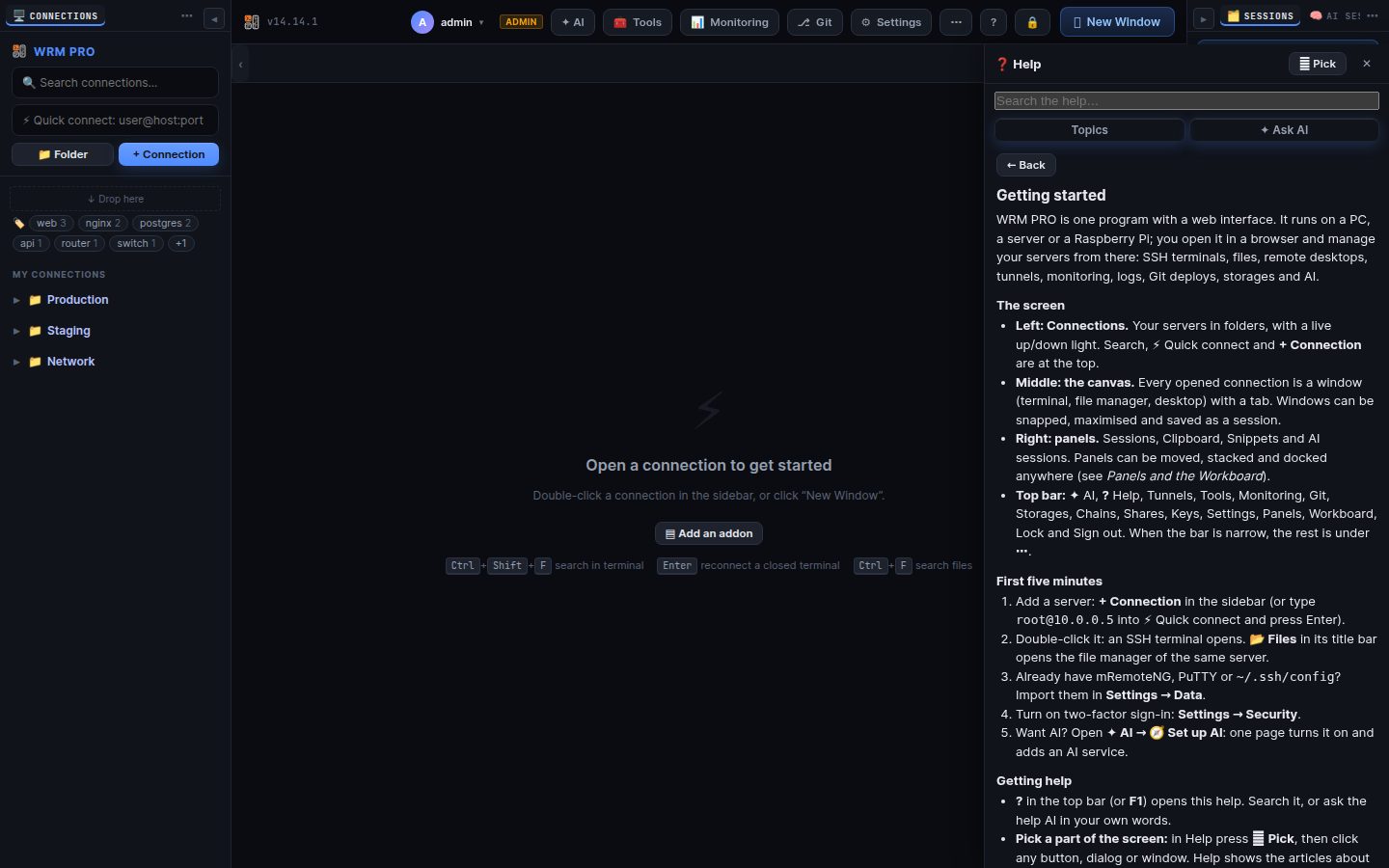
WRM PRO is one program with a web interface. It runs on a PC, a server or a Raspberry Pi; you open it in a browser and manage your servers from there: SSH terminals, files, remote desktops, tunnels, monitoring, logs, Git deploys, storages and AI.
- Left: Connections. Your servers in folders, with a live up/down light. Search, ⚡ Quick connect and + Connection are at the top.
- Middle: the canvas. Every opened connection is a window (terminal, file manager, desktop) with a tab. Windows can be snapped, maximised and saved as a session.
- Right: panels. Sessions, Clipboard, Snippets and AI sessions. Panels can be moved, stacked and docked anywhere (see Panels and the Workboard).
- Top bar: ✦ AI, ? Help, Tunnels, Tools, Monitoring, Git, Storages, Chains, Shares, Keys, Settings, Panels, Workboard, Lock and Sign out. When the bar is narrow, the rest is under ⋯.
- Add a server: + Connection in the sidebar (or type
root@10.0.0.5into ⚡ Quick connect and press Enter). - Double-click it: an SSH terminal opens. 📂 Files in its title bar opens the file manager of the same server.
- Already have mRemoteNG, PuTTY or
~/.ssh/config? Import them in Settings → Data. - Turn on two-factor sign-in: Settings → Security.
- Want AI? Open ✦ AI → 🧭 Set up AI: one page turns it on and adds an AI service.
- ? in the top bar (or F1) opens this help. Search it, or ask the help AI in your own words.
- Pick a part of the screen: in Help press ⌖ Pick, then click any button, dialog or window. Help shows the articles about it, and the AI can explain it or do it for you (always after you press the button it offers).
- Error messages have a ? too: it opens Help with the error already filled in.
Search terms: start, first steps, overview, layout, top bar, sidebar, introduction, tour
The same article is in WRM: ? in the top bar (or F1) opens Help, where you can search it and ask the help AI.
Home · Next: Connections and folders →