Repository navigation
Security levels and posture
Administration · Hrvatski · Administrators only
Choose Home, Business or Enterprise security, see deviations and fix weak settings with one click.
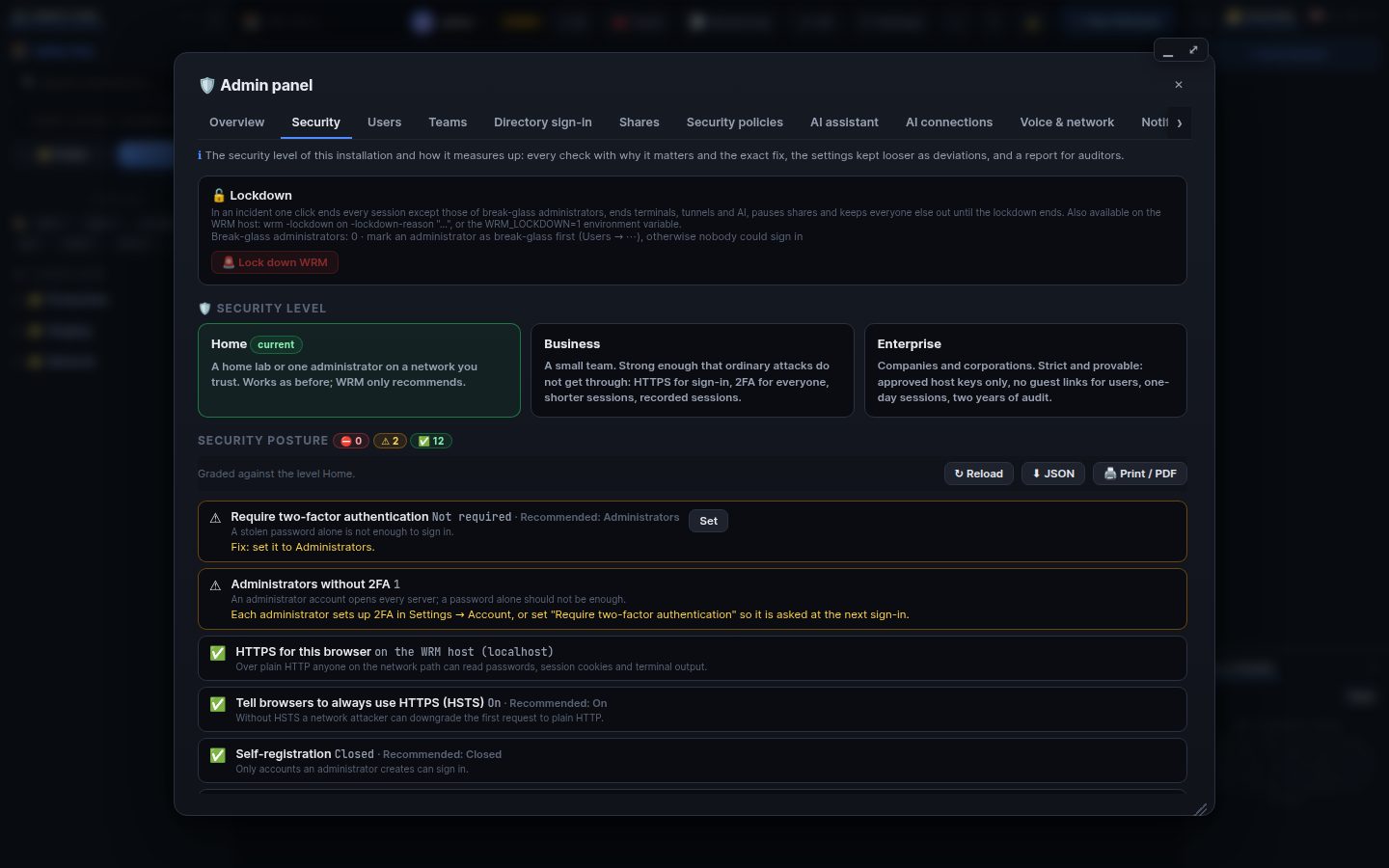
Admin panel → Security.
- Home: sensible defaults for one person or a lab.
- Business: HTTPS for sign-in, 2FA for administrators, stricter passwords and sessions, recordings.
-
Enterprise: 2FA for everybody, short sessions, step-up, audit to a SIEM.
Pick it at the first start, with
wrm -security-level …, or here (WRM shows the plan before it changes anything).WRM_SECURITY_LEVELforces it.
The page lists every setting that is weaker than the level asks (a deviation) with Fix. A deviation you keep on purpose needs a note, which is audited. The Overview tab shows security warnings too (no HTTPS, open registration, administrators without 2FA…).
- Run WRM behind HTTPS (built-in certificate or a reverse proxy).
- Back up the database and
remote_manager.db.keyseparately. - Keep host-key checking on and use credentials with allowed hosts.
- Use roles, teams and shares instead of sharing passwords.
Search terms: security, level, home, business, enterprise, posture, https, hardening, deviation, warnings, 2fa required, password policy, host keys, csp
The same article is in WRM: ? in the top bar (or F1) opens Help, where you can search it and ask the help AI.
← Previous: Users, roles and teams · Home · Next: Directory sign-in (Entra ID, AD, LDAP, SCIM) →