Privacy and Permissions
MagicChatbox asks for a permission the first time an integration needs one. Nothing is granted silently, and everything can be revoked later under Options → Privacy.
Important
If you decline a permission, the integration that asked for it switches itself back off rather than running in a broken state. That is why an integration you enabled can appear to turn itself off again.
Note
Two are exceptions and stay switched on while quietly doing nothing: AFK detection under 💤 AFK Sensor, and Weather under 🌐 Internet Access. If either looks enabled but never produces anything, check its permission here.
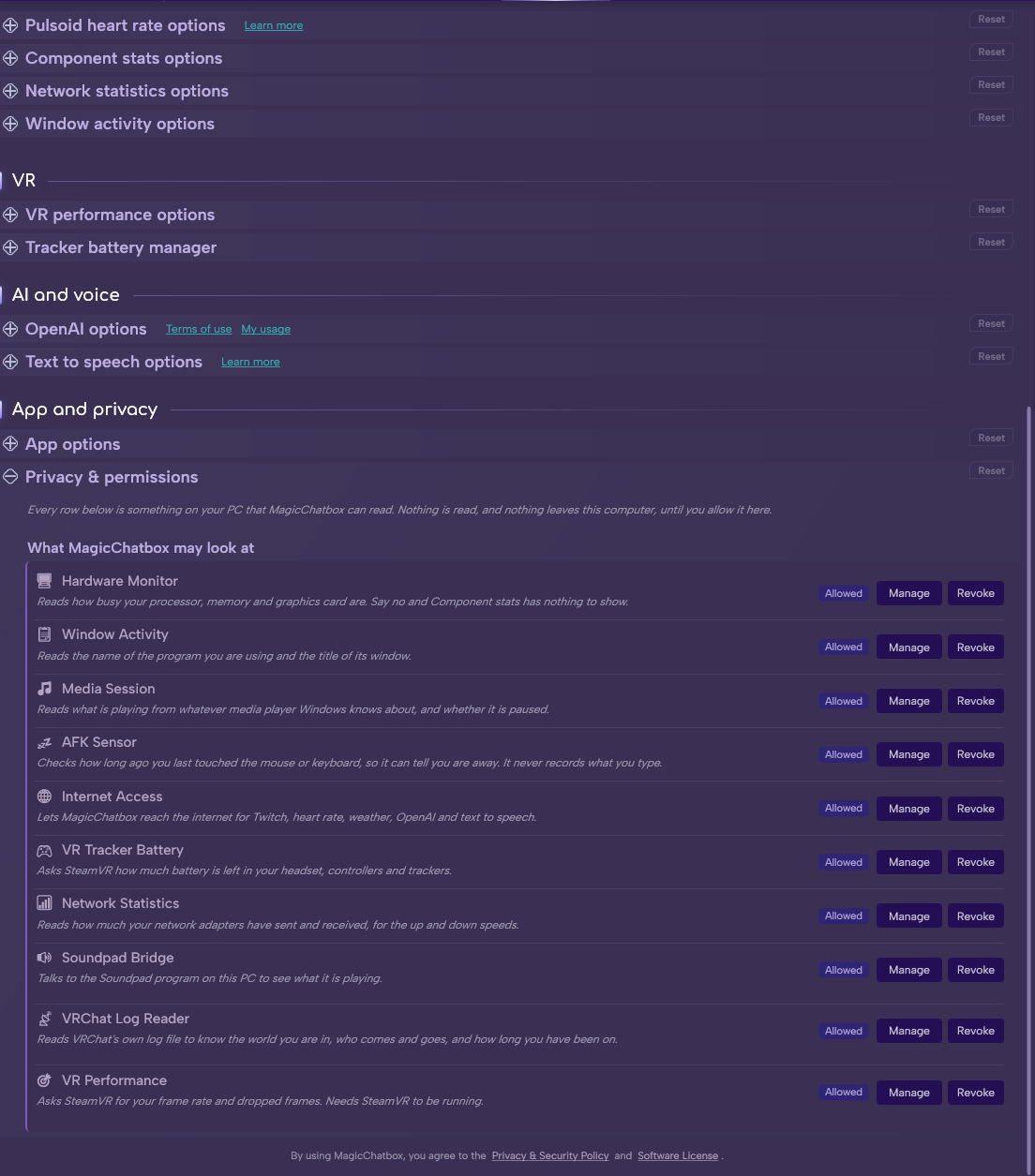
The Privacy & permissions section.
| Permission | Used by | What it allows |
|---|---|---|
| 🌐 Internet Access | Spotify, Twitch, TikTok Live, Heart Rate, Lyrics, Weather, IntelliChat, text to speech and dictation | Making network requests to those services |
| 🖥️ Hardware Monitor | Component Stats | Reading CPU, GPU, RAM and VRAM sensors |
| 📋 Window Activity | Window Activity | Reading the title of the window you have focused |
| 🎵 Media Session | MediaLink | Reading what Windows reports as playing |
| 💤 AFK Sensor | Personal Status | Detecting that you have stopped moving |
| 🎮 VR Tracker Battery | Tracker Battery | Reading battery levels from VR devices |
| 📶 Network Statistics | Network Statistics | Reading network adapter throughput counters |
| 🔊 Soundpad Bridge | Soundpad | Talking to Soundpad's remote control pipe |
| 🎙️ Voicemod Control | Voicemod | Talking to Voicemod's local Control API |
| 📡 VRChat Log Reader | VRChat Radar | Reading VRChat's local log files |
| 🎯 VR Performance | VR Performance | Reading SteamVR compositor statistics |
- Only 🌐 Internet Access involves the network. Everything else reads local sensors, local files or local applications, and stays on your machine.
Note
Granting Internet Access does not mean everything is shared. Each integration only contacts its own service — Spotify talks to Spotify, Lyrics talks to LRCLIB.
-
Most permissions are unremarkable. Three deserve a moment.
- 📋 Window Activity — window titles contain document names, video titles and channel names, not just the app. Use the per-app Private marking and the content filters before enabling it in public instances.
- 📡 VRChat Log Reader — the log includes who joins and leaves your instances. Nothing is sent anywhere, but it is other people's presence being read.
- 🌐 Internet Access for Heart Rate — heart rate is health data, and it is being displayed to a public room.
- Open Options → Privacy.
- Turn off the permission you no longer want.
- Any integration depending on it stops and switches off.
- MagicChatbox has a Terms of Service, accepted on first run. What you publish through the app is covered by the Punishment policy.
- You can find help in our Discord Server by creating a ticket.