Repository navigation
Clean Areas
Clean chosen rooms with whichever vacuums reach them.
One action,
hk_frontend.clean_areas, works out which robot cleans what, from Home
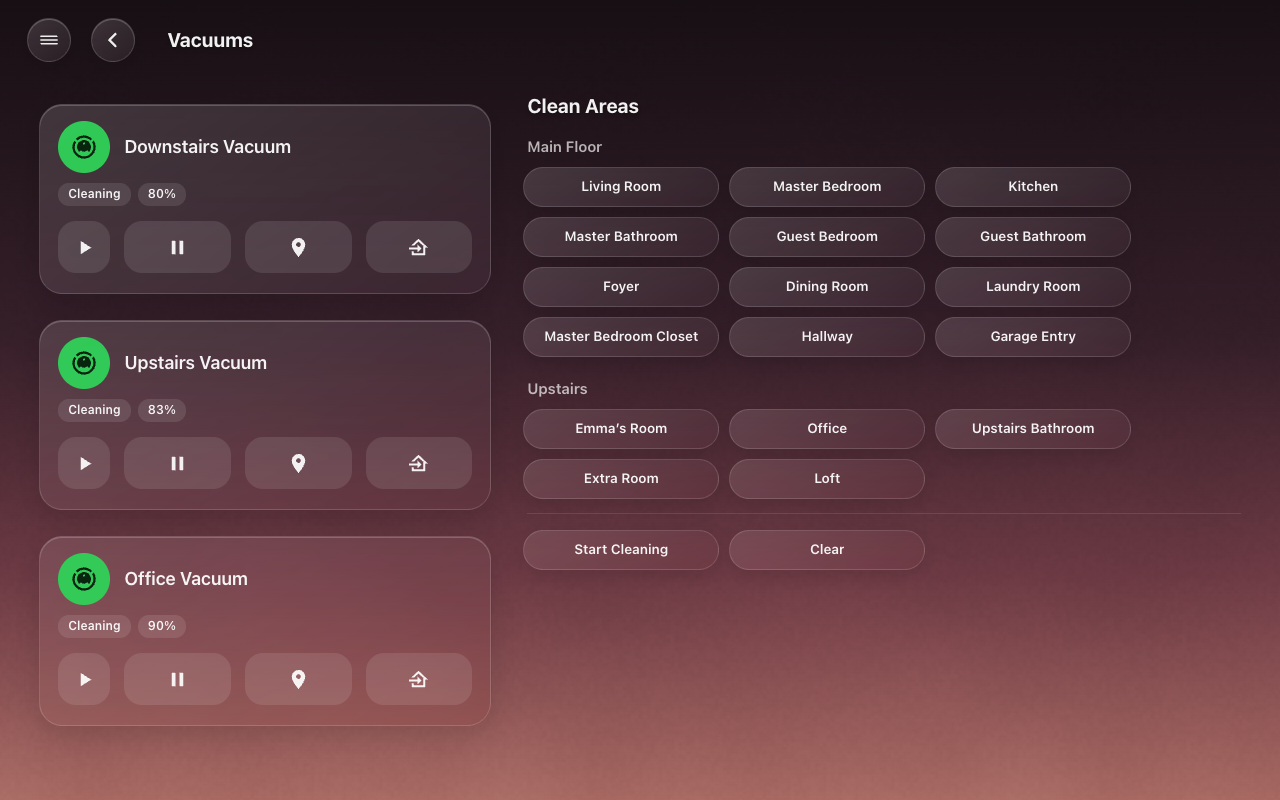
Assistant’s own room maps. The Vacuums page’s area picker uses it, and so can
your automations and voice sentences.
For the areas you ask for:
- A vacuum that cleans by area and has a room map gets one
vacuum.clean_areawith all of the chosen areas on its map. The room map is Home Assistant’s: in the vacuum entity’s settings, each of the robot’s own rooms is matched to one of your areas. - A vacuum that cannot clean by area starts when its own area (the entity’s area, or its device’s) is chosen. A robot that cannot leave one room cleans that room by starting.
- A vacuum that can clean by area but has no room map is skipped. This is typically a second integration’s copy of the same robot.
- An unavailable vacuum sits it out, and one robot failing does not stop the others.
- Map each vacuum’s rooms in its entity settings in Home Assistant (for the vacuums that clean by area).
- HK Frontend → Add feature → Clean Areas.
- Pick the Vacuums that take part, or leave it empty for every vacuum.
On generated screens, the Vacuums page gets a Clean by Area picker beside the vacuums: tick rooms, floor by floor, and start.
The gear on the Clean Areas item:
| Setting | Default | What it does |
|---|---|---|
| Vacuums | every vacuum | Which vacuums take part. |
| Areas | automatic | Which areas the picker offers. Empty: every area a vacuum that takes part can reach (by its room map, or its own area for one that only starts). |
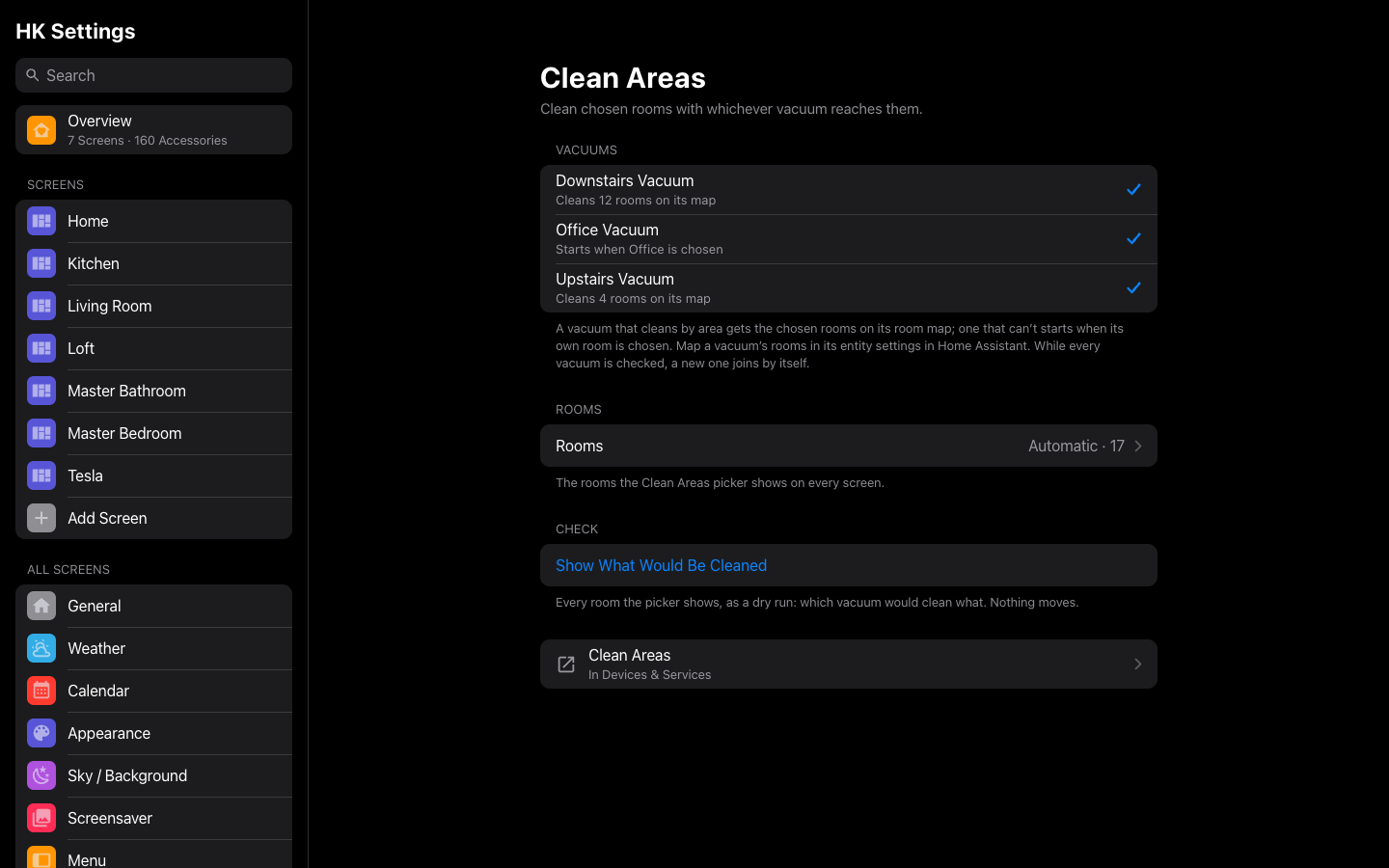
HK Settings → Features → Clean Areas has the same two settings, with more detail:
- Vacuums: each one, with what it does with a chosen room (“Cleans 4 rooms on its map,” “Starts when Kitchen is chosen,” “Can clean by area, but has no room map yet”). While every vacuum is ticked, a new vacuum joins by itself.
- Rooms: automatic, or the rooms you choose. Under each room, the vacuums that reach it. Rooms no vacuum reaches are listed separately.
- Check → Show What Would Be Cleaned: a dry run of every room the picker shows. Nothing moves.
An offline robot still counts by its room map, so its rooms do not vanish from the picker while it charges off the network.
| Field | Required | Description |
|---|---|---|
areas |
yes | The areas to clean (area ids). |
dry_run |
no |
true: only answer with the plan; start nothing. |
action: hk_frontend.clean_areas
data:
  areas:
    - kitchen
    - dining_room
  dry_run: true
response_variable: plan
The answer:
ok: true
dry_run: true
plan:
  - vacuum: vacuum.downstairs
    action: clean_area
    areas: [kitchen, dining_room]
unreachable: []
action is clean_area or start. unreachable lists chosen areas no
vacuum reaches. When some vacuums failed to start, the answer has ok: false,
a failed list (vacuum and error) and a message. When no vacuum reaches
any of the areas, it is ok: false with a message. Called without a
response variable, a refusal raises an error instead.
To try a plan without moving a robot, run the action from Developer tools →
Actions with dry_run: true and read its response.
Your own script instead. If a script of yours already knows how to clean
rooms, pick it under HK Settings → Advanced → Vacuums → Clean-Areas
Script. The picker then starts that script with the chosen rooms as
areas (a list of area ids), instead of calling Clean Areas.