Repository navigation
Weather
The weather in every screen’s header, the Weather page, and the Weather Alerts chip all read the same settings: HK Settings → All Screens → Weather.
All Screens → Weather. The weather entity is all you need; every sensor is optional.
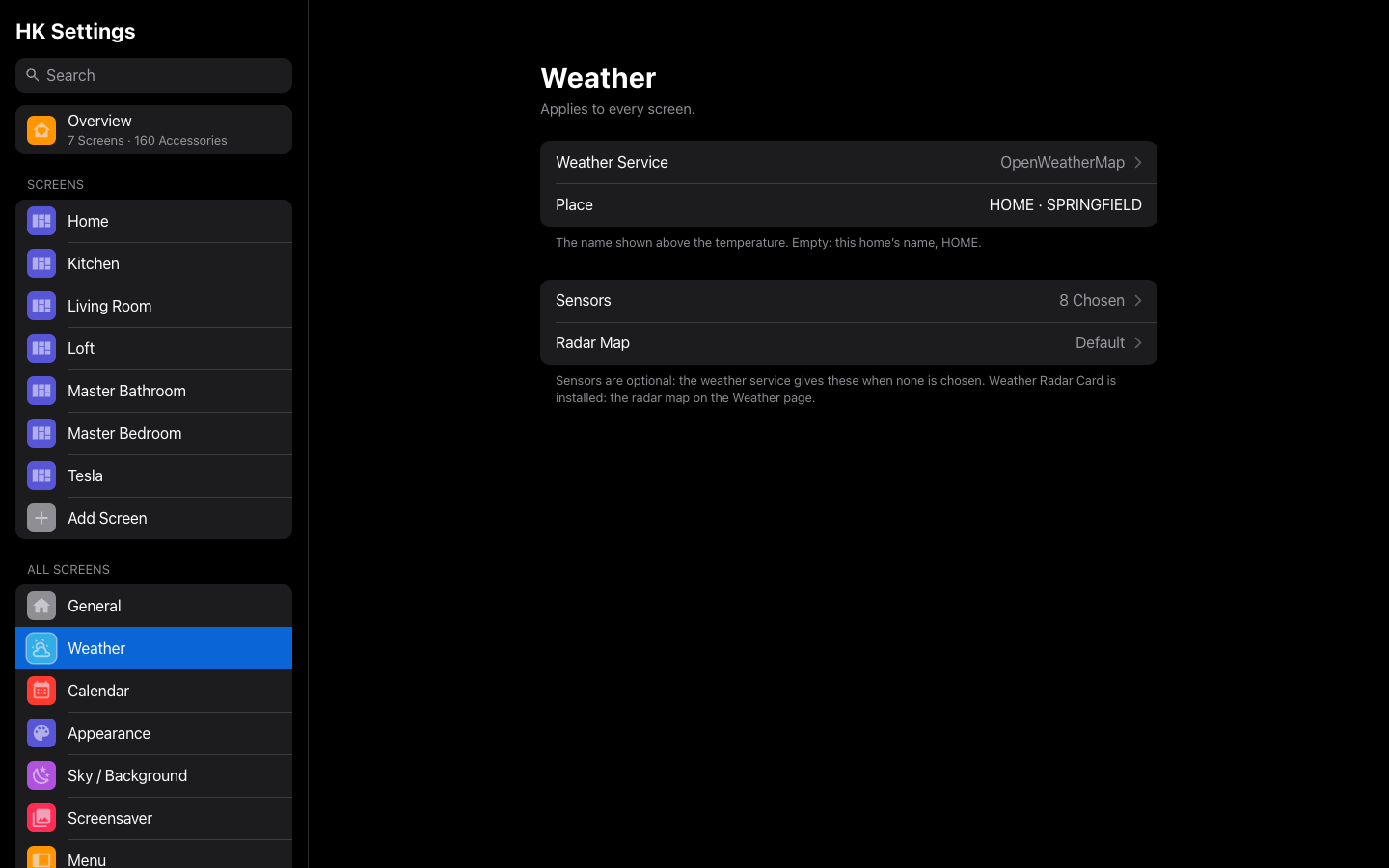
| Setting | Default | What it does |
|---|---|---|
| Weather Service | First Weather Entity | The weather entity every screen reads. |
| Place | Your home’s name, in capitals | The name over the temperature on the Weather page. |
| Sensors | None | Opens the sensors below. |
| Radar Map | Default | Opens the radar map’s options (below). |
Sensors. When a sensor is empty, the value comes from the weather entity.
| Setting | Default | What it does |
|---|---|---|
| Feels Like | From Weather Service | The feels-like temperature on the weather band. |
| Humidity | From Weather Service | Humidity on the weather band. |
| Wind Speed | From Weather Service | Wind on the weather band and the wind tile, in the sensor’s own unit. |
| Wind Gust | Not Shown | Gusts on the wind tile. |
| UV Index | None | The Weather page’s UV tile appears only with a UV sensor. |
| Outside Temperature | Not Shown | A temperature sensor outdoors. The Weather page shows its daily averages for the week. |
| Daily Forecast | From Weather Service | A sensor with a forecast attribute. |
| Hourly Forecast | From Weather Service | A sensor with a forecast attribute. |
| Weather Alerts | None | A sensor from the NWS Alerts integration (HACS). Its state is the number of alerts. With it, the Weather Alerts chip and the alert card show while an alert is active. |
If the weather entity offers no forecast, the band shows none and asks again later.
Radar Map. Shown on every generated screen’s Weather page when the Weather Radar Card is installed from HACS; the page says so when it isn’t.
| Setting | Default | What it does |
|---|---|---|
| Radar | Automatic (NOAA in the US, RainViewer elsewhere) | NOAA or RainViewer. |
| Zoom | 6 | 4 to 10. Higher is closer. |
| Height | 620 px | 420 to 820 px. |
| Playback Controls | On | The play and step controls. |
| Move and Zoom the Map | Off | Off: a still map. |
| Options in YAML | None | Any other Weather Radar Card option, such as zoom_level: 7. Only what you write changes; key: null removes a key. |
| Reset to Tuned Setup… | — | Shown once anything is changed. Clears every change. |