Repository navigation
App Connectors
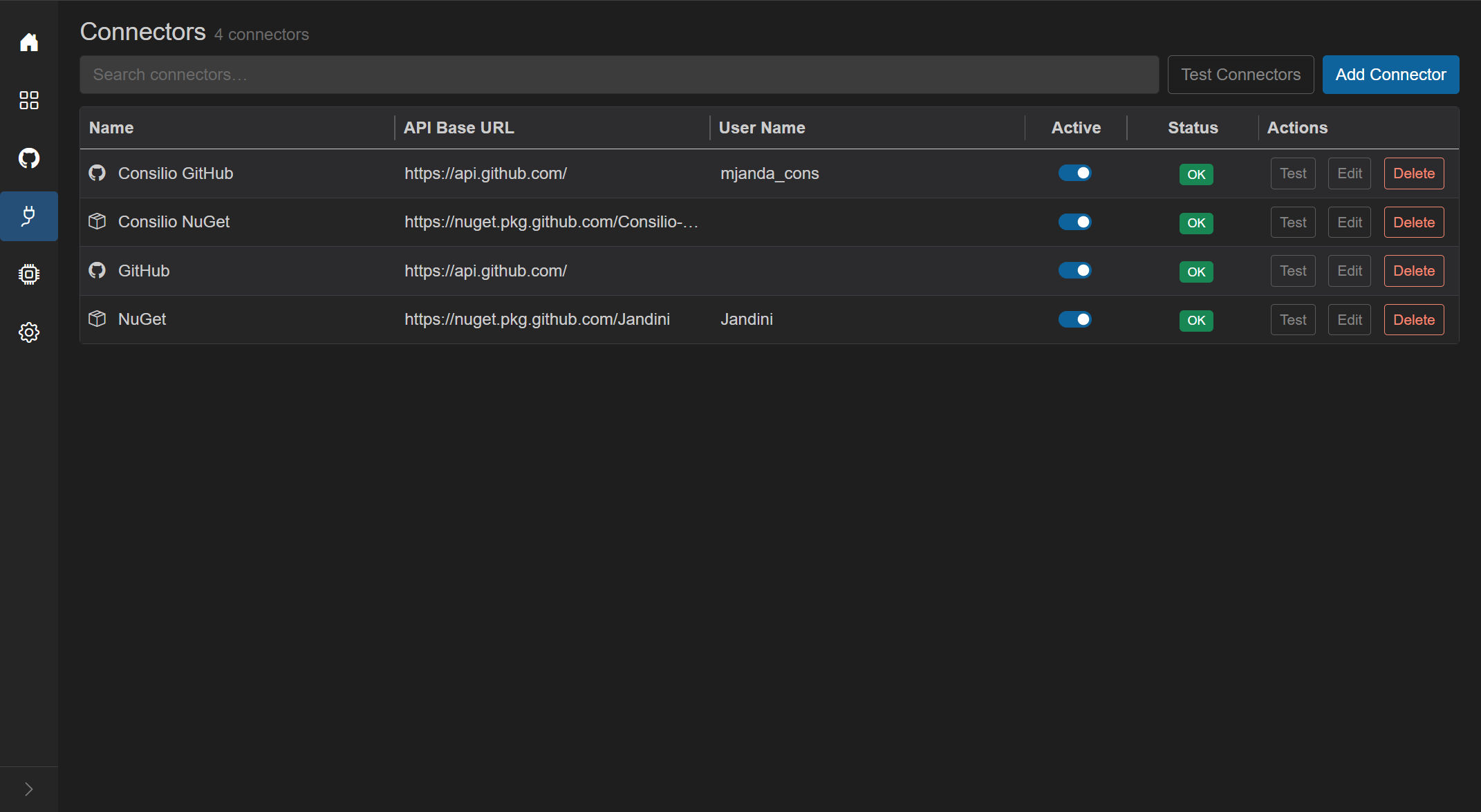
GitHub and NuGet credentials used to fetch repositories, packages, and GitHub Actions. GrayMoon needs working connectors (Active + OK) before those features run; see getting started - prerequisites.
- Title: Connectors
- Subtitle:
N connector(s)orN connector(s) found. - Filter search - placeholder "Search connectors…". Disabled when the list is empty.
- Test Connectors - tests every connector in parallel. Disabled while a test-all is running or when there are no connectors. Each row status becomes Testing then OK or Error.
- Add Connector (blue) - create modal.
Plain terms match name, API base URL, user name, type (GitHub/NuGet), and status.
Field prefixes:
-
type:- GitHub or NuGet -
status:- Testing, Ok, Error, etc.
Empty match: "No connectors match your search."
Empty list: "No connectors found. Add your first connector to get started."
| Column | What it shows | Interaction |
|---|---|---|
| Name | Type icon + connector name | GitHub = octocat, NuGet = box |
| API Base URL | Endpoint | Display |
| User Name | Account associated with the token | Display (may be empty) |
| Active | Switch | On = used; turning on runs a test and turns back off if the test fails. Disabled while that row is busy |
| Status | Badge | Tooltip is the last error or "Connection OK." / "Testing connection..." / "Not tested yet." |
| Actions | Test, Edit, Delete | Disabled while that connector is testing or toggling |
| Status | Label | Meaning |
|---|---|---|
| Testing | Testing | Connection check in progress |
| Ok | OK | Last test succeeded (green) |
| Error | Error | Last test failed (red). Tooltip = LastError. A connector-fault failure also deactivates the switch |
| anything else | Unknown | Not tested yet |
A used connector in Error is what turns the Home Manage Connectors button red.
Connectors have an Active switch. A connector can be inactive (switch off) while still showing a previous Error badge from an earlier failed test.
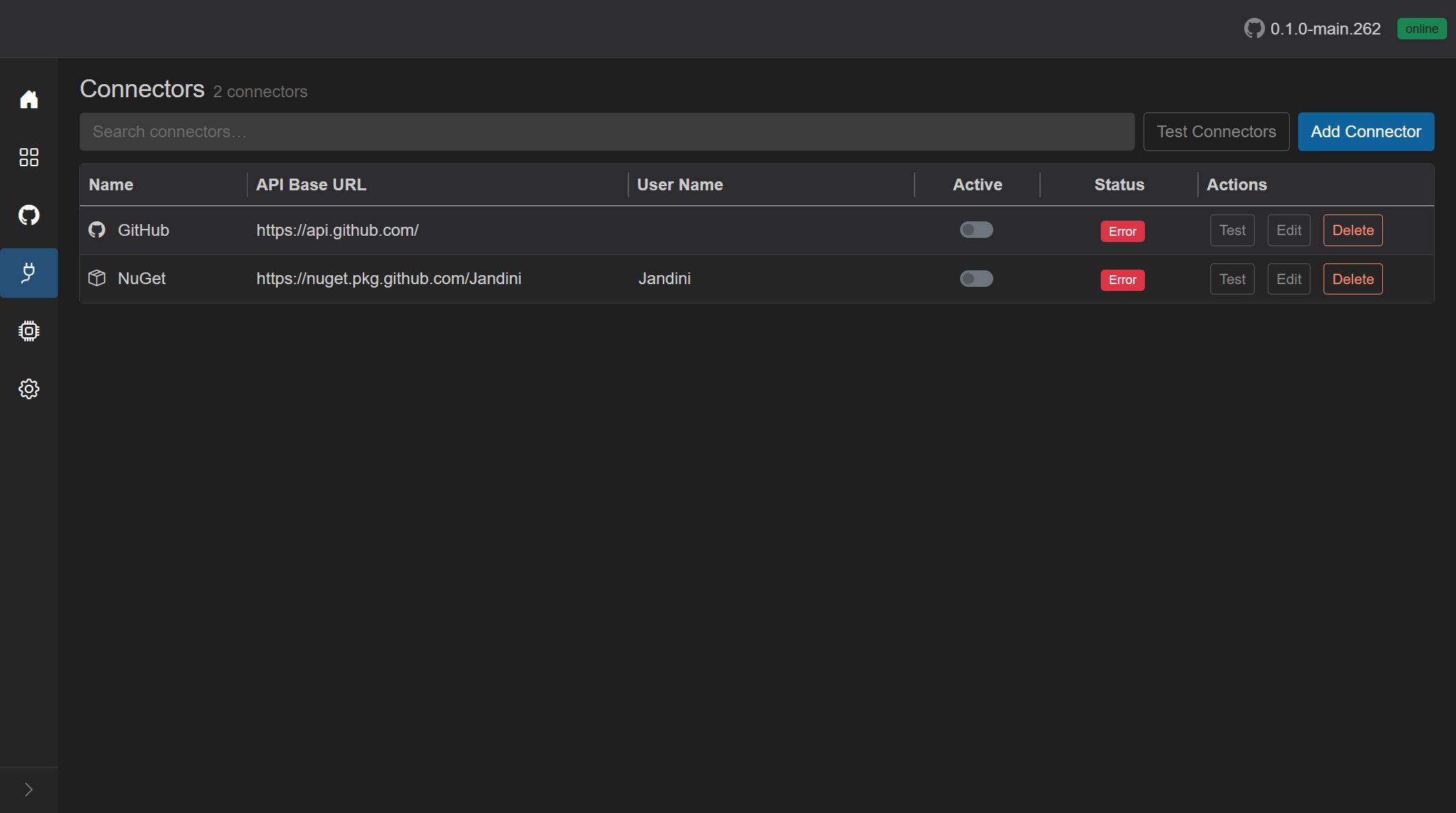
In this example both connectors are inactive and their last connection test failed, so the Status column shows red Error badges. Hover the badge to read the last error message in the tooltip.
When a connector is inactive:
- GrayMoon does not use it for operations that need credentials (fetch repositories, resolve package availability during synchronized push, GitHub Actions data, and similar).
- A background token health check records the state as Connector is inactive.
When GrayMoon needs that connector, it blocks the operation and shows:
Connector '{name}' is inactive. Activate or update it on the Connectors page.
Turn a connector back on with the Active switch. GrayMoon saves the active state, then runs a connection test automatically - the row status changes to blue Testing and the switch is disabled until the test finishes.
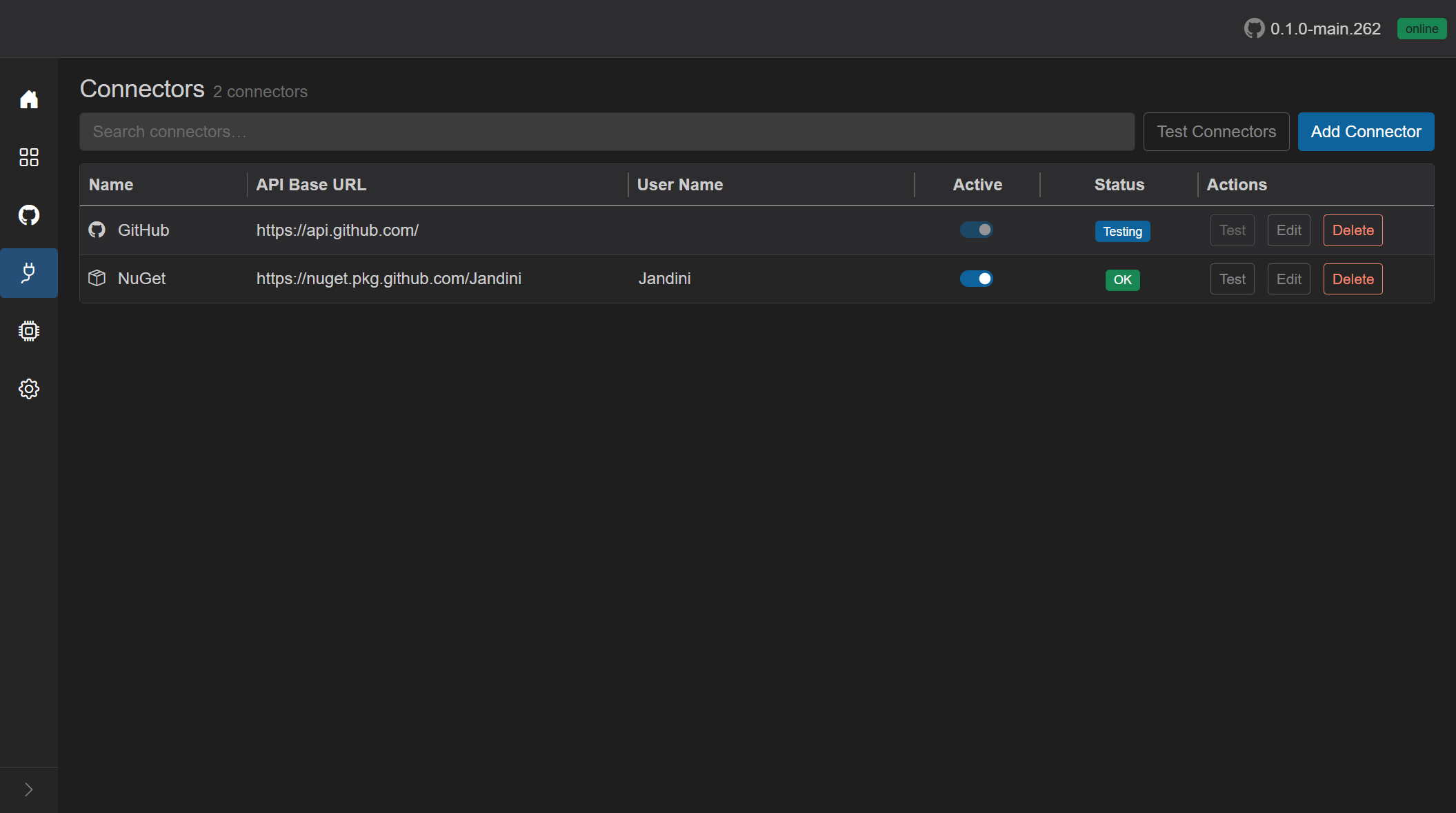
You can also re-test without changing the active state:
- Test on a row - tests that connector only.
- Test Connectors in the header - tests every connector in parallel.
While a test runs, that row shows Testing, and its Active switch plus Test, Edit, and Delete actions are disabled.
If the test succeeds, the status becomes green OK and the Active switch stays on. GrayMoon keeps using the connector until you turn it off or a later test fails.

If the test fails while you are turning the connector on, GrayMoon sets Error (tooltip shows why) and turns the Active switch back off. Fix the token or API URL with Edit, then toggle Active again or click Test.
If the connector was already active and Test fails with a connector fault (bad token, wrong URL, and similar), the status becomes Error and GrayMoon also deactivates the switch.
Title Add Connector or Edit Connector. Large dialog.
- Connector Name * required
- Connector Type * dropdown: GitHub / NuGet (with icons). Changing type fills a default API URL.
-
API Base URL * with suggestions:
https://api.github.com/,https://api.nuget.org/v3/index.json,https://nuget.pkg.github.com/, plus URLs already used by other connectors. - User Name - shown when the type/URL needs it.
-
User Token - password field. Required except for public nuget.org. For GitHub, a Create button opens GitHub's "new classic PAT" page with scopes
repo,workflow,read:packages. - Validation errors inline. Submit shows Adding... / Updating... with a spinner.
- After save, the connector is tested automatically (status goes Testing then OK/Error).
- Escape cancels.
"Are you sure you want to delete {name}?" Cancel / Delete (red). Enter confirms delete. Escape cancels.
A connector cannot be deleted while a Feature worktree still uses one of its repositories: "Remove the Features that use this connector's repositories first." Refreshing a connector's repository list never drops a repository a Feature is using, even if it no longer matches the connector.