Repository navigation
Workspace Custom Dependencies
Open this from Repositories: click the dependencies badge on a repository row.
Custom dependencies are user-declared ordering edges between workspace repositories. They are merged with csproj PackageReference edges (and version-file token edges, when configured) before Kahn's level sort. Use them when a repo has no package reference to another workspace repo, but you still want it to wait on that repo for Update, synchronized Push, and PR merge order.
Typical reason: bubble a repo that holds documentation, solution/config files, or release metadata to a higher level so its feature-branch PRs close last. Merge / Return to Default still walks lowest level first, then higher levels - packages and libraries land before consumers, and the bubbled repo lands after everything it depends on.
Walkthrough workspace: MezzoRecovery, a real multi-repo project used throughout these docs.
On Repositories, dependency levels group the grid. Level 1 = no remaining workspace deps; higher levels depend on lower ones.

| Level | Repos | Deps badge (examples) |
|---|---|---|
| 3 | Api, TapeTools, Agent | green 2, 4, 2 - csproj package deps |
| 2 | Tape, Mezzo | green 2, 1
|
| 1 | MezzoRecovery, TapeDrive, TapeImage, Website, DockerBase, Solution |
0 - no workspace package edges |
Repos with a green count have project (and/or custom) dependencies. Repos with 0 do not - they sit on Level 1 unless you add a custom edge (or a version-file token later).
TapeTools is the rich csproj example (badge 4). Solution starts with badge 0 on Level 1 - nothing in .csproj forces it above Api / TapeTools / Agent.
Click the dependencies badge on a row (tooltip / hint: manage custom dependencies). Title: Custom dependencies plus the dependent repo name.

Four repos are checked and tagged project: Mezzo, Tape, TapeDrive, TapeImage. Those come from .csproj PackageReference entries discovered by Sync. They are visible and checked, but the checkbox is disabled - you cannot clear a project dependency here. Change them in the csproj (then Sync), not in this dialog.
Unchecked rows (Api, Agent, Solution, Website, ...) are available as custom edges you can toggle.
| Badge in dialog | Meaning | Editable? |
|---|---|---|
project |
Referenced from .csproj
|
No - locked |
file |
Referenced from a version-file token | No - locked (when version files are configured) |
| (none, checkbox enabled) | Optional custom dependency | Yes |
GrayMoon also hides or blocks candidates that would create a cycle in the combined graph.
After configuring MezzoRecovery/docker/.env with API_VERSION={MezzoRecovery.Api} (see Files / version files), open Custom dependencies on MezzoRecovery. MezzoRecovery.Api is checked and tagged file - locked the same way as project. Change it by editing the version pattern on Files, not by toggling here.
A self-token like APP_VERSION={MezzoRecovery} does not appear as a row (no self-loop in the graph), even though it still counts toward out-of-date file lines on the Repositories badge.

GrayMoon orders multi-repo work by dependency level:
- Update / Push wait level-by-level (packages publish before consumers restore).
- Feature walkthroughs and Return to Default prefer closing or rewinding from lowest level to highest.
A documentation or Solution repo often has no PackageReference to Api or tools, so it wrongly sits on Level 1 next to libraries. Declaring "Solution depends on Api" (or on another high-level consumer) moves Solution above that consumer so its PR is last.
Goal: put MezzoRecovery.Solution on the highest level by depending on MezzoRecovery.Api (already Level 3).
- Click Solution's deps badge
0. Dialog opens with every other repo unchecked (no project locks).
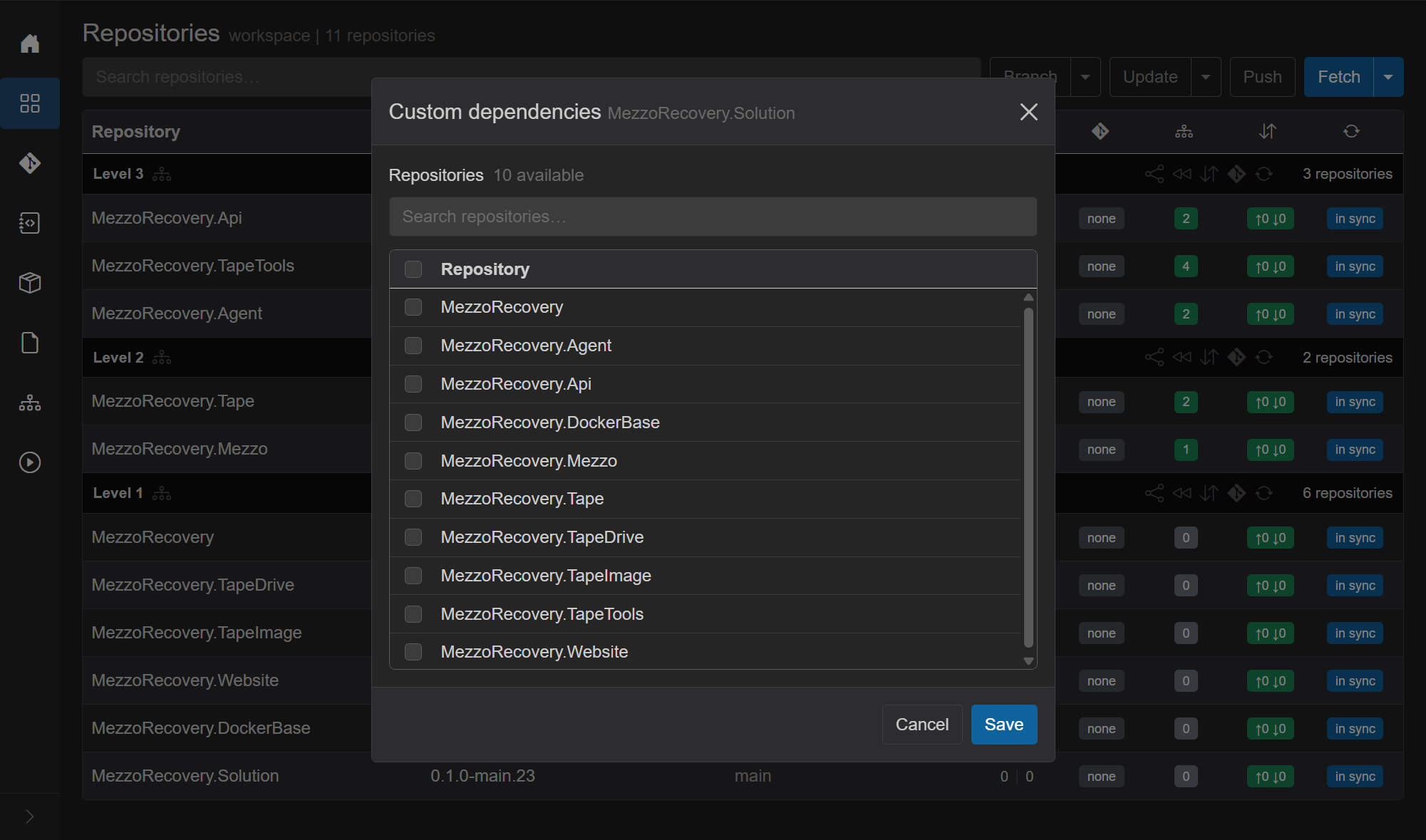
- Check MezzoRecovery.Api. No
projectbadge - this is a custom edge only.
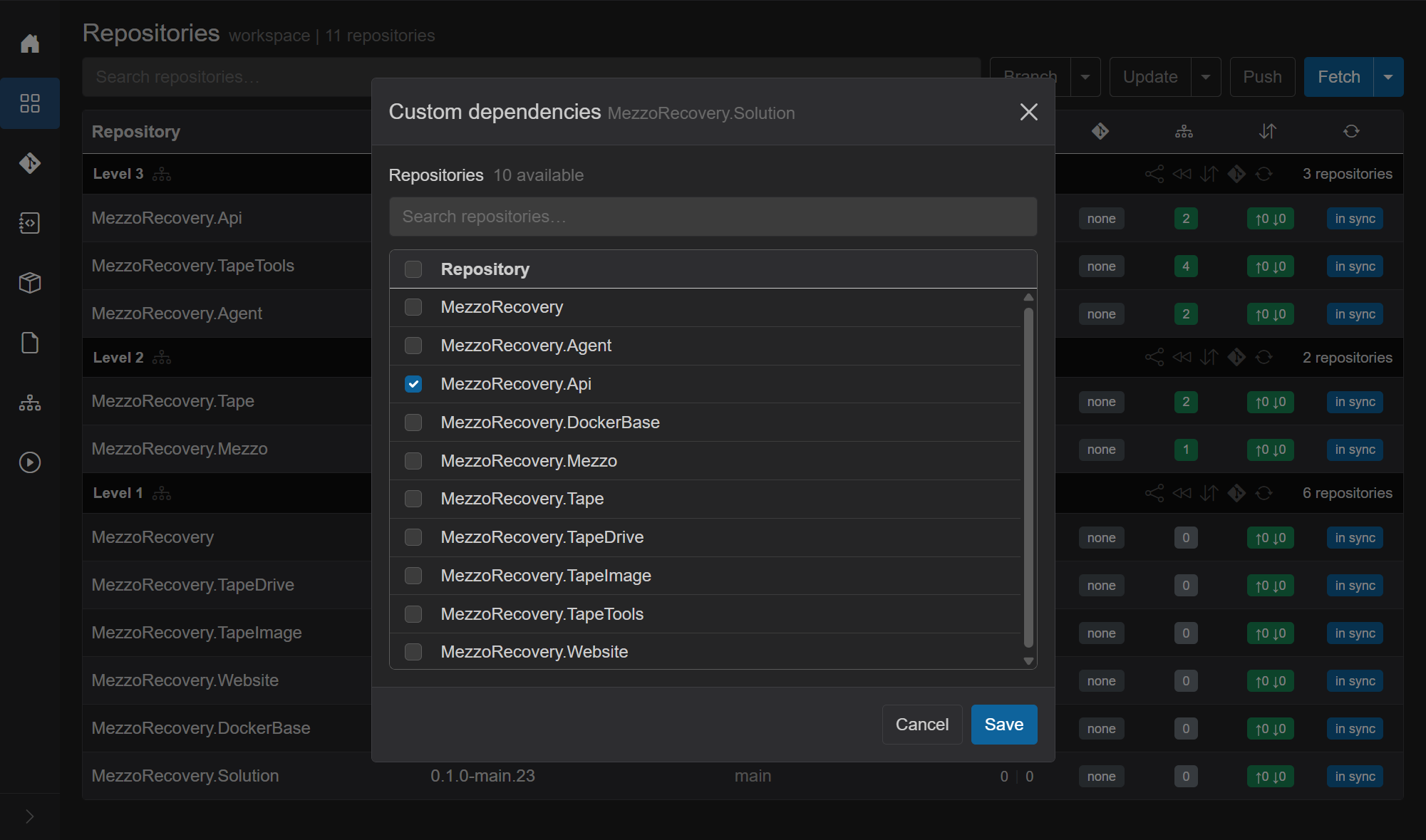
- Save. GrayMoon recomputes levels and refreshes the grid (no git commit - the edge lives in GrayMoon's database).

| Before | After | |
|---|---|---|
| Solution level | Level 1 (with other 0-dep repos) |
Level 4 (alone at the top) |
| Solution deps badge | 0 |
green 1
|
| Api / TapeTools / Agent | Level 3 | still Level 3 |
| Level 1 | 6 repos including Solution | 5 repos (Solution left) |
Re-open Solution's dialog: Api stays checked, checkbox enabled, no project badge - you can uncheck and Save to remove the edge.

With this edge, synchronized push and level Return to Default treat Solution as waiting on Api's level. On a feature branch, close PRs Level 1 → 2 → 3 → 4 so Solution (config / docs / version files) merges last.
- They do not rewrite
.csprojor NuGet restores. - They do not replace package version updates - unmatched deps badges still come from project/file version checks.
- Project (and file) edges remain authoritative; custom edges only add ordering.
-
Files / version files - pin files,
{repo}patterns, Update,fileedges - Dependencies graph - visual graph of the same merged edges
- Repositories - Dependencies badge - badge click opens this dialog
- Return to Default - level order when discarding feature branches
- Update / Push Updated - level-by-level package publish wait
- Known issue: the dependency badge can show "2 of 1" when a version file references its own repository.