Repository navigation
Workspace Protected Branch and Push Failure
Open this from Changes, then Repositories.
This walkthrough shows what happens when you commit on the default branch and try to push a protected GitHub branch, then how GrayMoon recovers: Undo Push Commits (keep changes), a single-repo feature branch, push, and create a PR.
Workspace: MezzoRecovery, a real multi-repo project. Only MezzoRecovery has the env edit; the other 10 repos stay on main the whole time.
| Part | Goal |
|---|---|
| 1 - Force path on default | Commit on main despite the warning, Push, read GH013 / rule-violation errors in the overlay, see the Push failed. toast |
| 2 - Go around with a feature branch | Undo (keep changes), create update-env on MezzoRecovery only, commit, push, create PR |
| 3 - After merge | GitHub deletes the remote feature branch; purple merged; per-repo Fetch discovers Local Only; yellow Sync to main cleans up |
Related: Changes (default-branch commit warning), Undo Push Commits, Repository branch management (per-repo New Branch / Sync to main), Return to Default (merged-PR cleanup).
On Changes, MezzoRecovery is on main with one modified file: docker/.env.
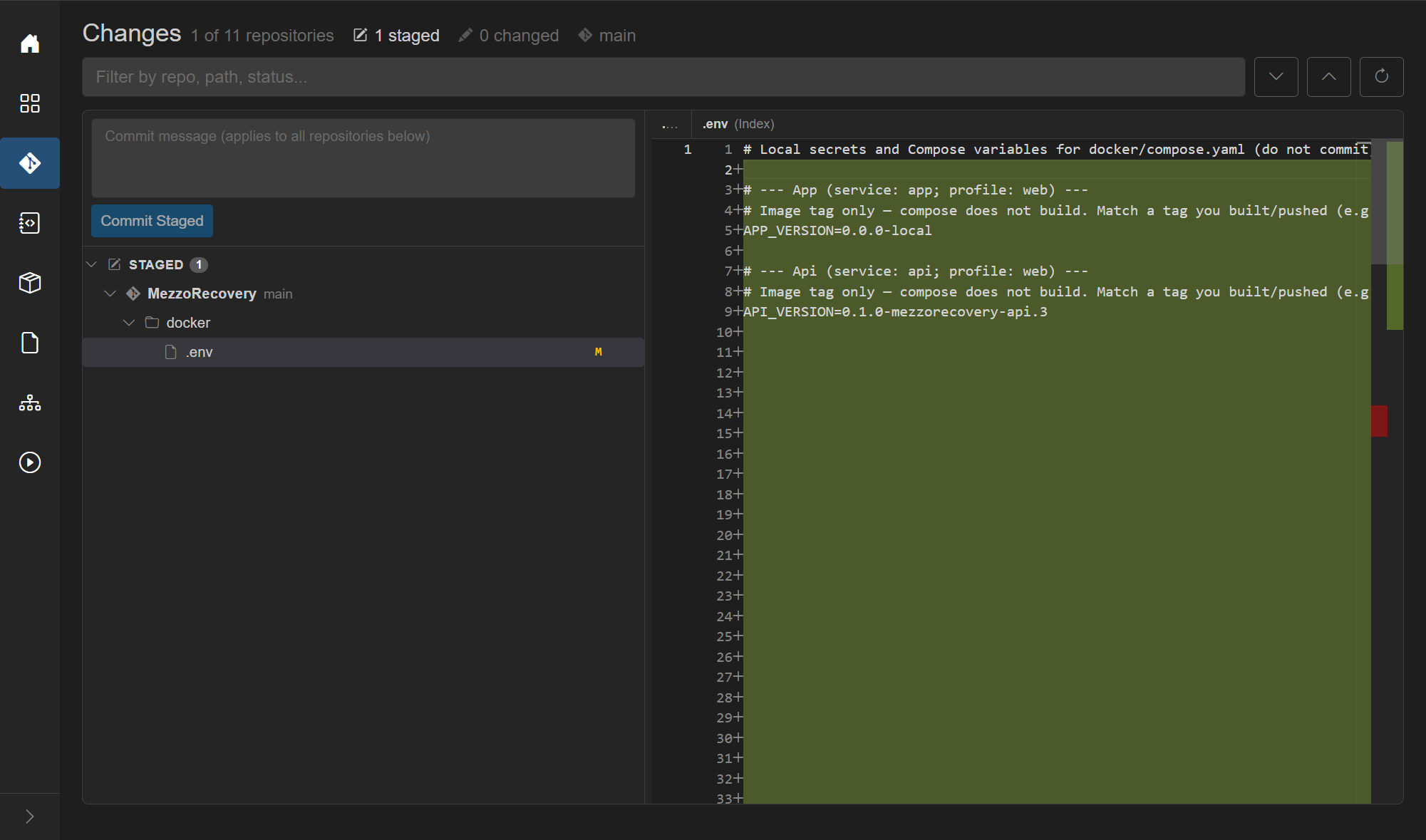
Enter commit message Update env file and click Commit Staged (or Commit All if nothing was staged).
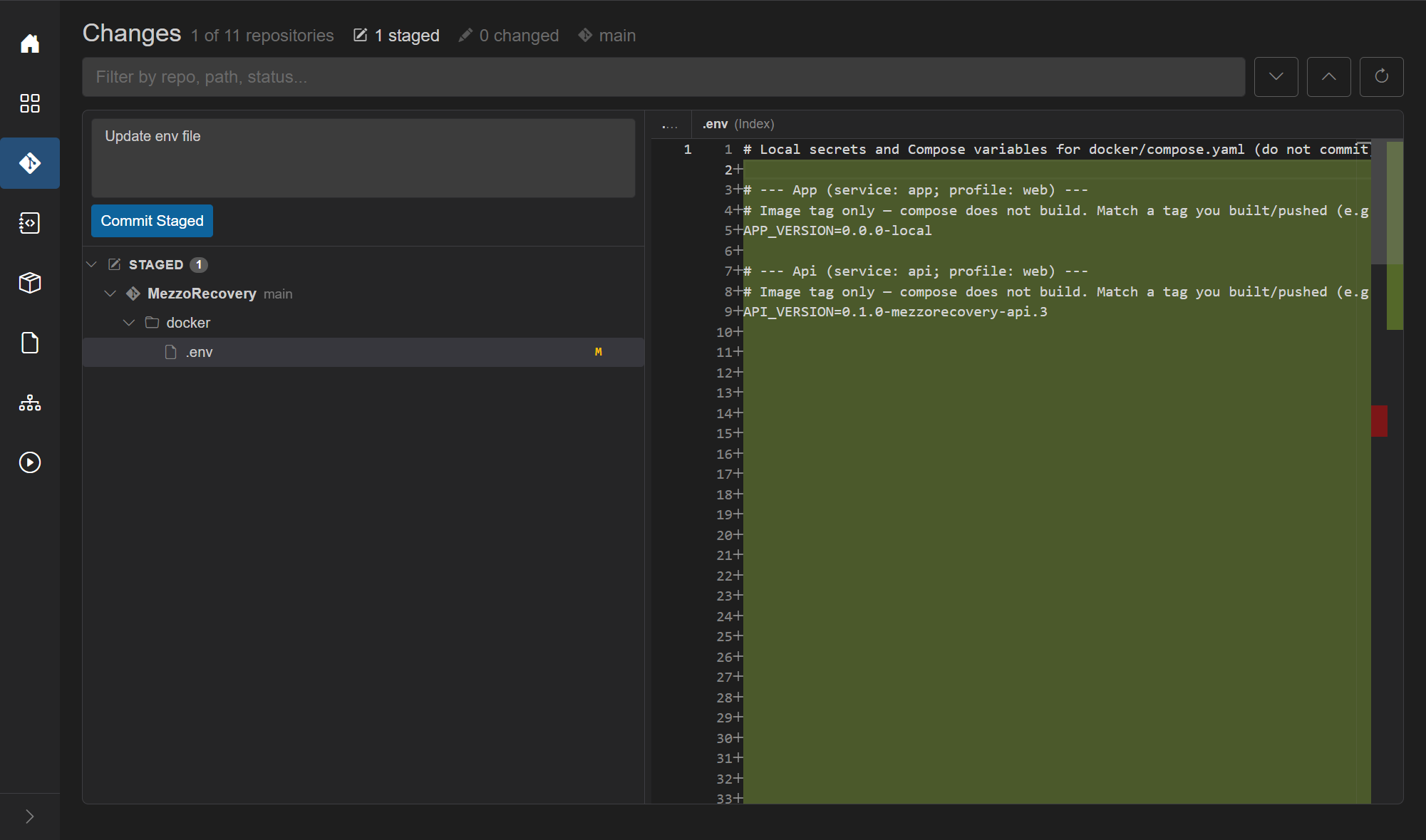
Because the target repo is on its default branch, GrayMoon shows Default Branch Warning before writing the commit:
- Lists MezzoRecovery (main)
- Copy: committing writes directly to the default (protected) branch; proceed with caution
- Proceed continues; Cancel aborts

Click Proceed. The commit lands locally. Working tree is clean; the notification card shows commits ready to push with MezzoRecovery ↑1 ↓0.
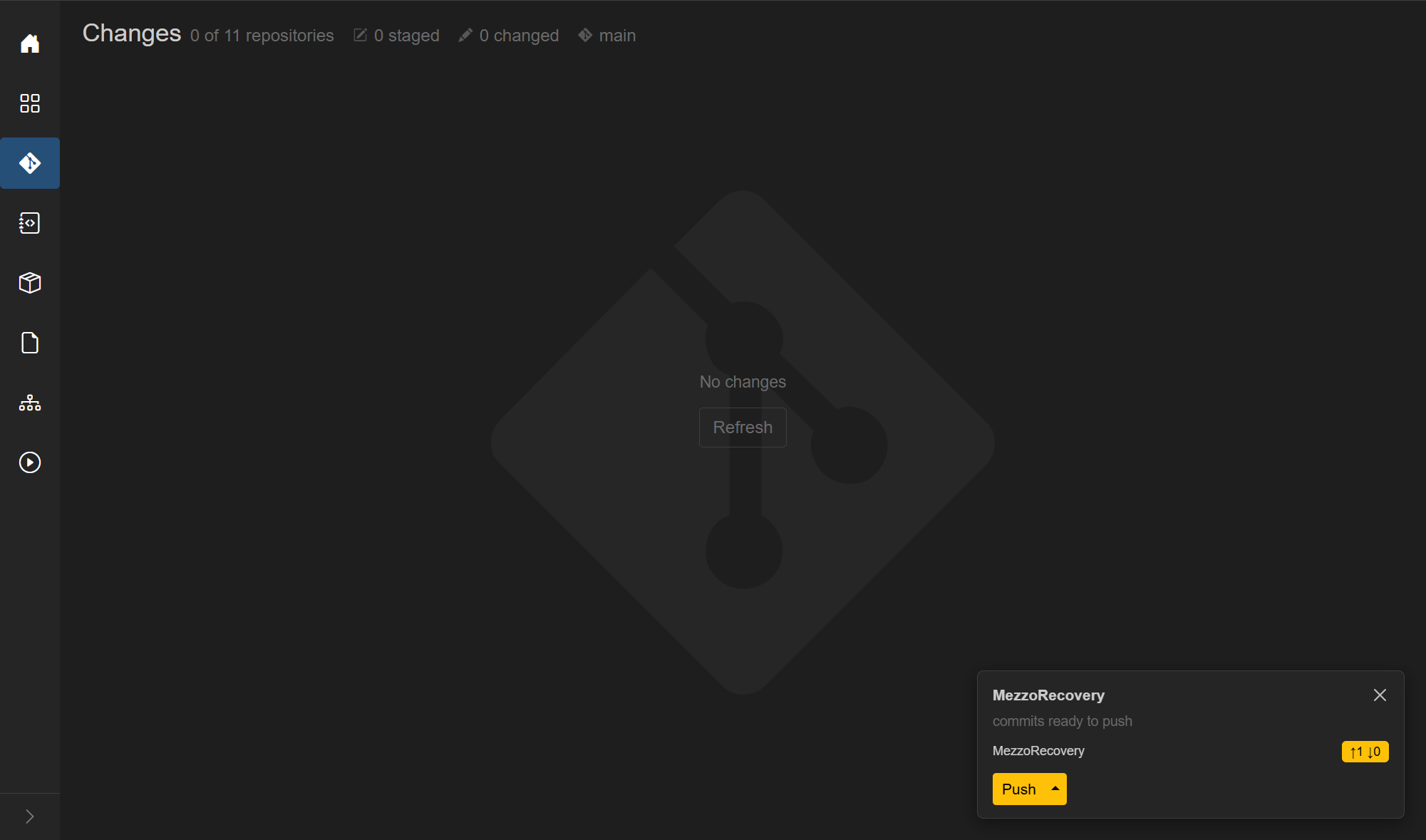
Back on Repositories:
- MezzoRecovery: branch main, divergence 0 | 1, yellow create, commits ↑1 ↓0
- Header Push is yellow
- Other repos remain ↑0 ↓0 on main

Click header Push. The loading overlay streams git output. For this repo GitHub rejects the push:
GH013: Repository rule violations found for refs/heads/mainChanges must be made through a pull request.! [remote rejected] main -> main (push declined due to repository rule violations)[ERR] git push failed ...

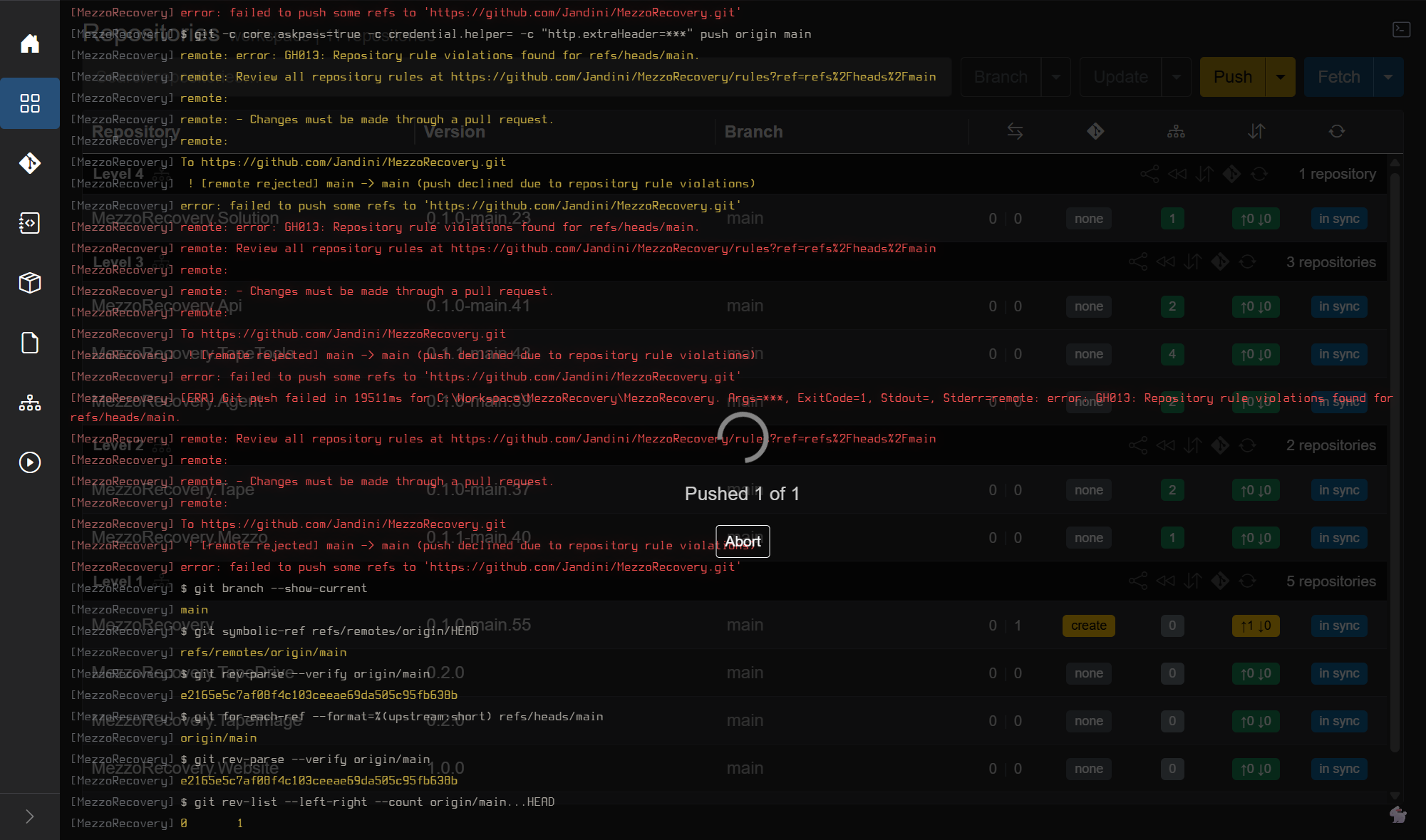
When the job finishes, an error toast shows Push failed. (error toasts dismiss after ~6 s). The outgoing commit remains: ↑1 and yellow Push stay - nothing was published to origin/main.
GrayMoon does not force-push or bypass branch protection. The recovery path is undo + feature branch (Part 2).
Undo Push Commits resets every workspace repo that has outgoing commits back to origin/<branch>. It is workspace-wide by design: if several repos had unpushed commits, all of them would appear in the modal. Here only MezzoRecovery has ↑1, so the list has one row - that is expected.
Open the yellow Push caret -> Undo Push Commits.
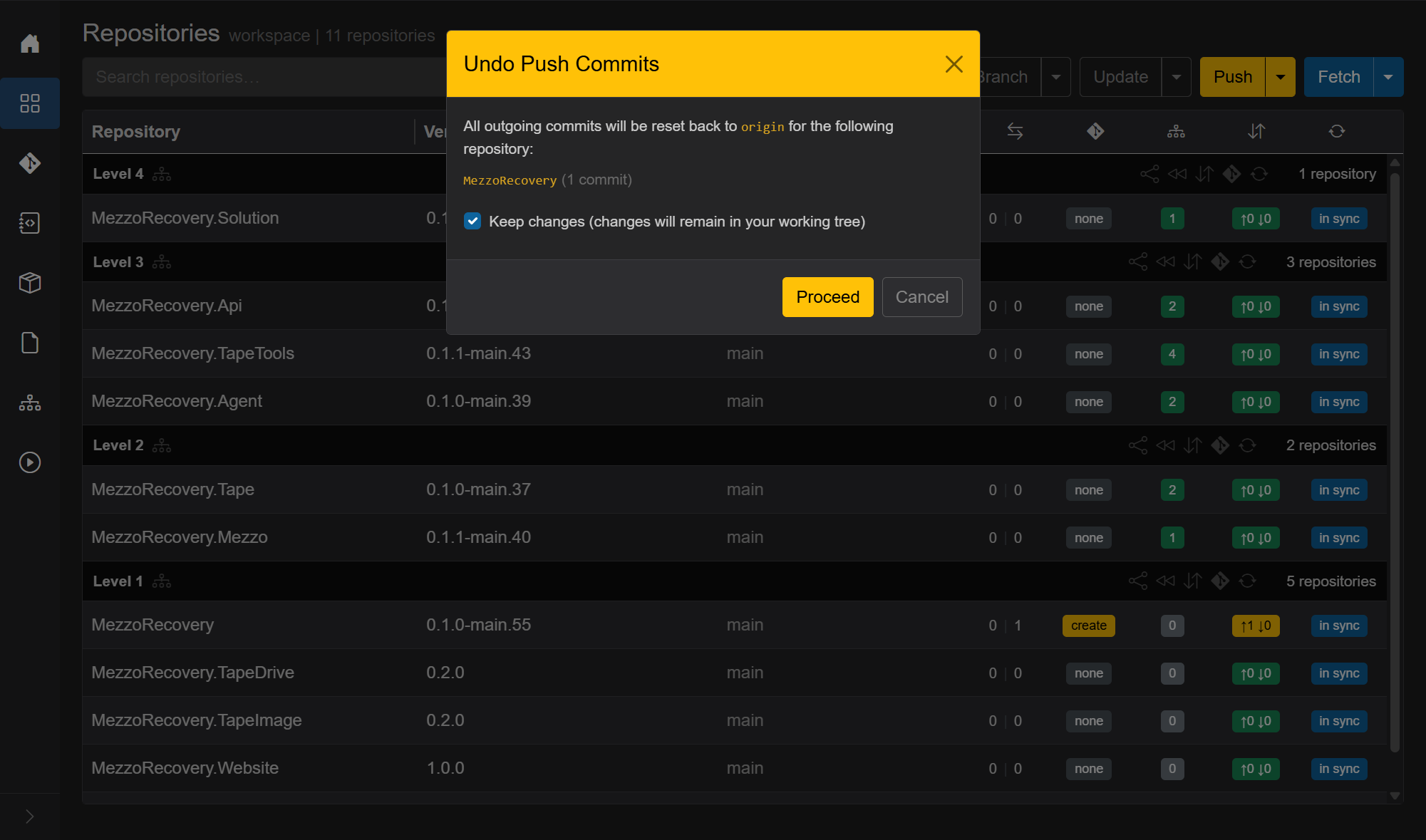
- Lists MezzoRecovery (1 commit)
- Keep changes checked (default): mixed reset - commits removed, file edits stay in the working tree
- Proceed runs the reset under the overlay; no push to GitHub
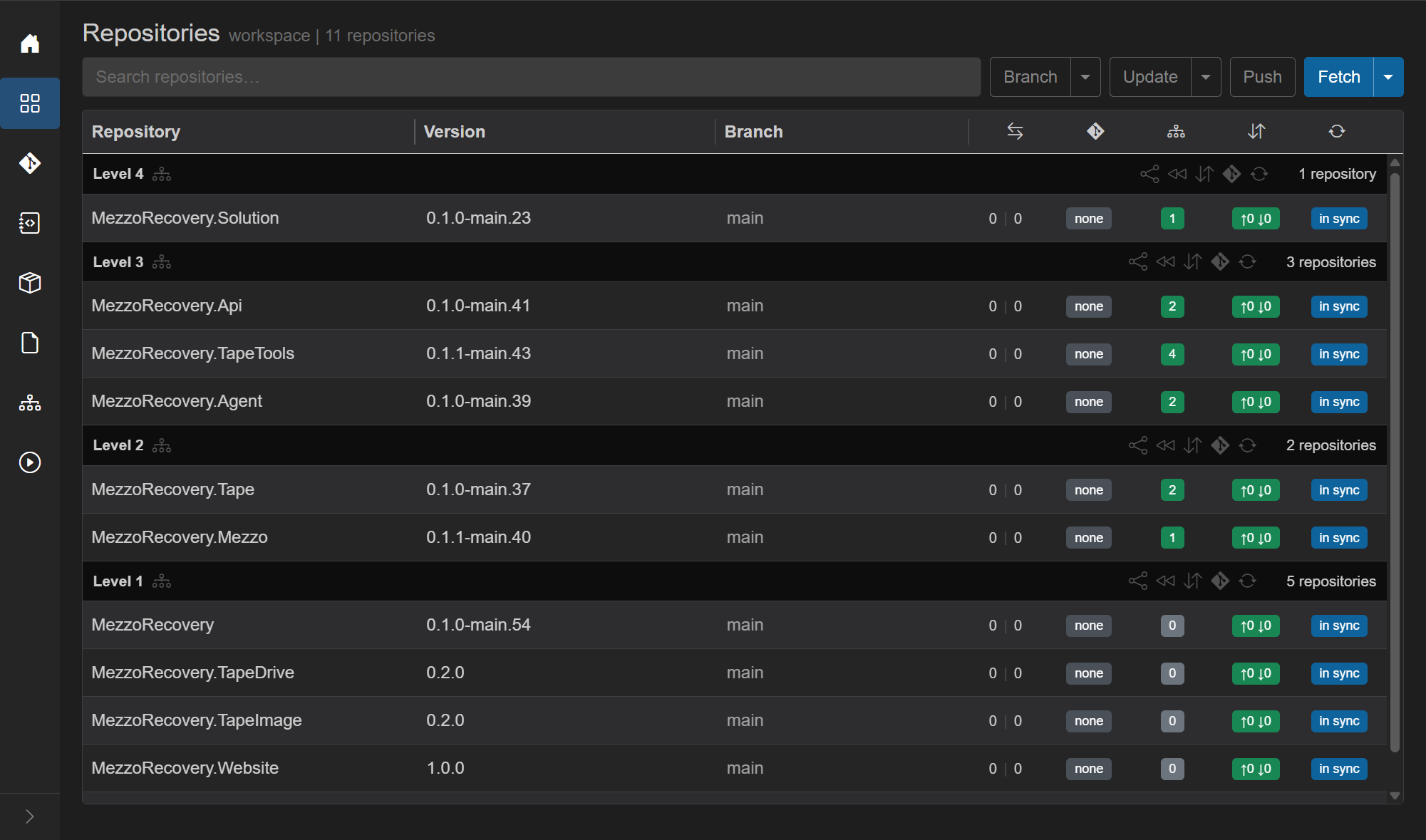
After undo: MezzoRecovery is ↑0 ↓0 again, header Push is inactive, version drops back (for example 0.1.0-main.54).
The .env edit is still on disk - check Changes if you want to confirm before branching.
Do not use workspace-wide New Branch / Prepare Workspace (those touch every repo). Open the per-repo branch dialog: click the Branch cell on the MezzoRecovery row.

New Branch tab:
-
Branch name:
update-env -
Based on:
origin/mainwith green Default - Create

Only MezzoRecovery switches to update-env. Everyone else stays on main.

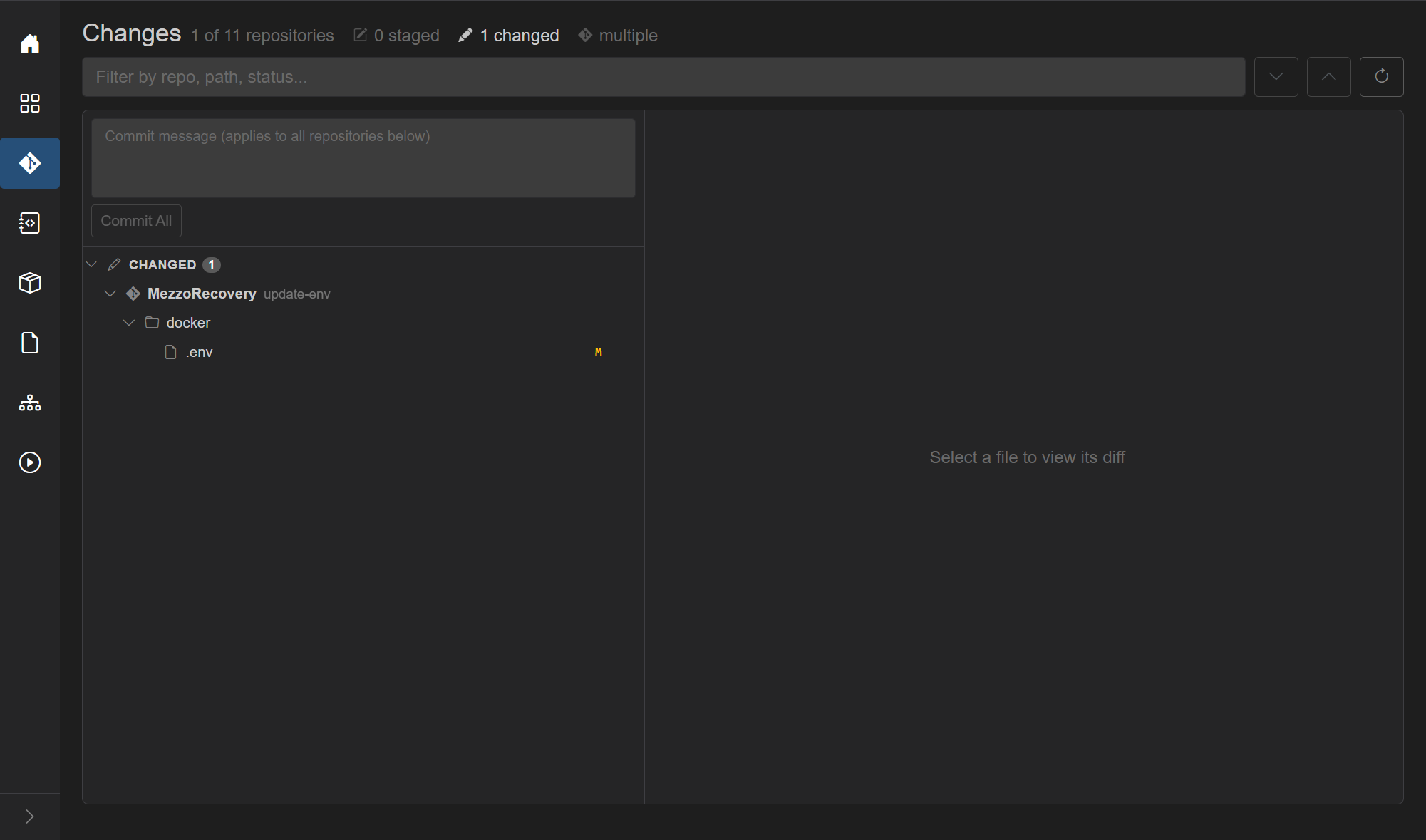
On Changes, the same docker/.env change is under MezzoRecovery on update-env. Commit message Update env file -> Commit All. There is no Default Branch Warning - you are not on the default branch.
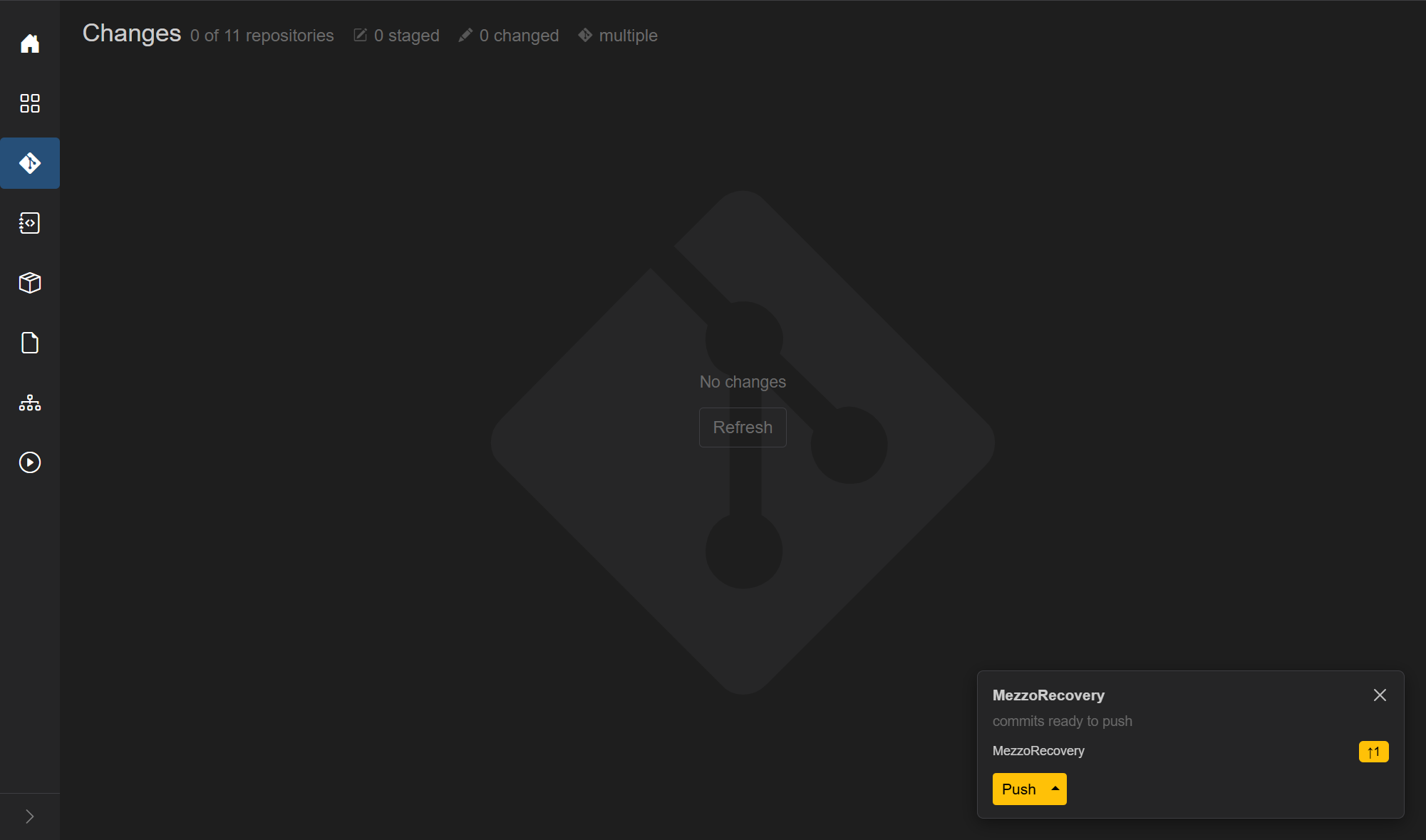
On Repositories: MezzoRecovery on update-env, divergence 0 | 1, yellow create, ↑1. Header Push is yellow.

Push publishes update-env to origin. Commits badge returns to ↑0 ↓0; yellow create remains (ahead of default, no open PR yet).

Create PR (Branch caret) and the yellow create badge only target repositories that are ahead of their default branch with no open PR. Repos still on main with no outgoing work are skipped. In this run that is a single target: MezzoRecovery.

Open Create PR (or click create on the row). Modal title: New Pull Request - MezzoRecovery. Title can match the commit (Update env file).

Confirm lists only that repo:

After create, the PR badge shows the number (here #54) instead of create.

Example PR: https://github.com/Jandini/MezzoRecovery/pull/54
MezzoRecovery is configured on GitHub to delete the head branch after the pull request is merged. That is a repository setting on GitHub (not a GrayMoon setting). When #54 merges, GitHub removes origin/update-env automatically. GrayMoon still has a local update-env checkout until you sync.
Back on Repositories, MezzoRecovery stays on update-env with a purple merged PR badge (and divergence still 0 | 1 until you leave the feature branch). Other repos remain on main.

Click the MezzoRecovery Branch cell. The per-repo dialog still reflects the last known refs:
Locals: update-env (Current), main. No yellow Sync to main yet - the local branch still looks like it has a remote.

Remotes: still lists origin/update-env alongside origin/main. The UI has not pruned deleted remotes until you fetch.

Click Fetch in the dialog footer (per-repo fetch - not the workspace header Fetch). That runs git fetch for MezzoRecovery and refreshes Locals / Remotes / Tags.
After Fetch:
-
Remotes drops to origin/main only (Default).
origin/update-envis gone. -
Locals keeps
update-env(Current) with a yellow Local Only badge - local branch with no matching remote ref. - Footer shows yellow Sync to main (shortcut to per-repo Return to Default).


Click Sync to main. Confirm dialog (single repo, merged path - no red "commits will be lost", Proceed stays calm):
- Lead copy: checkout default, remove current branch locally, pull latest
- Row: MezzoRecovery /
update-envwith purple merged - Delete local branches (default on)
Proceed runs the overlay (Synchronizing to main...): checkout main, delete local update-env, pull.
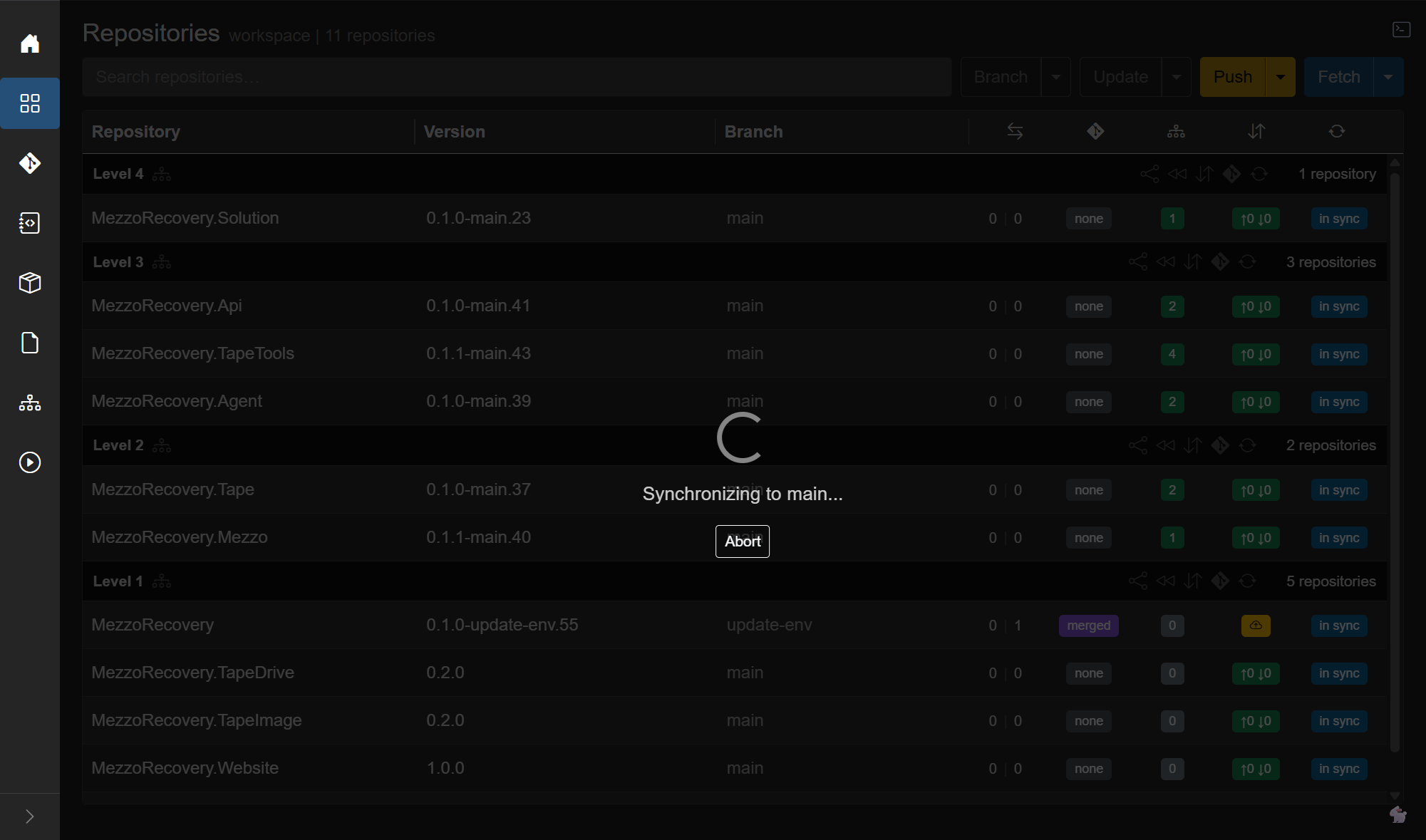
MezzoRecovery is back on main (0.1.0-main.55), divergence 0 | 0, PR none, ↑0 ↓0, in sync. The whole workspace is on default again.

Same cleanup can also use workspace Branch → Return to Default or Level 1 rewind when many repos need it. This walkthrough used the per-repo button because only MezzoRecovery left the default branch. Full menu / level flows: Return to Default.
| Behavior | Takeaway |
|---|---|
| Default Branch Warning | GrayMoon warns before committing on default; Proceed still allows the local commit |
| Protected push | Overlay shows GH013 / "must be made through a pull request"; toast Push failed.; local commit stays |
| Undo Push Commits | Workspace-scoped; resets all repos with outgoing commits (one repo here is fine); Keep changes preserves the working tree |
| Single-repo branch | Per-row Branch dialog New Branch - not workspace Prepare Workspace |
| Create PRs | Only repositories with commits ahead of default (and no open PR) |
| Delete branch on merge | GitHub setting removes origin/<feature>; GrayMoon learns via per-repo Fetch
|
| Local Only + Sync to main | After Fetch, yellow Sync to main is the calm merged-PR cleanup for that one repo |
After the pull requests exist, Merge PRs... merges them. The method starts as Squash. A protected branch still rejects a direct push. That rejection is unchanged.