Repository navigation
Workspace Dependencies
Optional query: ?level={n} or ?repo={repositoryId} (used from level-header / "Show dependencies" links).
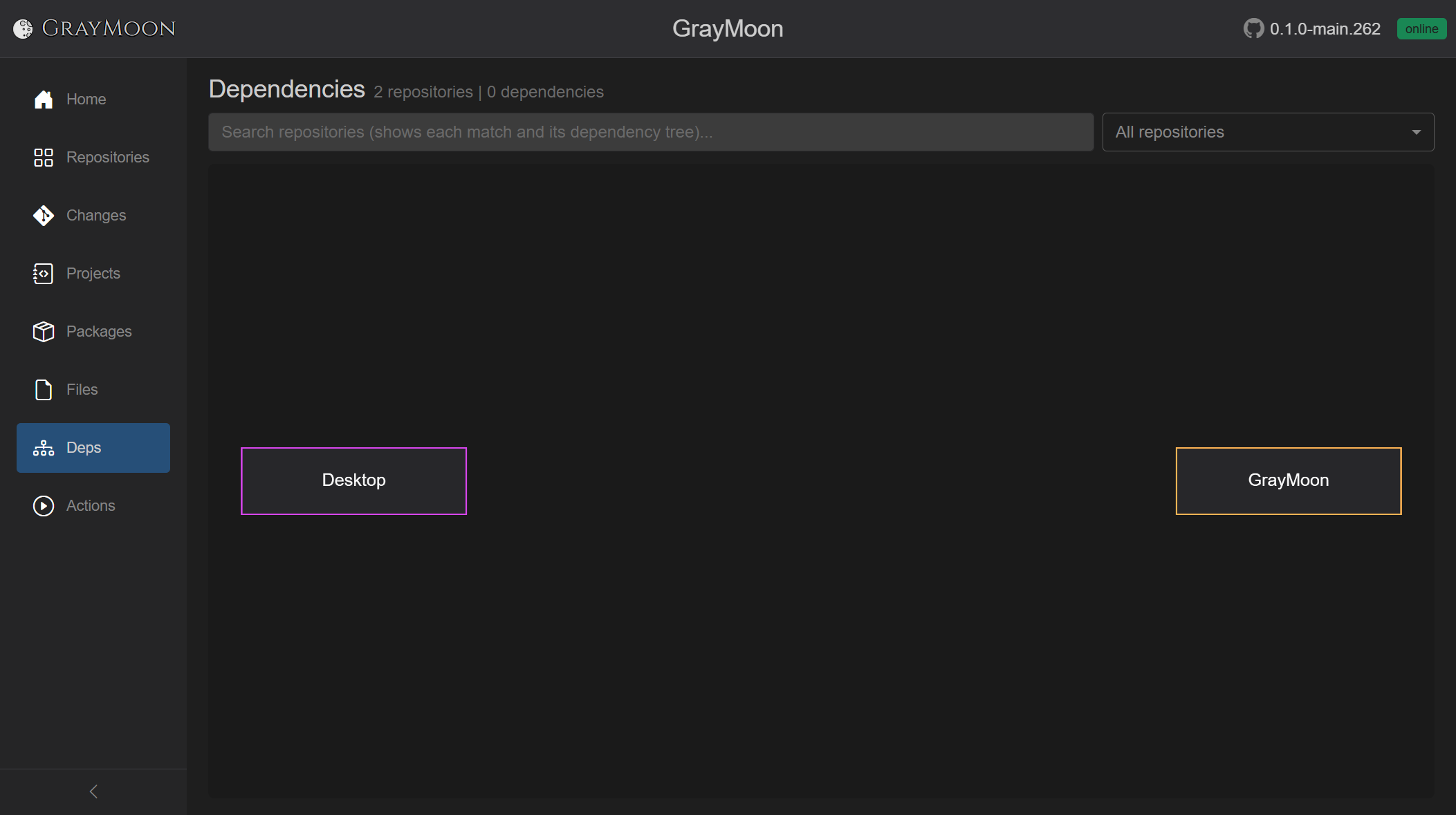
The two-repo GrayMoon graph is a single edge. A workspace with services, libraries, and tools shows the full fan-in: consumers at the top/sides, shared packages at the bottom.
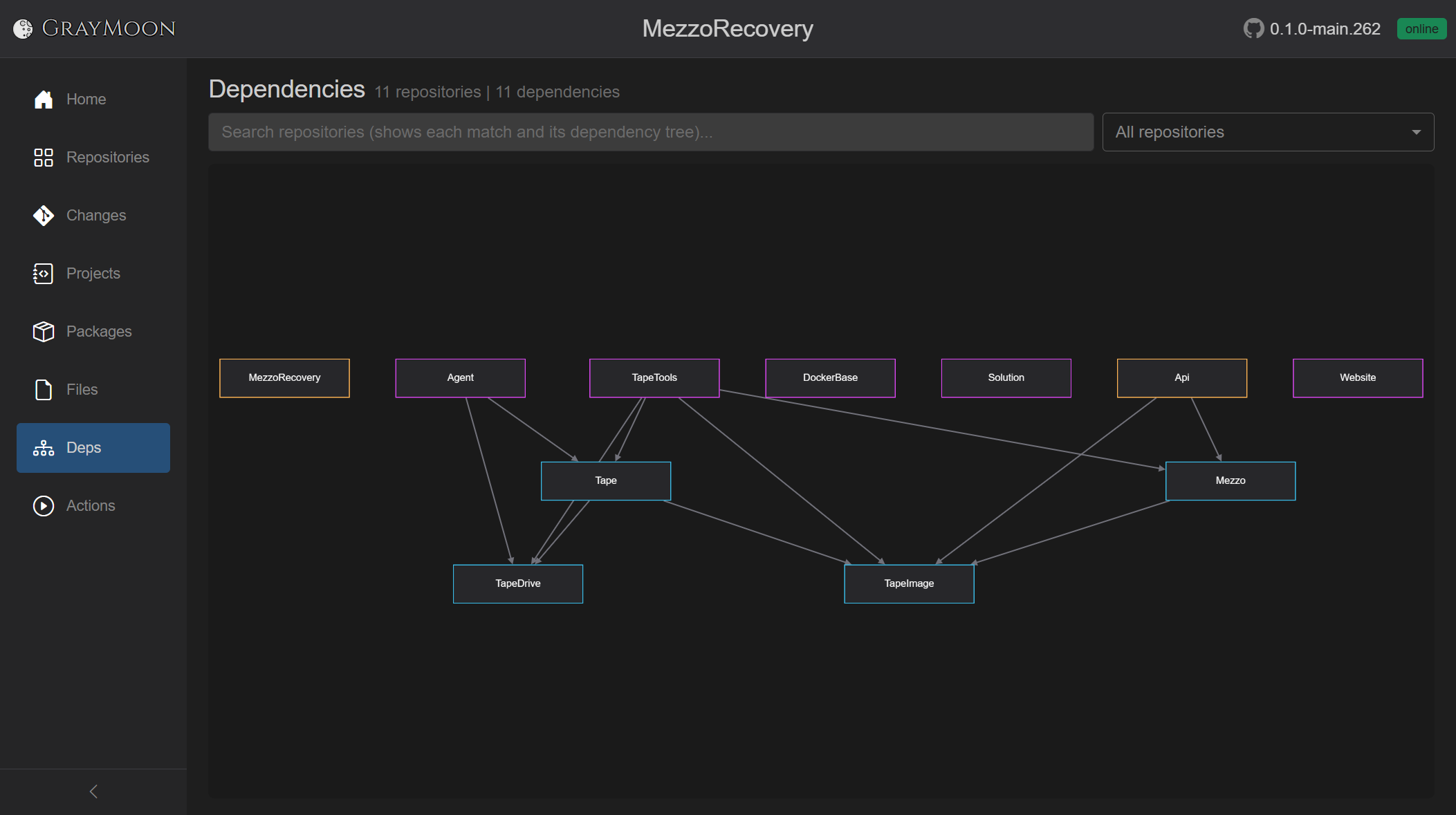
In MezzoRecovery (11 repositories, 11 dependency edges):
-
Api (service) depends on
MezzoandTapeImage. -
TapeTools (standalone tool) depends on
TapeandTapeImage. -
Agent depends on
TapeandTapeDrive. -
Tape (library package) depends on
TapeDriveandTapeImage. -
Mezzo depends on
TapeImage. - TapeDrive and TapeImage are Level 1 packages used by several consumers.
- MezzoRecovery, DockerBase, Solution, and Website sit with no workspace package edges (standalone / infra).
That is why Update and synchronized Push walk level by level: Level 1 packages publish first, then Level 2, then the tools and services on Level 3.
Search keeps each matching node and its dependency tree (the packages it consumes). The subtitle becomes N repositories | M dependencies - matching search. The match itself uses a stronger border color.
api keeps Api plus Mezzo and TapeImage (3 repositories, 3 edges):

tools keeps TapeTools plus the libraries it uses (Mezzo, Tape, TapeImage, TapeDrive - 5 repositories, 7 edges):

Use one term at a time when you want a single consumer's tree. On Repositories, combine names with or instead (see Repositories).
Interactive Cytoscape graph of workspace repositories and the edges between them (csproj PackageReference, file-config tokens, and user-declared custom dependencies).
- Title: Dependencies
- Subtitle:
N repositories | M dependenciesplus- matching searchwhen a search is active. "No dependency data" if the graph has no nodes. - Filter search - "Search repositories (shows each match and its dependency tree)..." Matches repository name only (plain terms / boolean syntax). Search and the scope dropdown are mutually exclusive: while a search is typed, the scope dropdown is disabled ("Clear search to apply this scope to the graph.").
-
Scope dropdown (default All repositories):
- All repositories
- Level N for each dependency level present
- One item per repository name
Empty canvas: "No dependencies to display. Sync repositories to discover projects and dependencies."
No search hits: "No repositories match your search."
- One node per repository (colored borders distinguish nodes).
- Edges are dependencies (consumer -> package / custom / file token).
- Search keeps each matching node and its dependency tree.
- Level or single-repo scope zooms the graph to that subset (same as following the diagram icon on a Repositories level header).
When the workspace folder is itself a repository, that repository is the top of the graph. Hovering a node shows the repository type at the bottom-left.