Repository navigation
App Home
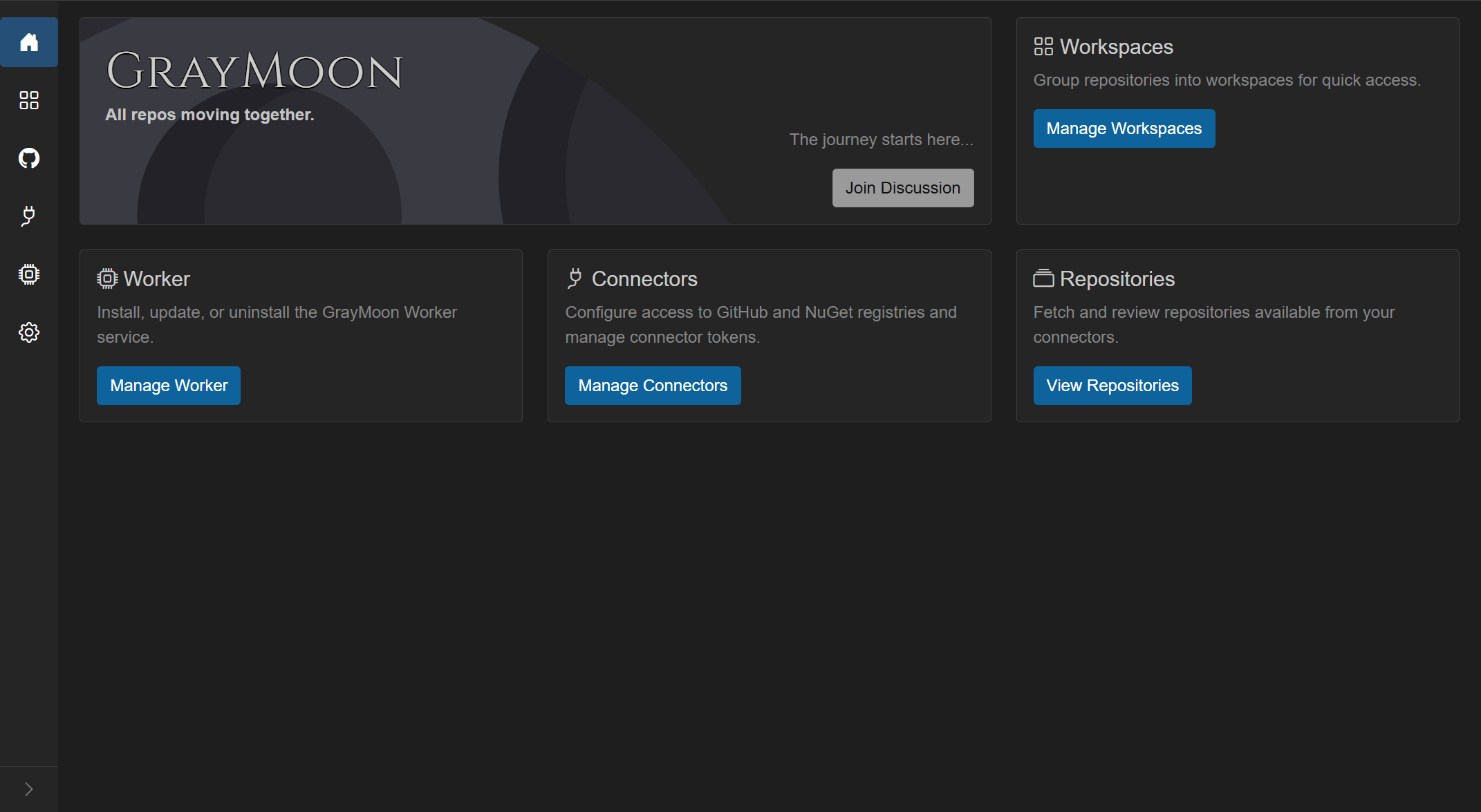
Landing tiles that describe each first-level area and jump the user there in one click.
On the first visit in a browser tab, if a workspace is marked Default, Home does not stay visible: the app navigates to that workspace's Repositories page (/workspaces/{id}). A session flag prevents this from looping when you click Home later in the same tab. After that, Home is shown normally.
While deciding, the page shows a muted "Loading..." line.
- GrayMoon wordmark on the moon artwork.
- Title: GrayMoon.
- Tagline: All repos moving together.
- Beside it: The journey starts here... and Join Discussion (opens the GrayMoon GitHub discussions).
Each tile has an icon, title, one-line description, and a button.
- Description: "Group repositories into workspaces for quick access."
- Button: Manage Workspaces (blue) ->
/workspaces
- Description: "Install, update, or uninstall the GrayMoon Worker service."
- Button label and color depend on worker connection (same meaning as the worker status badge):
| Worker state | Button text | Button color |
|---|---|---|
| Online | Manage Worker | blue (primary) |
| Version mismatch | Upgrade Worker | red |
| Offline / connecting / anything else | Install Worker | red |
When the Worker is not installed, Home shows a red Install Worker button and a red offline badge.
When the Worker is connected but its version does not match the App, the tile is red Upgrade Worker and the top-bar badge is red update.
Upgrade Worker goes to /worker (Update tab). Clicking the update badge starts a self-update instead of navigating - see Worker - Self-update from the badge.
- Click the tile ->
/worker
- Description: "Configure access to GitHub and NuGet registries and manage connector tokens."
- Button: Manage Connectors
- Color: red if any connector that is in use is unhealthy; otherwise blue.
- Click ->
/connectors
- Description: "Fetch and review repositories available from your connectors."
- Button: View Repositories (blue) ->
/repositories
The tiles sit in a two-row layout: banner + Workspaces on the first row, Worker / Connectors / Repositories on the second.