Repository navigation
App Worker
Install, update, uninstall, and inspect the host-side GrayMoon Worker Windows service. The top-bar badge is the same connection state.
- Title: Worker
- Subtitle: "Install or uninstall the GrayMoon Worker Service"
The default tab depends on connection:
- Online -> Host
- Version mismatch -> Install (labeled Update, styled red)
- Offline -> Install (styled red)
Host is hidden entirely until the worker is Online or Version mismatch.
- Tab label is Install when the worker is offline or already compatible.
- Copy: "Run this PowerShell command as Administrator to install the GrayMoon Worker as a Windows service:"
- Read-only command box:
irm {appBase}/api/worker/install | iex - Copy copies that command. Clipboard failures show an error toast (denied, needs HTTPS, or connection lost).
- Note: the script downloads, installs, and starts the service.
- Note: Windows service requires .NET 10 x64 runtime, with a Download the .NET 10 runtime link.
- Footer: "You can download and run the worker executable manually." Download starts a browser download of the worker binary.
A fresh Windows install always prompts for the current user's password so GrayMoonWorker can run as that account. You must enter the password; the service will not install without it. The installer then grants Log on as a service and starts the service. First-day walkthrough: getting-started/00-worker.md.
PS C:\Windows\System32> irm http://127.0.0.1:8384/api/worker/install | iex
GrayMoon Worker Installation
Preparing installation directory...
Downloading worker from http://127.0.0.1:8384...
Download completed.
Extracting worker...
Installing service...
Service will run as: MATT80\matt
Password for MATT80\matt: *********
Granting 'Log on as a service' right...
Creating Windows service...
Service 'GrayMoonWorker' installed and started successfully.

Installation completed!
The same Install command is the update path. There is no separate update script. When the connected worker semver does not match the App, the tab label becomes Update (styled red) and a note names the running worker version.
- Note: "The worker is running version {semver}, which is not compatible with this application. Run the command below to update."
- Command is unchanged:
irm {appBase}/api/worker/install | iex - Host stays visible (the worker is still connected). The Host Worker row shows the old semver next to the App version in the top bar.
Because GrayMoonWorker already exists, the script does not ask for a password. It stops the running service, replaces the files under C:\Program Files\GrayMoon, updates the existing service configuration, and starts it again. After reconnect the badge returns to green online and the tab label is Install again.
Home shows the same mismatch as a red Upgrade Worker tile (see Home). Walkthrough: getting-started/00-worker.md.
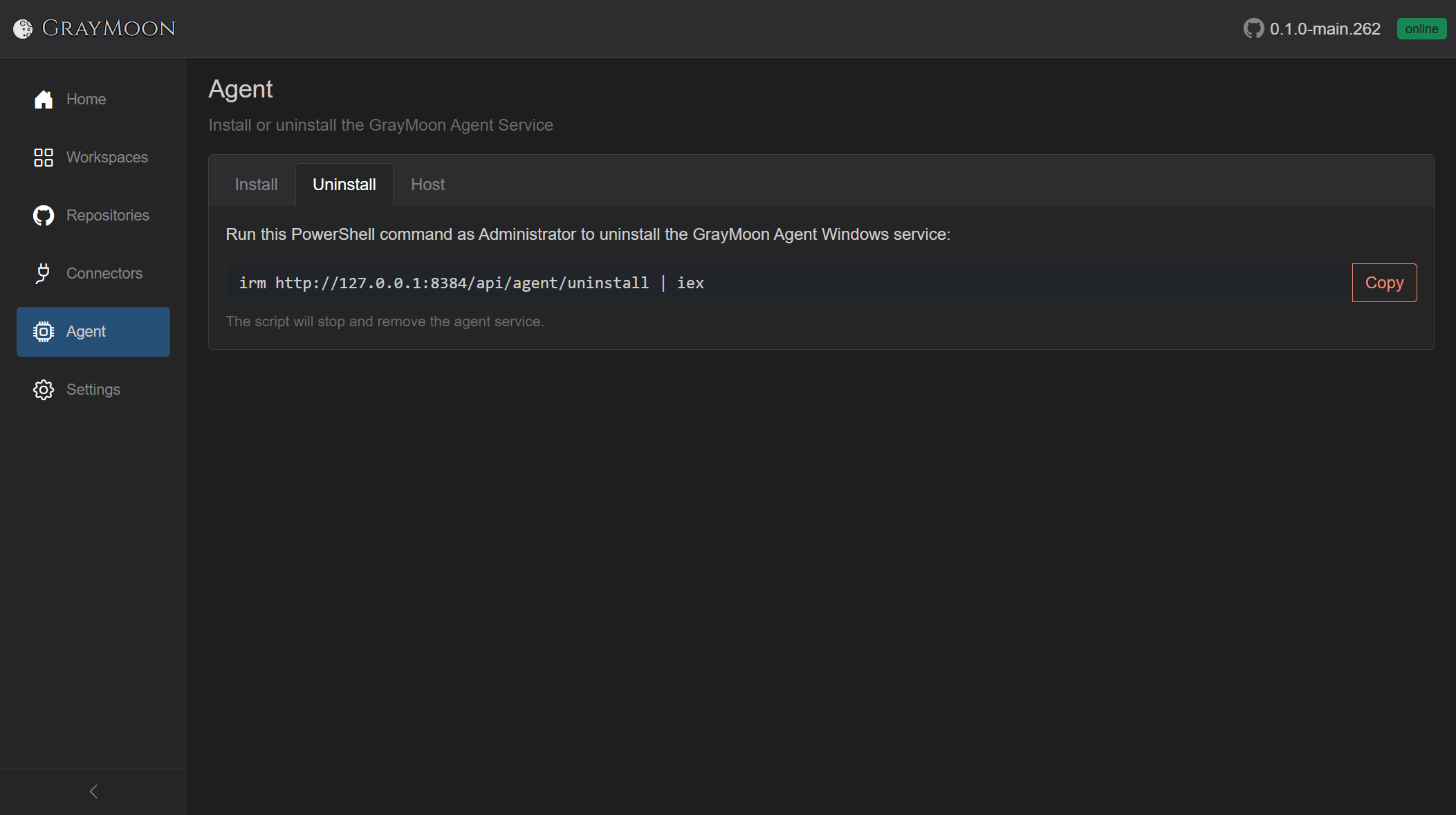
- "Run this PowerShell command as Administrator to uninstall the GrayMoon Worker Windows service:"
- Command:
irm {appBase}/api/worker/uninstall | iex - Copy (outline danger).
- Note: the script stops and removes the service, then deletes
C:\Program Files\GrayMoon.
PS C:\Windows\System32> irm http://127.0.0.1:8384/api/worker/uninstall | iex
GrayMoon Worker Uninstallation
Removing service...
Stopping service...
Service 'GrayMoonWorker' removed.
Removing installation directory...
Installation directory removed.

Uninstallation completed!
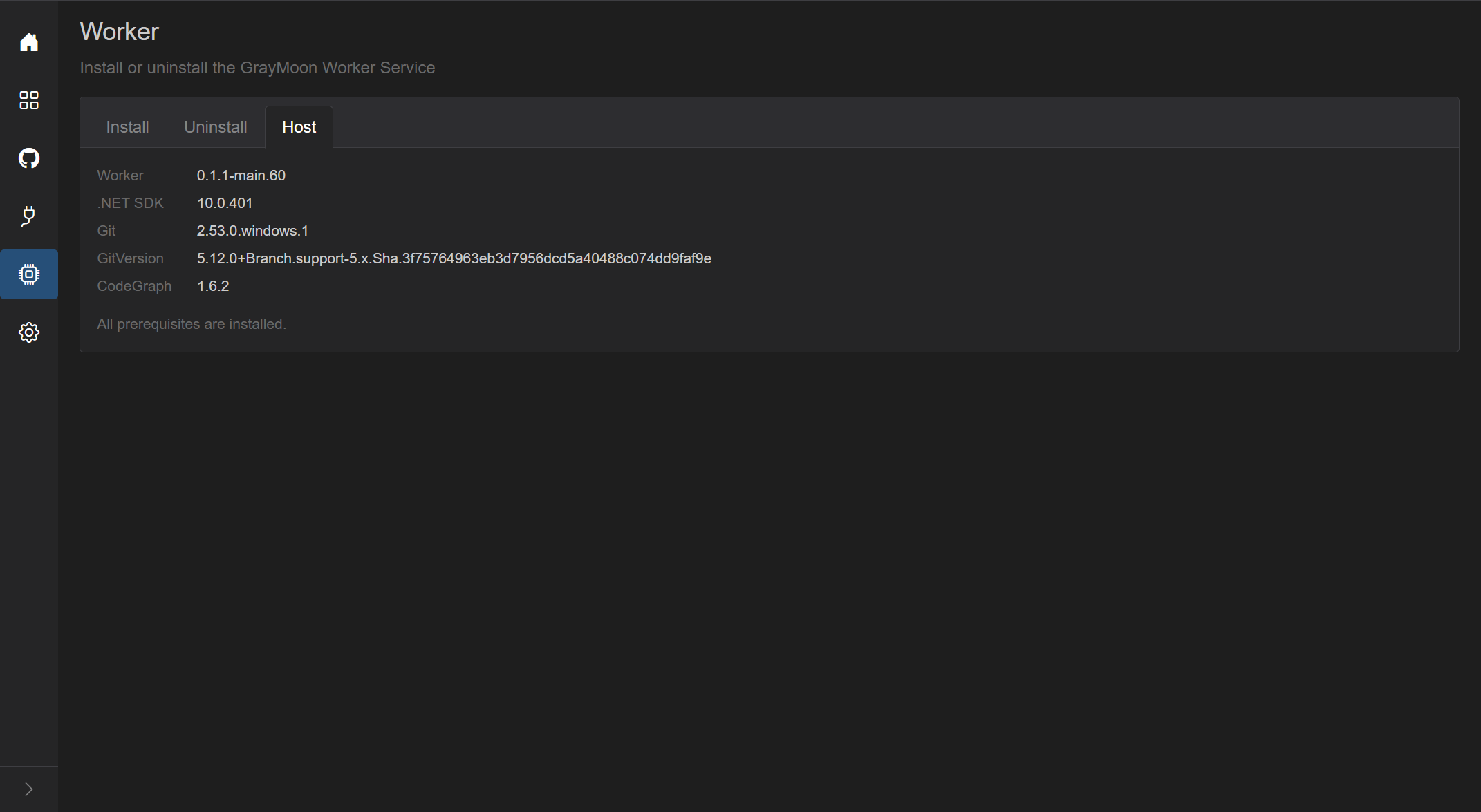
Visible only when the worker is connected (including version mismatch). Two-column grid:
| Label | Value |
|---|---|
| Worker | Worker semver, or gray not installed badge |
| Dotnet | Host .NET version, or Download .NET 10 runtime link if missing |
| Git | Git version, or not installed badge + Copy of winget install --id Git.Git -e --source winget
|
| GitVersion | GitVersion.Tool version, or a copyable dotnet tool install --global GitVersion.Tool --version 5.* command |
Footer note:
- "All prerequisites are installed." when Dotnet, Git, and GitVersion are all present. Claude, Codex, Cursor Agent, and CodeGraph are also listed on this tab when they are installed. They are not required for that sentence.
- Otherwise "Install the missing prerequisites above." and the Host tab itself is styled as missing.
If host info fails to load, a muted error string is shown instead of the grid. While loading: "Loading…"
When versions do not match, the top-bar badge is red update instead of green online. Tooltip: "Worker version mismatch. Worker version: {semver}. Click to update." Home uses the same state for the red Upgrade Worker button.
Clicking the update badge starts an in-place self-update. It does not navigate to /worker first.
- The App sends a
SelfUpdatecommand to the running worker over SignalR, with the same install URL ({appBase}/api/worker/install). - The badge turns blue updating immediately and stays there while the service restarts.
- On Windows the worker launches a detached process:
powershell.exe -NoProfile -NonInteractive -Command "irm .../api/worker/install | iex". That is the same install script as the Update tab. - The script stops the old service, downloads the App's current worker zip, replaces the files, and starts the service again (no password prompt; the service already exists).
- When the new worker connects and its version matches the App, the badge returns to green online.
If the command cannot be dispatched (worker not connected, process failed to start), a toast shows Worker update failed. and the app navigates to /worker so you can run the command manually.
Badge self-update is Windows-only. On Linux, run the install script from the Update tab yourself.
The Worker is what keeps GrayMoon up to date when you use git outside the app (IDE, terminal, another GUI). After a repo is cloned, the Worker writes git hooks into it (post-commit, post-checkout, post-merge, pre-push, reference-transaction). Those hooks POST to the Worker's local listener (http://127.0.0.1:9191/hook/...) on every matching git event, whether GrayMoon started the command or not.
The Worker then recounts outgoing and incoming commits (and version / branch) and sends that snapshot to the App. The App persists it and refreshes the workspace action notification cards. You do not have to open Repositories or click Sync for the card to appear.
That is why the same commits ready to push card shows on the Worker page itself - the Host tab is the machine that is watching the repos:
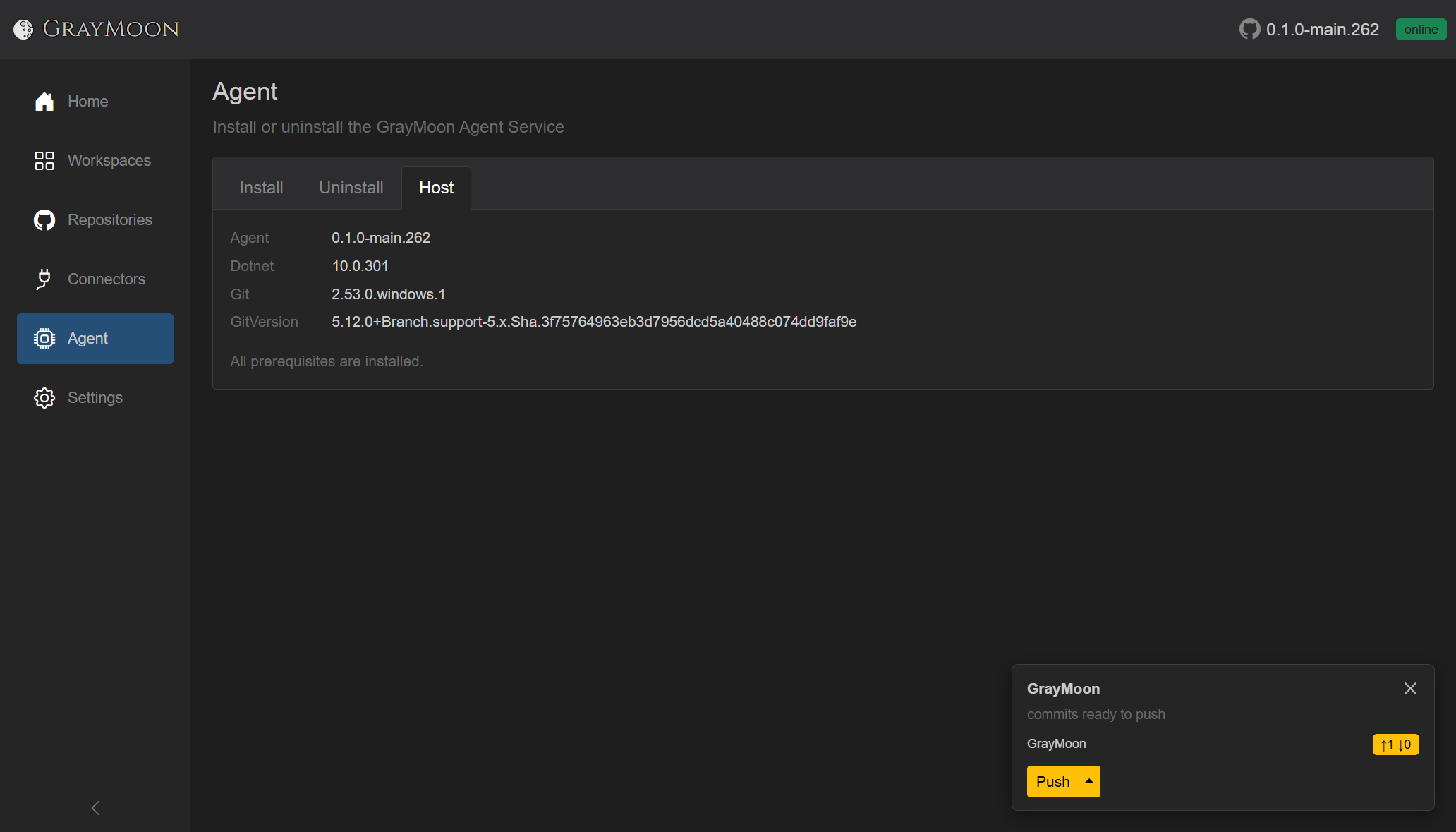
The card is per workspace, with one row per repository that still needs action. Here the GrayMoon workspace has two repos; only GrayMoon is listed (↑1 ↓0) because GrayMoon.Desktop is already ↑0 ↓0. After a multi-repo commit both rows appear on the same card (see Shared chrome).
If you push outside GrayMoon, the pre-push hook fires. The Worker waits until outgoing commits drop to 0, then the App updates. That repo leaves the card; when nothing in the workspace still needs push, pull, or update, the card disappears.
Install All installs the .NET SDK, Git, GitVersion, Claude, Codex, and Cursor Agent, then restarts the Worker. Restart on the Host tab restarts the Worker so it can find an AI agent that was just installed. Both run only from the Desktop window.
Desktop can also ask at startup: The GrayMoon Worker needs an update. Not now leaves the current Worker. Update now installs the matching Worker. Always update the Worker automatically does that on later version changes without asking.
Show pairing code shows the code a new Worker must enter. Reinstall the Worker to finish securing GrayMoon. means the installed Worker is not paired with this App yet.
The Worker holds your GitHub and NuGet tokens and is the only thing that touches git on your machine, so GrayMoon protects the connection to it with a secret: the App generates one on first start, and the Worker must present it on every hub connection and on the few requests that read a connector token or a Workspace's capabilities. GrayMoon Desktop hands the secret to the Worker automatically during an elevated install; a manual or Docker install pairs it with the one-time code above instead. This, together with GrayMoon checking where its API and real-time connections come from, is what stops another program or a web page open in the same browser from using GrayMoon's local API to read your tokens or push code on your behalf. A Worker that does not present the secret is refused and shows as offline, from the first start of the App: reinstall it with a pairing code (in Desktop, run Install Worker once). Workers that are already paired are not affected.
If a repository already has its own hook of the same name, GrayMoon renames that file aside and installs its hook. If the rename fails, the existing hook is left in place and that event shows up on the next Sync. reference-transaction (git 2.28 or later) adds or removes a branch in the lists when you create or delete it outside GrayMoon. The listener is http://127.0.0.1:9191.