Repository navigation
App Settings
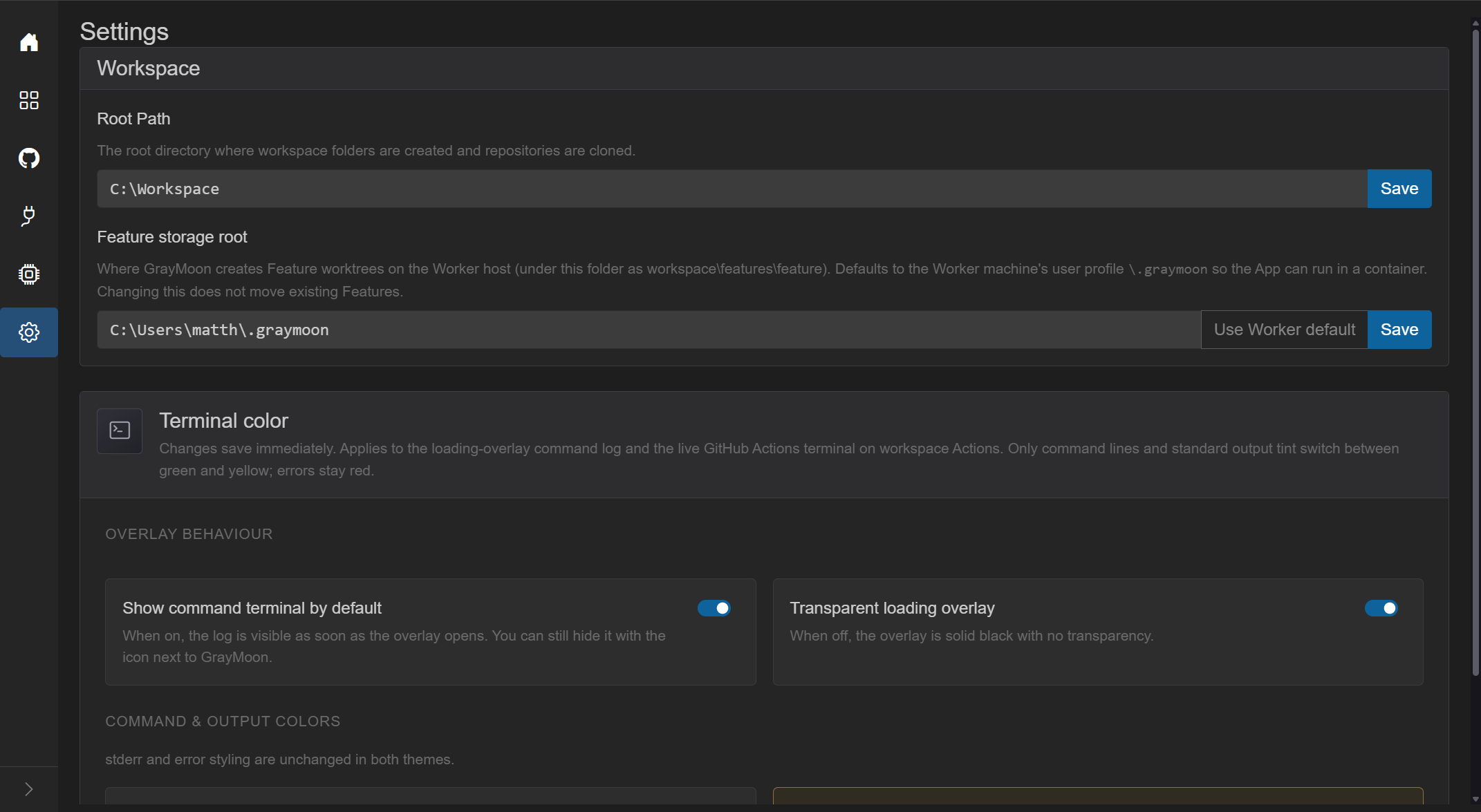
- Title: Settings
- Subtitle: "Configure application settings"
- Root Path - directory where workspace folders are created and repositories are cloned.
- Placeholder:
e.g. C:\Workspaces or /home/user/workspaces - Save (blue) inside the input group; spinner while saving. Enter in the field also saves.
- Validation:
- Invalid path: red input + "The path is not valid or cannot be created." (or the worker error).
- Success: green "Workspace root path saved."
- Failure: "Failed to save. Please try again."
- Empty path is allowed (clears the setting). New workspaces cannot be created until a valid path is set (Add Workspace modal explains this).
On the same Workspace card, under Root Path.
-
Feature storage root - where the Worker creates Feature worktrees (
workspace\features\featureunder this folder). - Hint: defaults to the Worker machine's user profile
\.graymoonso the App can run in a container. Changing this does not move existing Features. - Use Worker default - asks the connected Worker for that profile path.
- Save - "Feature storage root saved. Existing Features keep their previous paths."
- See Features.
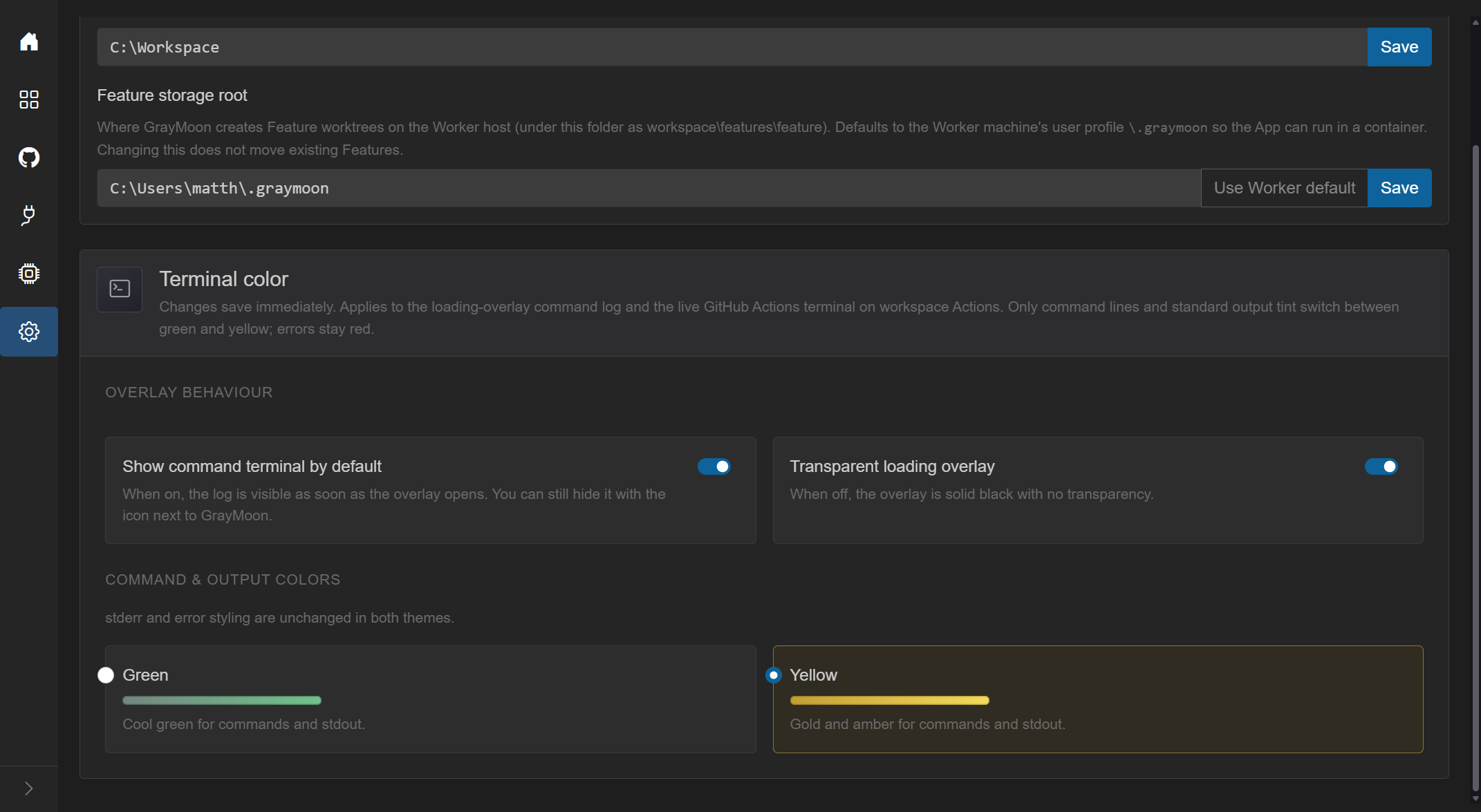
Changes save immediately (no Save button). Applies to the loading-overlay command log and the live GitHub Actions terminal on workspace Actions. Errors stay red in both themes.
- Show command terminal by default (switch) - when on, the log is visible as soon as an overlay opens. The overlay's terminal icon can still hide it. Default in the running app is typically on.
- Transparent loading overlay (switch) - when off, the overlay is solid black.
The whole row is clickable (label + switch).
Radio cards:
- Green - "Cool green for commands and stdout." Green swatch.
- Yellow - "Gold and amber for commands and stdout." Gold swatch. Currently selected card is outlined.
Note: "stderr and error styling are unchanged in both themes."
If persistence fails: red alert "Could not save terminal preferences. Check the database and try again."