Repository navigation
Restore Workspace
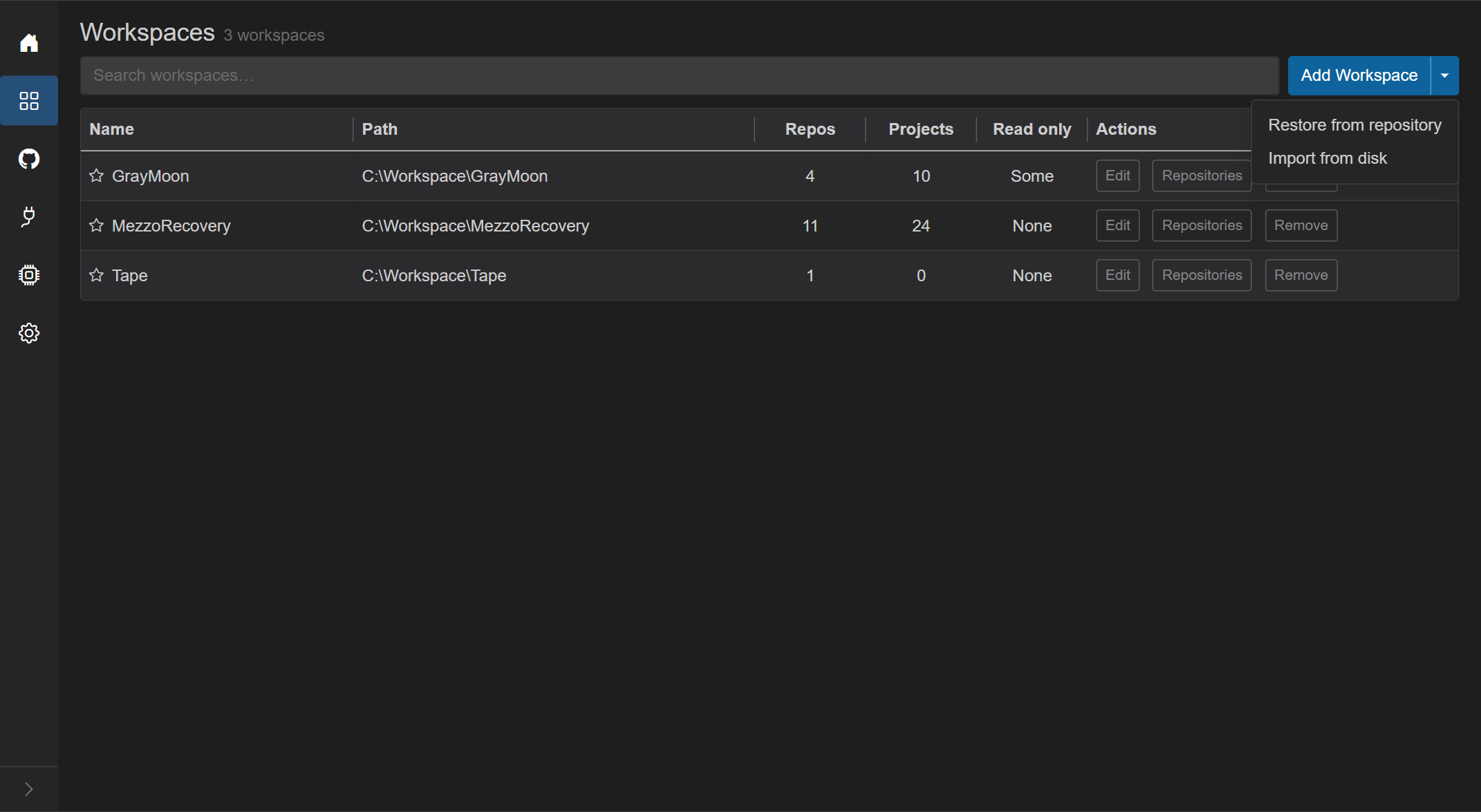
Open this from Workspaces: the arrow next to Add Workspace, then Restore from repository.
Use it when a Git repository already holds a GrayMoon workspace definition (graymoon.json). GrayMoon reads that file, creates the local workspace record, and checks the folder under the Settings root path. It does not delete repositories that are already on disk.
Do not use this to clone an ordinary product repo. For a new empty workspace, use Add Workspace. For a folder that is already on this computer, use Import from disk.
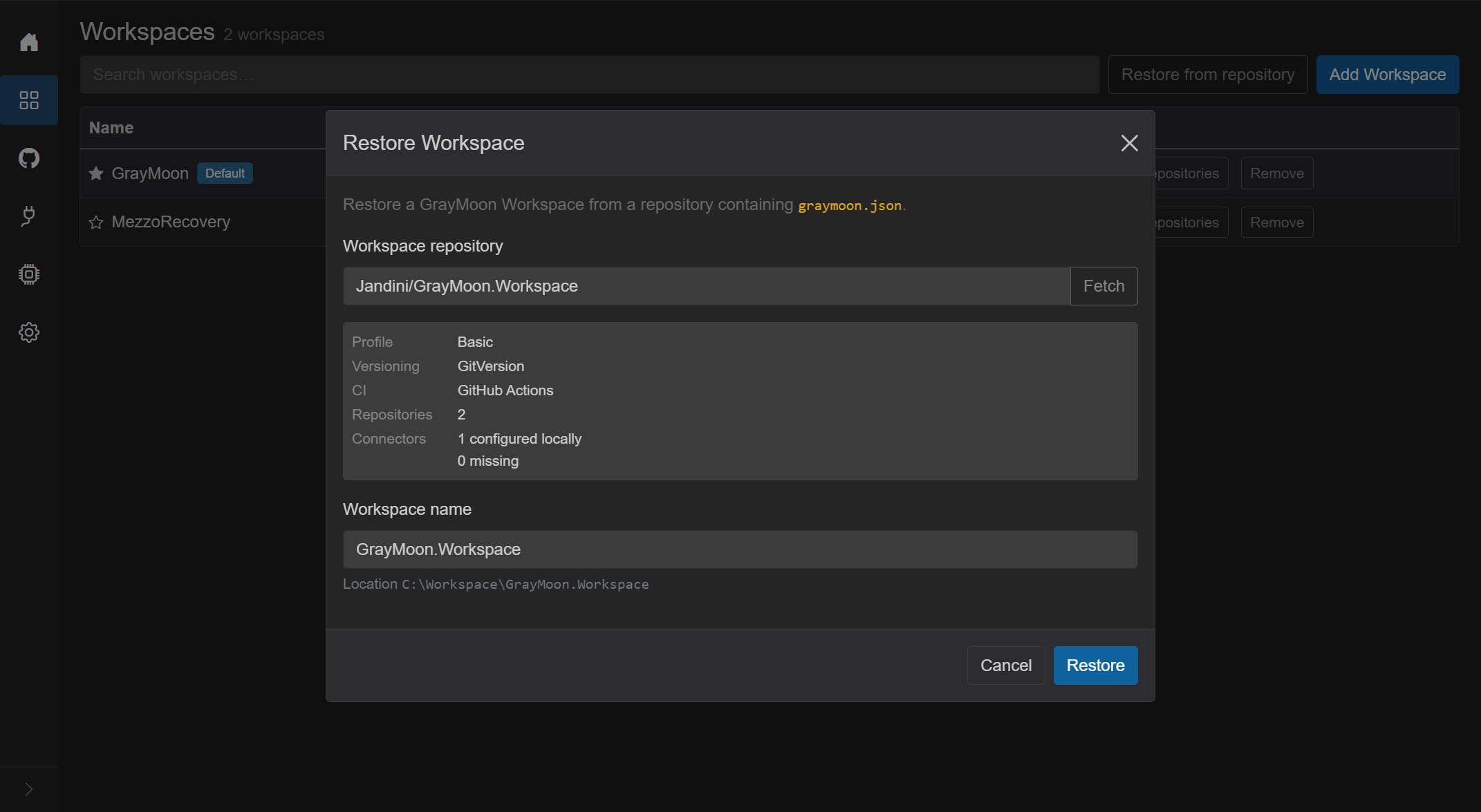
Title: Restore Workspace. Cancel closes it. Restore stays disabled until a repository is selected, the workspace name is valid, and the folder check succeeds.
- Intro: "Restore a GrayMoon Workspace from a repository containing
graymoon.json." - Workspace repository - picker of catalog repositories. Placeholder Select a repository. Search inside the picker. Fetch refreshes the catalog from GitHub connectors and shows the loading overlay ("Fetching repositories..."). If the catalog is empty: "No GitHub repositories are available." and Open Connectors.
- If the Worker is offline: "Worker is not available. Start the GrayMoon Worker to restore a Workspace."
- If the Worker version does not match the App: "Update the GrayMoon Worker before restoring this Workspace." with the App and Worker versions and Update Worker.
After a repository is selected, GrayMoon checks graymoon.json and shows a summary:
| Label | What it shows |
|---|---|
| Profile | Basic or .NET Dependency |
| Versioning | GitVersion or No versioning |
| CI | GitHub Actions or No CI |
| Repositories | Count declared in the definition |
| Connectors | "N configured locally" and "N missing" |
Workspace name is filled from the repository name. You can edit it. The name must be unique among workspaces already on this computer.
Location is the folder GrayMoon will use ({root path}\{workspace name}). A note appears when that folder already exists.
Missing repositories or connectors are listed before you restore. A missing connector does not delete anything; fix connectors and fetch, then restore again.
Restore runs the import. When it finishes, the dialog switches to a result summary. Open Workspace goes to the new workspace. If something is still unresolved, Open Connectors is available as well.
Restoring the same definition twice into a new name creates another workspace record. Do not do that unless you want a separate copy. GrayMoon and MezzoRecovery in these docs were not created this way.
Restore stays disabled until GrayMoon has finished reading the definition. The preflight stops on a missing file, invalid JSON, a newer schema, or an unknown profile. The App and the Worker versions must match. The result panel appears only when something needs action. Success with nothing to fix opens the workspace.